Most teams spend 15 to 20 minutes writing up notes after every meeting. Multiply that across a 10-person team running five syncs a week, and note-taking alone consumes more than a full workday of collective output each month.
AI meeting recorders automate the capture, structuring, and distribution of that content. This article breaks down how the two approaches compare, where each one fits, and which tools are worth considering in 2026.
What Are Traditional Meeting Notes?
Traditional meeting notes are written by a human attendee, either during the conversation or in the 15 to 30 minutes immediately after. They typically cover decisions made, action items assigned, and key discussion points.
Formats range from a bullet list in a shared Google Doc to a formal minutes template for board-level meetings.
The quality of traditional notes depends entirely on who’s writing them. A skilled notetaker who was also an active participant produces something useful. Someone pulled in last-minute, unfamiliar with the agenda, or juggling other work during the call produces something patchy. That variance is the core structural problem manual notes haven’t solved.
What Is an AI Meeting Recorder?
An AI meeting recorder captures audio from a meeting, transcribes it, and uses AI to produce structured output like summaries, action items, decisions, and full transcripts. Most tools fall into two categories.
The first type joins your Zoom, Google Meet, or Teams call as a visible bot participant. It records in real time, generates a transcript, and delivers a summary within minutes of the meeting ending. The second type records audio directly from your device without appearing as a participant on the call.
Dadan records your screen and audio through the browser or desktop app, then generates AI meeting notes from that recording. The distinction matters for client-facing conversations or sensitive discussions where a visible bot changes what people are willing to say.
AI Meeting Recorder vs Traditional Notes Comparison
| Factor | Traditional Notes | AI Meeting Recorder |
| Time to produce | 15-30 min post-meeting | 1-3 min post-meeting |
| Consistency | Varies by note-taker | Consistent by design |
| Accuracy | Depends on attention | 90-99% on clear audio |
| Full transcript | No | Yes |
| Searchable record | No | Yes |
| Action item extraction | Manual | Automated |
| Cost | Staff time | Free or paid depending on usage and add ons |
Why Traditional Meeting Notes Break Down at Scale
The failure modes of manual notetaking don’t appear much in a five-person team with two weekly meetings. They compound when team size grows, number of meetings increases, and the list of stakeholders increases as well.
The Notetaker Can’t Do Two Things At Once
The person writing notes is also expected to be a full participant in the conversation. That tension doesn’t resolve, so either the documentation is complete, or the discussion gets full attention. Across a week of back-to-back meetings, note quality degrades predictably.
Inconsistent By Design
No standardized format, no required fields, no review process. One person captures decisions and action items in detail and another writes three bullet points and calls it done.
No Searchable Record
If notes are in someone’s personal Notion workspace, a Slack message, or an email thread, other stakeholders may never find them. There is no searchable, centralized record. Following up on a decision from six weeks ago becomes a conversation about whose memory is correct.
Benefits of AI Meeting Recorders
The productivity case for AI meeting recorders is simple, but the more meaningful shift is in what teams can do with meeting data once it’s consistently captured and searchable.
Every Meeting Gets the Same Quality of Notes
Manual notes vary based on who took them, how much attention they had, and whether the note-taker was on their third consecutive call of the morning.
AI tools produce consistent output regardless of those variables. The summary from a standup follows the same structure and captures the same categories of information as the one from a strategy session.
For managers who need to track decisions and action items across multiple teams and workstreams, that consistency matters more than the quality ceiling of any single set of notes.
The Full Conversation Becomes Searchable
You can retrieve every session where a specific decision was discussed, a deadline was set, or a client made a particular request. That changes how teams handle disputed decisions, track project history, and onboard new members to ongoing work.
Teammates Who Weren’t There Can Still Get the Full Update
AI meeting notes remove the choice between attending every meeting and staying informed. A structured summary covering decisions, action items, and key discussion points gives absent teammates what they need without requiring them to sit through a full recording.
For remote and async teams spread across time zones, this changes how information actually moves through the organization.
Documentation Time Comes Back to the Team
Writing up notes after a 60-minute meeting takes most people 15 to 30 minutes. AI tools process the same recording into a structured summary in two to three minutes.
Across a team running eight to ten meetings per week, that’s several hours of low-value documentation work recovered every month, time that was previously absorbed by the people most needed elsewhere.
Where Traditional Notes Still Work Better
The cases where manual notes remain the better option are specific, but they’re common enough to plan around.
AI summaries produce clean output from complex conversations, which means they smooth over the texture that often matters most. A board session, investor meeting, or strategic planning discussion can hinge on how something was said, the qualification attached to a commitment, or the disagreement that shaped a final decision.
A human note-taker who understands the context, the relationships, and the subtext can capture that. A language model produces a coherent summary that omits it.
Best AI Meeting Recorder Tools in 2026
The category has expanded significantly. Most tools share a core feature set like transcription, summarization, action item extraction and differ primarily in how they record, what they integrate with, and what they do with meeting data after the call ends.
1. Dadan
Dadan approaches meeting recording differently from most tools in this category. It lets you record your screen and audio in the browser or via the Mac, Windows, or Chrome extension app.
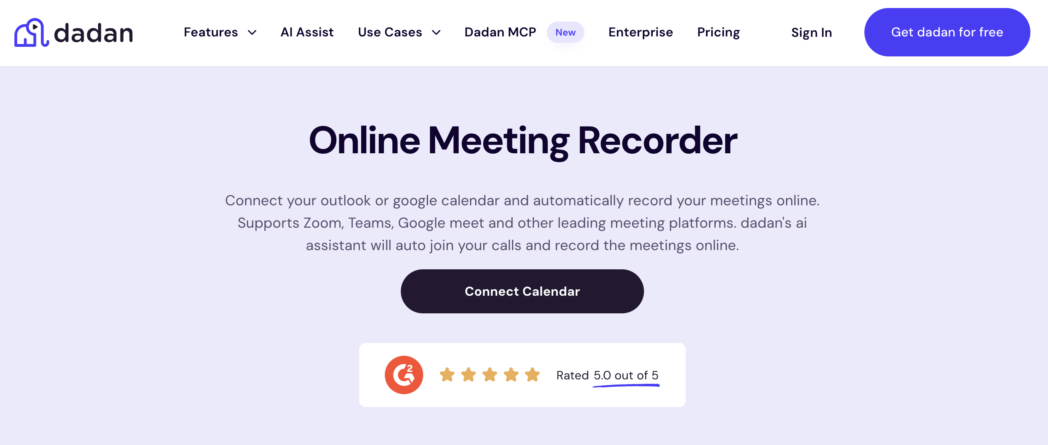
Once the recording is processed, the AI Meeting Notes feature generates a structured summary using pre-built templates for common meeting types including weekly syncs, client calls, and project reviews.
For teams that already use Dadan to record walkthroughs, demos, and async updates, meeting notes become part of the same workflow rather than a separate tool. The transcript video editor lets you edit the video by editing the text of the recording. Integrations are available to automatically capture scheduled meetings.
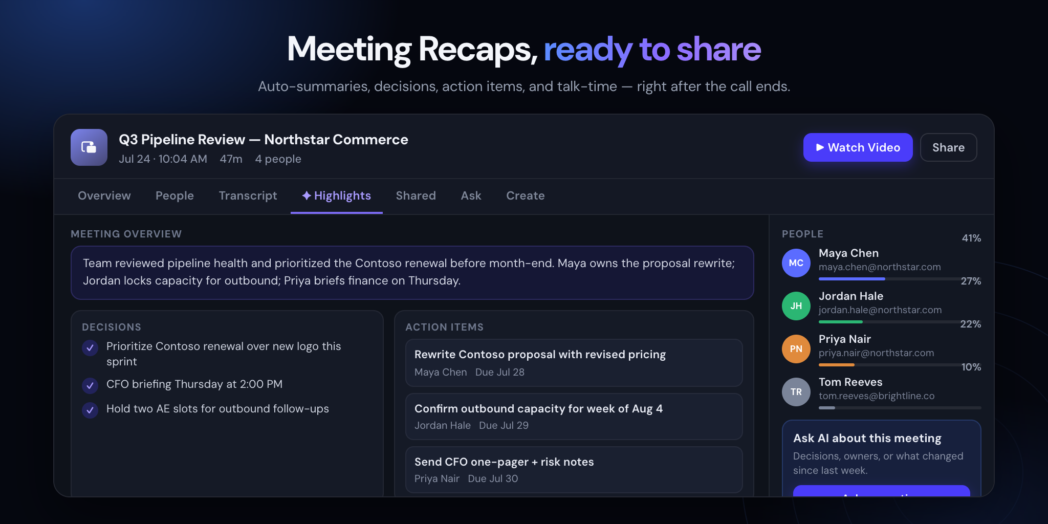
Dadan also turns each recorded meeting into a meeting recap with the key information in one place. You can quickly review highlights, decisions, action items, and the meeting overview without replaying the entire recording. The recap also includes the transcript, participant details, and an AI assistant for asking questions about the discussion.
Dadan free plan includes 25 videos, up to 5 minutes per video, and 2GB of storage. Paid plans extend those limits for higher-volume teams.
Best for: Async and remote teams that want recording, editing, AI meeting notes, and video hosting in one place.
2. Fathom
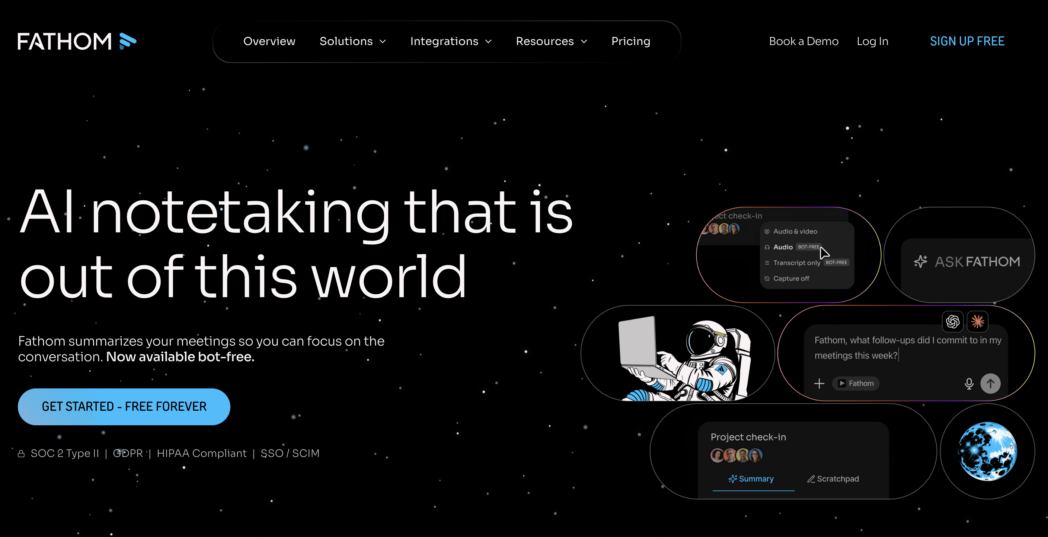
Fathom joins calls as a bot and generates summaries of the meeting. The free plan is among the most generous in the category with unlimited recordings, unlimited storage, and AI summaries with no time limit and no credit card required.
Best for: Individual contributors who want reliable, fast post-meeting summaries without a paid subscription.
3. Otter.ai
Otter provides real-time transcription during the meeting itself, making it useful for attendees who want a live caption feed as the conversation happens. It also supports in-person transcription via mobile, which extends it beyond video calls to conference rooms and live events.
The free plan includes 300 minutes of transcription per month.
Best for: Teams that prioritize live captions during the meeting over post-meeting summarization.
How To Record Meetings Using an AI Meeting Recorder?
Recording a meeting and generating AI notes in Dadan takes five steps. The whole process runs inside the browser, with no additional software required beyond the app or extension you use to record.
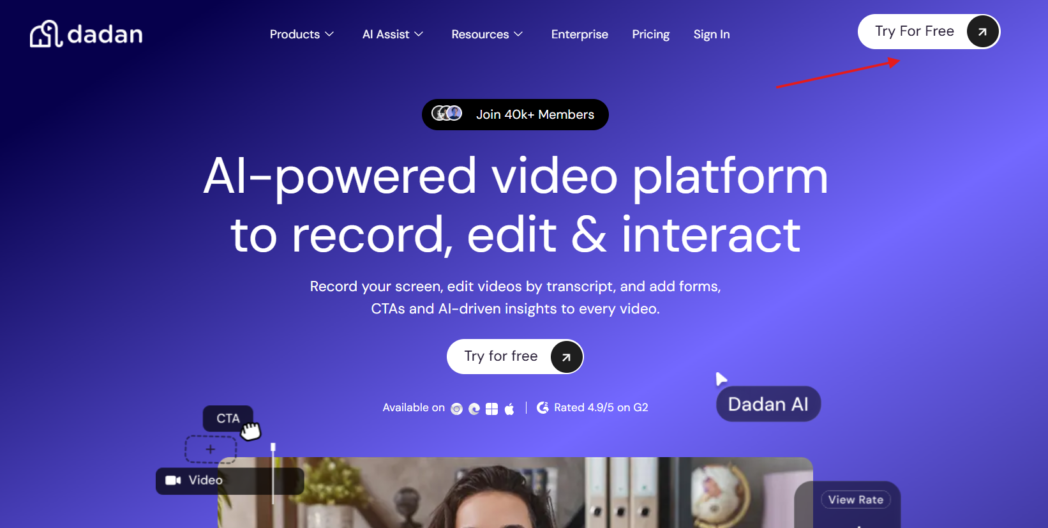
Step 1: Create a Free Dadan Account
Go to dadan.io and sign up. No credit card is required for the free plan.
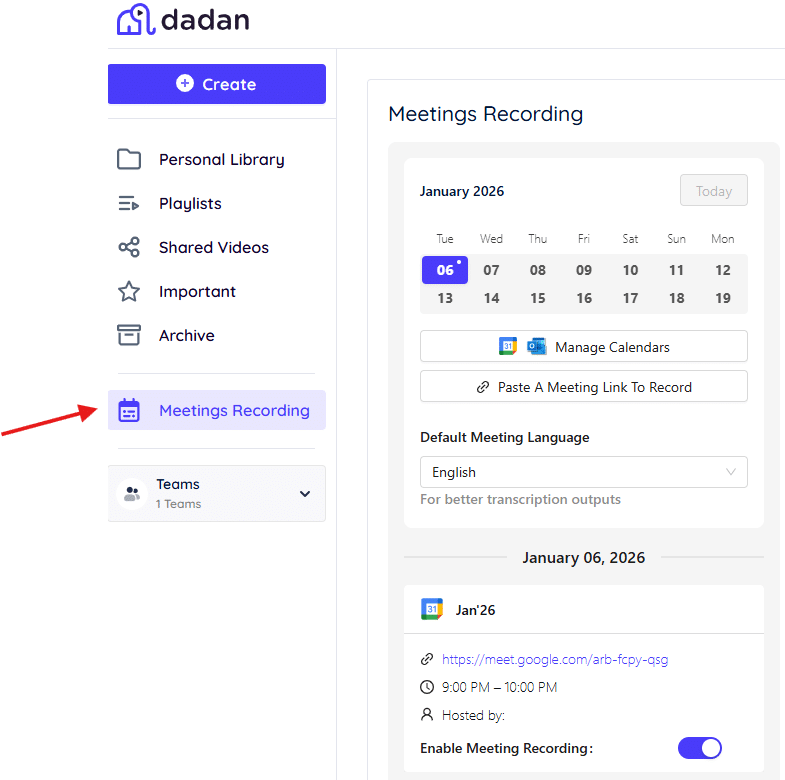
Step 2: Open Meetings Recording
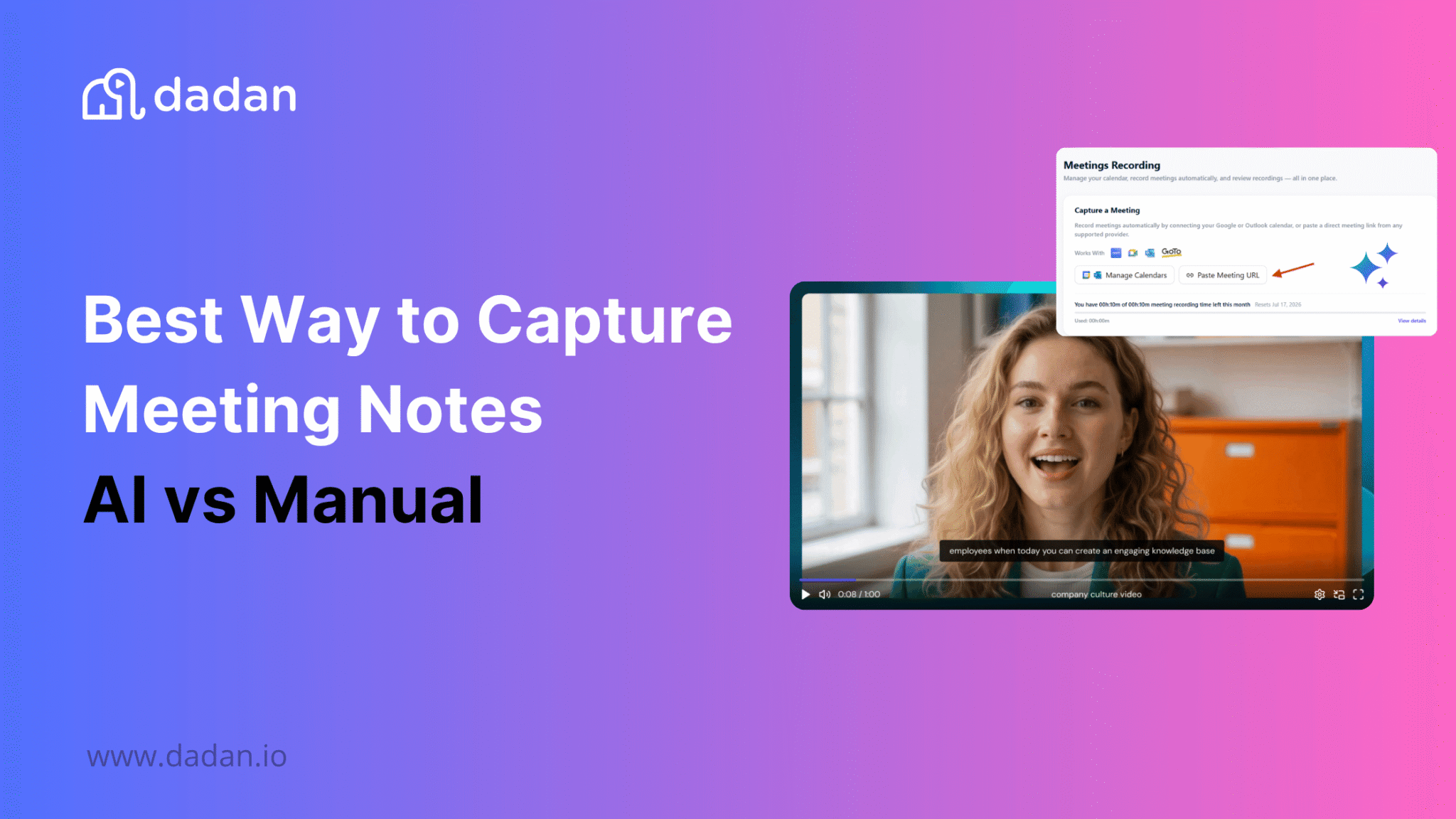
From the sidebar, click Meetings Recording. This is the dedicated section for scheduling and managing the Dadan Meeting Bot, separate from manual screen recording.
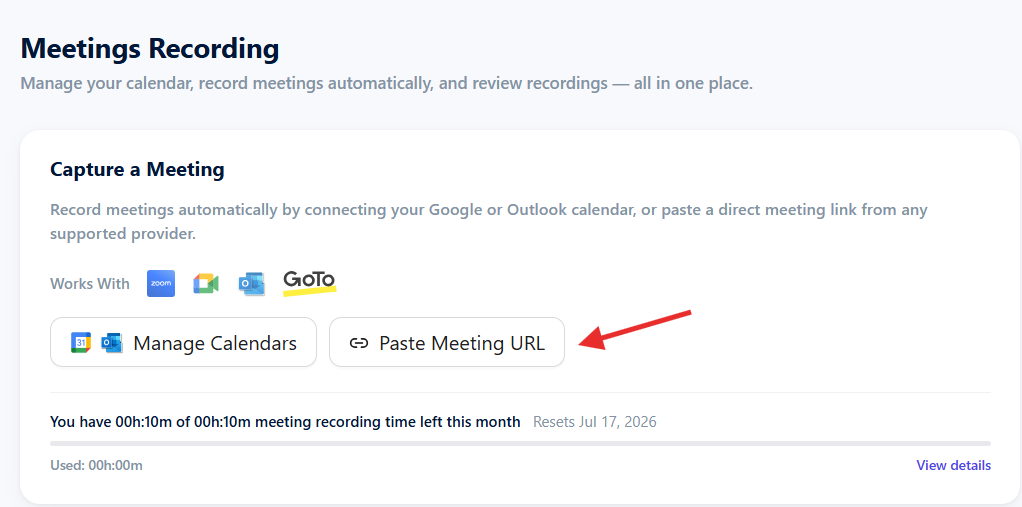
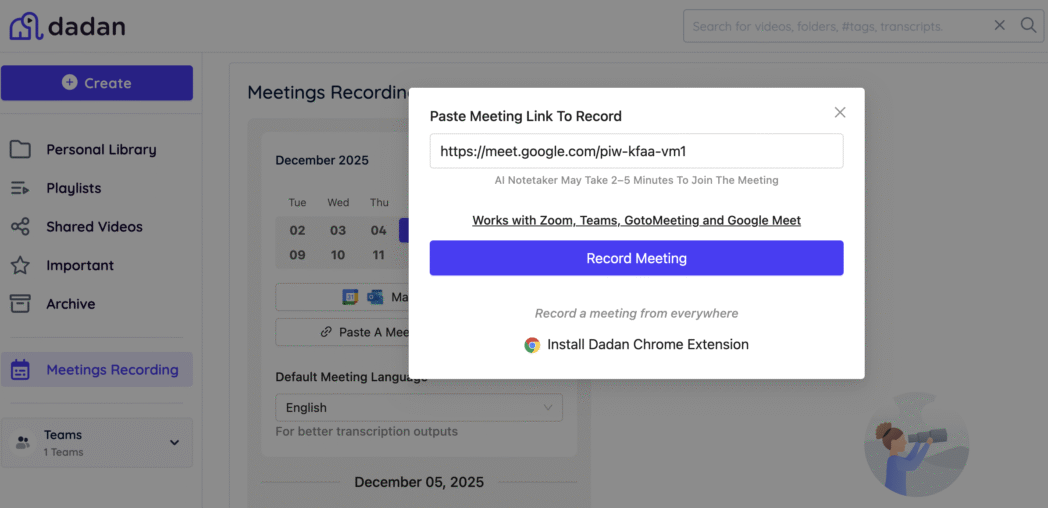
Step 3: Paste Your Meeting Link
Click “Paste meeting URL” and drop in the Zoom, Google Meet, or Microsoft Teams link. This schedules the Meeting Bot to join at the meeting time.
Step 4: Approve the Bot When It Joins
When the meeting starts, the Dadan Meeting Bot will request to join as a visible participant. Click Approve. It records audio and video for the duration of the call.
Step 5: Generate AI Meeting Notes
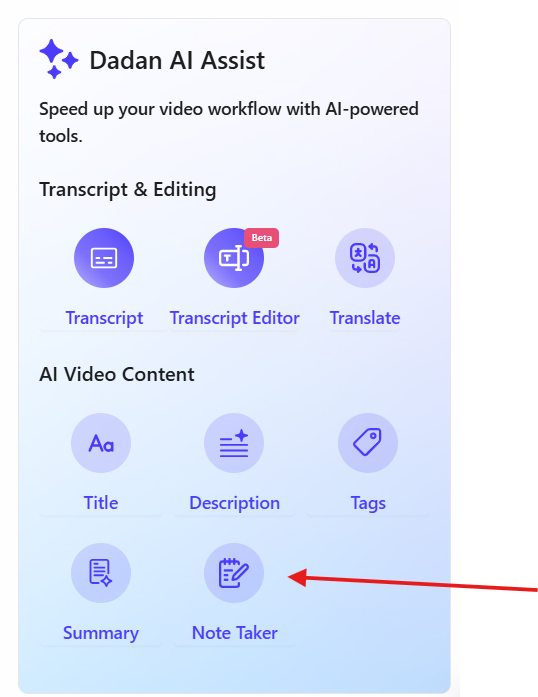
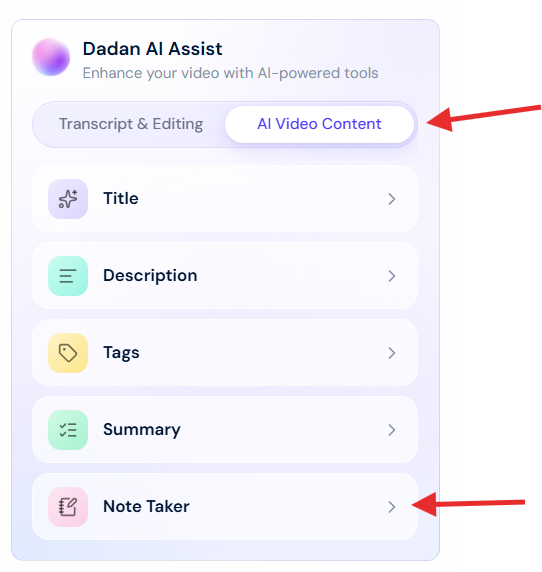
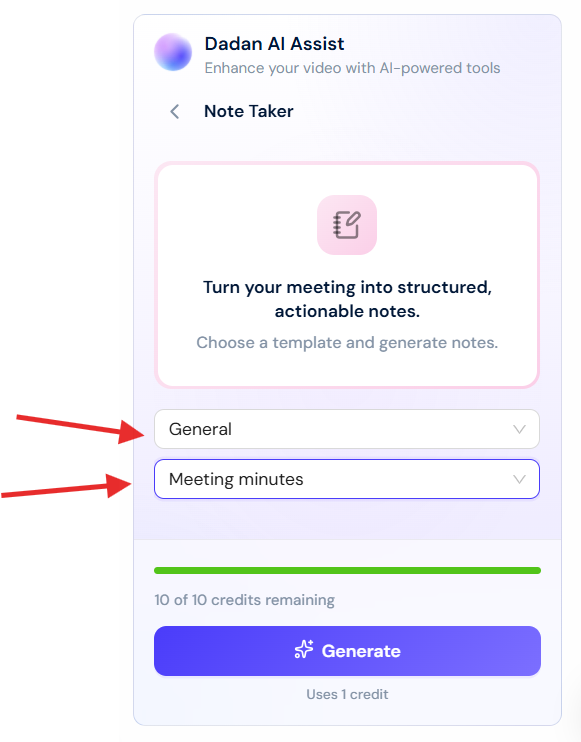
Once the recording is processed, open the video from your dashboard, go to the AI Assist panel, and select Note Taker. Choose a category (General, HR, Sales, etc) and template (Meeting Minutes, stand-up meeting) and generate the summary, typically ready in under a minute.
Conclusion
For most teams running a standard volume of meetings, AI recording tools have replaced manual note-taking on a practical basis.
The time savings are real, the consistency is demonstrably better than the human alternative at scale, and the cost is low relative to what documentation overhead used to consume.
The exceptions remain worth planning around. Sensitive conversations, high-stakes discussions, and organizations with compliance requirements all call for a more deliberate approach to tool selection.
For teams that want recording, editing, AI meeting notes, and video hosting in a single workflow rather than stitched across multiple tools, Dadan is worth starting with.
FAQs
What is an AI meeting recorder?
An AI meeting recorder captures audio from a meeting, transcribes it, and generates structured notes including summaries, action items, and key decisions. Some tools join meetings as a visible bot, others record directly from your device without appearing on the call.
Are AI meeting notes accurate?
Most tools reach 85 to 99% accuracy on clear audio in English, with accuracy dropping for multiple simultaneous speakers, strong accents, or non-English content. Test any tool against an actual recording from your environment before committing to a paid plan.
Can AI replace manual meeting notes?
For standard team meetings, yes. For sensitive discussions, high-stakes conversations, or meetings where a recording bot changes participant behavior, a human note-taker remains the better option.
What are the benefits of AI meeting recorders?
Consistent output quality, significant time savings post-meeting, full searchable transcripts, and automated action item extraction are the primary benefits with async distribution of summaries being especially useful for distributed teams.
Are AI meeting recorders secure?
Security varies by tool. Fellow is among the few tools in the category with SOC2 Type II, GDPR, and HIPAA certifications accessible on team plans. Review each vendor’s data storage and AI training policies before deploying at the team level.
How do AI meeting summaries work?
The tool transcribes the recorded audio, then runs the transcript through a language model that identifies and structures key discussion points, decisions, and action items based on meeting content.
Why are teams switching to AI meeting tools?
The primary driver is the combination of time savings and consistent documentation quality. Manual note-taking doesn’t scale well when teams run eight to ten or more meetings per week across multiple stakeholders.
What is the best AI meeting recorder for remote teams?
Dadan works well for async remote teams because it combines recording, editing, AI meeting notes, and shareable hosting in one workflow. For bot-based options, Fathom’s free tier and fast summary turnaround make it a practical starting point.
Can AI meeting recorders improve productivity?
Yes, they eliminate the 15 to 30 minutes typically spent writing up notes after each meeting, and they make meeting records searchable and distributable, which reduces time spent on follow-up clarification.
How do async teams use AI meeting recordings?
Async teams record walkthroughs, project updates, or meeting replays and use AI meeting notes to give teammates in other time zones a structured summary without requiring them to watch the full video. Dadan supports this workflow with recording, AI notes, and hosted sharing in one place.