Whether you are a newbie or a pro, you will find this guide on writing minutes of meetings useful. It starts with the definition, then explains how to structure it, and at the end, it tells you how AI can make the writing part a lot easier and quicker.
Feel free to skip the sections that you already know, to scroll to the part you find interesting.
What are Minutes of Meeting?
Meeting minutes, or MoM, are official written records of what happened during a meeting. A clear, unbiased summary of decisions made, tasks assigned, and next steps agreed upon.
Sometimes these notes are mistaken for transcripts; they’re not the same. In MoM, you don’t write down every word. Instead, you capture the key points and big-picture ideas, so everyone knows what was decided and what to do next.
Fun fact: the word “minutes” doesn’t refer to time but comes from a Latin term meaning “rough notes” or “small writing.”
What Should Be Included in Meeting Minutes
The content of your meeting minutes will depend on the type of meeting. In general, it includes these key components to ensure clarity, accountability, and a trustworthy record.
Meeting Title, Date, Time, and Location
Start by stating the meeting’s title, date, and the start and end times. Include the location, whether the meeting was in-person or virtual. For formal records, add the organization’s name. This basic information makes the document easily identifiable and creates a reliable archive
Attendees and Absentees
List everyone present and those absent. This identifies who was involved and who was informed. For official meetings, note if a quorum –minimum required attendance – was reached.
Meeting Purpose and Agenda
Define the main objective of the meeting. This provides context for the discussions and decisions. Outline the agenda by listing topics and activities covered. This ensures all planned items are addressed and makes the meeting flow more smoothly.
Approval of Previous Minutes
Record whether the previous minutes were approved, including any corrections. It maintains the integrity and accuracy of the official record, as minutes aren’t considered official until reviewed and approved.
Discussions and Key Points
Summarize the main discussions, insights, and deliberations related to each agenda item. Focus on capturing the rationale behind decisions and essential context, without transcribing every word. These summaries serve as valuable institutional memory.
Decisions, Resolutions, and Voting
Document the outcomes of the meeting, like motions proposed, seconded, and voted on, along with the voting record (who voted for, against, or abstained).
Action Items and Responsibilities
List specific tasks assigned during the meeting, clearly noting who is responsible and the deadlines for completion. Clear action items are important for tracking progress and ensuring follow-through.
New Business and Supporting Documents
Set aside space for new topics raised during the meeting that weren’t on the original agenda. Also, include any reports, presentations, or shared documents, so that everyone has access to all relevant materials.
Adjournment and Next Meeting
Conclude with the official time the meeting was adjourned and specify the date and time of the next meeting. For formality, include the signatures of the minute-taker and the person who reviewed or approved the minutes, such as the chairperson
Step-by-Step: How To Write Minutes of Meeting
The process of creating clear and useful meeting minutes can be broken down into several key phases: preparation, note-taking during the meeting, drafting, approval, and storage.
Prepare Before the Meeting
Before the meeting, understand its purpose, review the agenda, and look at previous minutes to identify pending tasks or unresolved issues. Create a structured outline or template. Also, fill in basic details like the meeting date, time, and location beforehand.
Take Notes During the Meeting
During the session, focus on capturing the key points, decisions, actions, and motions. Don’t attempt to transcribe everything verbatim (remember: You’re not writing the transcript). Record attendance, note action items, and document any motions as they happen. If discussions are unclear or incomplete, ask for clarification. If you can, record the meeting for later review.
Transcribe, Draft, and Organize Immediately
As soon as the meeting concludes, organize your notes while the details are fresh. Avoid using personal opinions or emotional language. Use the agenda items as headings and organize notes logically. Be concise; include brief descriptions of decisions and the reasoning behind them to provide context.
Review, Approve, and Share
Review the draft minutes carefully, verifying the accuracy of facts, figures, deadlines, and responsibilities. Check your grammar and spelling. The minutes only become official after review and approval by the chair or designated leader. Once approved, distribute the minutes to all attendees and relevant stakeholders, ideally within a few days to facilitate timely follow-up.
File and Store Minutes
Finally, ensure the minutes are properly labeled, securely stored, and easy to retrieve in the future. Maintaining accurate records is often a legal requirement, such as under the UK Companies Act, which mandates keeping minutes for at least 10 years. Use a secure document management system or a dedicated archive to safeguard these records.
Free Minutes of Meeting Template (Copy-Paste)
Template 1: Simple/Standard Meeting Minutes
This format is best suited for informal or routine gatherings where the focus is on capturing key points, quickly reviewing specific matters, resolving an issue, or achieving a defined goal.
| Component | Content |
| Meeting Title: | [Insert the title of the meeting, e.g., “Weekly Team Sync” or “Marketing Strategy Review”] |
| Date: | [Insert the meeting date] |
| Time: | [Insert the start and end time of the meeting, e.g., 00:00] |
| Location: | [Insert the location or link for virtual meetings, e.g., Conference Room A / Zoom] |
| Attendees: | [List the names of all present participants] |
| Absentees: | [List the names of any members who were not present] |
| Goals/Purpose: | [List of meeting outcomes or the central objective] |
| Approval of Previous Minutes: | [Confirm if the previous minutes were reviewed and approved] |
| Agenda Item 1: [Topic Title] | |
| Key Discussions: | [Summary of conversations and key insights related to this topic] |
| Decisions: | [List of decisions or outcomes reached] |
| Next Steps: | [Next steps for this item, including follow-up plans] |
| Agenda Item 2: [Topic Title] | |
| Key Discussions: | [Summary of conversations and key insights related to this topic] |
| Decisions: | [List of decisions or outcomes reached] |
| Next Steps: | [Next steps for this item, including follow-up plans] |
| Action Items (Summary) | [Specific tasks delegated to participants, ensuring clear accountability] |
| Action 1: | [Action item], [Responsible person], [Due date] Example: Brian to follow up with the marketing team with a list of target companies by EOD. |
| Action 2: | [Action item], [Responsible person], [Due date] |
| Adjournment: | The meeting was adjourned at [Time] by [Name]. |
| Next Meeting: | [Next meeting date and time] |
Template 2: Formal Board Meeting Minutes
Formal board meeting minutes are a comprehensive, legally binding record of official discussions, actions, and decisions. These minutes are well-structured, detailed, and written in formal language, often required by regulators or courts.
| Component | Content |
| Organization Name | [XYZ Corp.] |
| Minutes of the Board of Directors Meeting | |
| Date: | [21/10/25] |
| Time: | [10:00 AM] |
| Location: | [Conference Room A, Headquarters] |
| Call to Order | The meeting was called to order by Chairperson [John Smith] at [10:05 AM]. |
| Attendance | |
| Present: | [List names and titles, e.g., John Smith (Chair), Emily Davis (Board Secretary)] |
| Apologies: | [List names of those absent, e.g., Tom Harris (Director)] |
| Quorum: | A quorum was present, with [6 out of 7] members in attendance. |
| Approval of Previous Minutes | The minutes of the previous board meeting held on [Date] were reviewed. A motion to approve the minutes was made by [Name] and seconded by [Name]. The minutes were approved as presented. |
| Reports | |
| Chairperson’s Report: | [Overview of strategic initiatives or summary of key points] |
| Treasurer’s Report: | [Mark Thompson presented the financial report, highlighting a 15% increase in revenue.] |
| Unfinished Business | [Follow-ups on previous action items or issues carried over] |
| Agenda Item: [Proposed budget for 2026] | |
| Discussion/Key Points: | [Summary of the review, including key discussion points and rationale that influenced the decision] |
| Motion and Vote: | A motion was made by [David Grant] to approve the budget, seconded by [Robert Lee] and put to a vote. Votes: For: 5, Against: 0, Abstained: 0. The budget was approved as presented. |
| Action Items | [Actions taken or agreed to be taken] |
| Action 1: | Review and update the employee training programme. Responsible member: Mark Thompson Due date: 15 November 2025 |
| Any Other Business | [Topics raised that were not on the original agenda] |
| Adjournment | The next board meeting is scheduled for [Date] at [Time]. A motion to adjourn was made by [Name] and seconded by [Name]. The meeting adjourned at [11:30 AM]. |
| Signature | [Name] Chairperson, [Date] |
| Minute Taker: | [Name and Title, e.g., Emily Davis (Board Secretary)] |
Template 3: Action-Oriented Team Meeting Minutes
This format is ideal for project teams, sprint meetings, or cross-functional working groups where the focus is on tracking deliverables, progress, and accountability.
| Component | Content |
| Meeting Title: | [Insert meeting name, e.g., “Product Launch Sprint Review”] |
| Date: | [Insert meeting date] |
| Time: | [Insert start and end time] |
| Participants: | [List attendees] |
| Facilitator/Lead: | [Name of person leading the meeting] |
| Meeting Objective: | [Brief description of what this meeting aimed to achieve] |
Progress Updates
| Team/Person | Update Summary | Status |
| [Name/Team] | [Brief update on what was accomplished since the last meeting] | On Track / At Risk / Blocked/ Other |
| [Name/Team] | [Brief update] | On Track / At Risk / Blocked/ Other |
Decisions Made
| Decision | Rationale | Owner |
| [What was decided] | [Why this decision was made] | [Who is responsible] |
| [Decision 2] | [Rationale] | [Owner] |
Action Items
| # | Action Item | Assigned To | Due Date | Priority |
| 1 | [Specific task to be completed] | [Name] | [DD/MM/YYYY] | High / Medium / Low |
| 2 | [Task description] | [Name] | [DD/MM/YYYY] | High / Medium / Low |
| 3 | [Task description] | [Name] | [DD/MM/YYYY] | High / Medium / Low |
Blockers/Issues
| Issue | Impact | Action to Resolve | Owner |
| [Describe the blocker or issue] | [How it affects the project] | [Steps to resolve] | [Responsible person] |
Key Takeaways
- [Highlight 1: Important insight or decision]
- [Highlight 2: Critical next step]
- [Highlight 3: Reminder or follow-up needed]
Next Meeting
Date: [DD/MM/YYYY]
Time: [HH:MM]
Focus: [What the next meeting will cover]
How AI Makes Writing Minutes EASY
More than writing, if you’ve ever had to retype and clean up your notes, you know how time-consuming it can be. Employees spend almost as much time organizing their notes as they do in the meeting itself.
That’s where AI comes in. Modern AI tools make taking meeting notes way easier and faster, so you can pay attention to what’s actually going on instead of scrambling to jot down every detail.
Here’s how AI makes your life simpler:
- Automatic Transcripts and Summaries: AI records your meeting and creates a written transcript. It then turns that into neat summaries on its own.
- Big Time Saver: AI saves you hours by pulling out main points and action items from the meeting instantly. It also tags the right people responsible for taking action, which is handy for managing follow-ups.
- Keeps You Focused in the Meeting: Since AI handles the note-taking and summarizing, you’re free to participate, lead, or just listen without worrying about missing anything.
- Boosts Accuracy: AI gives you clean, easy-to-read summaries, and can help flag anything missing, like forgotten action points or unclear decisions.
- Extra Features: Some advanced AI tools can even translate discussions, spot issues that come up over multiple meetings, and measure how engaged the group is.
Step-by-Step: Using Dadan to Record Meetings and Write MoM Automatically
Dadan’s AI Video Note Taker turns your meeting recordings into clear, actionable summaries instantly. You also get to choose from 30+ meeting templates to structure the key notes into specific formats.
Here’s the updated step-by-step content including the new first step about installing Dadan on PC/Mac or browser extensions, followed by the existing steps:
Step 1: Install the Dadan App or Browser Extension
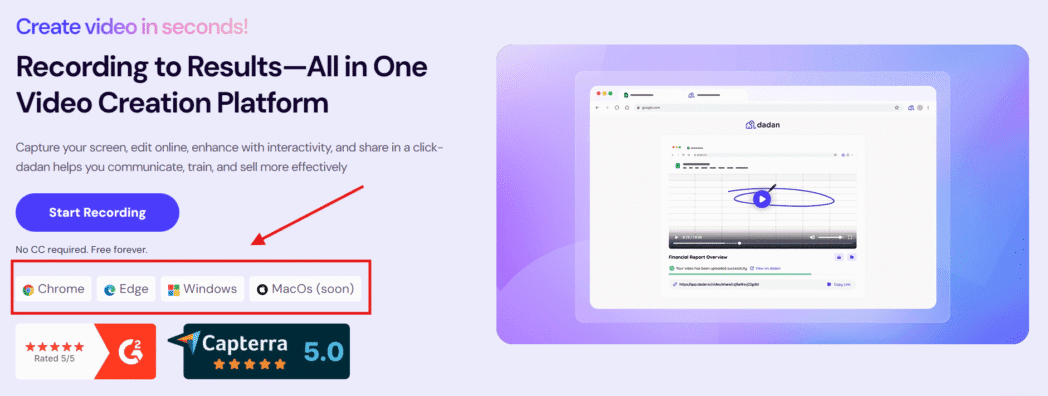
You have two options to get started:
- Download the dadan desktop app for Windows or Mac
- Install the Chrome or Edge extension to record from your browser directly
Step 2: Log In and Select Your Meeting
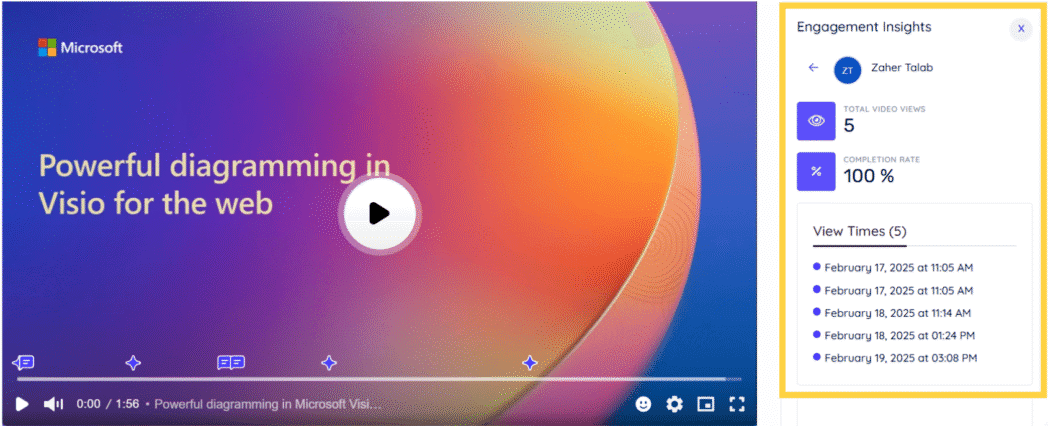
Sign up using your email address, then log in to Dadan. Upload your meeting video or record the meeting from dadan’s browser or desktop app. Either way, you will find the recording on your dashboard.
Select the meeting video you want to generate notes for. After you have done that, the video playback page will open up as shown in the screenshot.
Step 3: Launch the Note Taker
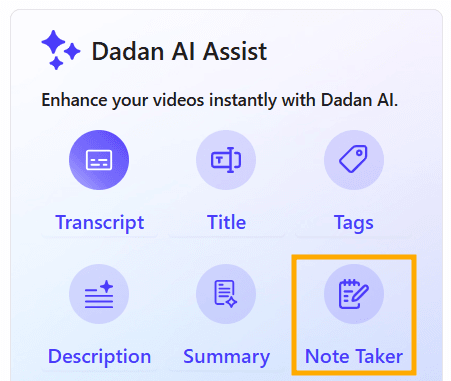
On the video playback page, find the AI Assist box and click the Note Taker icon.
Step 4: Generate the Transcript (If Needed)

If there’s no transcript yet, you’ll be prompted to create one. Select the language and click “Transcribe Your Video?” This transcript becomes the base for your meeting notes.
Step 5: Pick the Right Category and Template
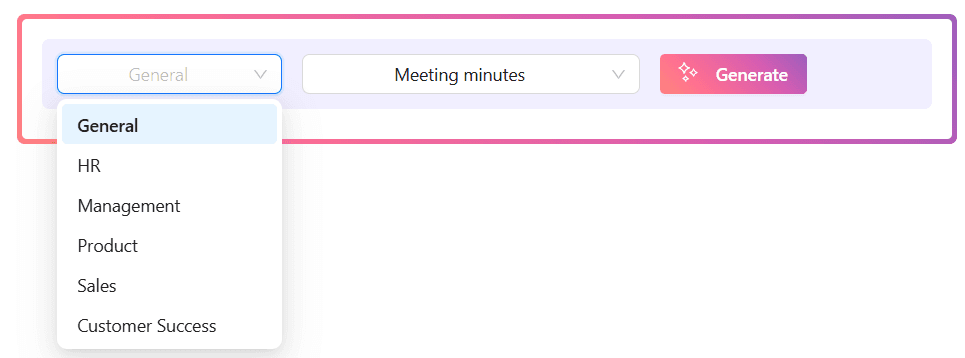
Choose the main meeting category (like General, HR, Sales) and the specific subcategory or template that fits best, such as “Meeting Minutes.”
Step 6: Generate Your AI-Powered Notes
Hit “Generate.” The AI will analyze the transcript and create a clear summary with key points, decisions, and action items—typically in under a minute.
Step 7: Review, Copy, and Share
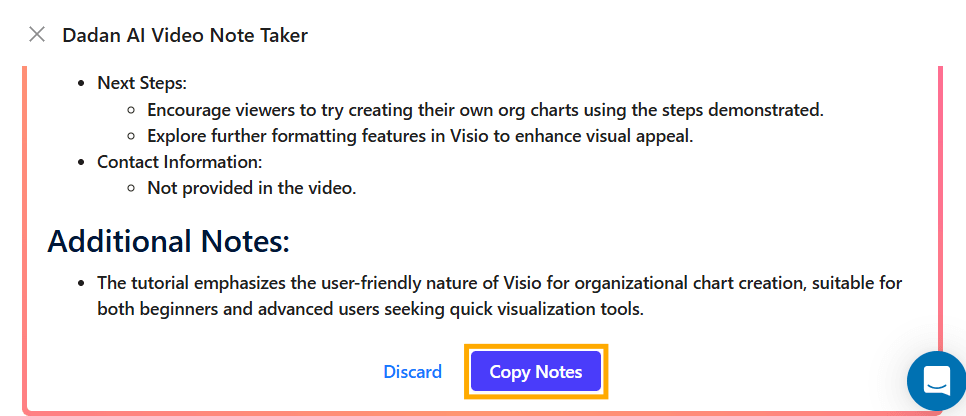
The structured notes will appear beside your video. Review the summary, attendees, agenda, key discussions, and tasks. Click “Copy Notes” to easily share the minutes with your team.
Let AI write the next minutes of meeting for you
We hope you found this guide useful. It touched on everything you must know to create clear, effective meeting notes. But if you’re swamped and need some help in automating this, give dadan AI notetaker a shot.
Sign up for a free trial and record a meeting or upload an old meeting to create notes.
FAQ
How to write minutes of meeting using AI?
Use an AI tool like Dadan’s AI Meeting Note Taker. Simply record your meeting or upload the video, and let the AI generate transcripts, summaries, and action points for you.
How to write minutes of meeting in schools and colleges?
In educational settings, focus on key decisions, deadlines, and responsibilities. Use an AI note taker for transcribing discussions and organising notes and make your job easier
Who is responsible for writing meeting minutes?
Usually, a designated note-taker, secretary, or project coordinator updates the minutes.
What is the difference between meeting notes and meeting minutes?
Meeting notes are informal and may include personal observations. Minutes are official, structured records of what was discussed, decided, and assigned, typically prepared after the meeting.
How soon should meeting minutes be shared after a meeting?
Ideally, minutes should be distributed within 24-48 hours, so everyone can act on decisions and tasks promptly.
Can I write minutes while participating in the meeting?
It’s possible but challenging. Using AI like Dadan allows you to record and generate minutes later, so you can participate fully without missing details.
What is an AI Meeting Note Taker and how does it work?
An AI Meeting Note Taker records, transcribes, summarizes, and highlights key points from your meetings automatically. You can create minutes faster and more accurately.
Can I use the same MoM format for online and offline meetings?
Yes, most formats work for both.
How long should minutes ideally be?
Minutes should be concise, covering decisions, action items, and key points. It must fit on one or two pages to stay clear and actionable.
Is it okay to rely entirely on AI for meeting summaries?
AI is a great help, especially with tools like Dadan. However, a quick review by a human ensures accuracy and clarity, making the summary truly reliable.
Recommended Readings:
- How to Record Skype Calls on Windows and Mac for Free
- How to Record GoToMeeting as Attendee Without Permission
- How to Record a Zoom Meeting as a Participant – 4 Easy Ways
- How To Record Google Meet Meetings Without Premium
- How to Record a Microsoft Teams Meeting in Simple Steps
- Best Way to Capture Meeting Notes in 2026: AI vs Manual