The question for most enterprises is no longer whether to use video internally. It’s which platform holds all of that recording, hosting, and access control in one place without turning into another tool nobody governs.
That’s a harder question than a feature checklist makes it look. A screen recorder your team loves can still fail a security review. A locked-down enterprise video system can be so heavy that people go back to attaching MP4 files in chat. The right choice depends on what your organization actually needs to protect, measure, and scale.
Requesting Suggestions for Video Hosting Solution for Internal Enterprise Use
byu/rodrigolzd inselfhosted
Below are five enterprise video platforms that handle internal communication well, each with an honest read on where it fits and where it doesn’t.
TL;DR
For distributed teams that want to replace meetings with async video and keep recording, editing, hosting, interactivity, and AI in one place, Dadan offers the widest workflow at the lowest per-seat cost.
What Is an Enterprise Video Platform?
An enterprise video platform gives your whole organization a secure way to record, host, manage, and share video, with the admin controls, access permissions, and analytics your IT and communications teams need to run it at scale.
A consumer screen recorder stops at capture and a share link. You need more once video becomes a company-wide habit.
You need centralized storage, permission controls, branding, and engagement data.
Some platforms lean toward async messaging for your day-to-day updates. Others work as internal broadcast hubs for leadership town halls. A few function as full video content management systems that index every recording so your employees can search a library the way they’d search a wiki.
You’ll likely need a blend of these, which is why fit matters more than the label a vendor puts on itself.
Why Enterprises Are Replacing Meetings with Video
You can replace most status meetings with recorded video, because it delivers the same clarity as a live call without forcing everyone onto the same hour, and it leaves you a searchable record instead of a call that vanishes when it ends.
A live meeting costs you more than the time on the calendar. You pay for it in coordination across time zones, in context lost when someone can’t attend, and in follow-up messages that repeat what was already said out loud.
A recorded walkthrough removes most of that. Your people watch when it suits them, skip to the part they need, and rewatch the tricky bit without asking you to explain it again.
Video also carries what text flattens. Tone tells your remote team whether a change is urgent or routine. A screen recording shows the exact click where a process breaks, instead of a paragraph trying to describe it.
For onboarding, your new hire watches the same clear explanation the last ten hires watched, instead of depending on whoever happens to be free that week.
You need a real platform here because of governance. Once managers across your departments are recording internal updates, you have to answer who can see them, how long you keep them, and whether a sensitive walkthrough can leak through a public link.
Those answers are what separate an enterprise video platform from a tool that just captures a screen.
Features to Look for in an Enterprise Video Platform
The right platform depends on your teams, but a few capabilities separate enterprise-ready tools from consumer recorders wearing a business label. Weigh these before you shortlist anything.
Security And Access Control
Look for password protection, expiring links, granular view and download permissions, and single sign-on if you mandate it. Ask the vendor directly about SOC 2 status, GDPR handling, and any industry rules you answer to, such as HIPAA.
Admin And Team Management
You should be able to manage members, move content between teams, and see what your organization is producing from one admin view. Weak team controls are a common reason video sprawls out of your control.
Hosting And Branding
Centralized, secure hosting keeps recordings out of everyone’s personal drive. Custom branding and your own domain make shared videos read as your assets, not a third-party link.
AI Assist
Automatic transcripts make video searchable and accessible. Auto summaries, chapters, and meeting notes turn a long recording into something your busy colleague will actually open.
Engagement Analytics
View counts alone tell you little. Watch time, audience retention, and per-viewer insight tell you whether your message landed or got abandoned at the thirty-second mark.
Interactivity
Quizzes, polls, and in-video forms turn passive updates into something you can measure, which matters when you’re tracking training completion or running an internal campaign.
Integrations
Your platform should connect to the tools your teams already live in, from Slack and Teams to your CRM and calendar, so video fits your workflow instead of interrupting it.
4 Best Enterprise Video Platforms
Choose based on the job you need video to do, since no single platform here wins on every axis. The table below maps each option to what it does best and where it costs you.
| Capability | Dadan | Loom | Vimeo | Panopto |
| Best-fit role | Async workspace, full workflow | Async messaging | Internal broadcast hub | Video knowledge library |
| Screen & webcam recording | ✅ | ✅ | Partial | ✅ |
| In-browser and transcript editing | ✅ | Basic | Basic | Non-destructive |
| Interactivity (quizzes, polls, forms) | ✅ | ❌ | Partial (live Q&A) | Partial (quizzes) |
| AI transcripts and summaries | ✅ | Varies by plan | Partial | ✅ |
| SSO (SAML) and SCIM | ❌ | Enterprise only | Enterprise only | ✅ |
| SOC 2 | In progress | ✅ | ✅ | ✅ |
| Engagement analytics | ✅ | Basic | Advanced | Advanced |
| Entry price | ~$8/mo | ~$18/mo | ~$18/mo | ₹720/mo |
| G2 rating | 4.8 | 4.7 | 4.3 | 4.3 |
Below are four of the best enterprise video platforms currently on the market. We’ve included information like who it’s for, its core features, pricing, ratings, and everything you’ll need to make a sound decision.
1. Dadan
Dadan is the tool you reach for when you’re tired of paying three vendors to do one job. You record your screen, webcam, or both in the browser, edit by cleaning up the transcript instead of scrubbing a timeline, host everything in one place, and share through links you control.
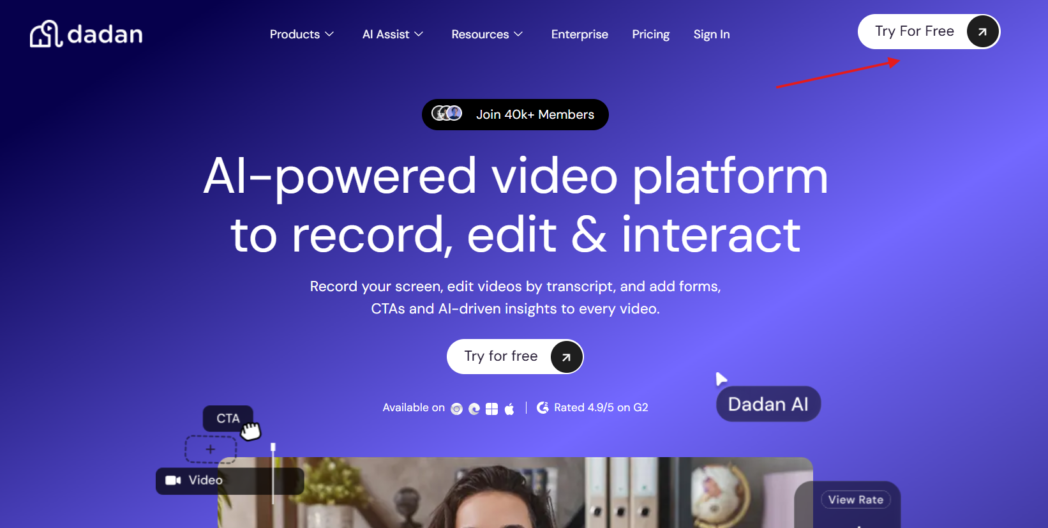
The same workspace lets you request video back from other people, so you can gather updates from your team or collect responses from trainees without booking a single call.
What sets Dadan apart for your enterprise use is the range you get in one tool at a low price. Most platforms on this list pick a lane, hosting, or broadcast, or knowledge management. Dadan gives you recording, editing, hosting, interactivity, and AI together, which fits you if you’d rather standardize on one workspace than stitch three together.
The enterprise tier adds your branding, your own domain through CNAME so shared videos carry your name instead of dadan.io, admin-level permissions, and governed access.
You can even lock a structured meeting-note format across groups of 200 or more users, so every summary and action list looks the same company-wide.
Best For
- Distributed and remote teams replacing meetings with async video updates
- Sales, marketing, HR, support, and product teams that want one shared video workspace
- Organizations that want interactivity and lead capture inside internal or buyer-facing video
- Mid-market and growing enterprises prioritizing value and breadth over heavy compliance certifications
Key Features
- Screen, webcam, or combined recording up to 4K on paid plans, through the browser, a Chrome or Edge extension, or Windows and Mac apps
- Browser editor plus transcript-based editing
- AI Assist for transcripts, summaries, titles, descriptions, chapters, and meeting notes across 30-plus languages
- Interactive quizzes, polls, in-video lead forms, and custom calls to action
- Request a Video shareable link
- Password protection, expiring links, custom branding, and CNAME custom-domain hosting on higher tiers
- 30-plus integrations including HubSpot, Slack, Microsoft Dynamics, Zendesk, Jira, and Google Workspace, plus a custom webhook
Pros
- Widest workflow on this list in a single tool
- Lowest per-seat pricing of any platform here
- Strong AI features that reviewers consistently single out, especially transcription and meeting notes
- Fast-moving product team known for shipping requested features quickly
Cons
- The user base skews toward small and mid-market teams
Pricing
- Free
- Lite: $8/mo
- Pro: $14/mo
- Business: $14/user/mo
Review
On G2, you’ll find Dadan sitting at 4.8 out of 5 across 60 reviews, and the pattern repeats across nearly every one. People leave Loom, keep the money they were spending, and pick up more features along the way.
2. Loom
Loom, now owned by Atlassian, is probably the platform you already picture when you hear async video. It’s built around fast, low-effort recording and sharing, which is exactly why it spread through so many teams from the bottom up long before IT signed off on it.

You record a two-minute explainer, drop the link in Slack, and your recipient watches without downloading anything.
For your enterprise rollout, the story is about standardization and security rather than breadth. Loom handles async communication cleanly and reliably, and its Enterprise tier gives you the identity and admin controls your organization likely requires.
The catch is that those controls, and much of the AI, sit behind that top tier, and pricing rose after the Atlassian acquisition.
Best For
- Companies standardizing on quick async video messaging across teams
- Organizations that mandate SSO and centralized identity management
- Teams already inside the Atlassian ecosystem
Key Features
- One-click screen and webcam recording through desktop and browser
- Instant share links with viewer notifications and basic engagement insight
- AI features for auto-titles, filler-word removal, and meeting recaps on the AI tier
- Enterprise identity and security through SSO (SAML) and SCIM provisioning
- Salesforce and Zoom integrations on higher tiers
Pros
- Mature, reliable, and familiar to many employees already
- Clean recording and sharing experience with minimal learning curve
- Enterprise tier covers SSO, SCIM, advanced privacy, and custom data retention
Cons
- SSO and SCIM are Enterprise-only
- Not HIPAA compliant
- Pricing increased post-acquisition, and much of the AI value sits on the paid AI tier
- Narrower than a full video platform, with no built-in interactivity like quizzes or in-video forms
Pricing
- Starter: Free
- Business: $18/mo
- Business+ AI: $24/mo
- Enterprise: Custom
Review
You’ll find Loom at 4.7 out of 5 across roughly 2,389 reviews on G2, one of the largest and most positive review bases in the category. Reviewers value its reliability and ease, though small businesses often flag the paid plans as pricey for what’s at heart a recording and sharing tool. If you’re evaluating it for enterprise rollout, know going in that single sign-on sits only on Enterprise.
3. Vimeo
Vimeo has moved well past its origins as a creator hosting site, and you can now use it as a secure internal broadcast hub.

Think of it as your private, ad-free corporate video destination for town halls, leadership updates, and a library of company-wide content, with a clean player that reads as professional when your links go to employees or customers.
Its strength for you is scale and polish rather than quick desk-side recording. Vimeo shines at hosting, live streaming, and structured content, and companies like Paychex and Jamf have used its SSO to protect internal-only broadcasts.
Watch for the enterprise cost cliff and a bandwidth cap on self-serve plans that can force you to upgrade once viewership grows.
Best For
- Companies that broadcast town halls and leadership communications to the whole organization
Key Features
- Professional hosting with a clean, ad-free, customizable player
- Enterprise-grade live streaming with 4K, adaptive bitrate, Q&A, and polling
- Structured folders, updatable links, and privacy controls for internal-only distribution
- SSO (SAML and SCIM), DRM, geo-blocking, and domain restrictions on Enterprise
- HIPAA compliance available as an Enterprise option
Pros
- Reliable, high-quality hosting and streaming built to broadcast at scale
- Strong security and compliance options on the Enterprise tier
- Well suited to one-to-many internal communication rather than casual messaging
Cons
- SSO, DRM, and compliance controls are gated behind custom Enterprise pricing
- A 2 TB monthly bandwidth cap on self-serve tiers can trigger a steep, forced Enterprise upgrade
- Less suited to quick, everyday async recording
Pricing
- Starter: ₹720/mo
- Standard: ₹1,500/mo
- Advanced: ₹4,500/mo
- Enterprise: Custom
Review
You’ll find Vimeo around 4.3 out of 5 across roughly 701 reviews on G2. Reviewers praise the video quality, hosting reliability, and professional player, though they note it can feel less flexible for team collaboration than tools built around messaging, and that costs climb sharply once you hit the enterprise boundary.
4. Panopto
Panopto is the most enterprise-heavy platform on this list, built as a video content management system for large organizations and universities. Its center of gravity is a secure, searchable video library, so your employees can find the exact moment inside any recording the way they’d search a document.
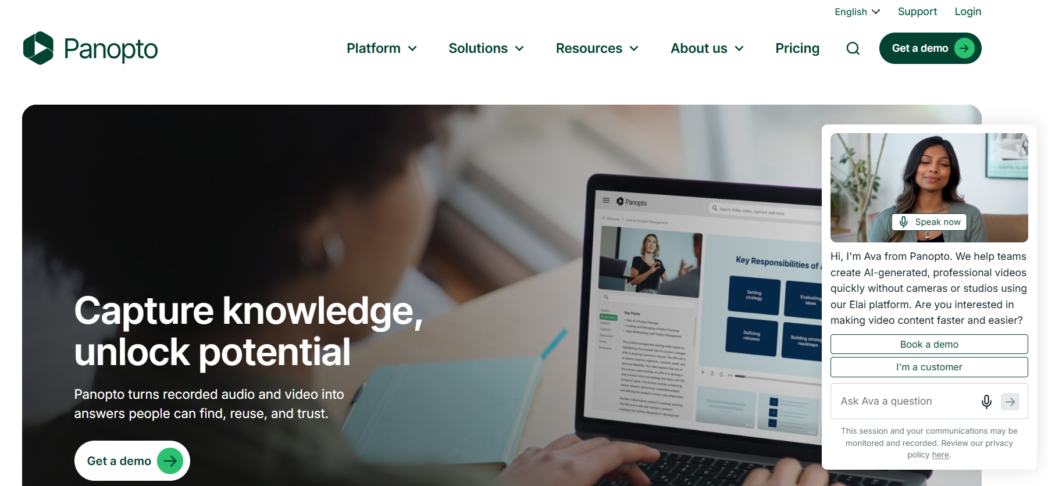
You’d use it as a central hub to broadcast and archive town halls, company-wide updates, and leadership announcements at scale.
That depth comes with weight. You should expect to bring in dedicated IT or audio-visual support, and you’ll be pricing through a custom quote rather than a public plan.
If you’re a large organization that treats video as institutional knowledge and needs strong compliance, that investment pays off. If you’re a small team that just wants to record and share, this is more platform than your job requires.
Best For
- Large enterprises and universities managing video as a searchable knowledge library
- Organizations broadcasting town halls and updates to thousands of viewers
- Teams that need SOC 2 Type II, GDPR, and FERPA-ready deployments
Key Features
- Enterprise video content management with industry-leading in-video search
- Large-scale live webcasting to thousands of concurrent viewers, auto-recorded for on-demand viewing
- SSO through SAML, Active Directory, Google, and OAuth, plus LMS integrations like Canvas, Moodle, and Blackboard
- SOC 2 Type II, GDPR, and FERPA-ready deployments with fine-grained access controls
- Multi-stream viewing, in-video notes, quizzes, and non-destructive editing
Pros
- Genuine enterprise security and compliance depth
- Best-in-class search across a large video library
- Reliable large-scale streaming without extra infrastructure
Cons
- Complex setup that generally needs dedicated IT or AV support
- Editing is described by reviewers as finicky
- Overbuilt for small teams or simple async messaging
Pricing
- Custom
Review
Panopto reviews 4.3 stars across 151 reviews on G2. It gets good reviews well among enterprise and higher-education users, who value its comprehensive management and search. The same reviewers consistently flag setup complexity and cost as the barriers you’ll hit if you’re a smaller organization.
Why Dadan Is the Best Enterprise Video Platform
If your main goal is replacing meetings with async video, Dadan is your strongest fit, because it combines recording, browser and transcript editing, hosting, interactivity, and AI in one workspace at a per-seat price well below the alternatives.
The other four platforms each win you a narrow lane. Loom gives you quick messaging but gates identity controls and much of its AI behind the top tier, and it skips built-in interactivity.
Vimeo and Panopto are built for one-to-many broadcast and searchable libraries, with enterprise features priced accordingly and a heavier lift for you to run. Microsoft Stream is convenient if you’re already inside Microsoft 365, but it’s thin on analytics and interactivity.
So, if your priority is a single, affordable workspace where any team can record, refine, share, measure, and collect video, Dadan gets you the most ground covered.
The value gap is real, and you can verify it yourself. Dadan’s Business tier runs you $14 per seat per month billed annually with unlimited storage, priority support, and a dedicated account manager, while comparable capability on Loom or Vimeo pushes you toward custom Enterprise contracts that Vendr and other sources put in the tens of thousands per year.
If you’re a growing organization standardizing internal video, that difference funds a lot of your other priorities.
Conclusion
Internal video stopped being optional for you a while ago, so your real decision is which platform matches how your teams communicate and what your organization has to protect.
If you want one affordable workspace to record, edit, host, and collect video without juggling three tools, Dadan gets you the most across the workflow.
See how Dadan handles your team’s video in one place, with a free plan to start and an enterprise demo when you’re ready to scale. Book a demo or start free at dadan.io.
FAQs
Why use video for internal communication?
Video carries tone, context, and on-screen detail that text can’t, so a two-minute recording often explains something to your team faster and more clearly than a long email or another meeting. It also lets your people watch on their own time across regions, and it leaves you a searchable record instead of a call that disappears when it ends.
Which enterprise video platform is best?
There’s no single best for everyone, only what’s best for you. Pick Dadan if you want the widest async workflow at the lowest per-seat cost.
How do enterprise teams share videos securely?
You’ll want a platform that offers password-protected links, expiring links, granular view and download permissions, and single sign-on where you require it. Dadan gives you password protection, expiring links, custom branding, and custom-domain hosting on its higher tiers, so your internal content stays inside controlled access.
Can enterprise video platforms replace meetings?
You can replace most status updates, walkthroughs, and one-way announcements with recorded video your people watch on their own time. Live discussion still matters for real-time debate, but you’ll find a large share of your recurring meetings convert cleanly to async video with searchable transcripts.
What features should an enterprise video platform have?
Look for secure hosting and access controls, strong admin and team management, AI transcripts and summaries, engagement analytics you can actually act on, branding, and integrations with the tools your teams already use. Confirm compliance needs like SOC 2, GDPR, or HIPAA against your own requirements before you roll anything out.
Does Dadan support enterprise teams?
Yes. You get an enterprise tier with custom branding, custom-domain hosting through CNAME, admin-level permissions, governed access, and structured meeting-note formats for groups of 200 or more users. Its SOC 2 certification is in progress, so confirm your specific compliance requirements with the Dadan team before you commit.
Can I measure employee engagement with videos?
Yes, if you pick a platform that reports beyond simple view counts. Dadan, Vimeo, and Panopto give you watch time, audience retention, and viewer-level insight, so you can see whether your message held attention or lost people partway through.
Recommended Readings:
- Why Asynchronous Communication Is Changing the Way We Work
- The Future of Work Is Asynchronous and AI Transcriptions Are Leading the Way
- 10 Best Asynchronous Collaboration Tools Of 2026
- 10 Tips for Better Async Video Communication
- Why Traditional Async Video Fails and What’s Next
- Best Async Video Platform for Teams in 2026
- Why Traditional Async Video Fails and What’s Next