Reading from a script while looking directly into a camera lens is one of the hardest things to do naturally on video. Most people are not skilled at it.
Sometimes your delivery goes flat, or your eyes track sideways, and ends up taking way more retakes than necessary.
AI teleprompters address these exact issues by matching the scroll speed to your natural voice and speed.
The tools on this list go further than basic scrolling. Most of them can now generate scripts from topics or keywords, track your voice with speech recognition, and also include recording and editing features so you can write, rehearse and publish without jumping between tools.
What is AI Teleprompter Software?
AI teleprompter software displays scrolling text on your screen while you record, present, or livestream.
Older teleprompters scrolled at a fixed speed that you had to keep up with. But now AI-versions use speech recognition to follow your voice naturally, which means they speed up when you do, slow down when you pause, and hold when you go off-script.
Comparison Table
| Tool | Best For | AI-Script Generation | Built-in Recording | Hosting & Sharing | Interactive Elements |
| Dadan | Full video workflow | ✅ | Up to 4K, 60fps | Cloud hosting, analytics | Quizzes, polls, CTAs, forms |
| VEED | Browser-based editing with teleprompter add-on | ❌ | Webcam+screen | ❌ | ❌ |
| Descript | Transcript-based editing with teleprompter | ❌ | Webcam+screen | ❌ | ❌ |
| BIGVU | Mobile-first social video | ✅ | Up to 4K on Pro | ❌ | ❌ |
| PromptSmart | Offline voice-tracked scrolling | ❌ | ✅ | ❌ | ❌ |
| Speakflow | Browser-based team collaboration | ✅ | ✅ | ❌ | ❌ |
| FlowPrompter | Desktop + web cross-platform prompting | ❌ | ❌ | ❌ | ❌ |
| Teleprompter.com | Apple ecosystem creators | ✅ | ✅ | ❌ | ❌ |
| CuePrompter | Zero-budget basic prompting | ❌ | ❌ | ❌ | ❌ |
9 Best Best AI Teleprompter Software
Here are the top 9 AI teleprompter software on the market today.
1. Dadan
Dadan is an AI-powered, browser-based video creation platform where teleprompter is only one step in a much longer chain.
If you don’t already have a script, the AI Script Generator gives you a working draft from keywords so you are not starting from a blank screen. Load it into the prompter and record immediately. Screen only, webcam only, or both at the same time, up to 4K and 60fps, no watermark on any plan.
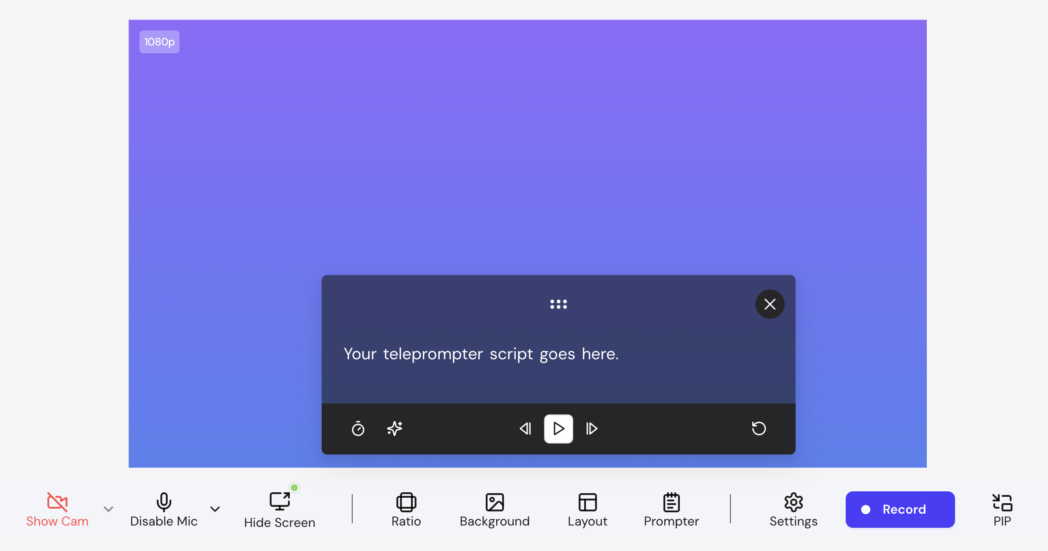
If you go deeper into the plan, after recording, the same platform handles transcription at up to 99% accuracy, auto-captions, silence and filler-word removal, chapter markers, and SEO metadata.
The text-based video editor lets you cut footage by deleting words from the transcript. Every video is hosted on Dadan’s cloud with password protection and viewer-level analytics. The embeddable player supports quizzes, polls, CTAs, and lead-capture forms inside the video itself, so viewers can take action without leaving the player.
Best for:
- Video creators, educators, sales professionals, and remote teams
- Teams replacing multiple tools
Key features:
- Teleprompter with adjustable scroll speed and text size
- AI Script Generator that turns keywords or a topic into a full script, loaded directly into the prompter
- Screen, webcam, or screen + webcam recording up to 4K and 60fps on Pro
- No watermark on any plan, including free
- Text-based editor where deleting words from the transcript cuts the corresponding footage
- AI Assist suite for transcription, auto-captions, chapter generation, video summaries, silence and filler-word removal, SEO metadata
- AI Clip Generator for turning long recordings into short-form vertical clips
- Interactive elements embedded in the video player, including quizzes, polls, CTAs, and sign-up forms
- Cloud hosting with password protection, granular permissions, and embeddable links
- Watch analytics tracking who viewed, how long, and what they clicked
- 30+ integrations including HubSpot, YouTube, LinkedIn, Slack, and Google Classroom
- Meeting recorder connecting to Google and Outlook calendars for Zoom, Meet, and Teams
Pros:
- Teleprompter, AI editing, hosting, analytics, and lead capture in one platform with no tool-switching
- Full AI Assist suite included in Pro
- AI Script Generator and teleprompter work in the same session
- Interactive elements turn passive viewers into measurable leads
- No watermark on the free plan, which is uncommon in this category
Cons:
- Offline recording requires the desktop app, the browser extension needs an internet connection
- More features than needed if you only want a standalone prompting tool
Pricing:
- Free
- Lite: $8/month
- Pro: $14/month
2. VEED
VEED is primarily a video editing platform that has a teleprompter built into its recorder. Paste a script, set a scroll speed, and read while recording in the browser. No download needed, works on any device with Chrome.
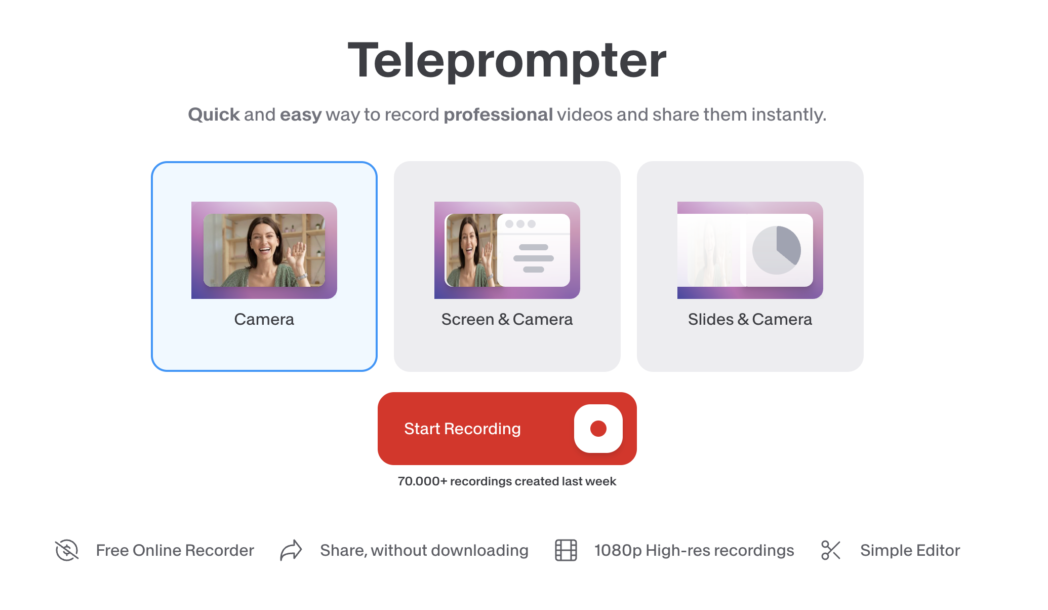
If you are already inside VEED for editing and want to read from a script while recording without paying for a separate tool, it handles that fine. If voice tracking or script generation matters to your workflow, VEED is not built for that.
Best for:
- Creators who already use VEED for editing and want basic teleprompter functionality without paying for a separate app
Key features:
- Built-in teleprompter with adjustable scroll speed and font size
- Browser-based screen and webcam recording with multiple layout options
- Transcript-based editing
- Auto-subtitles in 125+ languages
- AI Eye Contact correction
- Filler word removal
- Brand Kit for logos, fonts, and colour settings
- Magic Clips AI for repurposing long videos into short-form content
- Timestamped team collaboration and commenting
- 2M+ royalty-free stock assets on paid plans
Pros:
- Strong browser-based editing suite with a wide AI toolset
- Transcript-based editing is useful for dialogue-heavy content
- Large stock library included on paid plans
- Active development with frequent feature additions
Cons:
- Teleprompter has no voice-activated scrolling so scroll speed is set manually before recording
- No AI script generation inside the recorder
- No video hosting platform, viewer-level analytics, or password-protected sharing
- No interactive elements inside the video player
- Free plan adds a watermark and limits export to 720p
- Performance can slow with larger files or multiple simultaneous AI features
Pricing:
- Creator: ₹520/user/month
- Pro: ₹1068/user/month
- Studio: ₹1722/user/month
- Enterprise: Custom
3. Descript
Descript is a transcript-based video and audio editor used widely by podcasters, YouTubers, and content teams. Its teleprompter is built into the recorder. So all you need to do is load a script, start recording and the text scrolls at the preset speed.
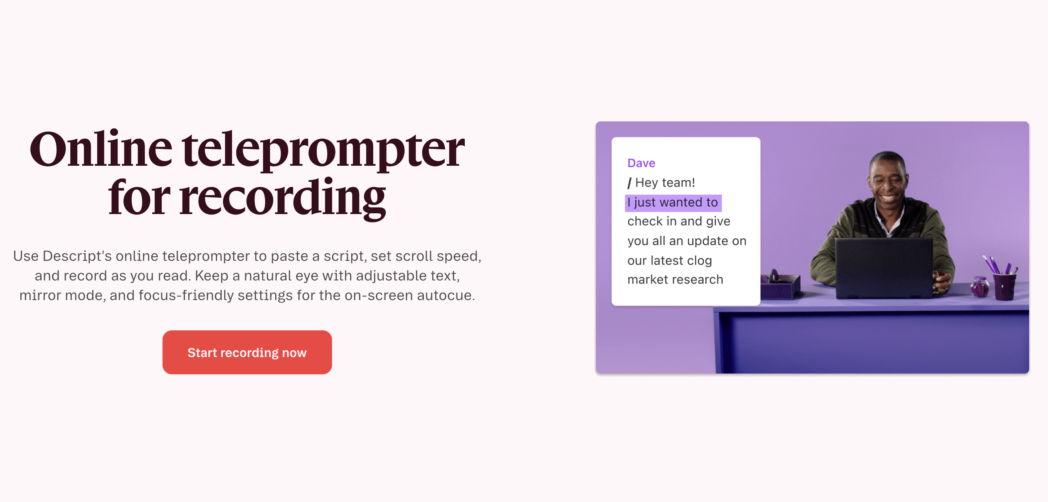
In Descript as well, the scroll is time-based and not voice activated. That means, you need to pace yourself to match the preset speed rather than the other way around. The good part about Descript is the AI Eye Contact correction.
Best for:
- Podcasters and educators who edit dialogue-heavy content
- Creators who want AI Eye Contact correction
Key features:
- Built-in teleprompter available in the desktop app, web recorder, and Descript Rooms
- Automatic transcript generated after every recording
- Text-based editing
- AI Eye Contact correction fixes gaze drift from reading off-screen during recording
- Filler word removal in one click
- Studio Sound audio enhancement
- Text-to-speech and voice cloning (Overdub)
- Screen recording with separate audio and video tracks
- Real-time team collaboration and multi-track editing
- Exports to YouTube and podcast platforms
Pros:
- Transcript-based editing is among the best in this category
- AI Eye Contact correction is a genuine differentiator for teleprompter users
- Studio Sound and filler word removal deliver real post-production time savings
- Strong for podcasts and audio-first content
- Real-time team collaboration with version history
Cons:
- Teleprompter scrolls at a time-based fixed speed
- No AI script generation
- No mobile app (iOS or Android)
- Media-minute and AI credit caps create bill shock for users who exceed plan limits
- Hobbyist plan at $16/month covers editing only
Pricing:
- Hobbyist: $16/user/month
- Creator: $24/user/month
- Business: $50/user/month
- Enterprise: Custom
4. BIGVU
BIGVU is a teleprompter-first video app built primarily for smartphone recording. It puts a teleprompter, AI script writer, recording, captions, eye contact correction, background replacement, and social publishing into one mobile app.
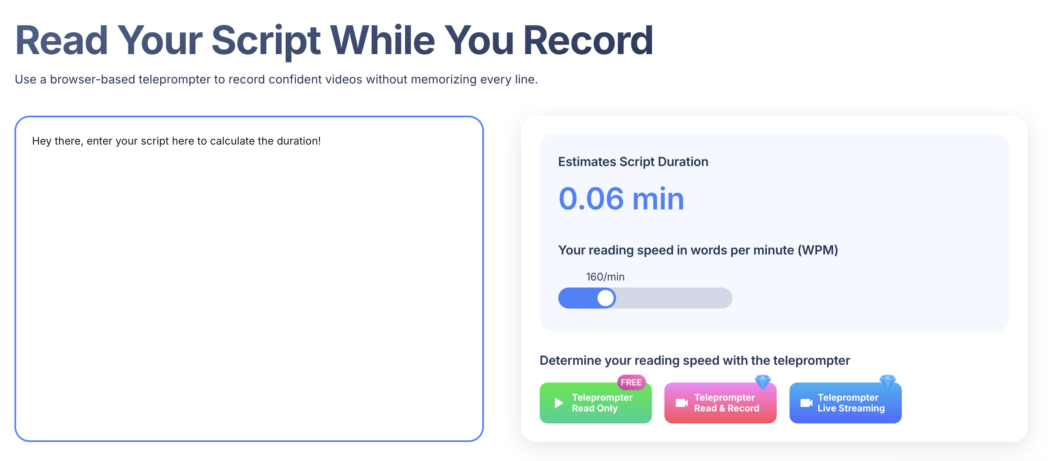
You can write a script, record, caption, trim, and post to Instagram without opening a second app.
The AI script writer generates a full script from a prompt, the teleprompter displays it during recording, and the post-production tools handle captions and trimming.
For creators who shoot vertical video on their phone and want a single app from script to post, BIGVU handles it well. On desktop or for longer-form content, the limitations are there.
Best for:
- Social media marketers and solo creators who record primarily on mobile
- Creators who want to go from script generation to published social video without leaving a single app
Key features:
- AI script writer generates scripts from prompts
- Teleprompter with manually adjustable scroll speed
- AI Eye Contact correction in post-production
- Automatic captions in up to 70 languages
- Green screen background replacement
- Interactive cards for product links and CTAs
- Collaborative workspaces for teams
- Direct social media publishing and livestream support
- Video styling like logos, music, picture overlays, titling
Pros:
- Complete mobile workflow from script generation through publishing
- AI Eye Contact correction c
- Good for high-volume social media content production
- Team workspaces with collaborative editing
Cons:
- No voice-activated scrolling
- Free plan watermarks videos and limits recordings to 9 minutes
- 4K recording locked to higher-tier paid plans
- Web app has known bugs with longer recordings
- No video hosting platform or viewer-level watch analytics
Pricing:
- Free
- Starter: ₹742/month
- AI Pro: ₹1099/user/month
- AI Max: ₹3999/user/month
- Enterprise: Custom
5. Promptsmart
PromptSmart’s defining feature is VoiceTrack, a patented speech recognition engine that scrolls the script by following your voice entirely on-device, without an internet connection.
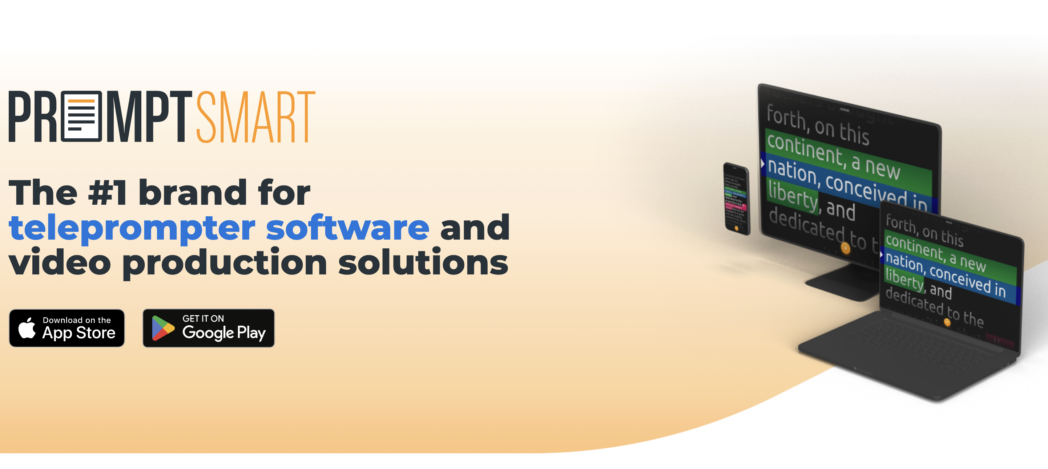
If you pause, it stops. If you go off-script, it holds your place until you return. This on-device processing is genuinely rare in the teleprompter category because most voice-activated tools depend on a server connection, which introduces lag and privacy concerns.
But the main issue is narrow scope, PromptSmart is a prompting tool only. There is no built-in editing suite, no video hosting, and no interactive features, so it fits best into workflows where prompting is the specific problem being solved and everything else is handled elsewhere.
Best for:
- Speakers and video creators who need highly accurate voice-tracked scrolling
- Productions where variable speaking pace or a noisy environment makes fixed-speed scrolling impractical
Key features:
- VoiceTrack speech recognition scrolling in 15+ languages
- Works fully offline with no internet connection required
- Selfie Mode positions text near the front-facing camera for simultaneous HD recording
- Mirror/invert text display for physical teleprompter rigs
- Script import from DOCX, PDF, TXT, RTF, and Google Docs
- Cloud sync via Google Drive, Dropbox, Box, OneDrive, and iCloud
- Remote control via companion app or web-based control room
- Script segmentation for recording multiple clips back to back in one session
Pros:
- VoiceTrack accuracy is strong and works fully offline
- Supports physical teleprompter hardware with mirror mode
- Multi-language voice tracking across 15+ languages
- Good remote control options for studio setups
Cons:
- No AI script generation
- No built-in video editing or post-production tools
- No video hosting, viewer analytics, or interactive elements
- Mirror mode for physical rigs locked behind paid subscription
- Recording limited to HD
Pricing:
- Starter: $9.99/month
- Team: $19.99/month
- Enterprise: Custom
6. Speakflow
Speakflow is a fully browser-based teleprompter with voice-activated scrolling, team collaboration tools, and a built-in video recorder. It works on any device without downloading an app.
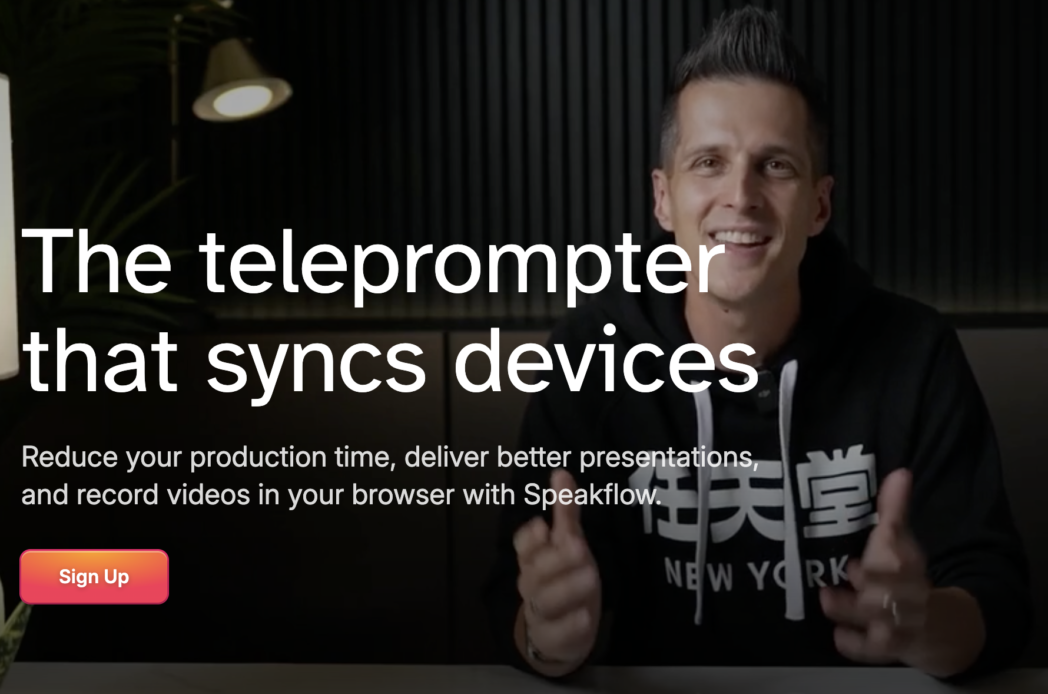
The browser-first approach means anyone on any device can open Speakflow and start prompting in seconds, which makes it one of the most accessible options on this list.
But one known issue is that the voice-activated scrolling can skip lines on longer scripts. For a single-take recording or a live context, that is a real problem you should know before you commit.
Best for:
- Teams and content studios that need collaborative script editing and multi-device sync
- Creators and professionals who want voice-activated prompting accessible from any browser without installation
Key features:
- Flow mode offers speech recognition scrolling that follows your voice and pauses when you stop
- Overlay mode floats the script over Zoom, Teams, or Google Meet calls
- Built-in video recording up to 1080p
- Collaborative workspaces with labels, folders, and revision history
- Multi-device sync for producer/presenter setups (control from one device, present on another)
- AI writing tools on paid plans
- Works across Windows, Mac, iOS, Android, and Chromebook via any browser
Pros:
- No installation required
- Team collaboration with revision history is well-built
- Overlay mode is useful for virtual meetings and webinars
- Affordable team seat pricing at $9/seat on some plans
Cons:
- Flow mode has known reliability issues with longer scripts, occasionally skipping lines mid-recording
- Video recording capped at 1080p
- No video editing, hosting, viewer analytics, or interactive elements
- AI writing tools are locked to paid plans
- Depends on a stable internet connection
Pricing:
- Free
- Plus: $19/month
- Studio: $129/month
7. Flowprompter
FlowPrompter is a cross-platform teleprompter available as a web app and native desktop apps for Windows and Mac. It uses automatic scrolling with adjustable speed and transparency, and its invisible overlay mode is the main reason people choose it over other options.
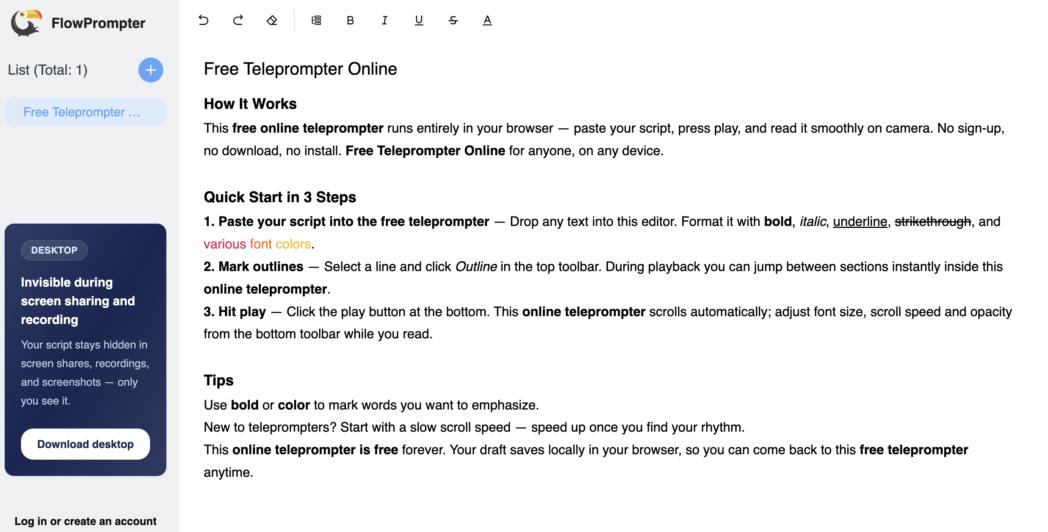
The transparent overlay mode lets your script appear as a subtle layer over your screen, so you can read while looking at the camera during a Zoom, Meet, or Teams call without the audience seeing anything.
But it is a prompting-only tool, there is no built-in recording, editing, or hosting, which keeps it focused but means it works best as a complement to an existing recording setup rather than a standalone production workflow.
Best for:
- Desktop-focused creators who want a dedicated prompting tool
- Users who switch between web and desktop
Key features:
- AI-driven speed adjustment that learns and adapts to your natural speaking pace over time
- Transparent overlay mode: script appears as a subtle layer on screen for reading while looking at camera during Zoom or Meet
- Screen sharing teleprompter mode for virtual presentations
- Mirror mode for physical teleprompter glass
- Adjustable font, speed, transparency, and display settings
- Available on web, Windows desktop, and Mac desktop
Pros:
- Cross-platform with web and native desktop apps
- Transparent overlay works well for virtual meetings
- AI scrolling improves over time based on your speaking patterns
- Generous free tier with no account required for basic use
Cons:
- No built-in video recording, editing, or hosting
- No AI script generation
- No viewer analytics or interactive elements
- Smaller user base compared to others on the list
Pricing:
- Free
- Plus Desktop: $59.9/month
8. Teleprompter.com
Teleprompter.com is built primarily for the Apple ecosystem, with native apps for iPhone, iPad, and Mac, with Android and web as secondary platforms. It combines voice-activated scrolling, in-app 4K recording, AI script generation, and Apple Watch remote control in one package.
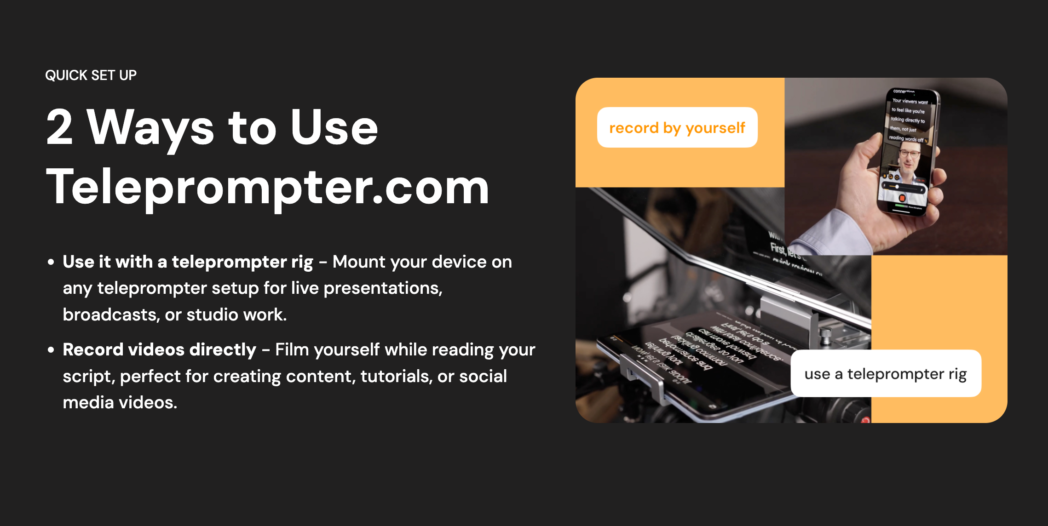
Beyond the core prompting features, Teleprompter.com includes an AI Script Generator that creates scripts from a topic or prompt, automatic subtitle generation synced to the script, and offline recording support so it works in locations without a reliable connection.
Best for:
- Apple-first creators who want a native teleprompter
- Creators who want AI script generation and voice-activated scrolling in a single mobile app
Key features:
- AI Script Generator creates scripts from prompts or topics
- Voice-activated scrolling follows your speech automatically
- In-app recording up to 4K on the Pro plan
- Unlimited script storage with cloud sync across devices
- Script import from Word, PDF, iCloud, Google Drive, and Dropbox
- Automatic subtitle generation from scripts
- Remote control via Apple Watch, Bluetooth keyboard, game controller, or web
- Horizontal and vertical mirror mode for physical teleprompter rigs
- Green screen background replacement and noise removal on Pro
- Offline recording support
Pros:
- Native Apple app with Apple Watch remote control
- 4K recording built in
- AI script generation included
- Strong offline support
Cons:
- Pro plan at $19.99/month or $90/year is more expensive than several full-featured alternatives
- Free plan adds watermarks to all recorded videos
- Best experience is Apple-only, Android and web versions are less capable
- No video hosting platform, viewer-level analytics, or interactive elements
Pricing:
- Free
- Pro: $19.99/month
- Max: $49.99/month
- Pro: $49.99/seat/month
9. Cueprompter
CuePrompter is a completely free, browser-based teleprompter that requires no sign-up, no download, and no account. Paste your script and start scrolling.
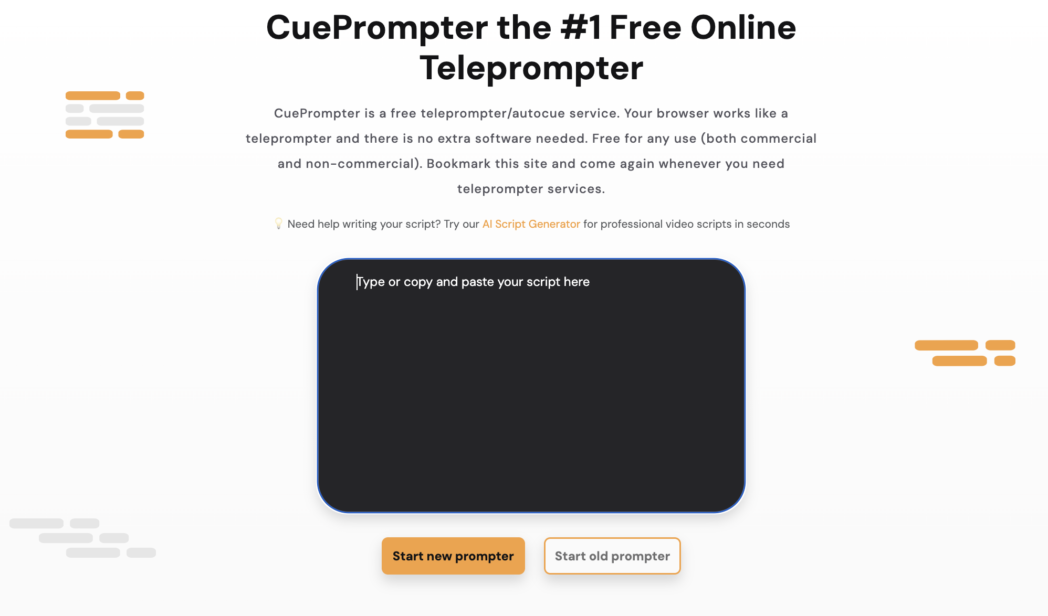
There is nothing to configure, no paywall to clear, and no watermark on whatever you produce. It has been a reliable fallback for creators, teachers, and speakers who need something that works immediately on any device with a browser.
The product has not changed significantly in years, and that is the point. CuePrompter displays scrolling text. It does not record, does not save scripts between sessions, does not track your voice, and has no AI features of any kind.
For occasional use, practice runs, or situations where every other tool is unavailable, it is genuinely useful. For any workflow that involves regular video production, you will quickly hit its limits.
Best for:
- Anyone who needs a basic teleprompter immediately with zero setup and zero cost
- Occasional users who do not need recording, editing, or any AI features
Key features:
- Paste script and scroll instantly from any browser
- Adjustable scroll speed
- Forward, stop, and reverse controls
- Normal and mirrored display options
- Free for any use, including commercial
Pros:
- Completely free with no account required
- Works instantly on any device with a browser
- Mirror mode available for physical teleprompter rigs
- No ads or subscriptions
Cons:
- No voice-activated scrolling
- No AI features of any kind
- No script saving, cloud storage, or collaboration
- No built-in recording, editing, hosting, or analytics
- Limited display customisation
Pricing:
- Free
Conclusion
Most tools on this list solve one part of the problem. They scroll your script, or they record your video, or they edit your footage. The workflow still requires you to move between apps, manage files across platforms, and pay for multiple subscriptions to cover what one platform should handle.
Dadan covers the entire loop at $8/month. The teleprompter connects to an AI Script Generator, a screen recorder, a text-based editor, cloud hosting, viewer analytics, interactive elements, and 30+ integrations, all in one browser-based platform with no AI add-on charges and no watermark on any plan.
Start with a free Dadan account and use the AI Script Generator and teleprompter on your next video.
FAQs
What is the best AI teleprompter software?
It depends on your workflow. For a teleprompter connected to a complete video production workflow, Dadan covers the most ground at $8/month with AI included.
Is there a free AI teleprompter?
Dadan’s free plan includes the teleprompter and AI Script Generator for up to 25 videos at 5 minutes each, with no watermark.
Can AI teleprompters help with eye contact?
Yes, in two ways. Voice-activated scrolling keeps the script moving at your natural pace so your eyes stay near the camera during recording.
Which AI teleprompter is best for YouTube videos?
Dadan fits the YouTube workflow well. Record with the teleprompter, edit using the transcript, generate short clips with the AI Clip Generator, add chapters and metadata automatically, and publish directly to YouTube via the native integration.
Do teleprompter tools work with screen recording?
Dadan’s teleprompter is built into its screen recorder, so the script displays while you capture the screen, webcam, or both simultaneously.
Can AI teleprompters generate scripts automatically?
Several can. Dadan’s AI Script Generator creates a full script from keywords or a topic and loads it directly into the teleprompter for immediate recording. BIGVU includes an AI script writer. Teleprompter.com has a built-in AI Script Generator.