Recording a YouTube video is harder than it looks. And it’s not because of the camera or the lighting, it’s because not all of us are good at speaking and remembering at the same time.
A teleprompter takes that remembering off the table entirely.
What Is a Teleprompter for YouTube Videos?
A teleprompter displays your script on screen while you record, scrolling at a pace that matches how fast you speak. The text sits close to the camera lens, which keeps your eyes near it rather than dropping to a phone or a sticky note below the frame.
Older physical teleprompter rigs work for broadcast studios. But for a creator recording at a desk, a software teleprompter overlays the script on the webcam preview directly in the recording tool.
Some scroll at a fixed speed you set before recording. Others, like track your voice and scroll as you speak. A few, like Dadan, build the teleprompter into the recording interface so the script and the video file never need to be in separate places.
Teleprompter vs Memorizing Scripts
| Factor | Teleprompter | Memorizing Scripts |
| Recording time per video | One to two takes for most segments | Five to ten takes common on complex scripts |
| Mental load during recording | Read and deliver | Recall, deliver, monitor pacing, monitor camera |
| Risk of going off-script | Low | High |
| Suitability for long scripts | No practical limit | Drops significantly past 90 seconds |
| Eye contact | Sustained when text sits near the lens | Often breaks during recall |
| Best suited for | Tutorials, reviews, YouTube creators, sponsored reads, technical content | Casual vlogs, opinion pieces, short conversational segments |
Why YouTubers Use Teleprompters
The reasons come down to three things: time, delivery quality, and what the camera actually picks up.
Fewer Takes, Less Time Editing
Time is the most obvious reason. A creator publishing three videos a week who shaves twenty minutes per video off their recording session gets back roughly 50 hours a year. That is time that was previously going into retakes, reshoots, and editing around the parts where they lost the thread mid-sentence.
Consistent Delivery
The less obvious reason is delivery consistency. When you memorize a script and record ten takes, takes one through three and takes eight through ten sound different. Fatigue, frustration, and the effort of recall all show up in the voice.
With a teleprompter, take one and take ten sound the same because the cognitive load is the same. For channels that depend on specific language, sponsor-approved copy, product claims that need to be accurate, this consistency is extremely important.
Better Eye Contact
When a creator looks away from the lens to recall a line, the viewer sees it. It reads as a distraction.
A teleprompter that positions text near the lens keeps the eyes close enough that the gaze stays natural. Not perfect, especially early on, but far better than glancing at a script pinned to the wall.
Types of YouTubers Who Benefit Most From Teleprompters
Teleprompters help any creator who records to a script, but the benefit is more for some content types than others.
Tutorial And Educational Creators
If you make tutorials, a wrong step in a software walkthrough or a misstated spec gets flagged in the comments within hours. Writing the tutorial once and reading from it during recording is faster than running multiple takes and editing around your errors.
Product Reviewers And Tech Channels
Model numbers, pricing tiers, and feature comparisons are easy to misquote from memory on a long-form video. A teleprompter keeps your technical details exact and lets you focus on delivery rather than recall.
Sponsored Content Creators
Brand partners often hand you required language. The approved copy needs to match what they reviewed, which leaves no room for paraphrasing.
Reading from a well-positioned teleprompter is far less obvious to your viewers than reading from a page off to the side.
Creators Publishing In A Non-Native Language
If you record in your second or third language, the pauses that come from constructing sentences disappear when the wording is already written and visible. The script removes that cognitive step, so your delivery moves at a natural pace.
High-Volume Channels
If you publish four or more videos a week, the math compounds here fastest. If teleprompter use cuts your recording time by a third per video, your four-video week recovers a meaningful block of time that rolls over every single week.
How YouTubers Use Teleprompters Step by Step
Dadan’s teleprompter is built directly into the recording interface. No separate app on your phone, no second screen next to your monitor. Your script and your recording happen in the same window.
Step 1: Write or Generate the Script
Paste your existing script into the teleprompter before recording, or use the built-in AI Script Generator to build one. Enter a topic or a few keywords and it produces a full script that loads straight into the prompter.
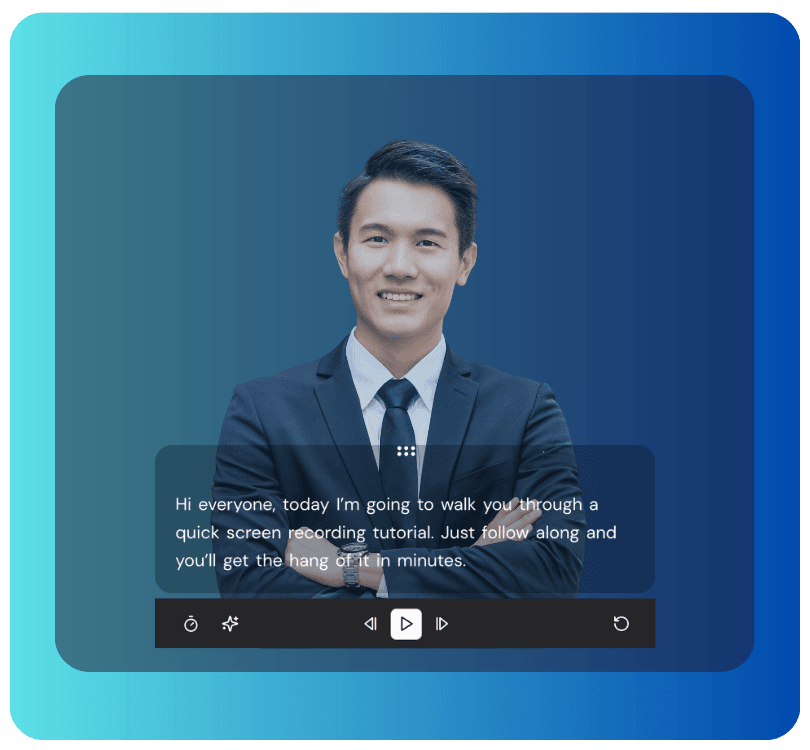
You can also edit the script while recording, so if a line does not sound right when you say it out loud, fix it on the fly without restarting.
Step 2: Choose Your Recording Mode
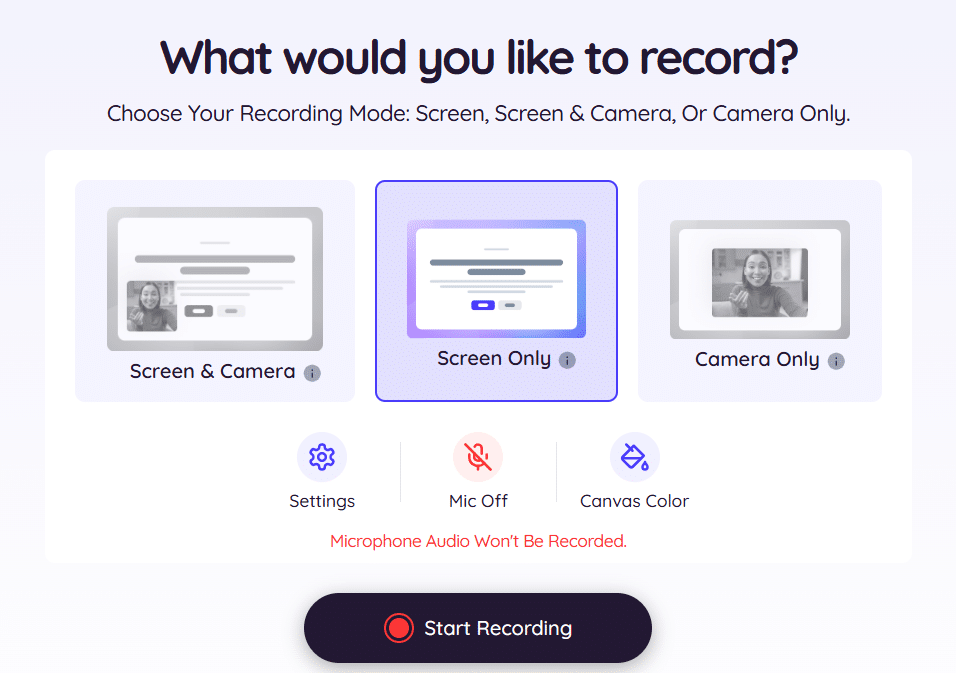
Dadan records screen only, webcam only, or screen and webcam simultaneously. If you are recording direct-to-camera content, Webcam Only keeps the teleprompter text near the lens. If you are walking through a screen alongside talking to camera, Screen + Webcam runs both with the teleprompter overlay active.
Step 3: Set Scroll Speed, Text Size, and Spacing
Run thirty seconds of your script before the real take to calibrate. If the text is moving faster than you speak, slow it. If you find yourself waiting for the next line, speed it up.
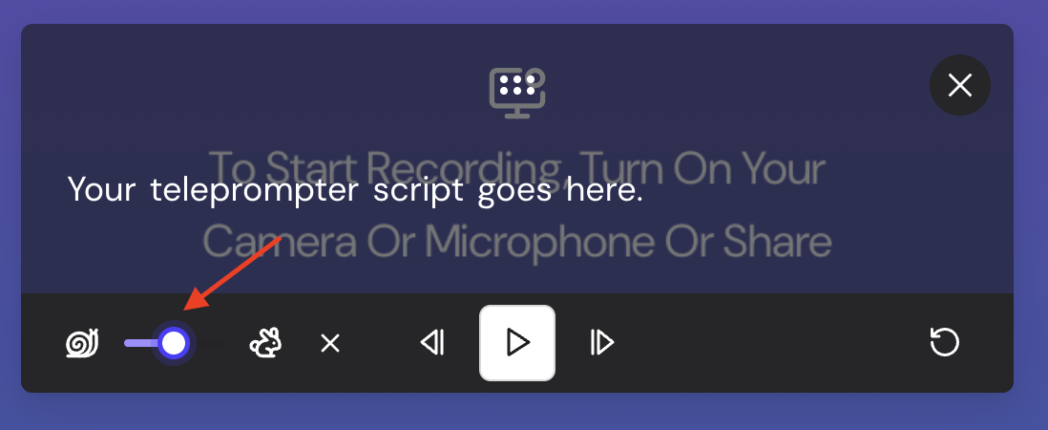
Increase the font size if you are recording from more than a couple of feet from the screen, and adjust line spacing if the text feels too cramped to read quickly.
Step 4: Record
The script scrolls as you speak. If you need to pause, the recording keeps running and picks back up when you resume. The recording bar stays accessible if you need to annotate or highlight the cursor during a screen walkthrough segment.
Step 5: Edit in the Editor

After you stop recording, Dadan generates a transcript automatically. Open the transcript-based editor and delete any stumbled words or unwanted pauses directly from the text.
The video updates in real time. AI silence removal and filler-word removal run in one click, catching the remaining gaps without any timeline scrubbing.
Step 6: Publish
Export directly to YouTube from Dadan, or download and upload manually. The AI Metadata Generator writes titles, descriptions, and tags from your transcript, so that step does not need to happen separately.
3 Best Teleprompter Features for YouTube Creators
These three features separate the ones that genuinely save recording time from the ones that just put text on a screen.
Adjustable Scroll Speed
Fixed-speed scrolling forces you to keep up with the text rather than the other way around. If the script moves faster than you speak naturally, you rush. If it moves slower, you wait, and waiting shows on camera.
A teleprompter that lets you set the scroll speed before recording, and adjust it on the fly with a slider, lets you match the text to how you actually deliver lines.
Dadan’s teleprompter uses simple sliders for scroll speed and text size, so you can dial it in during a calibration pass and adjust mid-take if needed.
Text Positioned Near the Lens
How visible your downward gaze looks during a teleprompter recording depends almost entirely on how far the text sits from the camera lens.
If the script overlays your webcam preview inside the recording tool, the text and the lens are in the same visual zone. That proximity is what makes your delivery look like eye contact rather than reading.
Integration with Recording and Editing
A standalone teleprompter app means managing three separate tools, one for your script, one for recording, one for editing.
When the teleprompter is inside the recording tool, the same transcript that fed the prompter also feeds your editor, your captions, your chapter generator, and your metadata.
How to Sound Natural While Using a Teleprompter
The teleprompter is only one part of the equation. The way you prepare your script and set up your recording is what decides whether the final video sounds like a person talking or someone reading off a screen.
Write for Your Voice
The most common reason teleprompter recordings sound robotic is the script. Scripts written for reading don’t work when you read them aloud.
Rewrite your script to be spoken with shorter sentences, contractions, and anything that trips you when you say it out loud should be simplified or cut before you record.
Calibrate Before Every Take
A thirty-second test pass is enough to know whether your scroll speed is right. Adjust until the text feels like it is leading you slightly, instead of chasing you. This takes two minutes and saves more than that in retakes.
Get the Text Close to the Lens
When your text is below or to the side of the camera, the direction of your gaze is visible on screen. Repositioning the text overlay closer to your webcam preview reduces that angle.
In Dadan, since your script displays in the same window as your webcam feed, the text and the lens are already close together.
Mark the Script for Pauses and Emphasis
A teleprompter delivers your words. It does not tell you where to pause or what to stress. Add line breaks where you want to breathe and mark emphasis in your script before recording.
Record in Segments, Not One Long Take
If your video runs longer than two or three minutes, recording in chunks and joining them is faster than trying to nail the whole thing in one pass. Break at logical section points, record each piece, then join them in the editor.
Dadan’s transcript-based editor makes trimming and joining segments as quick as editing a document.
3 Best Teleprompter Tools for YouTubers
Choosing a teleprompter usually comes down to one question, do you want a dedicated tool that pairs with the rest of your stack, or one built into the platform you already record and edit in?
1. Dadan
Dadan is a browser-based video platform that covers recording, AI-assisted editing, hosting, and sharing in one tool. The teleprompter is built into the recording interface alongside the webcam preview and screen capture.
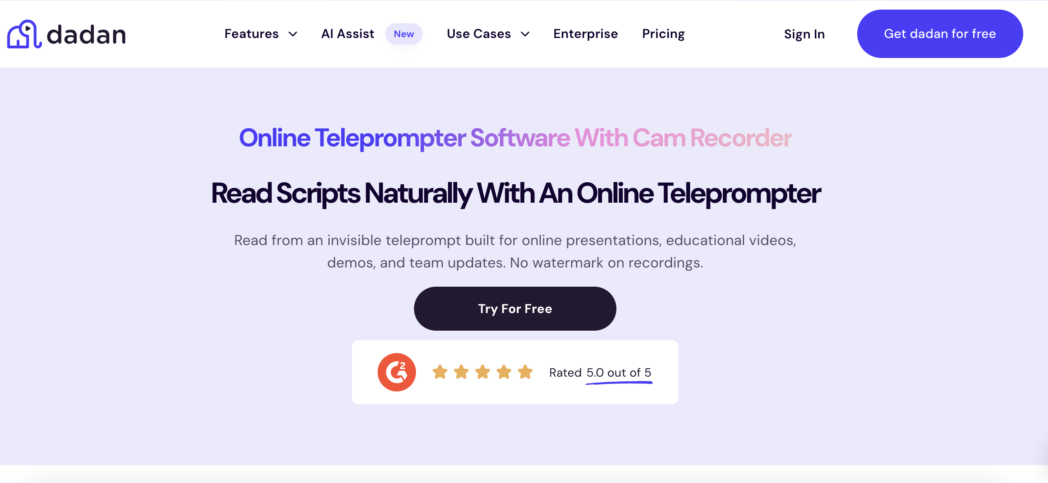
You can paste in your own script or generate one with the AI Script Generator, adjust scroll speed, text size, and line spacing to match your delivery, and edit the script in real time while recording if a line does not work when you say it out loud.
Mirror mode is also available if you are running a physical teleprompter rig and need the text flipped. After you record, the transcript that fed the teleprompter also powers the editor, automatic captions, AI chapter generator, and metadata generator.
The free plan covers 25 videos at up to five minutes each, 720p resolution, with no watermark.
The Pro plan is $8 per user per month billed annually and removes those limits, adds up to 4K recording, and includes the full AI Assist suite (transcription, silence removal, filler removal, clip generator, meeting notes, interactive video creator) without charging for AI separately.
So, it’s best for YouTubers who want the teleprompter, recording, editing, and publishing workflow in one place, with AI tools included rather than billed as an add-on.
2. BIGVU
BIGVU is a teleprompter app that extends into trimming, automatic subtitles, background replacement, and direct publishing. Its most distinctive feature is AI Eye Contact Fix, which algorithmically corrects the slight downward gaze that comes from reading a script. It runs on iPhone, iPad, Android, Mac, and via a web app. The free plan is limited, with paid tiers starting around $14.99 per month.
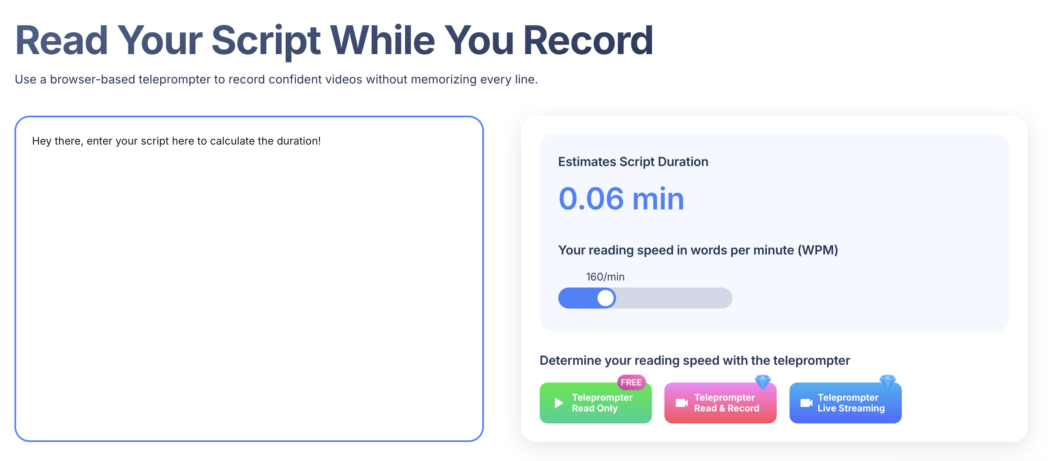
If you’re a mobile-first creator recording on a phone who wants eye-contact correction and a post-recording editing workflow in the same app, this is a good option but at a higher price range.
3. PromptSmart
PromptSmart’s main differentiator is VoiceTrack, which listens to your speech and scrolls the script at your pace. When you pause, the script pauses. When you resume, it catches up.
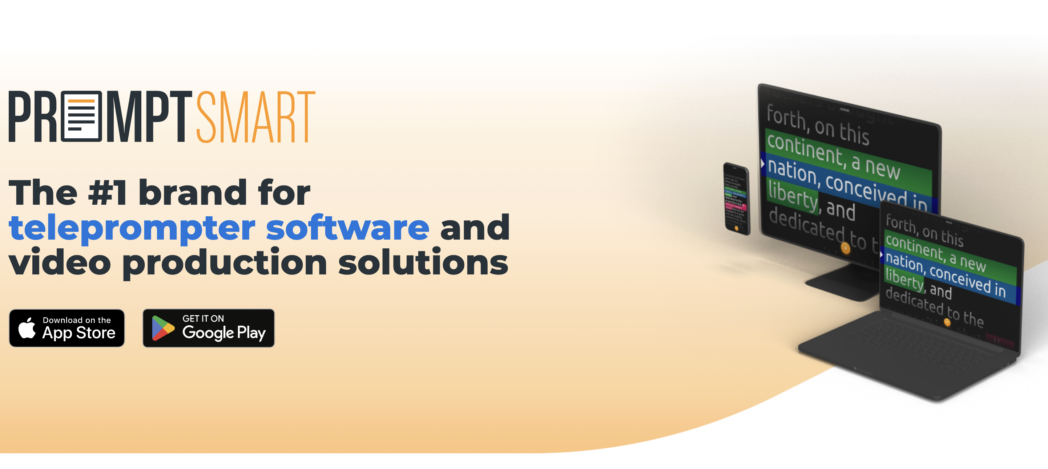
If you record long-form content or vary your pace significantly, this removes the pressure of staying in sync with a fixed speed. It runs on iPhone, iPad, Android, and desktop, but does not handle recording or editing, so it pairs with a separate recorder and editor.
Conclusion
Most retakes happen because you are trying to remember and deliver at the same time. A teleprompter takes one of those off the list.
Whether you use a dedicated app, a mobile tool, or a platform where your script and your recording are together, the result is the same. You get fewer takes, cleaner delivery, and less time in the edit.
Try Dadan free to record your next video with the teleprompter, transcript editor, and AI tools running in one session.
FAQs
Do professional YouTubers use teleprompters?
Most YouTubers running tutorial, review, and educational channels use teleprompters for scripted segments. Vloggers often skip them for conversational content where exact wording doesn’t matter that much.
Is using a teleprompter cheating on YouTube?
No. Teleprompters are standard in broadcast, corporate, and creator content. Your viewers respond to delivery and information quality, not whether you memorized the script.
What teleprompter do YouTubers use?
Mobile-first creators commonly use Dadan or BIGVU. If you record screen and webcam content on a laptop or desktop, you will usually use a teleprompter built into your recording tool, like Dadan.
Can teleprompters help reduce retakes?
Yes. Most retakes come from losing the thread mid-sentence or misquoting something. With your script visible, both problems largely disappear.
How do YouTubers maintain eye contact while reading scripts?
By positioning the teleprompter text as close to the camera lens as possible. Screen-based teleprompters built into your recording tool place the script near the webcam preview, which naturally keeps your eyeline close to the lens.
What is the best teleprompter for beginner YouTubers?
Dadan is a practical starting point because the teleprompter is part of the recording tool with no separate app to configure. The free plan includes 25 videos with no watermark, which is enough for you to test the workflow before committing to a paid plan.
Can I use a teleprompter while screen recording?
Yes. Dadan overlays the teleprompter on the recording window during screen and webcam capture, so you can read your script while walking through a software tutorial or product demo.
Are AI teleprompters worth it?
If you want script generation alongside the prompter, yes. Dadan’s AI Script Generator takes a topic or keywords and writes a full script that loads directly into the teleprompter, so you can skip the script-writing step and go straight to recording.
Recommended Readings:
- How to Add Subtitles & Captions to Video Online Free
- 9 Best AI Teleprompter Software for Video Creators in 2026
- How to Extract Thumbnail from Video From This Free Tool
- How to Convert Video Size for Instagram, TikTok, YouTube
- How to Convert Any Video Format Online (MP4, WebM, MOV & More)