Descript switched to metered media minutes and a separate pool of AI credits in September 2025, and its free plan now gives you 60 media minutes a month, 100 AI credits that never refill, and watermarked exports.
Most Descript alternatives now offer some form of transcript-based editing, so the real difference is what each free plan caps and what happens to your video after the edit.
Every tool below has a free plan or free edition you can keep using.
What Is Descript and Why Look for an Alternative?
Descript is an audio and video editor built around the transcript. Deleting a word in the text deletes that moment from the media, and features like Studio Sound, Overdub voice regeneration, and Eye Contact correction sit on top. It holds 4.6 out of 5 on G2 from roughly 900 reviews, with reviewers crediting its transcription accuracy.
People leave mostly over cost and workflow fit. Since the 2025 change, every file you upload counts against your media minutes, AI features draw on separate credits, and top-ups are sold only on the Creator and Business plans. Paid plans run from $16 to $50 per editor seat per month, billed annually.
Fit is the other problem. Descript suits podcasts and YouTube videos you export and publish elsewhere.
Demos, training, and sales walkthroughs also need hosting, access control, and viewing data, which Descript mostly leaves to another tool.
What Should You Look for in a Descript Alternative?
Start with where the finished video has to go, then pick the editor. These four checks separate the tools below faster than a feature grid.
Transcript Editing Should Work on the Plan You Will Use
Several tools advertise text-based editing but gate it behind a paid tier. Check filler-word removal too, since it saves the most time on spoken recordings.
Every Free Plan Caps Something Different
One limits recording length, another monthly minutes, a third adds a watermark. A 5-minute cap is irrelevant for short demos and a dealbreaker for a 40-minute interview.
Remote Podcasts Need Local Multitrack Recording
Tools that record each guest locally and upload separate tracks avoid the dropouts of a recorded video call. Screen-recording tools generally don’t work this way.
Decide Where the Video Lives After the Edit
For client updates, training, and sales videos, a hosted link with password protection and watch data saves you a second subscription.
10 Descript Alternatives You Can Try for Free
Each tool has a free plan or free edition with no time limit. Pricing comes from vendor pricing and help pages, and ratings from live G2 listings, all checked in October 2026.
1. Dadan
Dadan is an AI-powered video creation platform that records your screen, webcam, or both from the browser, Chrome or Edge extensions, or Windows and Mac apps, then transcribes the recording automatically.
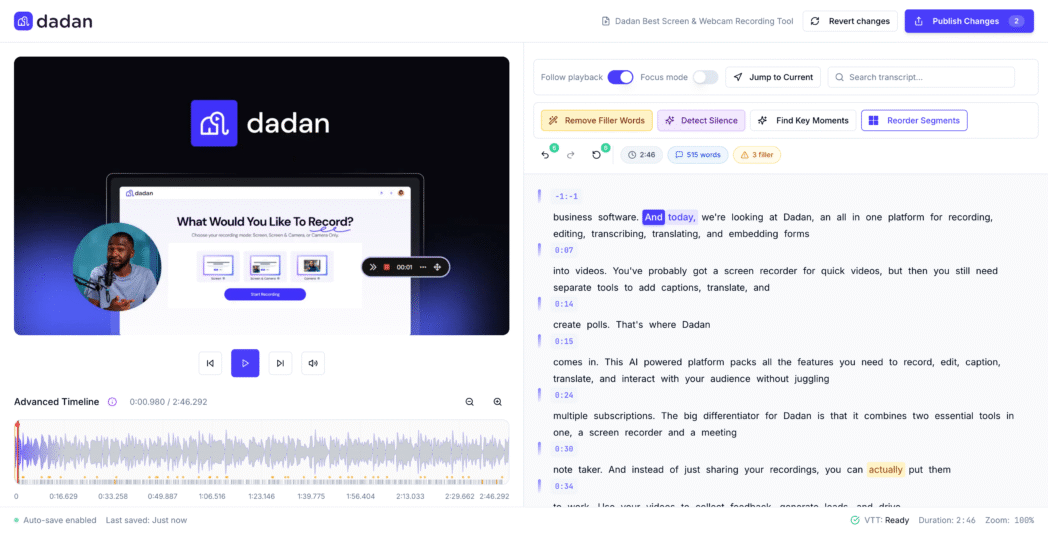
In the Transcript Editor, deleting a sentence cuts the footage, dragging a paragraph reorders it, and highlighting a phrase mutes it. Remove Filler Words strips the ums, Detect Silence lets you set how much dead air goes with a slider, and Find Key Moments turns highlights into clips for 9:16, 1:1, or 16:9.
The difference is what happens next. The video lives on a Dadan link you can password-protect or set to expire, with quizzes, polls, or lead forms inside it and analytics showing watch duration and CTA clicks.
Record a 4-minute feature walkthrough, cut the filler words, mute an internal URL you read aloud, add a lead form at the pricing mention, and send one link.
Best For
- People recording demos, walkthroughs, or training who want to edit by transcript and share a link
- Sales and marketing staff who want a lead form or booking CTA inside the video
Key Features
- The Transcript Editor cuts, reorders, and mutes video through text, with search and replace.
- AI tools remove filler words, detect silences, and surface key moments as clips.
- A timeline editor adds captions, zoom, blur, crop, and a Brand Kit.
- Hosted videos support passwords, expiry dates, quizzes, lead forms, and engagement analytics.
Pros
- Editing, hosting, and in-video interaction sit in one product, so no second platform is needed.
- Pro includes unlimited AI credits at $14 per month billed annually.
- The silence slider lets you review pause length before anything is cut.
- Bulk import from Loom, Tella, Vimeo, and Zight makes switching practical.
Cons
- The free plan caps recordings at 5 minutes and 720p, and Free recordings carry a small watermark
Pricing Overview
- Free
- Lite: $8/mo
- Pro: $14/mo
- Business: $14/seat/mo
G2 Review
- Dadan is rated 4.8 out of 5 on G2
2. Riverside
Riverside records each participant on their own device and uploads separate audio and video tracks, so a guest’s weak connection does not end up in the file. Its text-based editor cuts footage when you delete words, and Magic Clips pulls short social clips from each episode.
The free plan includes unlimited single-track recording and editing, but separate-track recording comes as a 2-hour allowance that never resets.
Best For
- Podcasters interviewing remote guests who need a clean track per speaker
- Video podcasters cutting social clips from each episode
Key Features
- Local recording uploads separate tracks for every participant.
- Text-based editing and Magic Clips work on the free plan.
- Paid plans add filler and silence removal, audio enhancement, and podcast hosting.
Pros
- Separate local tracks give far more control than a recorded video call.
- G2 reviewers most often praise ease of use and recording quality.
- Unlimited single-track recording and editing on the free plan lets you learn the editor at no cost.
- Magic Clips turns one episode into social clips without a second tool.
Cons
- Free exports are watermarked and capped at 720p.
- Recording issues are the most cited complaint on G2.
Pricing Overview
- Pro: $12/mo
- Grow: $16/mo
- Webinar: $39/mo
- Business: Custom
G2 Review
- Riverside is rated 4.8 out of 5 on G2
3. Wondershare Filmora
Filmora is a desktop editor for Windows and Mac that sits between beginner tools and professional software. Alongside a drag-and-drop timeline, templates, and audio tools, it includes text-based editing, auto captions, and an AI Copilot that assists with edits.
The free version has no time limit and gives you most editing tools, but every export carries a large, centered Filmora watermark.
Best For
- YouTubers and course creators who want a gentler learning curve than DaVinci Resolve
- People who prefer desktop software and a one-time license option
Key Features
- Text-based editing cuts footage from the transcript.
- Auto captions, AI translation, and a vocal remover are built in.
- Templates, effects, and text animations cover common YouTube formats.
Pros
- G2 reviewers consistently rate it easy to learn, even for beginners.
- A perpetual license lets you pay once instead of subscribing.
- 4K editing and export are available on paid plans.
- The free version has no time limit, so you can learn the full editor before paying.
Cons
- Free exports carry a large, centered watermark that rules them out for publishing.
- Pricing depends on platform, region, and license type, which makes comparison harder.
Pricing Overview
- Monthly: $9.99/mo
- Yearly: $24.99/mo
- Perpetual: $39.99/mo
G2 Review
- Wondershare Filmora is rated 4.41 out of 5 on G2
4. VEED
VEED is a browser editor with a built-in recorder, subtitles and translation in more than 100 languages, and AI tools such as Magic Cut for removing pauses and Clean Audio for noise.

The free plan exports watermarked 720p video and reserves most AI tools for paid plans. Third-party price listings conflict in 2026, so confirm current plans on VEED’s site.
Best For
- Marketers producing subtitled social and ad videos
- Course creators who need translated subtitles
Key Features
- Auto subtitles and translation cover more than 100 languages.
- Magic Cut removes pauses and filler on paid plans.
- A built-in recorder sends screen and webcam footage straight to the editor.
Pros
- G2 reviewers rate it highly for ease of use.
- Subtitle accuracy and translation are strong.
- Recording, editing, and subtitling run in one browser tab with nothing to install.
- AI avatars and text-to-video cover videos you don’t want to appear in.
Cons
- Free exports are watermarked at 720p.
- G2 reviewers often mention slow performance on longer projects.
Pricing Overview
- Creator: ₹490/user/mo
- Pro: ₹1068/user/mo
- Studio: ₹1722/user/mo
- Enterprise: Custom
G2 Review
- VEED is rated 4.6 out of 5 on G2
Bonus Read: 8 Best AI Text-Based Video Editing Tools
5. Kapwing
Kapwing’s Trim with Transcript is the closest browser match to Descript’s core workflow, with filler words removed from the transcript automatically and Smart Cut for silences.
Several people can edit the same project in real time. Kapwing offers no paid-plan trial and no refunds, so test fully on the free plan.
Best For
- Small groups where two people edit the same video
- Marketers turning long videos into subtitled clips
Key Features
- Trim with Transcript cuts footage when you delete text.
- Smart Cut removes silences automatically.
- Real-time co-editing works in the browser.
Pros
- Its transcript trimming feels closest to Descript.
- Co-editing helps producer and editor pairs.
- Dubbing into more than 100 languages helps localize clips.
- Projects live in the browser, so they follow you between computers.
Cons
- Free exports are watermarked, 720p, and short.
- Some G2 reviewers report poor support.
Pricing Overview
- Free
- Pro: $16/user/mo
- Business: $50/user/mo
- Enterprise: Custom
G2 Review
- Kapwing is rated 3.9 out of 5 on G2
6. Async
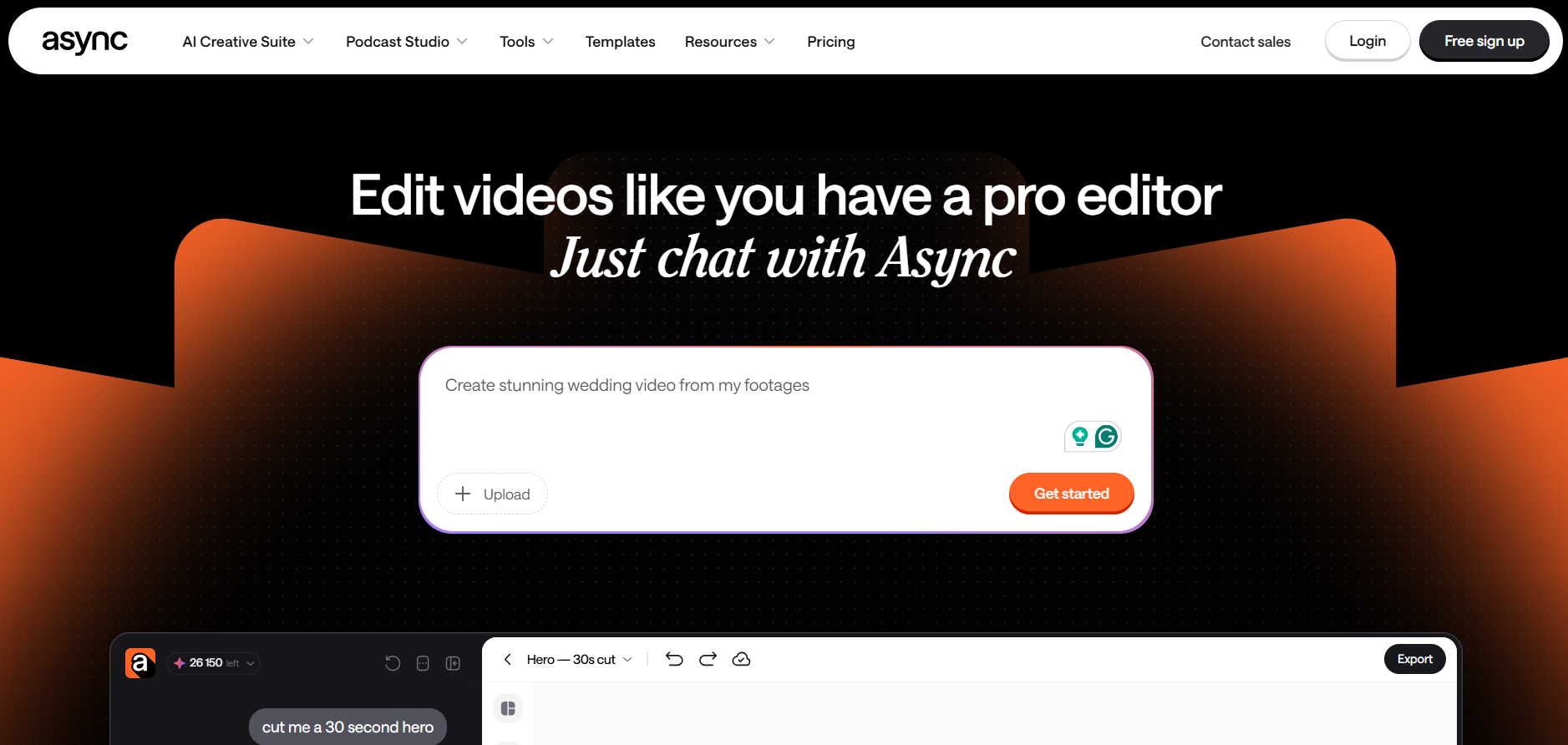
Podcastle rebranded to Async in early 2026, and accounts carried over unchanged. It records up to 10 remote guests on separate local tracks, edits by transcript, and is known for Magic Dust, a one-click cleanup that makes USB-mic audio sound treated. The free plan covers one test episode.
Best For
- Solo podcasters who want recording, cleanup, and hosting in one tool
- Creators recording in untreated rooms
Key Features
- Remote recording captures up to 10 guests on separate tracks.
- Magic Dust removes noise and balances levels.
- Text-to-speech and voice cloning are available on higher plans.
Pros
- Magic Dust is among the most praised cleanup tools at this price.
- Voice AI lets you patch audio without re-recording.
- Separate local tracks for up to 10 guests keep remote interviews clean.
- Recording, editing, and hosting cover a full podcast workflow.
Cons
- The free plan includes only 1 lifetime hour of remote recording.
- Plan names and prices are inconsistent across listings since the rebrand.
Pricing Overview
- Free
- Essentials: $11.99/mo
- Pro: $23.99/mo
- Teams: $49.99/seat/mo
- Business: Custom
G2 Review
- Async is rated 4.7 out of 5 on G2
7. Microsoft Clipchamp
Clipchamp runs in the browser and ships with Windows 11. Its free plan exports unlimited 1080p video without a watermark and includes AI subtitles, voiceovers, and silence removal. It has no transcript editing, so long spoken recordings need manual timeline trimming.

Best For
- Windows users who want a free editor with clean exports
- People making short updates and explainers
Key Features
- Free exports are unlimited at 1080p with no watermark.
- AI subtitles, voiceovers, and silence removal are free.
- Premium comes with Microsoft 365 Personal and Family.
Pros
- It is one of few free editors with clean, unlimited 1080p exports.
- Microsoft 365 subscribers may already have Premium.
- AI subtitles, voiceovers, and silence removal cost nothing.
- The browser editor and Windows app share one account.
Cons
- There is no transcript-based editing.
- Premium stock or effects add a watermark on the free plan.
Pricing Overview
- Free costs $0.
- Premium, with 4K export and the brand kit, is included with Microsoft 365 Personal and Family.
G2 Review
- Async is rated 4.1 out of 5 on G2
8. DaVinci Resolve
DaVinci Resolve’s free edition includes professional editing, color grading, Fusion effects, and Fairlight audio, and exports without a watermark.

Transcription and text-based editing, though, are in the paid Studio edition. It suits anyone who wants a professional timeline today and a one-time upgrade later.
Best For
- Editors who want professional tools without a subscription
- YouTubers ready to learn a full editor
Key Features
- The free edition covers editing, color, effects, and audio.
- Studio adds transcription and text-based editing.
Pros
- No other free editor here matches its depth.
- Studio is a single payment, not a subscription.
- Projects built with free tools export without a watermark.
- Color grading, effects, and audio mixing sit in one app.
Cons
- Transcript editing is not free.
- G2 reviewers flag a steep learning curve.
Pricing Overview
- Free
- Studio costs $295 one-time
G2 Review
- DaVinci Resolve is rated 4.7 out of 5 on G2
9. Audacity
Audacity is a free, open-source multitrack audio editor for Windows, macOS, and Linux, with noise reduction, compression, and EQ built in.
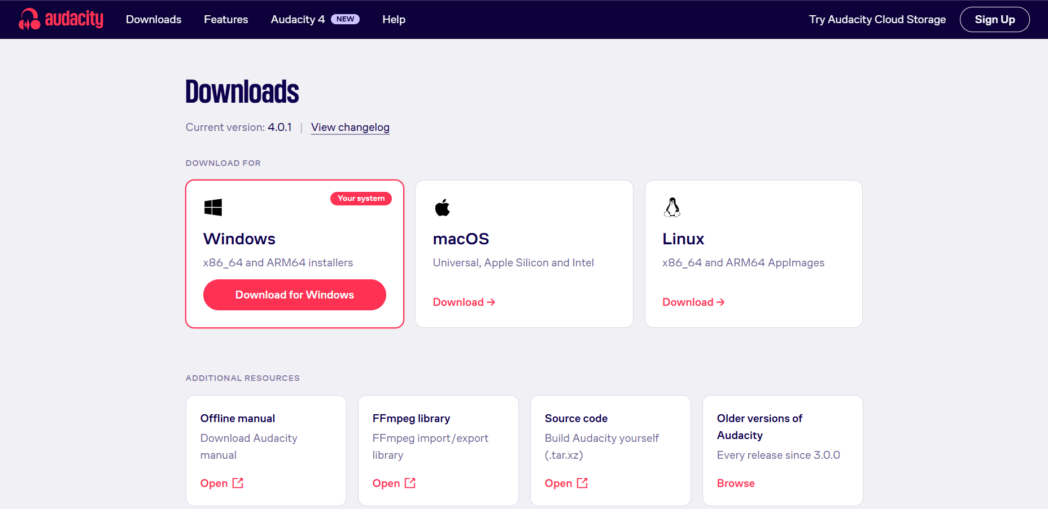
You edit on a waveform rather than a transcript, and there is no video. Paired with Adobe Podcast, it covers an audio-only show at zero cost.
Best For
- Audio-only podcasters with no software budget
- Linux users
Key Features
- Multitrack recording and editing run on all major desktop systems.
- Noise reduction, compression, and EQ are built in.
Pros
- It is completely free with no caps or watermarks.
- Waveform editing gives precise control.
- It runs on Windows, macOS, and Linux.
- Plugins extend the toolset as your show grows.
Cons
- It has no video or native transcript editing.
- The interface feels dated.
Pricing Overview
- Audacity is free with no paid tier
G2 Review
- Audacity is rated 4.5 out of 5 on G2
10. Adobe Podcast
Adobe Podcast’s Enhance Speech removes background noise and echo so laptop-mic audio sounds studio-recorded. Its Studio records and edits audio through the transcript. Most podcasters use it as a cleanup step before editing elsewhere.

Best For
- Podcasters recording on laptop mics or in echoey rooms
- Voiceover creators who need clean narration fast
Key Features
- Enhance Speech removes noise and echo.
- Studio edits audio through the transcript.
Pros
- Its speech cleanup is widely regarded as best in class.
- The free daily allowance covers most short episodes.
- It runs in the browser with nothing to install.
- Mic Check flags setup problems before you record.
Cons
- Free files are limited to 30 minutes.
- It can make clean audio sound slightly artificial.
Pricing Overview
- Free
- Firefly Pro: $19.99/mo
G2 Review
- Adobe Podcast is rated 4.7 out of 5 on G2
How to Choose the Right Descript Alternative
Choose against your own recordings rather than a feature list.
- Write down the recording you make most often, how long it usually is, and where the finished video has to be published.
- Compare your typical length with each free plan’s cap.
- Confirm transcript editing and filler-word removal work on the plan you will actually use.
- Rule out any tool that can’t record separate local tracks per guest if you interview people remotely.
- Export or share a test file and check it for watermarks and resolution limits before you commit real work.
- Favor a tool with built-in hosting if your video needs a password, an expiry date, or viewing data.
- Run the same 10-minute recording through your top two choices and time how long the editing takes.
- Check how paid plans scale, whether by seat, credits, or media minutes, so the price still works if you publish more.
Conclusion
Transcript-based editing is now available free from Dadan, Riverside, Kapwing, CapCut, and Async. What separates them is what each does after the cut, from separate-track podcast recording to a hosted link with lead forms and watch data.
If your videos are demos, updates, or training, the edit only matters once the right person watches it.
FAQs
What is the best free alternative to Descript?
Dadan is the strongest free option for screen and talking-head videos you edit by transcript and share as a hosted link. Riverside is better for interview podcasts with remote guests.
Is there a completely free alternative to Descript?
Audacity and DaVinci Resolve’s free edition have no watermark or monthly caps. Neither offers free transcript editing, and every tool that does limits usage somehow.
What is the easiest Descript alternative to use?
Dadan is among the easiest because its Transcript Editor works like a document and the finished video is already shareable. Clipchamp is the easiest timeline editor for Windows users.
Is Dadan a free Descript alternative?
Yes. The free plan includes AI transcription, transcript editing tools, and hosting for up to 25 videos, with recordings capped at 5 minutes and 720p.
Which Descript alternative is best for video editing?
DaVinci Resolve is best for full video editing. For spoken demos and tutorials, Dadan is faster because you edit the transcript instead of the timeline.
Which Descript alternative is best for podcasts?
Riverside is best for podcasts with remote guests, and Async is a strong second with better audio cleanup. Audacity with Adobe Podcast is the best fully free setup for audio-only shows.
Can I edit videos using a transcript with a Descript alternative?
Yes. Dadan, Riverside, Kapwing, CapCut, and Async all cut video when you delete transcript text, and DaVinci Resolve offers it in Studio.