
Vimeo has long been one of the most recognized names in video hosting, offering creators and businesses a professional way to upload, manage, and share videos. But in 2026, many users are actively searching for Vimeo alternatives, and for good reason.
The biggest change is the discontinuation of Vimeo’s free plan. What was once an accessible platform for creators, educators, and small businesses now requires users to move to a paid subscription after limited usage. For individuals and growing teams that relied on Vimeo’s free tier, this has become a major reason to explore other options.
At the same time, Vimeo’s future direction has raised questions across the creator and business community. Bending Spoons acquired Vimeo in late 2025, confirmed mass layoffs in January 2026, including the entire video engineering team, and the platform’s roadmap is now uncertain.
Pricing has also been a concern for some users. The Verge reported in 2022 that Dutch artist Lois van Baarle received a $3,500 annual charge after exceeding bandwidth limits, highlighting how video hosting costs can quickly become unpredictable as audiences grow.
Meanwhile, the video software landscape has evolved dramatically. Modern platforms now offer AI transcription, transcript based editing, screen and webcam recording, interactive videos, advanced analytics, collaboration features, and video hosting in a single workflow.
If you’re looking for a more affordable, feature rich, or future proof solution, these are the best Vimeo alternatives to consider in 2026.
Comparison Table
| Platform | Best For | Free Plan | Starting Price | Key Features |
| Dadan | Async video, sales, lead gen | Yes (25 videos) | $8/user/month | Interactive video + full AI suite included |
| YouTube | Public reach, discoverability | Yes | Free | Unmatched distribution |
| Wistia | Marketing analytics & lead capture | Yes (up to 25 GB storage) | $79/month | Heatmaps, A/B testing, Turnstile lead forms |
| Loom | Quick async video messages | Yes (25 videos, 5-min cap) | $18/user/month | Fast team communication, Atlassian-native |
| Bunny Stream | High-volume CDN delivery | No | Pay-as-you-go (per GB) | Transparent usage-based pricing, no overages |
| Dailymotion | Secondary content distribution | Yes | Free (ad-supported) | No upload limits on free |
| Brightcove | Enterprise video at scale | No | Custom | SLA-backed reliability for large organizations |
| Vidyard | B2B sales video outreach | Yes (up to 15 videos) | $59/user/month | AI avatars, CRM integration |
| Kaltura | Education & LMS integration | No | Custom | Deep LMS compatibility |
| Unscreen | OTT monetization | No (trial) | $49/month | Built-in subscription and app infrastructure |
10 Best Vimeo Alternatives
1. Dadan
Quick Overview
Dadan is a browser-based video creation platform that covers recording, editing, hosting, and sharing in one place. Where most hosting platforms stop at playback, Dadan adds an interactive layer like quizzes, polls, forms, and CTAs embedded directly inside the video player, along with a full AI suite for transcription, editing, and short-form clip generation.
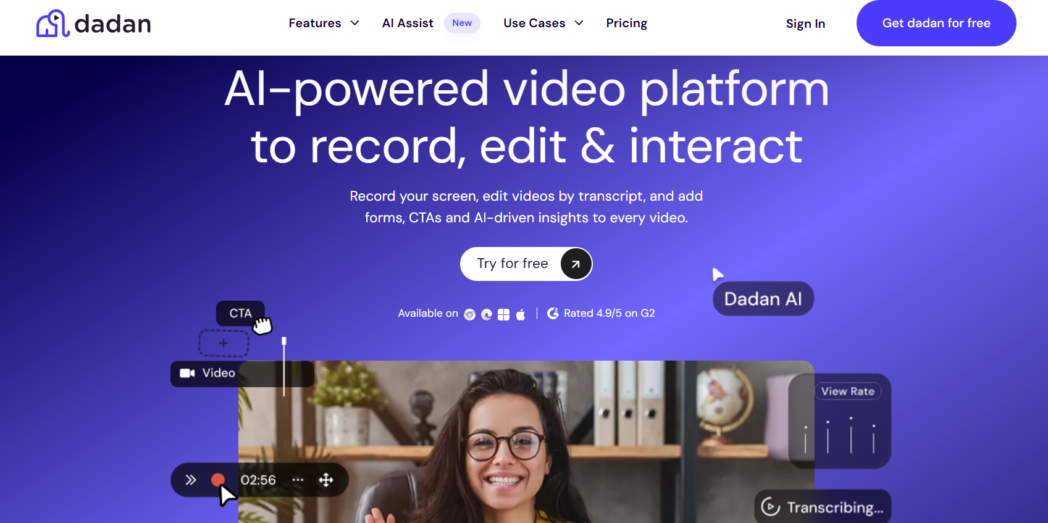
For teams that used Vimeo to host and share video but wanted more from it, Dadan is the most complete upgrade.
Best For:
- Sales teams
- Remote and async teams
- Marketing teams
- Educators building interactive courses
- Customer support teams
- Content creators
Key Features:
- Three recording modes: screen only, webcam only, or screen plus webcam simultaneously
- Browser extension plus desktop app for Windows and Mac
- Text-based video editor
- Dadan AI Assist suite with transcription in 100+ languages, auto-captions, chapters, summaries, meeting notes, metadata, AI Clip Generator for short-form vertical content, teleprompter, and AI Script Generator
- Interactive elements like quizzes, polls, surveys, sign-up forms, CTAs, and file attachments embedded inside the video player
- Meeting recorder that auto-joins and records Zoom, Google Meet, and Teams meetings via Google Calendar and Outlook integration
- Video request feature
- Analytics to track who watched, for how long, and what they clicked
- 30+ integrations including HubSpot, Mailchimp, GoHighLevel, YouTube, LinkedIn, Slack, and Google Classroom
- Password protection, granular permissions, and up to 20GB free storage
Pros:
- Full AI suite included in Pro
- Interactive video features that Vimeo does not offer
- No watermark on any plan, including free
- Video request feature requires no Dadan account from the recipient
- One platform for recording, editing, hosting, and distribution
Cons:
- Storage limit of 2GB on free may be restrictive for large libraries
Pricing:
- Free
- Lite: $8/user/month billed annually
- Pro: $14/user/month billed annually
2. YouTube
Quick Overview
YouTube is the world’s largest video platform, with over 2 billion logged-in users per month. For anyone publishing video publicly, the reach and discoverability are simply not replicable elsewhere.
It is free, has no upload limits, and has built-in monetization options once channels meet eligibility thresholds.
As a Vimeo alternative, it makes most sense for creators and businesses whose primary need is audience reach rather than controlled, private, or branded hosting.
Best For:
- Public content creators
- Businesses publishing marketing or educational videos publicly
- Anyone prioritizing organic discovery and reach over hosting control
Key Features:
- Unlimited free video uploads
- Built-in search and recommendation engine for organic discovery
- YouTube Studio for basic analytics, comments, and channel management
- Monetization via AdSense once eligibility is met
- Live streaming, Shorts, and community post features
- Auto-generated captions and basic in-platform editing tools
Pros:
- Free with no upload limits
- Largest video audience on the internet
- Strong SEO value through Google integration
- Supports live streaming and short-form content natively
Cons:
- Ads run on content unless viewers pay for YouTube Premium
- Limited privacy controls
- No interactive elements
- Competitor content surfaces in recommendations after your video ends
- Algorithm controls reach in ways creators cannot fully manage
Pricing:
- Free
3. Wistia
Quick Overview
Wistia is a video hosting and marketing platform built around the idea that how viewers engage with a video matters as much as the view count. Its analytics go well beyond play counts, like heatmaps show exactly where viewers rewatched, skipped, or dropped off.

Turnstile, Wistia’s lead capture form, embeds within the video at any timestamp. Integrations with HubSpot, Adobe Marketo, and Pardot push engagement data directly into marketing workflows.
For businesses using video as a conversion asset, Wistia is the most analytics-forward Vimeo alternative on this list.
Best For:
- Marketing teams
- Teams embedding video into demand generation campaigns
Key Features:
- Heatmaps showing viewer engagement at a per-second level
- A/B testing for thumbnails and video titles
- Turnstile lead capture forms embeddable at any point in the video
- Integrations with HubSpot, Marketo, and Pardot via the Automation Suite add-on
- Customizable, brandable video player with no Wistia branding on paid plans
- Screen and webcam recording with transcript-based editing and AI silence removal
- Chapters, transcripts, captions, and AI highlights on paid plans
- Password protection, expiring links, and private sharing
Pros:
- Video analytics for marketing use cases
- Lead capture directly inside the video
- Clean, fast-loading player with strong embed performance
- AI editing tools included on Business plan
Cons:
- Business plan starts at $79/month for 3 users
- Automation Suite (HubSpot, Marketo, Pardot integration) is a paid add-on at $350/month on top of the Business plan
- Additional users beyond the included seats cost $25/user/month
- Storage and bandwidth limits apply to all plans with overage billing
Pricing:
- Free
- Business: $79/month billed annually
- Enterprise: Custom pricing
4. Loom
Quick Overview
Loom is a screen recording and async video messaging tool built for teams. The core experience is simple, you record a video via a browser extension or desktop app, get a shareable link, and send it.
Since Atlassian acquired Loom in 2023, the platform has been integrated into the Atlassian ecosystem, which includes Jira and Confluence, making it a natural fit for product and engineering teams already working in that stack.
It is a partial Vimeo alternative at best, better suited to async communication use cases than to hosted video libraries.
Best For:
- Product and engineering teams in the Atlassian ecosystem
- Content creators
Key Features:
- Screen, webcam, or screen plus webcam recording via browser extension or desktop app
- Instant shareable link on completion
- Transcription in 50+ languages on all plans, including free
- Timestamped comments and emoji reactions
- Native integrations with Slack, Notion, Jira, Confluence, and Gmail
- AI features (transcript-based editing, silence removal, auto-summaries, chapters) on Business + AI tier only
Pros:
- Extremely fast to record and share
- Free plan is usable for light use
- Strong Atlassian ecosystem integration
- Clean viewer experience with comments and reactions
Cons:
- AI features locked to Business + AI plan, not included in the base Business plan
- Technical issues, including audio sync problems and failed uploads, were reported post-Atlassian migration consistently
- Not a video hosting platform
- Limited editing tools on the base Business plan
Pricing:
- Free
- Business: $18/user/month
- Business + AI: $24/user/month
- Enterprise: Custom pricing
5. Bunny Stream
Quick Overview
Bunny Stream is a video delivery infrastructure, part of Bunny.net’s global CDN network. It handles transcoding, storage, and delivery through 119+ points of presence worldwide, with a fully customizable video player and no base monthly fee.
You pay only for the bandwidth and storage you use, with costs calculated transparently via a public pricing calculator.
For high-traffic publishers and developers caught off guard by Vimeo’s bandwidth overage policy, Bunny Stream’s usage-based pricing is the good answer.
Best For:
- Developers and technical teams
- High-traffic content businesses
- Teams migrating away from Vimeo specifically to avoid bandwidth overage
Key Features:
- Global CDN delivery via 119+ points of presence and 250 Tbps+ network capacity
- Automatic video transcoding into multiple resolutions
- Fully customizable video player (controls, colors, language, or bring your own)
- Token authentication and hotlinking protection
- API-first architecture with full webhook integration
- DRM support and geo-replication options
Pros:
- Transparent, predictable usage-based pricing
- Excellent global delivery performance
- Free transcoding, player, and security features
- Highly flexible for custom integrations via API
Cons:
- Not a self-service platform for non-technical users
- No built-in recording, editing, or content creation tools
- No team collaboration, comments, or interactive video features
- No analytics dashboard beyond raw delivery data
Pricing:
- No monthly base fee
- Pay-as-you-go charged per GB of storage and per GB of bandwidth delivered
- Rates vary by region
6. Dailymotion
Quick Overview
Dailymotion is a free, ad-supported public video platform with a meaningful audience outside of YouTube’s strongest markets, particularly in Europe and parts of the Middle East.
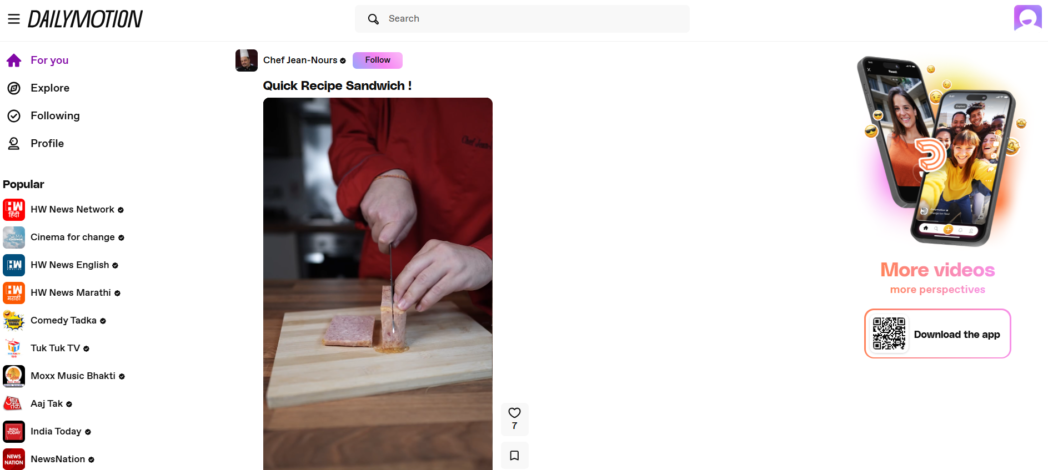
It has no tight upload limits for free accounts, supports monetization through an ad revenue-sharing program, and offers a straightforward publishing environment for public video content.
As a Vimeo alternative, its value is narrow but clear, as a free secondary distribution channel for creators who want to reach beyond YouTube at no additional cost.
Best For:
- Creators and publishers
- Content teams
Key Features:
- Unlimited video uploads on free accounts
- Ad revenue sharing for eligible creators
- Embeddable player for use on external websites
- Basic video management dashboard
- International audience with particularly strong reach in Europe and the Middle East
Pros:
- Truly free with no upload limits
- International audience reach complementary to YouTube
- No paid plan required to publish at any volume
- Simple setup and publishing workflow
Cons:
- Ad-supported
- Limited privacy controls
- No interactive elements, lead capture, or meaningful per-viewer analytics
- Player quality and experience below Vimeo, Wistia, or Dadan
- Not suitable for professional, client-facing, or private video hosting
Pricing:
- Free, ad-supported, no paid plans
7. Brightcove
Quick Overview
Brightcove is an enterprise video infrastructure. It is built for media companies, broadcasters, and large organizations where video delivery is a core business operation.
The platform handles live streaming, VOD, and internal communications at scale, with SLA-backed uptime guarantees, deep analytics covering advertising attribution and player performance, and server-side ad insertion for monetized video. Procurement is through sales and contracts.
Best For:
- Media companies and broadcasters
- Large enterprises with compliance and security requirements
- Organizations running ad-monetized video
Key Features:
- Enterprise-grade live streaming and VOD delivery
- Server-side ad insertion (SSAI) for monetized content
- Deep analytics like engagement data, advertising attribution, and player performance
- Subscription billing, pay-per-view, and ad-supported monetization models
- Enterprise security certifications and access control
- Dedicated customer success and technical support teams
- API access for custom integrations and workflows
Pros:
- SLA-backed reliability for organizations where downtime has direct business consequences
- Strongest monetization infrastructure on this list for large-scale media operations
- Deep compliance and security for regulated industries
- Comprehensive analytics for high-volume publishers
Cons:
- Ad-supported
- Limited privacy controls
- No interactive elements, lead capture, or meaningful per-viewer analytics
- Player quality and experience below Vimeo, Wistia, or Dadan
- Not suitable for professional, client-facing, or private video hosting
Pricing:
- Custom only
- No public pricing
8. Vidyard
Quick Overview
Vidyard is a video platform built specifically for B2B sales teams. Its core proposition is that a personalized video message outperforms a cold email, and it has built the tooling to support that at team scale, including AI avatars, CRM integrations, and a Chrome extension for recording directly in Gmail and sales engagement platforms.
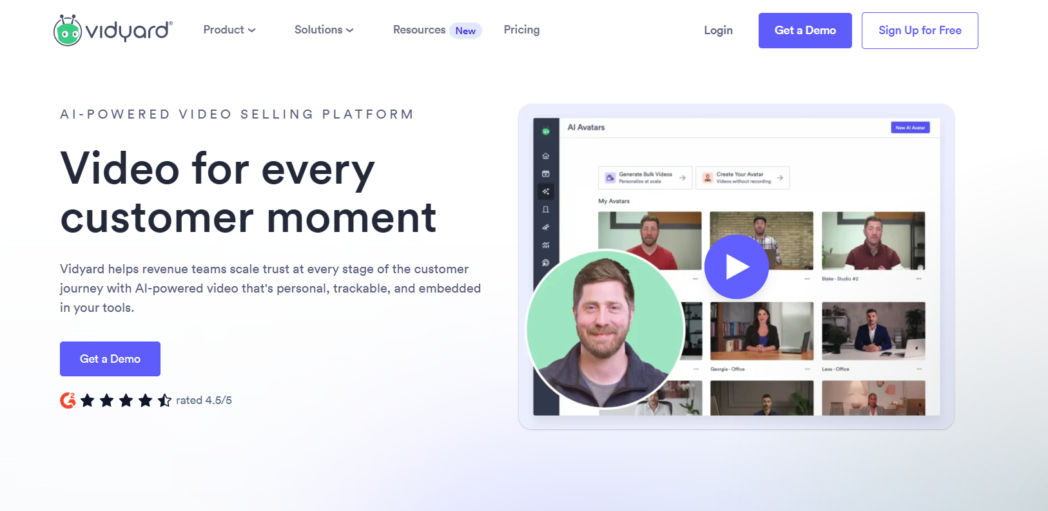
It is a partial Vimeo alternative, relevant for teams that use Vimeo to share sales videos or demos but need engagement analytics and CRM connectivity around that workflow.
Best For:
- B2B sales teams
- Revenue teams
- Sales reps
Key Features:
- AI avatars to generate personalized video messages
- CRM integrations with Salesforce, HubSpot, Marketo, Salesloft, and Pardot (Teams+ plans)
- Chrome extension for recording inside Gmail and other sales tools
- Video engagement analytics
- CTAs and branded sharing pages on paid plans
- AI Script Generator on paid plans
- Video Agent for automated personalized video creation and delivery based on buyer actions
Pros:
- AI avatars allow personalized outreach at scale
- Deep CRM integration available
- Free plan available with no credit card required
Cons:
- Free plan limited to 5 videos per month
- Significantly more expensive per user than general alternatives with equivalent features
- Narrow focus with limited hosting, editing, and collaboration features outside sales use cases
- CRM integration only available from Teams plan upward
Pricing:
- Free
- Starter: $59/seat/month
- Teams: Custom
- Enterprise: Custom
9. Kaltura
Quick Overview
Kaltura is the video infrastructure layer powering video inside a significant share of higher education and large enterprise learning environments.
It integrates deeply with LMS platforms such as Moodle, Canvas, and Blackboard, allowing instructors and L&D teams to embed, track, and assess video within existing course structures rather than managing a separate video workflow.
For institutional buyers already using one of these systems, Kaltura is the good path to video that behaves as a native part of the learning environment.
Best For:
- Universities and higher education institutions
- Large enterprises running formal L&D programs
- Organizations requiring institutional-scale video
Key Features:
- Deep integration with Moodle, Canvas, Blackboard, Sakai, and other LMS platforms
- Interactive quizzes embedded directly inside video with gradebook sync on supported LMS platforms
- Student engagement analytics per video and per course
- Auto-captioning and transcript tools for accessibility compliance
- Lecture capture integration with classroom recording systems
- Enterprise access control and security certifications
- Custom-branded video portals
Pros:
- Deepest LMS integration depth of any platform on this list
- In-video quizzes with gradebook sync
- Scales to institution-wide deployments
Cons:
- Not available as a self-service product
- Not suitable for individual educators, independent course creators, or small teams
- No public pricing
- Significant setup complexity compared to any consumer platform
Pricing:
- Custom only
10. Uscreen
Quick Overview
Uscreen is a membership and OTT platform for video creators who want to sell access to their content through subscriptions. It provides the infrastructure to run a branded streaming service, like subscriber management, payment processing via Stripe and PayPal, native apps for iOS, Android, Roku, and Apple TV, live streaming, and marketing automation.
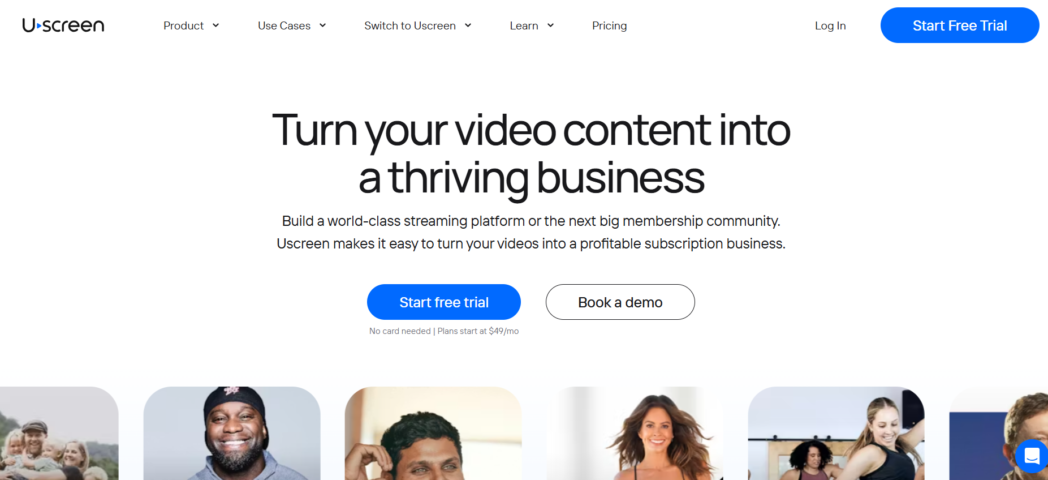
For creators who use Vimeo’s OTT features and want a platform purpose-built for that use case, Uscreen is the most complete option.
Best For:
- Independent creators
- Fitness instructors, educators, and media brands
- Creators who want their own branded streaming app
Key Features:
- Branded, Netflix-style VOD library with subscription and pay-per-view monetization
- Native mobile apps (iOS, Android) and TV apps (Roku, Apple TV, Amazon Fire) on higher plans
- Live streaming with community features, including chat
- Built-in marketing tools
- Payment processing via Stripe and PayPal
- Subscriber analytics
- 14-day free trial, no credit card required
Pros:
- Most complete OTT infrastructure on this list for video subscription businesses
- Native TV and mobile app support
- Built-in marketing and subscriber management tools
- Strong customer support reputation
Cons:
- Per-subscriber fees compound as audience grows
- Starter plan capped at 100 subscribers
- No ad-based (AVOD) monetization
- Not suitable for teams using video for internal communication, marketing, or async workflows
Pricing:
- Starter: $49/month billed annually
- Growth: $149/month billed annually
- App Essentials: $449/month billed annually
- Free trial
Conclusion
Vimeo is not disappearing, and for users whose needs fit its current feature set, it remains a workable option. What has changed is the uncertainty about its post-acquisition direction and the number of well-built alternatives now covering every use case it serves.
Dadan is the answer for teams that want one platform covering the full loop, record, edit with AI, add interactive elements, host securely, and track exactly who engaged and how, at a price that includes the AI tools rather than charging for them separately.
At $8/user/month, with interactive video, analytics, and a 25-video free plan with no watermark, it is the most complete Vimeo alternative for teams that use video to communicate, sell, and generate leads.
FAQs
What are the best Vimeo alternatives in 2026?
Dadan, Wistia, YouTube, Loom, Vidyard, Bunny Stream, Brightcove, Kaltura, Uscreen, and Dailymotion, each built for a different use case. The right pick depends on whether you need hosting, creation, interactivity, audience reach, or video monetization.
Why should you look for alternatives to Vimeo?
Bending Spoons acquired Vimeo in November 2025 and confirmed mass layoffs in January 2026, including the entire video engineering team. Add in a 2TB bandwidth overage policy, a free tier capped at three uploads, and AI features locked to higher plans, and the case for staying has weakened.
Which Vimeo alternative is best for video hosting?
Wistia for a branded player with marketing analytics. Bunny Stream for usage-based CDN delivery with no overage surprises. Dadan, if you want hosting plus recording, editing, and interactivity in one place.
Are there free Vimeo alternatives available?
Yes. Dadan, Wistia, Dailymotion, and Loom all have free plans. Vidyard’s free tier is limited to five videos per month.
Which platform is better than Vimeo for creators?
YouTube for public reach. Uscreen for selling video subscriptions. Dadan for course creators who want interactive lessons with quizzes and viewer analytics.
What is the best Vimeo alternative for businesses?
Dadan for teams that need one platform covering async communication, onboarding, training, and lead generation.
Which Vimeo alternatives offer better pricing?
Dadan at $8/user/month includes the full AI suite and interactive video, both of which are otherwise available for extra cost or don’t exist on Vimeo. Bunny Stream charges only for what you use. YouTube is free. For features per dollar on a paid plan, Dadan offers the strongest value on this list.
Can I migrate my videos from Vimeo to another platform?
Yes. Download your original files from Vimeo’s account dashboard, re-upload to the new platform, and update any embed codes on external sites. Titles and metadata will need to be re-entered manually.
Which platforms are best for private video hosting?
Dadan (password protection, granular permissions), Wistia (same controls plus marketing analytics), and Brightcove or Kaltura for enterprise-grade access control and compliance.
What is the best Vimeo alternative for marketing and lead generation?
Dadan for in-video action like quizzes, forms, and CTAs embedded inside the player, so leads are captured while viewers are watching, rather than after. Wistia for analytics like heatmaps, A/B testing, and marketing automation integration.
Recommended Readings:
- Dadan vs Snagit vs Camtasia: Best Alternatives Compared
- Dadan vs Wistia vs Vimeo: Which Video Marketing Tool is No.1?
- 13 Best No-Cost Loom Alternatives for Fast Video Creation
- Top 8 Camtasia Alternatives You Should Try In 2026
- Top 7 Vidyard Competitors & Alternatives to Try Today