Dadan stores your videos with their transcripts, so everything said in a recording is text you can search. The problem is you have to be in Dadan to use any of it.
Connecting Dadan to ChatGPT or Claude takes that job away. You ask the assistant a question, it searches your Dadan account and answers, and you never leave the chat you were already in.
The setup takes a few minutes on either one, and it works on the free plans of both, so there is not much standing between you and trying it.
TL;DR:
Dadan MCP connects your Dadan video library to AI assistants like ChatGPT and Claude. Add the endpoint https://mcp.dadan.io/mcp in your assistant’s connector settings, sign in to Dadan once, and you can search transcripts, read analytics, edit clips, and grab share links.
Claude works on the Free plan, which is limited to one connector, and on every paid plan. ChatGPT works on any plan too, including Free, but only on chatgpt.com and only once you turn on Developer mode.
What Is Dadan MCP?
MCP stands for Model Context Protocol. It’s an open standard that lets AI assistants connect to other software. Dadan MCP is Dadan’s official endpoint for that connection, and it’s at https://mcp.dadan.io/mcp.
Once you connect it, your assistant can reach into your Dadan account directly, including your recordings, transcripts, AI summaries, analytics, captured leads, playlists, and folders. Dadan gives you 70 tools through that one connection, and you use all of them by typing what you want in plain language.
There is no API key to generate and nothing to code, and you refer to your videos by name or by pasting a Dadan link, so you never have to look up a file ID.
With Dadan MCP, you can:
- Search your videos by what is actually said inside them
- Summarize a recording, or turn it into meeting notes and chapters
- Trim a clip, reframe it to vertical, or translate it into another language
- Add polls and lead forms, then pull the leads they capture
- Check numbers like completion rate across your whole library
Connecting is free on any Dadan plan, and that includes the free tier. There is nothing extra to buy on the Dadan side, and you sign in with the account you already have.
Reading actions like search, transcripts, and analytics are always free, while edits and AI actions use your plan’s normal allowances.
Why Connect ChatGPT or Claude to Dadan?
Most of the work around a video happens outside the recording itself. You write a follow-up email, then switch to Dadan to find the demo, copy the timestamp, grab the share link, and check whether the person watched it.
Every one of those steps means leaving what you were doing and coming back to it.
When your assistant can reach Dadan directly, that back and forth goes away. You can simply stay in one window and ask for what you need.
Instead of hunting through your library for the right recording, you can just ask “What did we say about pricing in the Q3 meeting?” and the assistant reads the transcript and tells you.
But there is a bigger shift underneath the convenience. A recording usually sits in your library as a single file you might reuse someday. Connected to an assistant, it becomes something you can act on right away.
You can reuse one demo as a transcript you search, or a summary you drop into an email, or even a set of chapters and many other things.
How to Connect ChatGPT to Dadan Using MCP
ChatGPT connects on any plan, including Free. The one requirement is that it runs on chatgpt.com in a browser, not in the desktop or mobile apps, and you have to turn on Developer mode before the option to add a server shows up.
Here is how to set it up.
Step 1: Open ChatGPT on the Web
Use chatgpt.com in a browser, since the desktop and mobile apps do not support this.
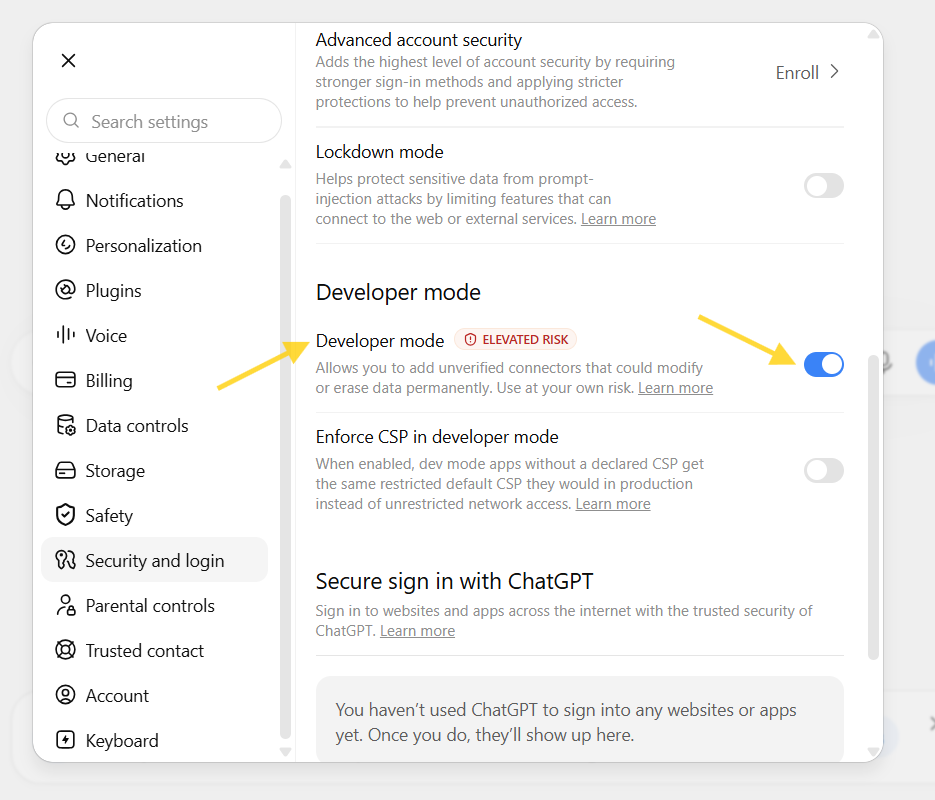
Step 2: Turn On Developer Mode
Go to Settings, then Security and login, and switch on Developer mode.
Step 3: Add the Dadan Connector
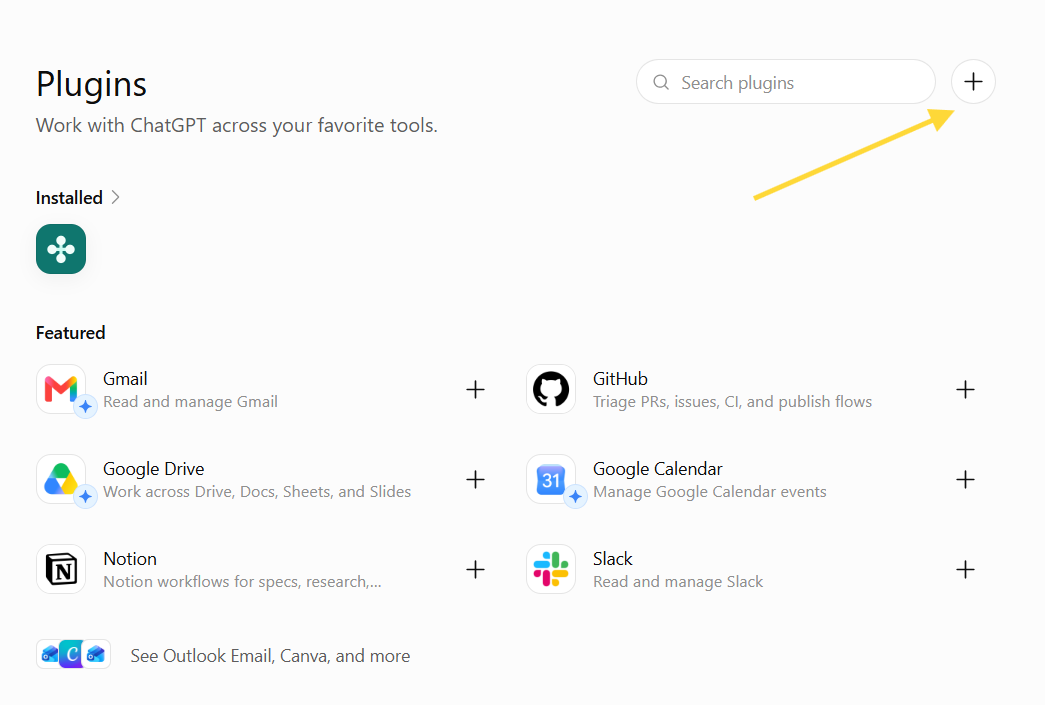
Go to Settings, then Plugins, click the + button, paste https://mcp.dadan.io/mcp, set Authentication to OAuth, and click Create.
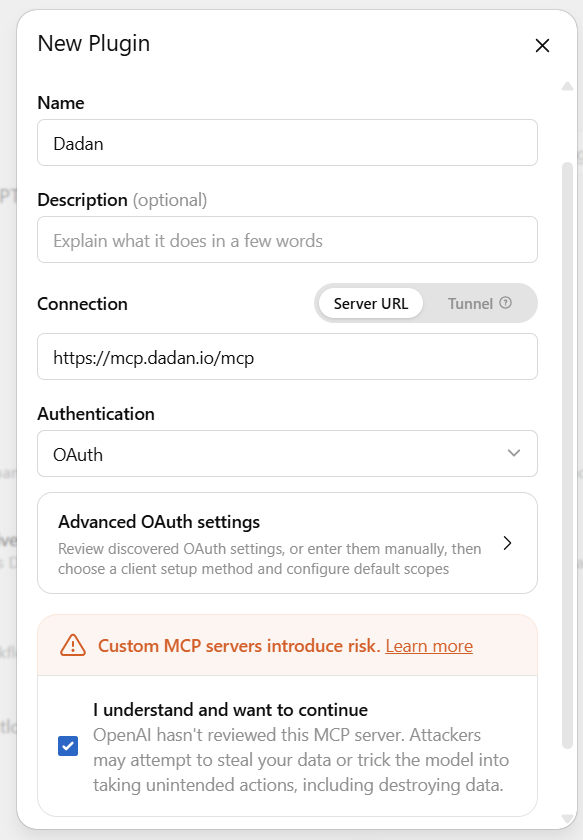
Step 4: Sign In to Dadan
A window opens for you to log in with Google, Microsoft, or email.
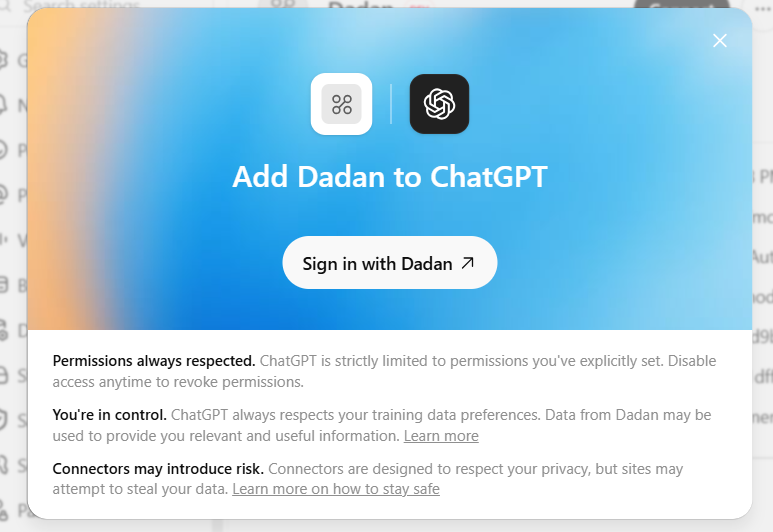
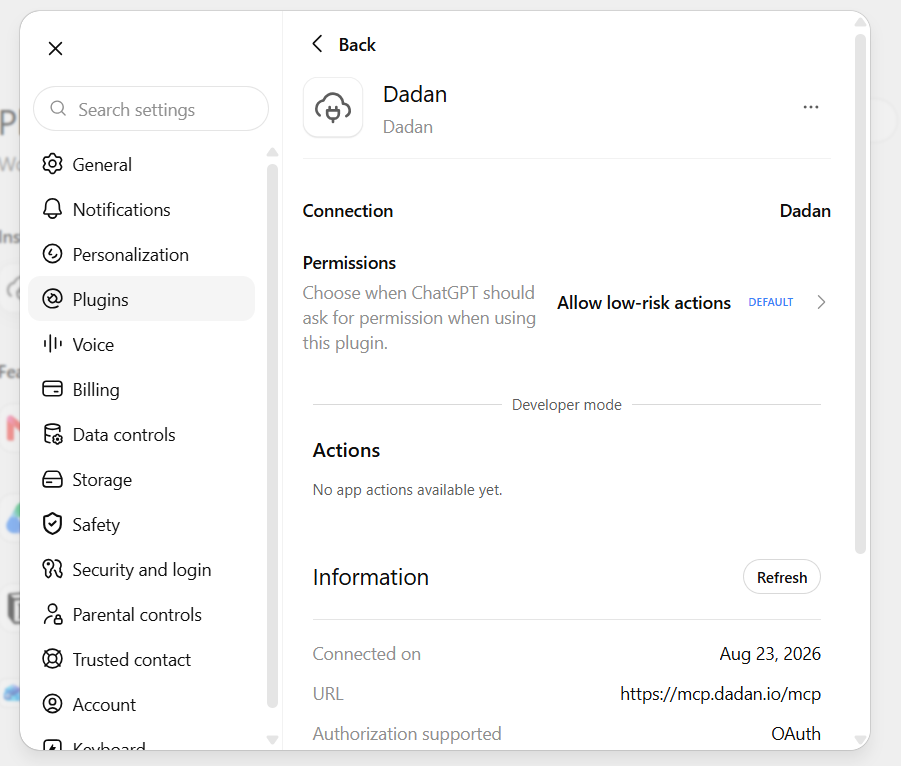
Step 5: Turn Dadan On in a Chat
Start a new conversation, open the + menu, and choose Dadan under Developer mode.
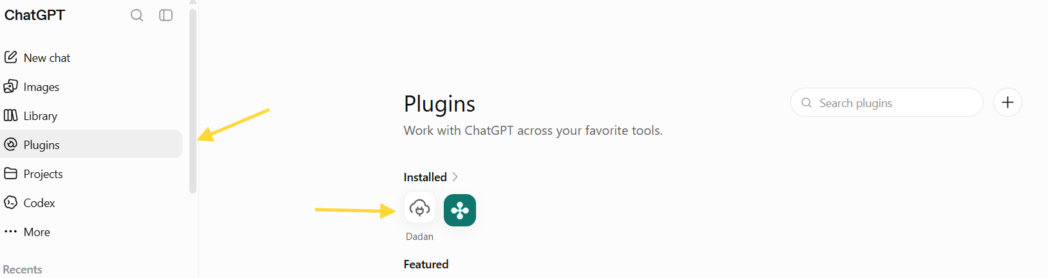
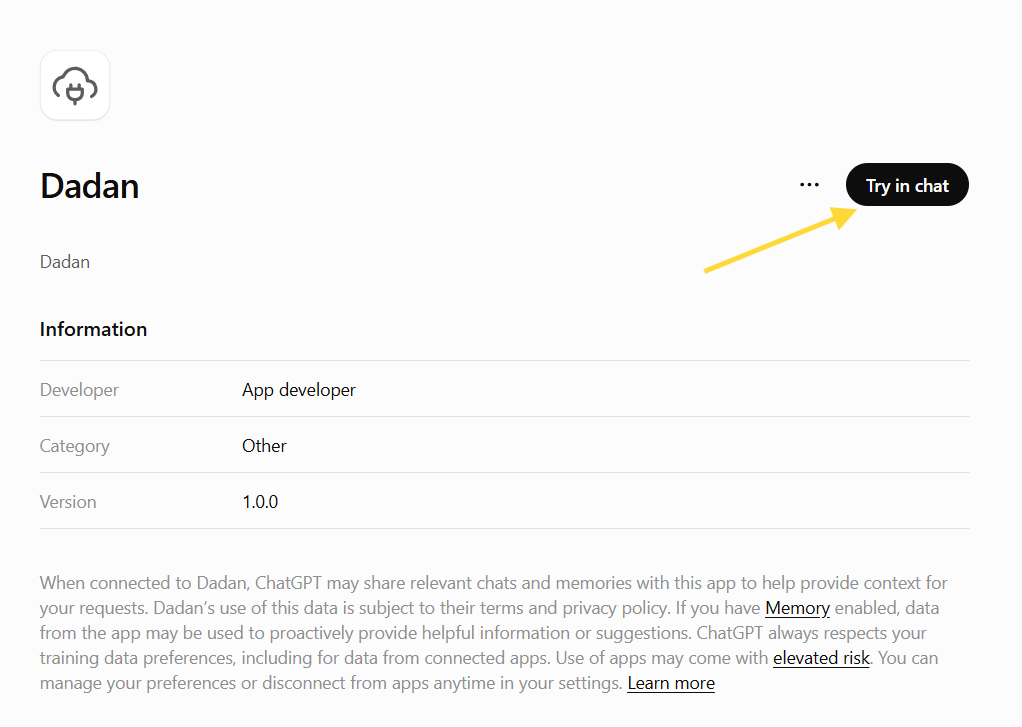
Step 6: Test the Connection
Ask ChatGPT to ping your Dadan server. A pong reply means it is connected.
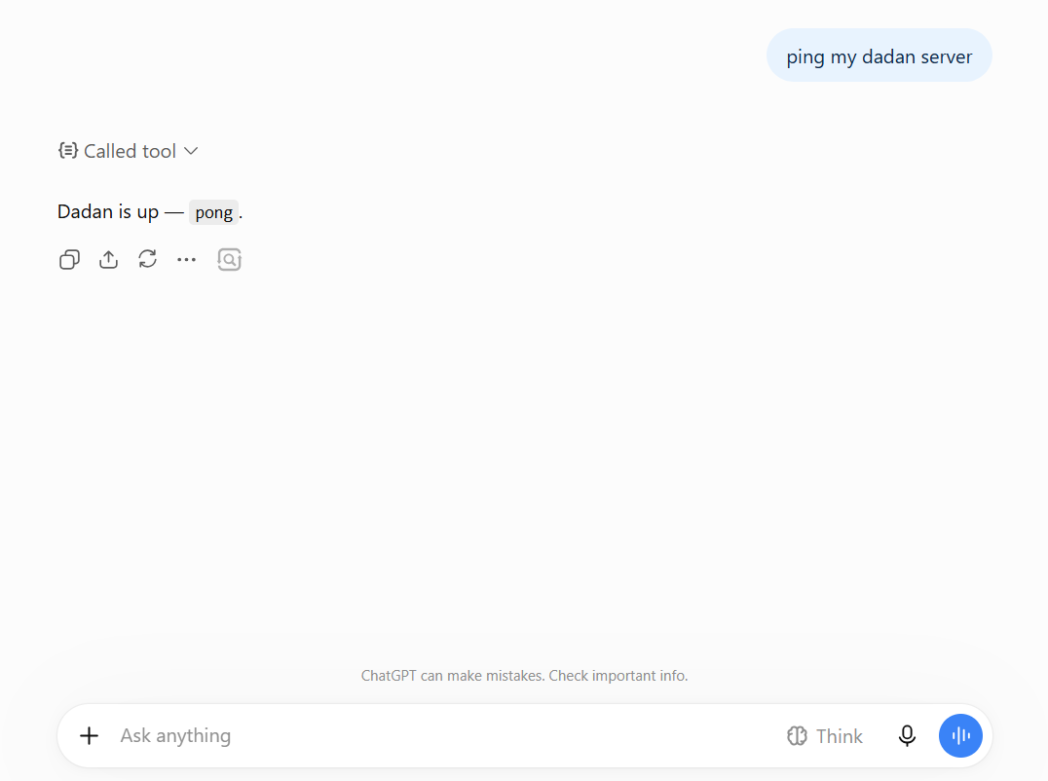
If it does not work, check the URL first. It has to end in /mcp. The plain domain loads Dadan’s docs page instead of the server, and that missing piece is the most common reason a setup does not take.
Bonus Read: 10 Things You Can Do With Dadan MCP
How to Connect Claude to Dadan Using MCP
Claude is the simpler of the two to set up, since it does not need Developer mode and is not limited to the web.
Anthropic’s help center lists custom connectors on the Free, Pro, Max, Team, and Enterprise plans, with Free accounts limited to a single custom connector. If Dadan is the only tool you are adding, a free Claude account is enough to try it.
Step 1: Open Your Connector Settings
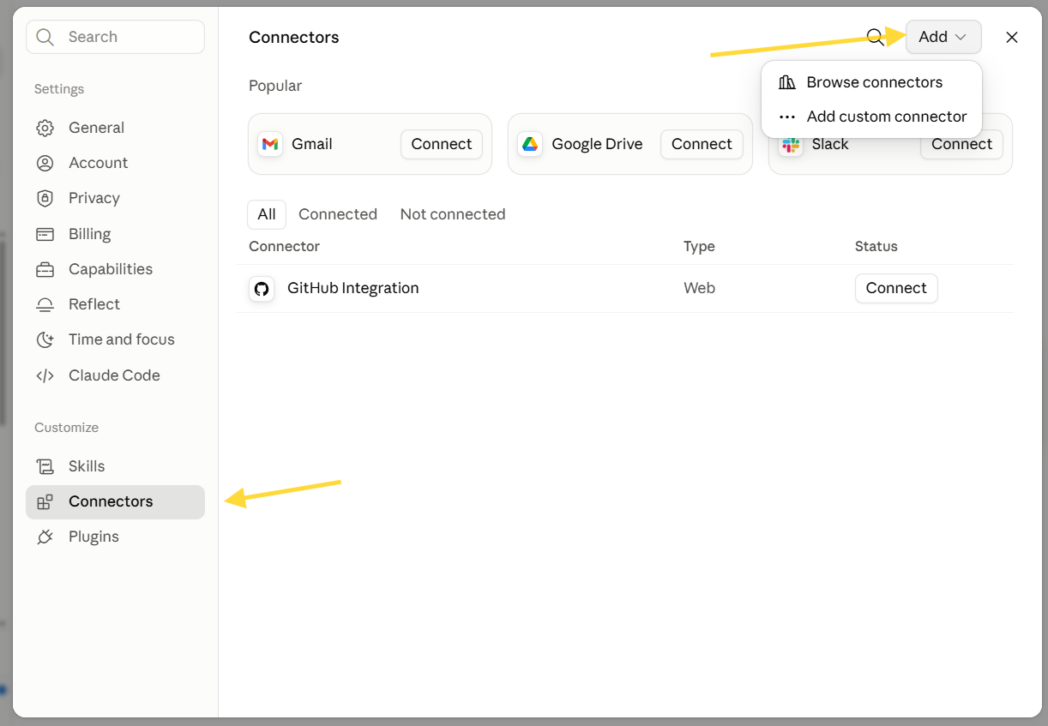
Go to Settings, then Connectors.
Step 2: Add the Dadan Connector
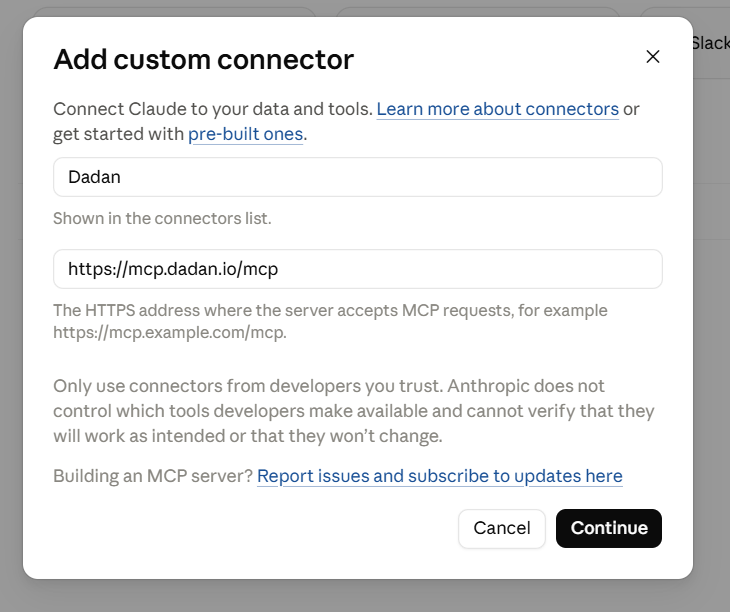
Click Add custom connector, name it Dadan, and paste https://mcp.dadan.io/mcp.
Step 3: Connect and Sign In
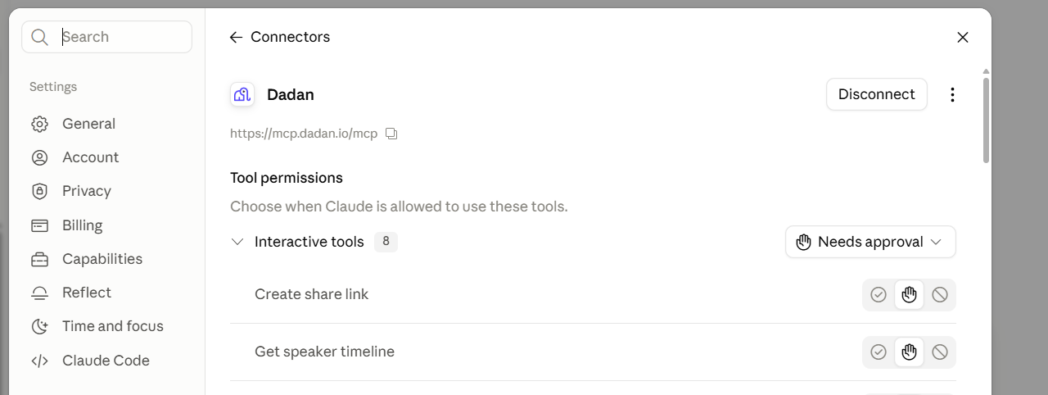
Click Add, then Connect, and log in to your Dadan account.
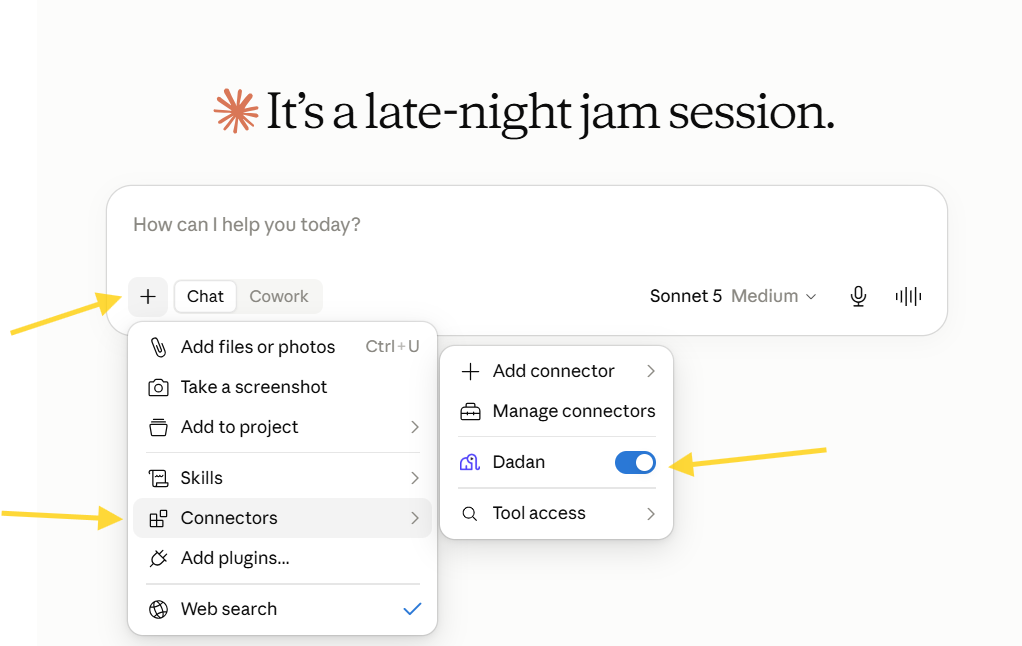
Step 4: Turn Dadan On
Open a conversation, open the tools menu, and enable Dadan.
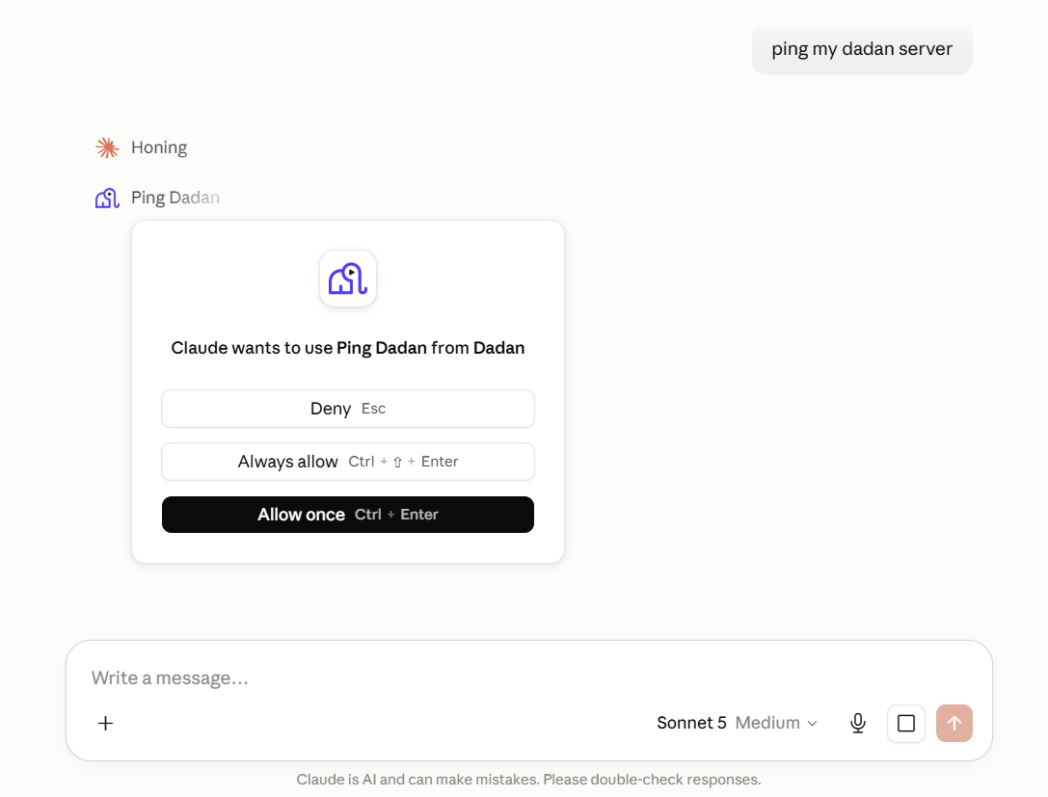
Step 5: Test the Connection
Ask Claude to ping your Dadan server. A pong means you are live.
Team and Enterprise accounts work a little differently. An Owner adds the connector once under Organization settings, and then each person connects and signs in on their own account, so Claude only ever sees the videos that person already has access to.
Security and Privacy
Dadan built this so that every request runs as you. When the assistant makes a call, Dadan checks it against your own account permissions, so there is no shared master login that hands over blanket access.
Your videos, transcripts, and leads stay on Dadan and don’t pass through or sit on the connection in between. Sign-in tokens are encrypted, the temporary tokens expire within an hour, and you can cut off access at any time, either from the assistant or from Dadan.
One note applies to any custom connector, not only Dadan’s. A custom connector lets an assistant reach a service the AI company has not reviewed itself, so it is worth only adding ones listed on the vendor’s official site.
And when the assistant asks to take an action that changes something, read what it is about to do before you approve it.
Conclusion
A connection like this is only worth setting up if it saves you the steps you would otherwise take by hand.
Once Dadan is linked to ChatGPT or Claude, you can search, summarize, translate, clip, and pull leads from your videos just by asking, without opening Dadan at all.
Neither one needs a paid plan to start. Sign in at dadan.io, add the endpoint to whichever assistant you use, and try it on one real video this week.
FAQs
Can I connect both ChatGPT and Claude to Dadan?
Yes. They use the same endpoint, https://mcp.dadan.io/mcp, and you connect each one on its own. Connecting one has no effect on the other, and you can keep both connected at the same time.
Do I need coding knowledge to use Dadan MCP?
No. You paste one URL into your assistant’s connector settings and sign in, the same way you log in to any app.
Is Dadan MCP secure?
Every request runs against your own Dadan permissions, so there is no shared master login. Your videos and transcripts stay on Dadan, the sign-in tokens are encrypted and short-lived, and you can revoke access at any time.
Can ChatGPT search my video transcripts?
Yes. It searches titles, tags, and the words spoken in your videos, so you can ask what was said about something in a specific recording. This works once you have connected Dadan on chatgpt.com with Developer mode on, on any plan including Free.
Can Claude summarize videos stored in Dadan?
Yes. Claude can pull a video’s transcript and summary and turn it into meeting notes or chapters. This works on Claude Free, within its one-connector limit, and on every paid plan.
Which AI assistants support Dadan MCP?
Claude, ChatGPT, Cursor, and VS Code with GitHub Copilot, along with clients like Windsurf and the Gemini CLI. Any assistant that speaks standard streamable HTTP with OAuth 2.1 can connect to the same endpoint.
Can I disconnect Dadan MCP anytime?
Yes. You can remove the connector inside your AI client, or revoke its access from your Dadan account. Either one cuts the assistant off right away.