If you record a lot of video, you have probably spent longer looking for an old clip than it took to record it in the first place. You remember it exists, but not what you named it or which folder it went into, and scrubbing through a long recording to reach one moment is its own slow job.
Dadan MCP is meant to fix exactly that. It connects your Dadan video library to the AI assistant you already use, so you ask for what you want instead of clicking around the dashboard.
Below are ten things you can actually get done this way.
TLDR;
One bit of background first, since it’ll help you understand the rest. Model Context Protocol is an open standard that lets an AI assistant connect to an outside tool and use its features directly.
Dadan built a server on that standard, so once you connect it, your assistant can reach your recordings, transcripts, summaries, analytics, leads, folders, and team workspaces without any code from you.
The connection gives it 70 tools across 13 areas of the product, which is why it can do a lot more than answer questions about your videos.
Here are 10 things you can do with Dadan MCP.
1. Find Any Video, Or Any Moment Inside One
Search is usually the first thing people try, and it’s the quickest way to understand the difference. Dadan MCP can look across your file names, tags, and full transcripts at the same time, so you can search for something by what was said in it, not only by what you named it.
Instead of scrolling, you can simply type something like this into ChatGPT or Claude:
Find the recording where I explained the refund policy to a customer.
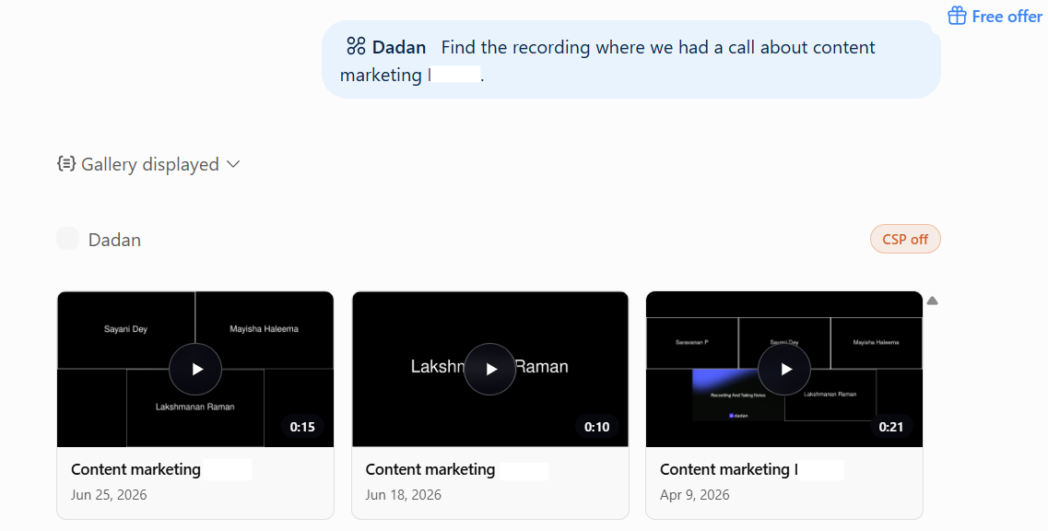
Then Dadan displays the video or videos regarding the refund policy.
Because it reads the transcript and not only the title, it finds the moment even in a video you never labelled well. This is most of what people mean by AI video management. You end up asking your library questions instead of digging through it.
2. Recap A Meeting And Pull Out What You Need To Act On
Most people record meetings and then never watch them again, so the recording loses its point over time. So, Dadan MCP handles the whole thing from your assistant, from sending a bot into the call to handing you the summary afterwards.
You can start the recording without opening Dadan:
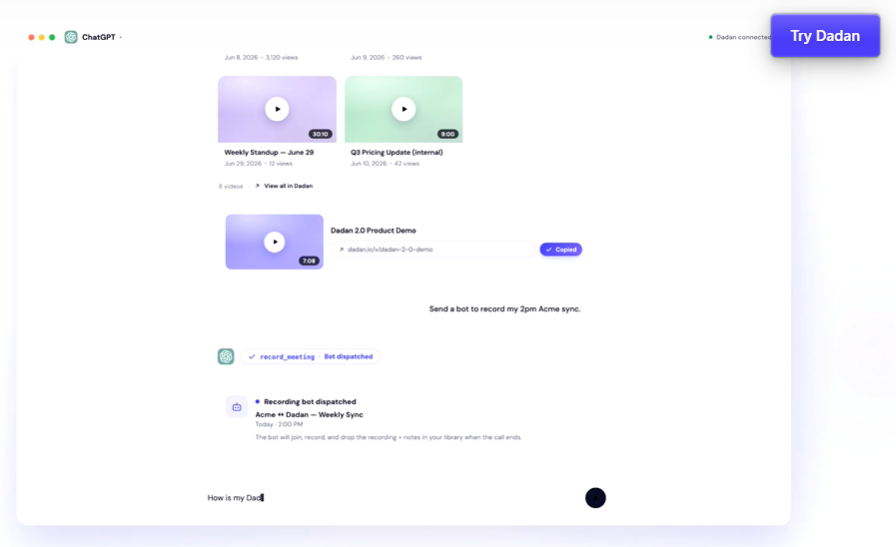
You say, “My Acme sync starts in two minutes. Send the bot in, and get me the action items after.”
When the call ends, one more request gives you the transcript, a short summary, and the action items with owners. It tends to be the feature that wins people over, because sitting through your own recorded calls is exactly the kind of task nobody wants to do, and now you don’t have to.
3. Turn One Long Recording Into Short, Vertical Clips
A recorded webinar or demo can feed a week of social posts, but only if cutting it up doesn’t cost you an afternoon. Dadan MCP lets you describe the clip you want and sends it back trimmed, resized, and captioned.
The request looks a lot like the result you are picturing. For example:
You: Take the product demo, cut the first 30 seconds, make it vertical, and add captions.
That means you never open a timeline. If your job involves using a lot of short clips from longer videos, this is going to make your job so much easier.
4. Edit A Video By Describing The Change
Clipping is one kind of edit, and the rest also work the same way. Trimming, blurring part of the frame, zooming into a section, dropping in your logo, adding background music, you ask for it in a sentence and let the assistant carry it out.
A quick edit might go something like this:
Type in the chat – “In the onboarding walkthrough, blur the customer’s email in the top corner and add our intro music.”
You decide what you want to change and the tool does the fiddly part.
5. Translate Captions And Subtitles Into Other Languages
If some of your viewers speak other languages, subtitles are often your best bet. Dadan MCP can generate transcripts, subtitles, and translations in 180 languages from a single request.
You just need to name the languages you need. Say something like, “Add Spanish and German subtitles to the launch video.”
For a small team selling into more than one market, that makes subtitling every video realistic rather than something you save for the important ones. The part that used to mean hiring someone now takes a line of chat.
6. Read Your Video Analytics
Dashboards show you a lot and answer very little. Dadan MCP lets you ask a simple question and get the answer, pulled from your data and summarized instead of handed over as a chart to work out yourself.
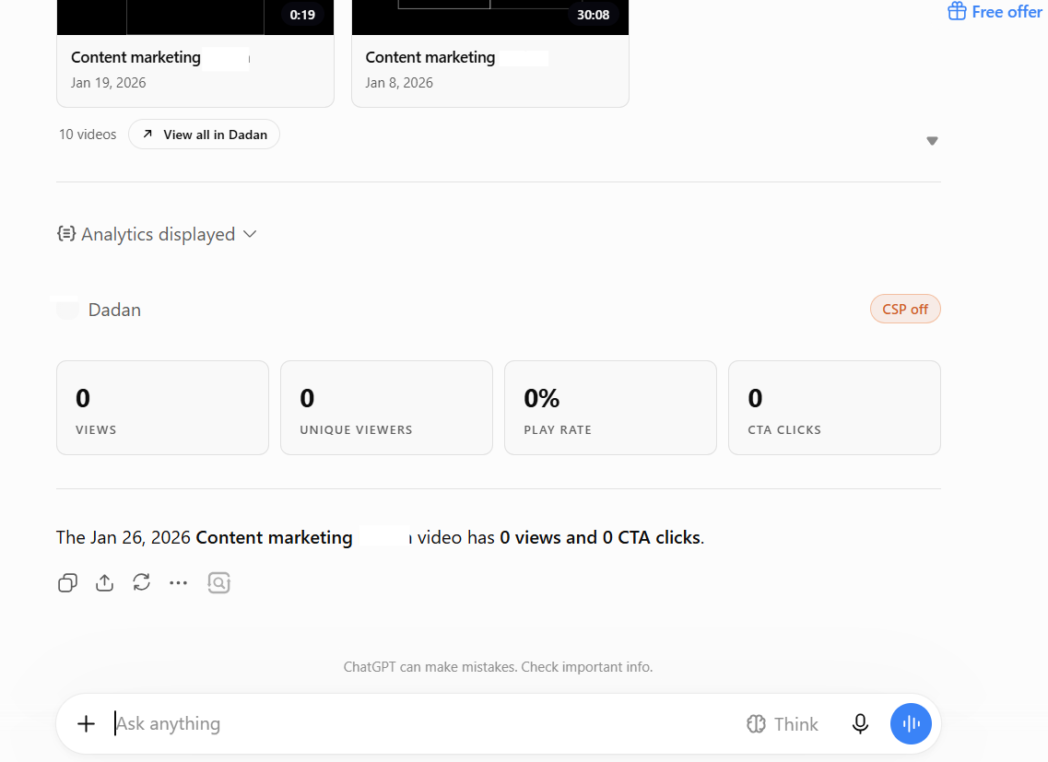
The exchange is as short as the question. You can simply ask “How did the launch video do this week, and who left their email?”
ChatGPT or Claude, whichever you use, will respond with something like “214 views, 68% play rate, 19 CTA clicks. Seven viewers left their email through the in-video form. Want the list?”
You get views, play rate, watch duration, CTA clicks, and captured leads read back in a sentence, and you can keep asking follow-ups.
7. Capture Leads From Your Videos And Route Them To Your Team
Interactive videos collect emails, form entries, and poll answers, but none of that helps if it stays stuck inside the video. Dadan MCP lets you pull those responses and send them wherever your team works, without logging into anything.
You can just say, “Pull everyone who filled out the form on the demo video this month and give me a list I can paste into the CRM.”
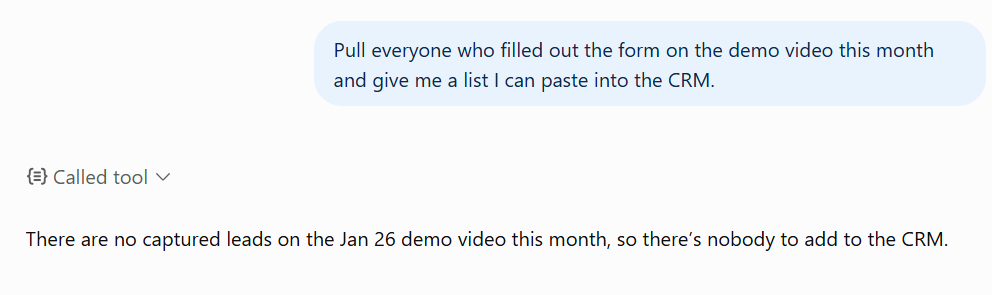
For sales and marketing, that connects a video getting watched to a lead actually getting worked. The responses come out of the player and into your CRM or inbox.
8. Add Interactive Elements By Asking
If you have a finished video and want it to prompt the viewer to do something, you can just describe the interaction rather than building it in the editor.
For example, you can prompt, “On the pricing walkthrough, add a CTA button at the end that links to my Calendly.”
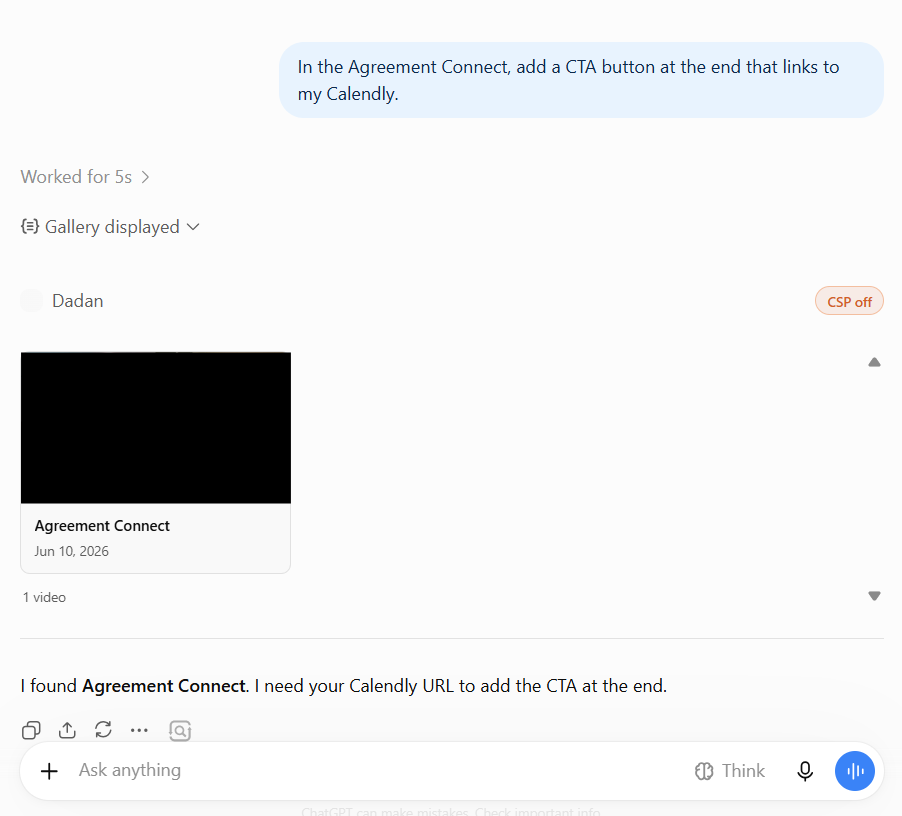
The interaction is what nudges a viewer toward a next step, and being able to add one to a video you already published, without reopening the project, means it actually happens.
9. Organise And Tidy Your Whole Library
The reason search matters so much is that most libraries are a mess, and Dadan MCP lets you clean one up the same way you search it. You can move videos, build playlists, rename things, and sort recordings into folders by asking.
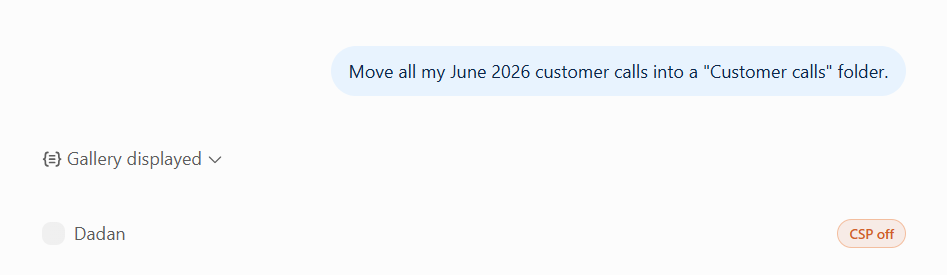
Give a prompt like “Move all my August customer calls into a “Customer calls” folder.”
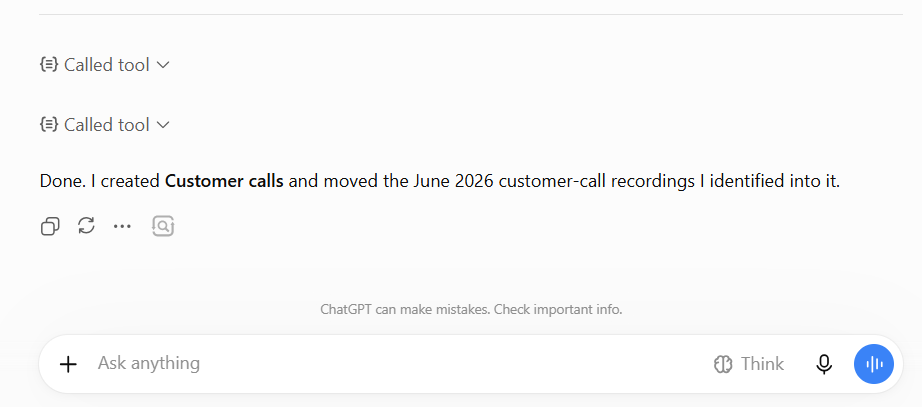
Dadan then moves all your said videos.
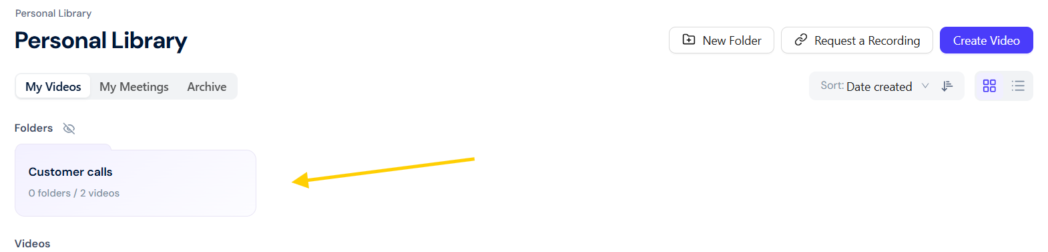
If your library has grown to the point where you avoid opening it, this is the literal version of AI video management. You say how you want it arranged and the assistant sorts it out.
10. Publish And Share Finished Videos
Getting the video in front of people happens in the same chat window as the rest. Dadan MCP can export a finished video, create a share link, and give you embed code, so you don’t have to go back into the dashboard to publish.
You can ask for whatever format you need, for example, “Generate a public share link for the final content marketing video”
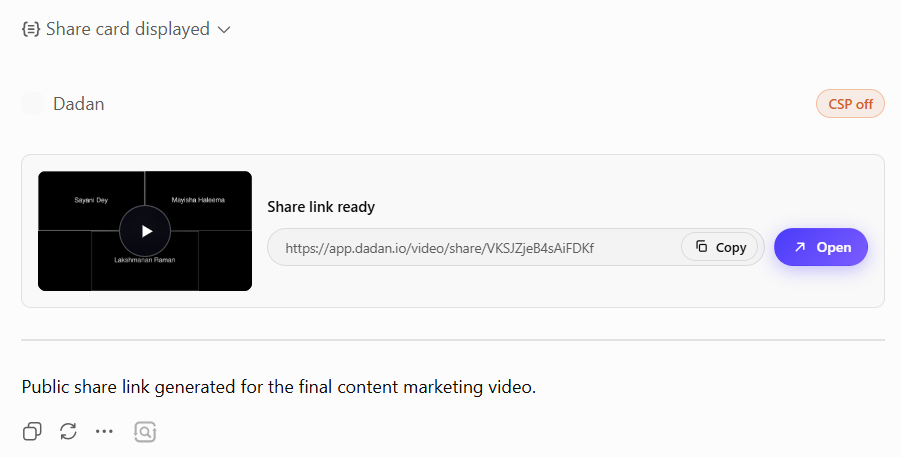
At that point you’ve gone from finding a clip to editing it to publishing it without leaving your assistant, which was the reason to connect the two.
Who Benefits Most From Dadan MCP?
Anyone with a Dadan library gets something out of it, but a few would get a lot more.
Sales and customer-facing teams see the quickest payoff. You can record demos, discovery calls, and proposals all day, and a big part of the job is the follow-up after someone watches.
Content and marketing people can also massively benefit from this. If you spend your week cutting long recordings into short clips, subtitling them for different audiences, and reading the engagement data to decide what to make next, you’re doing the three things Dadan MCP handles best.
Developers and technical teams fit for a less obvious reason. Because Dadan MCP works inside Cursor and VS Code, someone documenting a product with screen recordings can also search, clip, and publish them without leaving their editor.
Conclusion
Dadan MCP doesn’t really give Dadan new abilities. It takes what Dadan already does and lets you get at it by asking. Recording, searching, editing, translating, reading analytics, capturing leads, organising, publishing, all of that worked before.
The change is that you get to it by telling an assistant what you want, in a window you probably already have open, instead of clicking through the app to build it yourself.
Setup runs about two minutes, it costs nothing on top of your current plan, and it works with the AI tools most people already use.
If your video library has outgrown your patience for managing it by hand, the quickest way to see what Dadan MCP does is to connect it and ask it for something.
FAQs
Which AI assistants work with Dadan MCP?
It includes Claude on web, desktop, and Claude Code, ChatGPT on the web in Developer mode, Cursor, and VS Code with GitHub Copilot. Other agents that support custom MCP connectors, such as Windsurf and Gemini CLI, connect too. If your tool lets you add a custom MCP connector, Dadan works with it.
Can Dadan MCP search video transcripts?
Yes, and it’s one of the strongest things it does. Dadan MCP searches across transcripts, file names, and tags together, so you can find a specific moment by describing what was said rather than remembering what you named the file.
Can Dadan MCP summarize meetings?
Yes. You can send a recording bot into a live call from your assistant, and once the call ends and the recording lands in your library, a single request gives you a transcript, a summary, and a list of action items.
Does Dadan MCP require coding?
No. There are no API keys to manage and no code to write. Setup is pasting one endpoint into your AI client and signing in with your Dadan account.
Is Dadan MCP secure?
Yes. The connection uses OAuth 2.1, so you sign in with your own Dadan account and your password never passes through the gateway. Every action runs as you, against Dadan’s own permission checks, with no shared master credential.
Can I organize my videos using Dadan MCP?
Yes. You can move recordings between folders, create and fill playlists, rename videos, and sort your library by asking. It’s often the fastest way to clean up a library that has become a mess.
Can Dadan MCP help create content from videos?
Yes, and this is where a lot of people get the most value. From existing recordings you can generate short vertical clips, add captions and translated subtitles, trim and reframe, add interactions like CTAs and forms, and publish the result.