Guidde turns a screen recording into an AI-narrated how-to video with written steps, and it does that job well for support and enablement content.
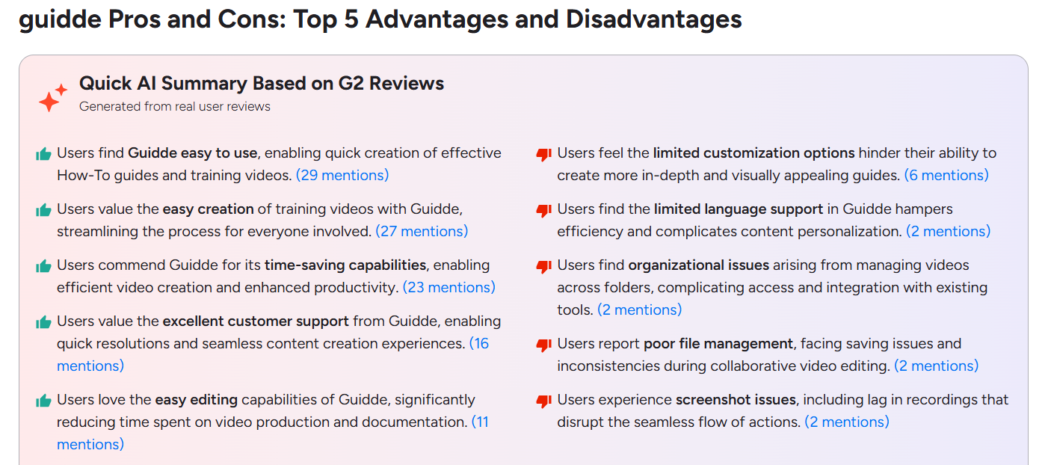
The reason people go looking for something else almost always comes down to two things: money and format.
Guidde charges per creator. The free plan stamps a watermark on everything and won’t let you export a file. And the output is always a video, even when what you actually wanted was a written guide someone can skim.
So here’s the quick answer before you scroll. If you want a written guide and a video out of the same recording, without paying per head, for a guide and video from one recording, Dadan is an option worth considering.
What Is Guidde?
Guidde is a browser-based tool that watches you click through a task and turns it into a step-by-step how-to video, complete with an AI voiceover, screenshots, and auto-written text. It is in the same neighborhood as Scribe and Tango, and it’s aimed at support, product, and enablement people who answer the same “how do I do this” question over and over.
The free plan gives you up to 25 guiddes with web capture and your own recorded voice. The catch is that it watermarks everything and blocks MP4, GIF, and PDF export, so you can’t really ship anything customer-facing without paying.
Paid pricing sits around $19 per creator per month on Pro when billed annually, or $29 month to month. Business runs closer to $39 per creator annually and adds the AI voiceover, desktop capture, PII redaction, and analytics. Enterprise is a call.
To be fair to Guidde, it’s solid on the things enterprise buyers care about. It supports 40-plus languages, connects to more than 20 tools like Slack, Zendesk, and Salesforce, holds SOC 2 Type 2 and GDPR compliance, and says it doesn’t train its AI on your content.
Why Look for a Guidde Alternative?
Most people who start shopping around aren’t unhappy with the recording, they’re unhappy with the bill or the output.
The free plan is the first snag. It’s web capture only, no desktop app, a watermark on every export, and no downloadable files. That’s fine for kicking the tires, but you can’t build a real library on it, which means you’re paying sooner than the free label suggests.
Then there’s the per-creator charges, and this is the one that actually multiplies. You pay for every person who documents a process.
Five people on support lands you somewhere around $95 to $295 a month. Twenty people can push past $1,000 before you’ve even looked at Enterprise.
Moreover, AI voiceover and desktop capture both sit behind the Business tier. Guides cap at 100 steps each. The editor is heavy enough that older machines chug on longer captures.
And people comparing Guidde and Scribe on Reddit have flagged that the AI generation sometimes wanders on longer workflows, with missed clicks or an off voiceover you have to clean up by hand.
Anyone else frustrated with AI documentation tools like Guidde?
byu/No_Trick_4811 inSaaS
And the biggest reason is often just format. Guidde makes a video. Sometimes you want a written page with a screenshot on each step and a PDF you can drop into a ticket. That’s a different tool, and there are plenty of good ones.
Comparison Table
| Tool | Best for | Free plan | Starting paid price | Auto step-to-doc | Video output |
|---|---|---|---|---|---|
| Dadan | A written guide and a video from one recording | Yes (2 guides/mo, 25 videos) | $8/mo (Lite, annual) | Yes | Yes |
| Scribe | Fast text-and-screenshot SOPs | Yes (web capture only) | $23/seat/mo | Yes | No |
| Tango | Quick internal process docs | Yes (15 workflows) | $20/user/mo | Yes | No |
| Supademo | Interactive product demos | Yes (5 demos) | $38/creator/mo | Partial | Yes |
| iorad | Long-running tutorial libraries | Yes (public only) | $200/mo | Yes | No |
| Whatfix | In-app guidance at enterprise scale | No (demo only) | Custom (approx $24k/yr) | Partial | Partial |
| Folge | Offline, desktop-only documentation | Yes | $70 one-time | Yes | No |
| Loom | Async video messaging | Yes (25 videos) | Approx $12.50/creator/mo | No | Yes |
| Snagit | Screenshot markup and manual step docs | No (15-day trial) | $39/yr | Partial | Yes |
| Trainn | SaaS customer education programs | Yes (trial) | Approx $2,400/yr | Yes | Yes |
Here are the10 Best Guidde Alternatives
The right pick depends on whether you want a static doc, an interactive demo, or a full video program, so read the ones that match your situation.
1. Dadan
Dadan is a browser-based video platform that added a Guides feature in September 2026, which is what makes it a direct Guidde alternative rather than an adjacent one. You open the Dadan browser extension, pick Guide, and click through a workflow.
Every click becomes a numbered step, Dadan captures a screenshot for each one, and it writes a draft instruction you can rewrite, reorder, merge, or annotate. When you finish, you get two artifacts from the same recording, a doc-style guide and the original video, so a reader can follow the written steps or click into the exact moment on screen.
You can create guides in 40+ languages and translate finished guides into 180+ languages, publish it, or export it to PDF. That dual output is the core reason to start here. Scribe and Guidde make you pick between a document and a video, and Dadan hands you both.
Around the Guides feature sits a fuller video toolkit that most guide-only tools lack. Dadan records screen and webcam up to 4K, edits by transcript so you cut a video by deleting words, hosts and shares with password protection and custom access, and adds in-video quizzes, polls, and lead forms that route into your CRM.
For anyone documenting a process today and shipping a product demo or an onboarding video tomorrow, that range means one subscription instead of two.
Best For
- Support and success staff who need a written SOP and a video from the same capture
- Small businesses that want guides plus hosting, editing, and lead capture without buying separate tools
- Anyone documenting internal processes who also publishes customer-facing video
Key Features
- Click-to-step capture with an automatic screenshot on every step
- A written draft instruction per step that you can edit, reorder, merge, or delete
- Both a doc-style guide and the source video from one recording
- Guide translation into 180-plus languages and one-click PDF export
- Transcript-based video editing, 4K recording, hosting, and in-video quizzes, polls, and lead forms
- Privacy Guard to automatically blur sensitive information
Pros
- Produces a guide and a video together, which most rivals do not
- Guides are included on the free plan, so you can test before paying
- Paid pricing starts well below the per-creator documentation tools
- Interactive elements and CRM routing go beyond plain documentation
Cons
- The free plan caps Guides at 2 per month and 5 steps each
- The platform does more than pure documentation, which is more than you need if all you ever want is a text SOP
Pricing
- Free
- Lite: $8/month
- Pro: $14/month
- Business: $14/month/seat
Bonus Read: The Best AI Process Documentation Software In 2026
2. Scribe
Scribe runs as a browser extension that watches your clicks and keystrokes and builds a step-by-step written guide with a screenshot on each step, no recording or narration involved.
The output is a clean, skimmable document rather than a video, which is exactly right when a reader wants to glance at step four instead of scrubbing a timeline. Scribe has scaled to millions of users and leans into IT, operations, and customer success functions that live on written SOPs.
The catch is what the free tier leaves out and how the paid tier is priced. Basic is free but captures web apps only, adds a Scribe watermark, and locks desktop capture, branding, and PDF export behind the paid plans. Pricing is per seat, so every contributor is a paid head.
Best For
- Written SOPs and internal process docs that readers skim rather than watch
- IT and operations groups standardizing repeatable workflows
Key Features
- Automatic step capture from clicks and keystrokes in the browser
- A screenshot and written instruction generated for every step
- Desktop and mobile capture, PDF, HTML, and Markdown export on paid plans
- Smart redaction of sensitive on-screen data on higher tiers
Pros
- One of the fastest ways to produce a written guide with screenshots
- A genuinely usable free tier for quick web-app guides
- Export formats suit knowledge bases and attachments
Cons
- Per-seat pricing gets expensive once several people contribute
- Static text and images only, with no video for anything that needs motion
- Editing individual screenshots can be slow
Pricing
- Free
- Pro Personal: $25/seat/month
- Pro Team: $13/seat/month
- Enterprise: Custom
3. Tango
Tango works a lot like Scribe. It captures a browser workflow and turns it into a step-by-step guide with screenshots and editable text in seconds, and the first time you watch it build a doc automatically, it’s genuinely impressive. The free plan is fine for feeling that out.
Where it gets frustrating is the ceiling. You get 15 shared workflows across the whole workspace, not per person, so a real library fills that up quickly.
And Tango has been drifting upmarket toward digital adoption, which means the features you might actually want, in-app guided walkthroughs and automatic PII blurring, live on a quote-only Enterprise plan with no public price.
Best For
- Quick internal process guides for small groups
- Standardizing how a handful of recurring tasks get done
Key Features
- Automatic capture that turns a browser workflow into a guide
- Screenshots and editable written steps generated as you click
- Browser and desktop capture with branded exports on Pro
- In-app guidance and PII blurring on Enterprise
Pros
- Fast, clean output that reads well with little editing
- A free plan that is fine for a few short guides
- Branded exports on the paid plan
Cons
- The 15-workflow free cap fills quickly for any real library
- In-app guidance and PII blurring are gated to a quote-only Enterprise plan
- Language support may be more limited depending on the workflow.
Pricing
- Free
- Pro: $22/month
- Enterprise: Custom
4. Supademo
Supademo takes a different angle on the same problem. Instead of a static guide or a linear video, it builds interactive demos a reader clicks through, which suits product walkthroughs and self-serve onboarding better than a PDF does. It captures in several formats, including screenshot, video, HTML-cloned, and sandbox, and its AI writes step text and adds voiceovers in dozens of languages.
There is also a “copy steps as SOP” option, so you can pull a written guide out of a demo when you need one.
Where it differs from Guidde is intent. Supademo is demo-first, built for sales, customer success, and product marketing rather than pure documentation, so a plain written manual is not its natural output. Pricing is per creator and climbs at the plan you need for HTML and sandbox demos.
Best For
- Interactive product walkthroughs a reader clicks through
- Sales and customer success content wired into the funnel
Key Features
- Six capture formats including screenshot, video, HTML, and sandbox
- AI voiceover and translation across 50-plus languages
- Branching, variables, and viewer analytics with CRM integrations
- SCORM export and a written SOP export from any demo
Pros
- Interactive output that outperforms a static doc for product tours
- A real free plan and self-serve signup
- One library serves onboarding, support, sales, and product
Cons
- Built around interactive demos, not written documentation
- Sandbox and HTML demos require the higher-priced Growth plan
- Per-creator pricing adds up across a larger group
Pricing
- Free
- Scale: $38/month
- Growth: $350/month
- Enterprise: Custom
5. iorad
iorad has been around longer than most of this list, and it goes deep on interactive walkthroughs with text-to-speech and learning modes that let a reader try, watch, or do.
The free plan makes every tutorial public, with no privacy at all, which rules it out for anything internal.
Private use starts at $200 a month for one creator. The Team plan opens at $500 a month plus $50 per extra creator, and translation is a separate paid module on top. Plenty of people meet iorad through its free tier and are stunned by what private access costs.
Best For
- Large tutorial libraries at organizations with real budget
- Interactive walkthroughs with try, watch, and do modes
Key Features
- Interactive step-by-step tutorial capture for web and desktop
- Text-to-speech narration and multiple learning modes
- Data masking, custom branding, and analytics on paid plans
- Video and document export on the Team plan
Pros
- Deep, mature tutorial builder with strong interactivity
- Learning modes suit training as well as reference
- Established platform with enterprise controls
Cons
- The free plan makes everything public, so it is unusable for internal docs
- Individual pricing starts at $200 a month, steep for a single creator
- Translation is a paid add-on on top of already high prices
Pricing
- Individual: $200/month
- Team: $500/month
- Enterprise: Custom
6. Whatfix
Whatfix is not a guide maker in the Scribe sense. It is a digital adoption platform that layers interactive walkthroughs, tooltips, and self-help widgets directly inside the applications your organization already runs.
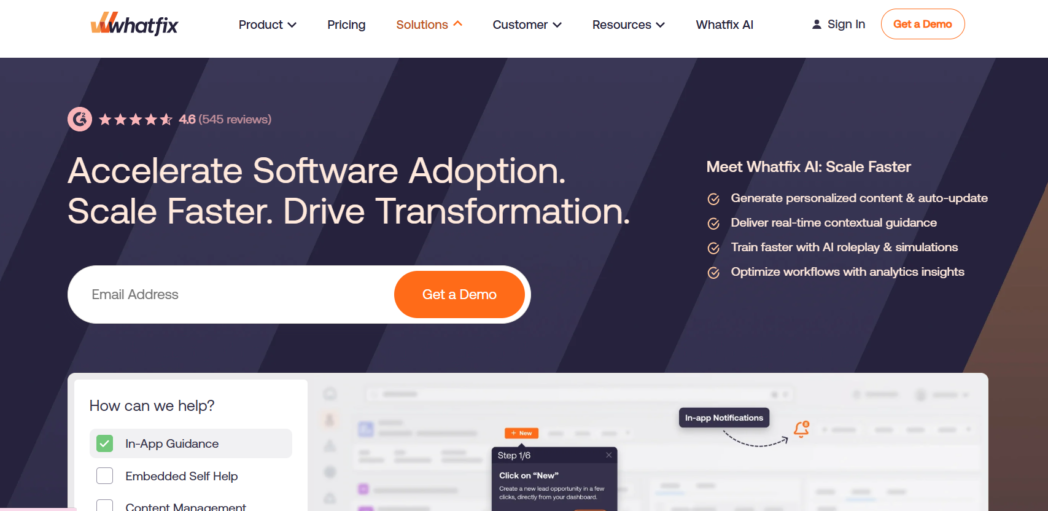
If your real goal is software adoption across a large workforce, this is a different and heavier category than turning a recording into a PDF.
And it’s priced like one. Whatfix is quote-only, usually starting around $24,000 a year and climbing into six figures for multi-app rollouts, with an implementation project attached. It’s the right call for a large deployment and completely the wrong one for documenting a handful of processes.
Best For
- In-app guidance and software adoption across a large workforce
- Reducing support load on complex internal tools
Key Features
- Interactive in-app walkthroughs and contextual tooltips
- Self-help widgets that surface guidance inside the app
- User analytics and content management for adoption programs
- Deep integration across enterprise application stacks
Pros
- Guidance appears in context
- Strong analytics for measuring adoption
- Built for scale across many applications
Cons
- Quote-only pricing that starts in the tens of thousands per year
- Implementation is a project
- Far more than you need for straightforward how-to guides
Pricing
Custom and quote-based, commonly starting near $24,000 per year and rising with application count. No free plan.
7. Folge
Folge is the pick for anyone who wants a step-by-step guide builder that runs entirely on their own machine. It is a desktop application that captures your keystrokes and clicks, builds a guide with screenshots, and exports to Word, PDF, HTML, and PowerPoint, all locally, with no cloud account required.
For regulated work or anyone who simply dislikes subscriptions, that offline, one-time-license model is a genuine point of difference in a category that has gone almost entirely SaaS.
What you give up for that control is reach. Folge doesn’t record video or audio, so it’s strictly a static-document tool, and there’s no hosting and no interactivity. It does the documentation job cleanly and then stops, which for some people is exactly the appeal.
Best For
- Offline, desktop-only documentation with data kept local
- Buyers who prefer a one-time license over a subscription
Key Features
- Keystroke and click capture into a step-by-step guide on the desktop
- Local editing with annotations on each screenshot
- Export to Word, PDF, HTML, and PowerPoint
- One-time perpetual license with no cloud dependency
Pros
- Works fully offline with data staying on your machine
- A rare one-time price in a subscription-heavy category
- Rated 4.8 out of 5 by users for straightforward documentation
Cons
- No video or audio recording at all
- No hosting, sharing infrastructure, or interactivity
- Desktop-bound, so no browser or mobile capture
Pricing
- Free
- Personal license: 75€
- Business license: 130€/seat
8. Loom
Loom is the async video incumbent, and it belongs on this list because a large share of “how-to” content is really a quick screen recording with your voice over it.
Loom records screen and camera, gives you a shareable link with viewer analytics, and now adds AI titles, summaries, and transcripts.
What it doesn’t do is turn a recording into an editable step-by-step doc with a screenshot per step, which is the entire point of Guidde, Dadan, Scribe. It’s a video message.
Loom was acquired by Atlassian in 2023, and in January 2026 it raised its top tier and split out a Business plus AI plan, so the AI features now sit at the higher price.
Best For
- Quick async video messages and screen walkthroughs
- Sharing a recorded explanation rather than a written guide
Key Features
- Screen and webcam recording with instant shareable links
- Viewer analytics and engagement tracking
- AI titles, summaries, and transcripts on the AI tier
- Integrations with Slack, Salesforce, and other tools
Pros
- Fast, familiar, and reliable for async video
- Free tier good enough to test the format
- Strong viewer analytics on shared videos
Cons
- Produces a video
- Free plan caps at 25 videos and 5-minute recordings
- AI features sit behind the higher-priced tier after the 2026 increase
Pricing
- Free
- Business: $18/user/month
- Business + AI: $24/user/month
- EnterpriseI: Custom
9. Snagit
Snagit from TechSmith is the long-standing standard for screen capture and image markup, and it fits here because of its Create From Steps and Combine features, which assemble captured screenshots into a simple step-by-step document.
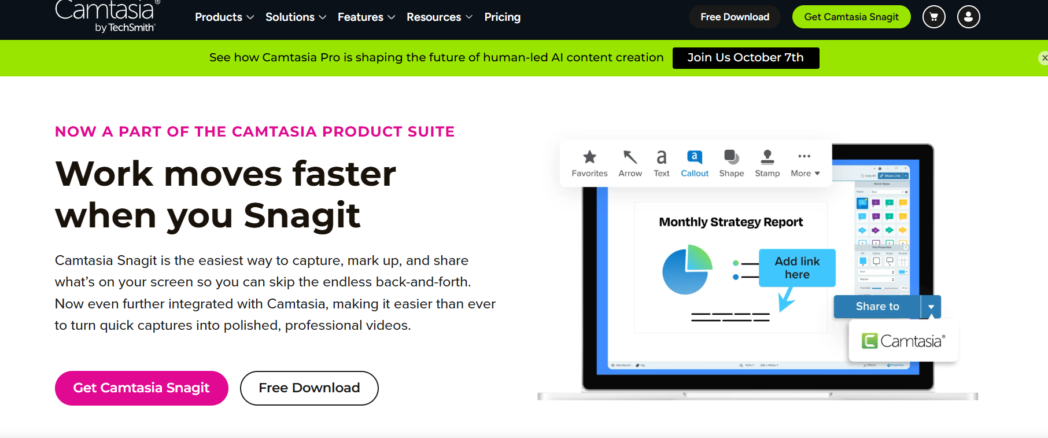
If your documentation is really a set of well-annotated screenshots with arrows, callouts, and numbered steps, Snagit produces clean, professional visuals and gives you fine control over every image.
The difference from Guidde is automation. Snagit does not watch your clicks and auto-generate a guide, so you capture and assemble steps yourself, and there is no hosting, no AI narration, and no interactivity. It is a capable manual tool rather than an automated one, and TechSmith moved it from a perpetual license to a subscription in 2025.
Best For
- Screenshot-driven documentation with detailed markup
- Ad-hoc visual instructions and technical feedback
Key Features
- Scrolling, panoramic, and multi-page screenshot capture
- A full editor with arrows, shapes, text, and stamps
- Create From Steps and Combine for manual step guides
- Screen recording with webcam for short clips
Pros
- Best-in-class control over annotated screenshots
- Low annual price for an individual
- Records video as well as capturing images
Cons
- No automatic click-to-guide generation
- No hosting, interactivity, or AI narration
- No permanent free tier, only a 15-day trial
Pricing
- Starter: ₹4175/year
- Essentials: ₹7099/year
- Creator: ₹9999/year
- Pro: ₹29999/year
10. Trainn
Trainn rounds out the list as the closest structural cousin to Dadan’s guide-plus-video model. It is a customer education platform for SaaS companies that produces a narrated video, a step-by-step guide, and an interactive walkthrough from a single recording, then lets you host all of it in a knowledge base or a branded academy with an LMS attached.
For a customer success or product education function building a full training program, that breadth is the draw.
The reasons it lands at the bottom of the list are scope and price. Trainn is built for structured customer education programs rather than quick one-off guides, and paid access is annual-only starting around $2,400 a year, which is a commitment for anyone who just needs to document a few processes.
Best For
- SaaS customer education and training programs
- Hosting videos, guides, and an academy in one place
Key Features
- One recording that becomes a video, a guide, and an interactive walkthrough
- A knowledge hub and a zero-code academy with LMS features
- Multi-language support and in-app tutorials
- SOC 2, ISO, and GDPR compliance
Pros
- Three output formats from a single capture
- A full customer education stack
- Strong fit for structured onboarding programs
Cons
- Built for programs, so it is heavy for one-off guides
- Paid plans are annual-only and start around $2,400 a year
- More platform than a solo documenter needs
Pricing
- Creator: $18/month
- Launch: $2400/year
- Scale: $10,000/year
- EnterpriseI: $39,900/year
How to Choose the Right Guidde Alternative
The category looks crowded until you sort it by the one decision that actually matters, which is what you want to hand the reader at the end. Everything else follows from that.
Format
Start with the output format. If you want a written guide with a screenshot per step, look at Scribe, Tango, and Folge. If you want a video, look at Loom.
If you want both from one recording, Dadan and Trainn are the two that do it, and Dadan starts far cheaper. If you want an interactive demo a reader clicks through, Supademo is the specialist.
Pricing Model
Then weigh the pricing model against your group size. Per-creator tools like Scribe, Tango, and Supademo are fine for one or two documenters and get expensive once several people contribute, since you pay for every creator.
A flat or low per-seat tool changes that math like Dadan removes the recurring cost entirely if you can live without hosting and video.
Free Plan
Check the free plan for what it actually blocks. Guidde watermarks and blocks exports, Scribe restricts to web capture, Tango caps workflows, and iorad forces everything public.
A free plan that lets you publish a real guide is worth more than a longer feature list.
Beyond Documentation
Finally, decide how much beyond documentation you need. If guides are the whole job, a focused tool is enough.
If you also record demos, host videos, translate content, or capture leads from what you publish, a platform that covers those in one place saves you a second subscription and a second login.
Which Guidde Alternative Is Best for You?
For most people leaving Guidde, Dadan is the one to try first, and the reason is specific rather than promotional.
The complaint about Guidde is almost always the same three things. Guidde focuses on AI-generated how-to videos with written steps.
Dadan answers all three. It gives you a written guide and a video from one recording, includes Guides on the free plan with real PDF export, and prices its paid tiers below the per-creator documentation tools.
So, if you are in support or customer success and need a written SOP a reader can skim plus a video they can watch, Dadan hands you both from one click-through.
Or if you run a small business and would rather not stack a guide tool, a screen recorder, a video host, and a lead-capture tool into four subscriptions, Dadan covers that range on one plan.
Conclusion
Guidde is a good tool with a pricing model and an output format that stops fitting once your documentation grows past one or two contributors and past video alone.
The ten alternatives here cover every direction out of that corner. Which one is right comes down entirely to what you want the reader to open at the end.
If that’s a guide and a video from the same recording, on a free plan you can actually publish from and paid tiers that don’t charge per creator, start with Dadan. Record your first workflow free at dadan.io and watch the written guide and the video come out of one click-through.
FAQs
Is there a free alternative to Guidde?
Yes, several. Dadan, Scribe, Tango, Supademo, and Folge all offer free plans, though each limits something different such as guide count, watermarking, or export. Dadan’s free plan includes Guides with PDF export, which is one of the less restrictive options.
Is Dadan a good Guidde alternative?
Yes, and it is the closest match for anyone who wants both a written guide and a video. Dadan’s Guides feature captures each click as a numbered step with a screenshot, then gives you the doc and the source recording together, on paid plans that start below Guidde’s per-creator pricing.
What is better, Guidde or Scribe?
It depends on the format you want. Guidde produces AI-narrated how-to videos with written steps, while Scribe produces static text-and-screenshot guides with no video. Scribe is usually the pick for skimmable written SOPs, and Guidde for narrated video documentation. Both charge per creator, so cost climbs similarly as you add contributors.
What is the best tool for creating step-by-step guides?
There is no single best tool, only the best fit for your output. For written guides, Scribe and Tango lead. For a guide plus a video from one recording, Dadan is the strongest value. For interactive demos, Supademo, and for large in-app adoption programs, Whatfix.
Can I turn a screen recording into a how-to guide?
Yes. Tools like Dadan, Scribe, Tango, and Guidde capture your on-screen actions and turn each step into a written instruction with a screenshot automatically. With Dadan, the same recording also produces a video, so readers can follow the written steps or watch the exact moment on screen.
Which Guidde alternatives support AI?
Most of the current ones do. Dadan, Scribe, Supademo, Loom, and Trainn all use AI for tasks such as generating step text, writing summaries, adding voiceovers, or translating content. The depth and the plan it sits on vary, so check whether AI features are included or gated to a higher tier.