B2B video has a different job than consumer video. Your viewer is a buyer on a committee, watching a demo between two meetings, and you need to know who watched, how far they got and whether they booked a call. A tool that makes a pretty Instagram reel won’t tell you any of that.
We sorted the ten tools below by the job they do in a B2B funnel: recording sales and demo videos, hosting and tracking, running webinars, editing, and generating video with AI. For each one you get current pricing, the features that matter to a B2B team, and the trade-offs we’d want to know before paying.
A note on bias: we build Dadan, and it’s on this list. We kept its section to facts you can check on our pricing page and changelog, and we list where it falls short. For every other tool, we pulled pricing and plan details from the vendor’s own pricing page in November 2026.
Quick answer
- Best for sales videos with lead capture and booking: Dadan
- Best for sales teams on Salesforce or HubSpot: Vidyard
- Best for marketing-led video hosting and attribution: Wistia
- Best for internal async updates in Atlassian shops: Loom
- Best for webinars and repurposing event content: Goldcast
- Best for editing talking-head and podcast video: Descript
- Best for AI avatar training and explainer videos: Synthesia
- Best for personalized AI avatar outreach: HeyGen
- Best for prompt-to-video social content: invideo
- Best for high-quality hosting and live events: Vimeo
Wyzowl’s 2026 survey found that 91% of businesses use video as a marketing tool, and 85% of video marketers say it helped them generate leads (Wyzowl). Most B2B teams already make video. The gap is in tracking it and turning views into meetings, and that’s what we weighted most.
Video marketing tools compared
Prices below are the lowest paid plan listed on each vendor’s pricing page on November 12, 2026, in USD.
| Tool | Best for | Free plan | Lowest paid plan | B2B strength |
|---|---|---|---|---|
| Dadan | Sales and demo videos that capture leads | Yes | Lite, $8/mo billed annually ($14 monthly) | In-video lead forms, Calendly and Cal.com booking CTAs, viewer analytics |
| Vidyard | Sales prospecting video | Yes | Starter (price on site, 14-day trial) | Salesforce, HubSpot, Marketo, Salesloft integrations |
| Wistia | Marketing video hosting | Yes | Business, $79/mo billed annually | Lead scoring and attribution with Signals |
| Loom | Internal async video | Yes | Business, $18/user/mo | Jira, Confluence and Slack integrations |
| Goldcast | Webinars and digital events | No public free plan | Custom (demo required) | Event platform plus content repurposing |
| Descript | Editing by transcript | Yes | Hobbyist, $16/mo billed annually | Brand Studio, dubbing in 30+ languages on Business |
| Synthesia | AI avatar explainers and training | Yes | Starter, $19/mo billed monthly | 125+ stock avatars, SCORM export |
| HeyGen | Personalized avatar outreach | Yes | Creator, $29/mo ($24 billed annually) | HubSpot and Zapier on Business |
| invideo | Prompt-to-video social content | Not listed | Starter, $10/seat/mo billed annually | Text-to-video, AI avatar generator |
| Vimeo | Hosting and live events | Yes | Varies by region; Vimeo is rolling out new plans | Ad-free player, webinars and virtual events |
How we picked these tools
We started from the jobs a B2B marketing or sales team hires video software to do: record, edit, host, convert viewers and report on results. A tool made the list if it does at least one of those jobs well for a team that sells to businesses.
We scored each one on four questions:
- Can you tie a view to a named person or account?
- Does it connect to the CRM or marketing automation you already use?
- Can a marketer use it without a video editor on staff?
- Is the pricing public and fair for a team of three to ten?
We dropped tools from our older version of this list that serve creators more than B2B teams, such as YouTube-only research tools and template ad makers. [Add screenshot] A short note from the author on how long the team used each tool would strengthen this section.
1. Dadan: best for sales and demo videos that turn views into meetings
- Category: Video messaging, hosting and interactive video
- Free plan: Yes (25 videos, 720p, 2 GB storage)
- Paid plans: Lite $8/mo, Pro $14/mo, both billed annually ($14 and $24 billed monthly). Business is $14 per seat per month billed annually, three seats minimum.
- Works on: Mac app, Windows app, Chrome extension and a browser recorder with no install
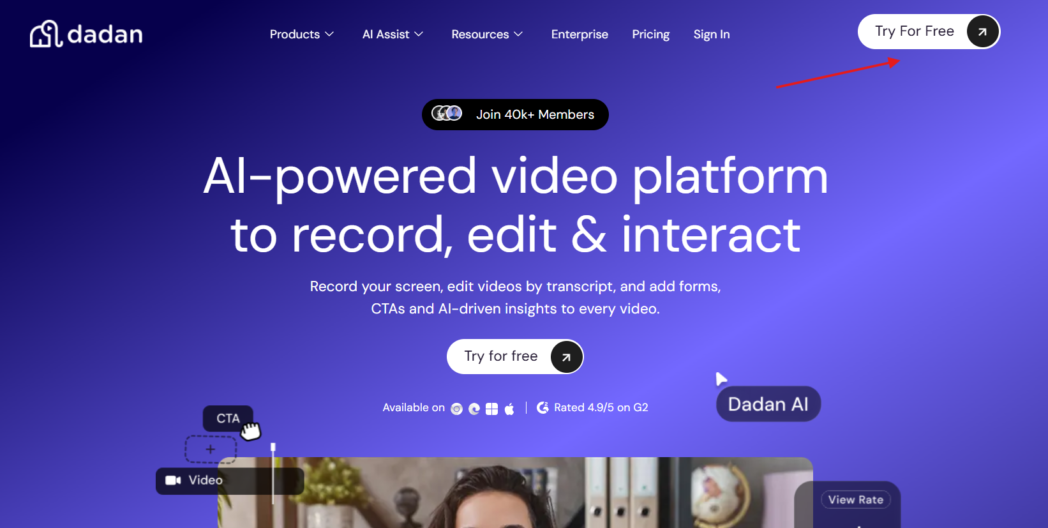
Dadan covers the full loop for a sales or marketing video: you record it, edit it, send it, capture the viewer’s details and see what happened next. Most tools on this list handle one or two of those steps.
What stands out for B2B teams
- Booking inside the video. You can add a call-to-action that opens Calendly or Cal.com in the player, so a prospect picks a meeting type and books without leaving the video. Cal.com support shipped in October 2026.
- Lead forms in the player. You can show a form during playback and send the contact to HubSpot, ActiveCampaign, Mailchimp, GoHighLevel and other apps, or to any system through webhooks. Forms can also collect phone numbers.
- Analytics you can act on. You see impressions, views, watch duration, interaction clicks and CTA performance per video or across the workspace. View notifications arrive in your own timezone.
- Recording that looks produced. The new Mac app zooms in on your clicks and follows your cursor, and lets you change the camera layout after you record. The web recorder adds a teleprompter, an AI script generator and private sticky notes for talking points.
- An editor for marketers. The timeline editor has templates, stock media, captions and a Brand Kit for your logos and colors. The transcript editor lets you cut a video by editing its text and removes silences and filler words with AI.
- Reach other markets. You can translate subtitles into 120+ languages, and the Mac app adds AI dubbing with voice cloning.
- Guides from the same recording. Dadan Guides turns a click-through into a step-by-step guide with screenshots, from nine templates such as product demo, onboarding and SOP. You can publish it or download it as a PDF, which makes a handy leave-behind after a demo.
- Easy switch. You can bulk import a library from Loom, Vimeo, Tella or Zight without downloading files.
Where it falls short
- Free and guest recordings carry a “Recorded with dadan” watermark, and the free plan caps you at 25 videos in 720p.
- Auto zoom, AI dubbing and voice cloning live in the Mac app beta, so expect changes as they mature.
- CRM sync runs through the listed apps and webhooks. If you need a native Salesforce object sync, confirm the setup with Dadan first.
Pick Dadan if you send demo, follow-up or prospecting videos and want viewers to book a call or leave their details from inside the video.
2. Vidyard: best for sales teams on Salesforce or HubSpot
- Category: Sales video platform
- Free plan: Yes
- Paid plans: Starter (price on the site, 14-day trial). Teams and Enterprise use custom, per-seat pricing.
Vidyard has served sales teams for years, and its integrations show it. Its pricing page lists Salesforce, HubSpot, Marketo, Salesloft and Zapier connections, plus team performance analytics so a sales manager can see which reps get views.
What stands out: AI avatars come with paid plans (three custom avatars per plan, more with the Video Agent add-on). Enterprise adds SSO and custom permissions.
Where it falls short: CRM and marketing automation integrations sit on the Teams tier, which needs a sales conversation and custom quote. Small teams may find the jump from Starter steep.
Pick Vidyard if your sellers live in Salesforce or Salesloft and leadership wants video tied to sequences.
3. Wistia: best for marketing-led hosting and attribution
- Category: Video hosting and marketing platform
- Free plan: Yes (1 user, 25 GB)
- Paid plans: Business $79/mo billed annually for three users, then $25 per extra user. Business + Signals is $329/mo billed annually.
Wistia suits the team that owns the website video library: product pages, case study videos, webinar replays. Heatmaps show where each viewer dropped off, and A/B testing lets you compare thumbnails or versions.
What stands out: Signals connects video engagement to HubSpot, Marketo and Pardot, with lead scoring and pipeline attribution. That’s the reporting a demand gen team needs to defend a video budget.
Where it falls short: Attribution sits on the $329/mo tier. For quick one-to-one sales videos, a messaging tool like Dadan or Vidyard fits the workflow better.
Pick Wistia if marketing owns video and you need to show its effect on pipeline.
4. Loom: best for internal async updates in Atlassian shops
- Category: Async video messaging
- Free plan: Yes (Starter)
- Paid plans: Business $18 per user per month, Business + AI $24 per user per month
Atlassian owns Loom, and the product fits teams that already use Jira and Confluence. You record a quick screen video, share a link and get comments back. Integrations include Jira, Confluence, GitHub, Gmail and Slack.
What stands out: Recording is fast and familiar, and most of your colleagues will have seen a Loom link before.
Where it falls short: Loom is built for internal communication. Its Salesforce integration sits on the Enterprise plan and is marked beta, and per-user pricing adds up across a sales team.
Pick Loom if most of your video is internal: product walkthroughs, bug reports and team updates.
5. Goldcast: best for webinars and repurposing event content
- Category: Webinar and digital event platform
- Free plan: The repurposing product offers a free start
- Paid plans: Custom pricing through a demo
Goldcast is for B2B teams that run webinars, virtual events and executive roundtables. Its plans cover repurposing, HD recordings and digital events, and its Content Lab cuts long sessions into clips you can post or send.
What stands out: Features listed on its site include an agentic video editor, AI search, analytics, branding, SSO and team workspaces.
Where it falls short: No prices appear on the pricing page, so budgeting means a sales call.
Pick Goldcast if events and webinars drive your pipeline and you want one platform to host them and recycle the content.
6. Descript: best for editing talking-head and podcast video
- Category: Video and audio editor
- Free plan: Yes
- Paid plans: Hobbyist from $16 per person per month billed annually ($24 monthly). Creator starts at $24, Business at $50.
Descript lets you edit a video by editing its transcript, which suits founders’ videos, customer interviews and podcast clips. Your content marketer can cut a 40-minute interview into short clips without learning a timeline editor.
What stands out: The Business plan adds a team-wide Brand Studio and translation and dubbing in 30+ languages. Enterprise adds SSO, SCIM and SOC 2 Type II.
Where it falls short: Descript makes the video. It doesn’t host it with lead capture or CRM reporting, so you’ll pair it with a hosting or messaging tool.
Pick Descript if you produce interviews, podcasts or thought-leadership video and want fast edits.
7. Synthesia: best for AI avatar explainers and training
- Category: AI video generator
- Free plan: Yes (10 minutes of video per month)
- Paid plans: Starter $19/mo and Pro $89/mo, billed monthly. Yearly billing costs less.
Synthesia turns a script into a presenter-led video with an AI avatar. B2B teams use it for product explainers, onboarding and training where filming a person each time would slow them down.
What stands out: Starter includes 125+ stock avatars, and Pro adds five personal avatars. You can export to SCORM for an LMS and generate personalized versions in bulk from a CSV file.
Where it falls short: Avatar video works for training and explainers. For a first-touch sales message, a real face recorded for that buyer earns more trust.
Pick Synthesia if you need training or explainer videos in many languages without a film crew.
8. HeyGen: best for personalized avatar outreach
- Category: AI video generator
- Free plan: Yes (3 videos per month, watermarked)
- Paid plans: Creator $29/mo ($24/mo billed annually), Pro $49/mo, Business $149/mo plus $20 per extra seat
HeyGen also builds avatar videos, with stock, custom video and photo avatars. Its Business plan connects to HubSpot, Zapier, Make and n8n, which lets a growth team generate personalized videos from a list.
What stands out: Business includes a shared workspace, SAML SSO and SCORM export.
Where it falls short: Team features and integrations start on the $149/mo Business plan.
Pick HeyGen if you want to test avatar-based personalization at scale in outbound or nurture campaigns.
9. invideo: best for prompt-to-video social content
- Category: AI video generator
- Free plan: Not listed on the pricing page
- Paid plans: Starter $10 per seat per month billed annually ($20 monthly). Plus is $30 and Max is $75 per seat per month billed annually.
invideo creates a video from a text prompt, which helps when your team needs a steady stream of social clips and ads. Its pricing page also lists an AI avatar generator and multiplayer editing for up to 20 seats on the top plan.
What stands out: You can go from idea to a publishable social video without filming.
Where it falls short: invideo focuses on making content. It doesn’t track which accounts watched or push leads to your CRM.
Pick invideo if top-of-funnel social video is the bottleneck and nobody on the team edits video.
10. Vimeo: best for high-quality hosting and live events
- Category: Video hosting and live streaming
- Free plan: Yes
- Paid plans: Prices vary by region, and Vimeo is rolling out new plans. Check the Vimeo plans page for your currency.
Vimeo gives you an ad-free player, privacy controls and a long track record in high-quality hosting. Its higher plans include virtual events and webinars.
What stands out: Playback quality and a clean, brandable player for your website and customer portal.
Where it falls short: Vimeo’s plans are changing, so confirm what your tier includes before you commit. Lead capture and sales-style engagement alerts aren’t its focus.
Pick Vimeo if you want polished hosting for brand films, product launches and live streams.
How to choose a video marketing tool for B2B
Start with the job you want video to do, then pick the fewest tools that cover it. Most B2B teams need one tool to record and send, plus one to edit or generate. Buying a separate tool for every step leaves your data in five places.
| Your main goal | Start with | Add later if needed |
|---|---|---|
| Book more demos from outbound and follow-ups | Dadan or Vidyard | HeyGen for avatar personalization |
| Prove video’s effect on pipeline | Wistia with Signals | Descript for editing |
| Run webinars and reuse the recordings | Goldcast | Dadan to send clips to accounts that registered |
| Make social and top-of-funnel content | invideo or Descript | Vimeo for hosting |
| Train customers and new hires | Synthesia | Dadan Guides for written step-by-step docs |
| Share internal updates | Loom or Dadan |
Before you buy, check four things on the vendor’s pricing page:
- Viewer identity. Can you see who watched, or only a view count?
- Where the data goes. Does it sync to your CRM natively, through a connector, or through webhooks?
- Seat math. Per-user pricing looks cheap for one person and expensive for a 15-person sales team.
- Free plan limits. Watermarks, resolution caps and video limits decide whether a free plan works for customer-facing video.
A B2B video playbook you can run this week
You don’t need a studio to get results from video. A two-person marketing team can run this sequence with Dadan in a week. Most steps work in other tools too.
- Record a three-minute product demo. Use the Mac app’s auto zoom so your clicks stay readable, or the browser recorder if you’re on a shared machine. In the browser recorder, keep your talking points in the teleprompter or a private sticky note.
- Trim it by text. Open the transcript editor, delete the false starts and let AI remove silences and filler words.
- Add one call-to-action. Put a Calendly or Cal.com booking button at the moment you show the feature buyers ask about most. One CTA beats three.
- Gate the deep dive. Add a lead form before the advanced section so engaged viewers leave their name and email, and route the lead to HubSpot or your webhook.
- Send it as a follow-up. After a discovery call, send the demo link with a one-line personal intro. View notifications tell you when the buyer and their colleagues watch.
- Turn it into a guide. Record the same flow as a Dadan Guide and share the PDF with the buying committee member who prefers to read.
- Review after two weeks. Check watch duration and CTA clicks. If viewers drop at the same minute, re-record that part.
Wyzowl’s 2026 data backs this kind of practical approach: 82% of marketers say video gives them a good ROI, and 63% have used AI tools to create or edit it (Wyzowl).
FAQ
What are the best video tools for B2B marketers?
For sales and demo video with lead capture, Dadan and Vidyard lead. For hosting with pipeline attribution, Wistia. For webinars, Goldcast. For editing, Descript, and for AI avatar video, Synthesia or HeyGen. Pick by the job you need done first.
What are the best video recording tools for B2B marketing teams?
Dadan, Vidyard and Loom all record your screen and camera and share a link. Dadan adds in-video booking CTAs, lead forms and a Mac app with auto zoom, which helps for product demos.
Which tools help a B2B agency create videos for clients?
Agencies tend to combine an editor with an AI generator: Descript for interview and talking-head edits, plus invideo, Synthesia or HeyGen for videos made from a script. Dadan’s Brand Kit and bulk import help when you manage several client libraries.
What tools offer template-based video creation for beginners?
invideo and Synthesia start from a prompt or script and templates. Dadan’s video editor includes templates and stock media, and Dadan Guides offers nine templates for tutorials, demos and SOPs.
What is the difference between video marketing software and a video editor?
An editor makes the video. Video marketing software hosts it, tracks who watched and connects viewers to your CRM or calendar. B2B teams need both functions, and some tools such as Dadan include a capable editor alongside hosting and analytics.
Is there a free video marketing tool for B2B?
Dadan, Vidyard, Wistia, Loom, Descript, Synthesia, HeyGen and Vimeo all have free plans. Check the limits: Dadan’s free plan allows 25 videos at 720p with a watermark, and Wistia’s free plan covers one user and 25 GB.
Final thoughts
The best video marketing tool for your team is the one that gets a buyer from “watched” to “booked” with the least friction. If your videos are demos, follow-ups and prospecting messages, start with a tool that captures leads and books meetings inside the player. If your videos live on the website and in campaigns, start with hosting and attribution.
You can try Dadan free, record your first demo in a few minutes and add a booking CTA before you send it. Start recording for free. No credit card required.