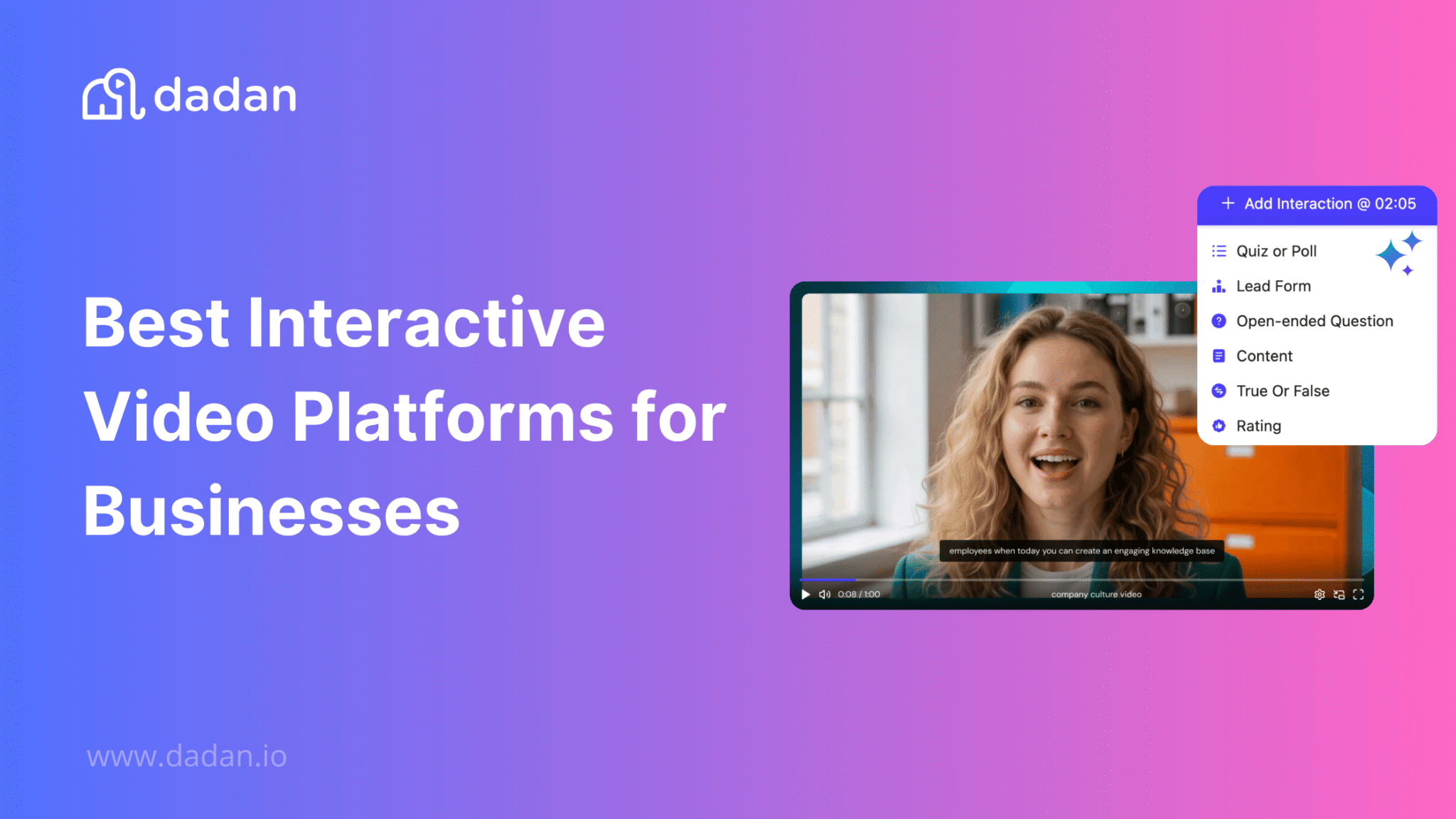
Your team records videos that nobody finishes. The async update stalls at a 30% completion rate and the training video gives you no way to know whether anyone learned anything.
Recording was never the hard part actually. Getting the viewer to do something is.
This question comes up constantly in online communities, where course creators and marketers ask how to make their videos pull a response instead of a passive watch, like this thread.

Interactive video platforms answer it by building action directly into the player, so a viewer answers a quiz, submits an email, clicks a CTA, or chooses where the video goes next without leaving the screen.
Below are the six platforms worth comparing in 2026, each with an honest read on what it does well and where it falls short, so you can match a tool to how your team already works.
What Are Interactive Video Platforms?
An interactive video platform lets viewers act inside the video rather than watch it passively.
Instead of a flat clip that plays start to finish, the player pauses at set moments to ask a question, collect a response, show a clickable button, or branch to a different segment based on what the viewer chooses.
The category splits along one clear line. Some dedicated interactivity tools like Mindstamp and Kaltura assume you already have a polished video and want to make it interactive. But end-to-end platforms like Dadan assume you need to make the video first, then make it do something.

Knowing which side of that line you sit on decides most of your shortlist, because a recording-first team and an upload-only team need very different tools.
Why Businesses Are Investing in Interactive Videos
Passive video has a measurement problem. You can see that someone pressed play and guess at attention from a drop-off graph, but you cannot tell whether the content landed or whether the viewer is ready to act.
But interactive video replaces just that. A quiz answer tells you who understood the material, a submitted form tells you who is interested, and a click tells you who wants the next step.
That response is why the budget is moving here.
Async updates that used to vanish into unopened links now carry a question that signals who watched and who is confused. Training videos that used to end with a hope now end with a scored check that proves completion.
There is a second reason, and it is operational. Every interaction a video collects is data you can route somewhere useful.
A lead form fires into your CRM, a quiz score lands in your LMS, a CTA click shows up in your analytics. The video is no longer a dead-end asset and becomes the front of a workflow.
Key Features to Look for in an Interactive Video Platform
Vendor feature lists blur together fast, so judge a platform against the jobs you actually need it to do. Five capabilities separate a serious interactive video tool from a recorder with a quiz bolted on.
Native Interaction Types
Count the actual interaction types rather than trusting the word “interactive.” A platform that offers only clickable buttons handles a narrow set of jobs.

But one that offers quizzes, polls, open-text responses, true or false checks, rating scales, lead forms, and CTAs covers marketing, training, and sales without forcing you into a second tool.
Lead Capture and CRM Routing
A form inside a video earns its place only if the data goes somewhere. Check whether the platform captures multiple fields, whether you control when the form appears in the timeline, and whether responses route automatically to your CRM.
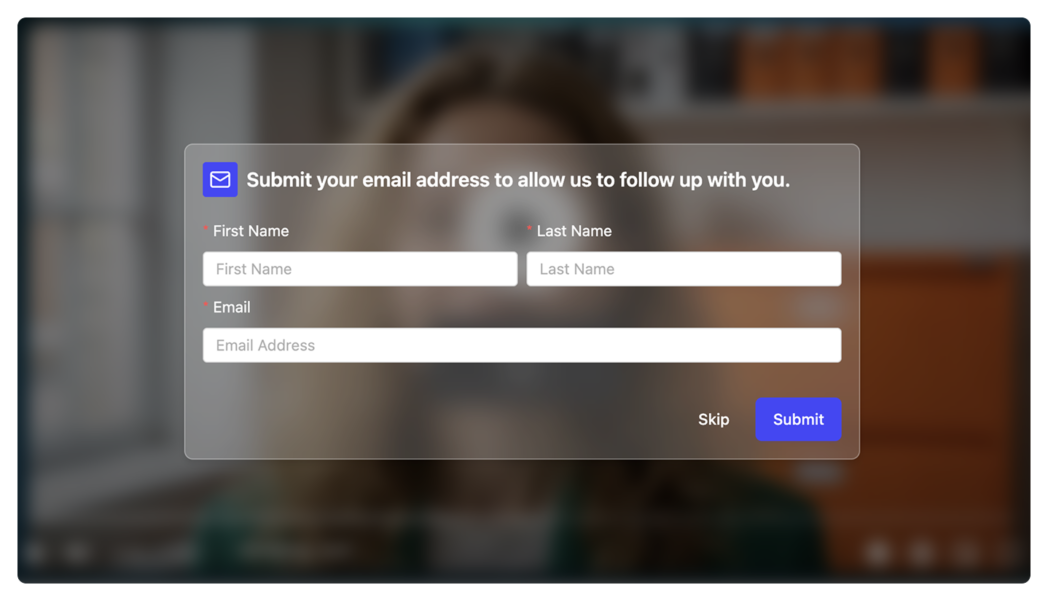
A form that drops emails into a spreadsheet you export by hand is a feature in name only.
Recording and Editing Built In
If you create your own video, a platform that records and edits in the same place removes an entire category of busywork.
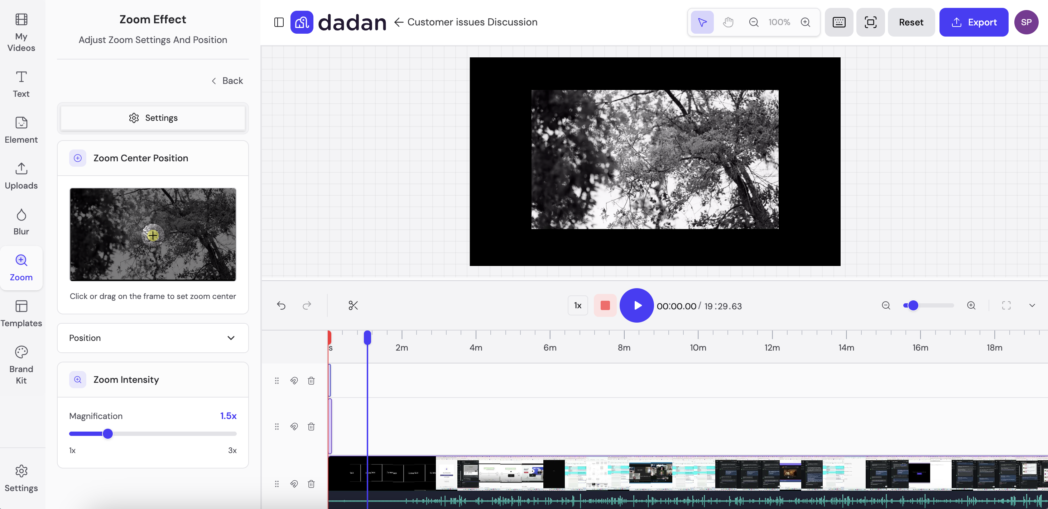
You record the screen and webcam, trim by editing the transcript, drop in interactions, and publish without exporting to a third tool. If you only upload finished video, you can skip this and prioritize the interactivity engine instead.
Hosting, Sharing, and Access Control
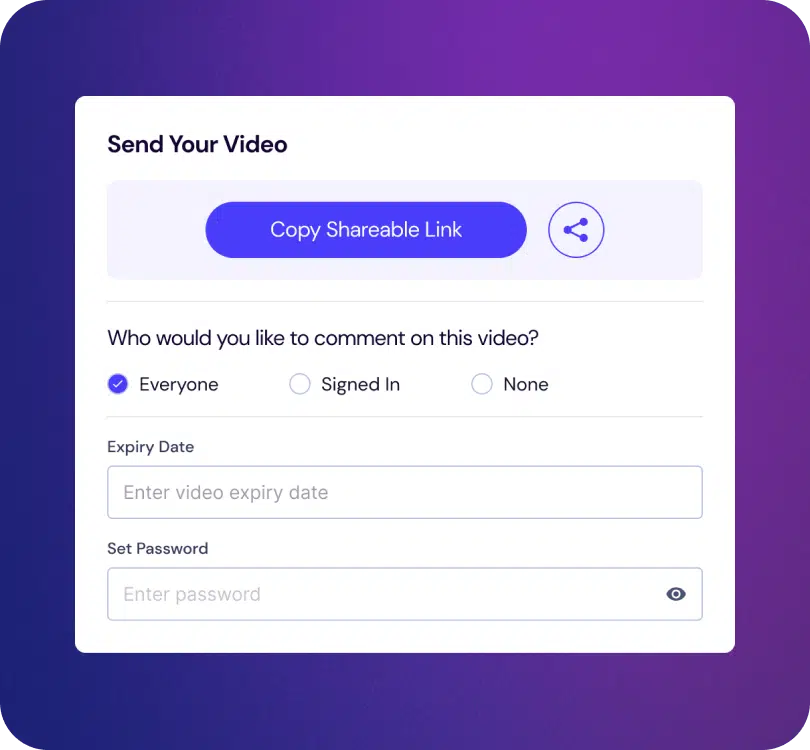
Interactive video needs a home and rules about who reaches it. Strong platforms host the video, give you a link or embed code, and let you set password protection, expiry dates, and granular permissions. Sales and internal communication both depend on controlling who sees what.
Analytics That Tie Back to Action
Play counts are the weakest metric in video. What you want is interaction-level reporting, so you see who answered which question, who submitted a form, who clicked through, and where viewers dropped off.
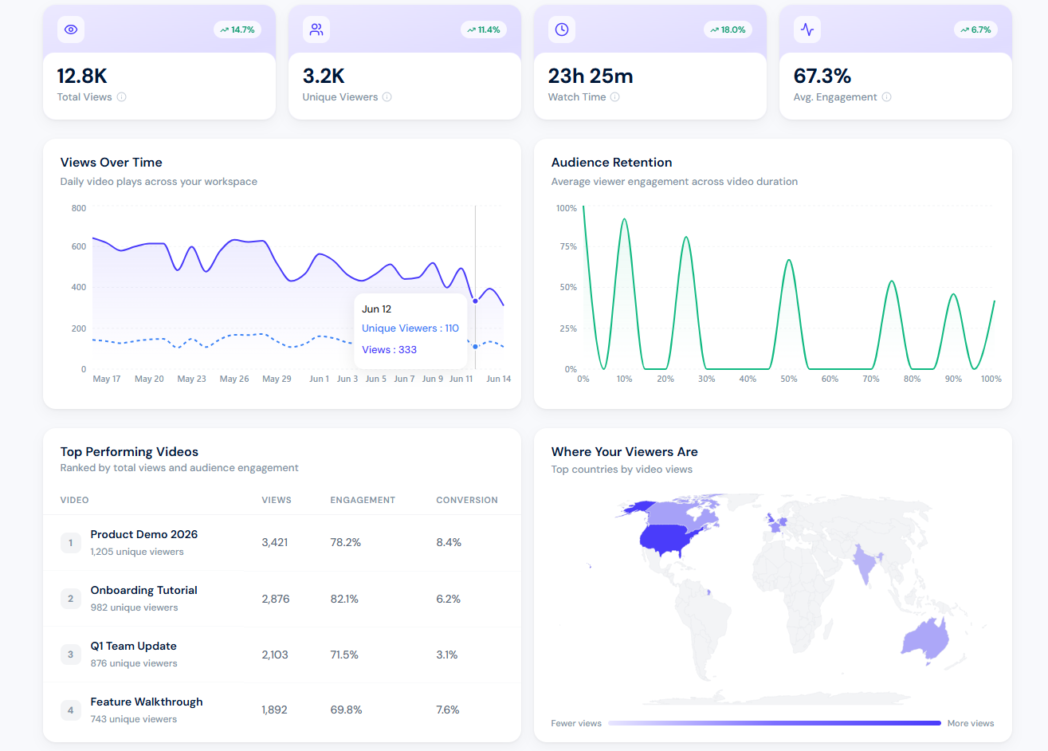
That data is what lets you improve the next video instead of guessing.
6 Best Interactive Video Platforms for Businesses in 2026
A ranking is only useful if the criterion is stated. This list ranks platforms on how well they serve a business that needs to create video, make it interactive, host it, and route the results, all without buying and connecting several separate tools.
1. Dadan
The other five tools here each own one stage of the work and leave you to wire up the rest.
Dadan covers the full chain. Recording, transcript-based editing, hosting, and interactive elements all inside one browser tab, so a video never has to move between apps from the moment you shoot it to the moment you share it.
It supports six interaction types covering polls, quizzes, feedback, open text, true or false, and content prompts. On top of those you can add lead-capture forms for name, email, and phone, CTA buttons, rating scales with hearts, smileys, or stars, and a Calendly CTA that books a meeting from inside the player.
AI Assist handles the transcript, titles, descriptions, chapters, and meeting notes, so the production overhead stays low.
Where it gives ground honestly, Dadan is not a branching cinema engine. If your project depends on deep decision-tree paths with dozens of forks and per-viewer variable personalization, a dedicated specialist goes further.
For the far more common job of turning a recorded video into something that captures responses and drives action, Dadan does the entire thing in one tab at a price the specialists do not touch.
Best for a team that would rather not pay for a recorder, an video editor, a host, and an interactivity layer as four separate subscriptions, alongside marketers capturing leads inside demos, educators running scored knowledge checks, and reps sending trackable personalized video.
Key features:
- Six interaction types, plus lead forms, CTA buttons, rating scales, and a Calendly CTA
- Screen and webcam recording in the browser or desktop app, up to 4K on paid plans
- Transcript-based editing and a browser editor
- AI Assist for transcripts, summaries, titles, descriptions, and chapters
- Hosting with password protection, expiry dates, and granular permissions
- 20+ integrations, including HubSpot, Slack, YouTube, and Google Classroom
Dadan Pricing:
- Free
- Lite: $8/user/mo
- Pro: $14/user/mo
- Business: Custom
2. Mindstamp
Mindstamp is the deepest pure interactivity tool here. It turns video you already have into a personalized, branching experience with clickable buttons, hotspots, questions in several formats, conditional logic, and variables that pull a viewer’s own data into the video as text or images.
It connects responses to Salesforce, HubSpot, and other systems through its API and webhooks, and it works on video hosted in YouTube, Vimeo, Wistia, or Kaltura. The branching, often described as choose-your-own-adventure, is genuinely strong, and so is the data-driven personalization.
The limit is that Mindstamp neither records nor hosts your video. You bring the finished file and a hosting account, which means a separate recorder and host in your stack and a higher combined bill.
For a team that already produces polished video and wants serious interactivity on top, that is a fair deal. For a team that still has to make the video, it is two more subscriptions.
Best for marketing and sales teams that want branching depth and personalization on commissioned video.
Key features:
- Buttons, hotspots, questions, drawings, and in-video lead capture
- Branching and conditional logic for personalized paths
- Variables that pull CRM data into the video
- API, webhooks, and integrations with Salesforce, HubSpot, and Zapier
- Works on existing video from YouTube, Vimeo, Wistia, or Kaltura
Pricing:
- Basic: $99/mo
- Core: $299/mo
- Pro: $499/mo
- Enterprise: Custom
3. Kaltura
Kaltura is built for large organizations, universities, and media companies. After acquiring Rapt Media’s branching technology, it offers Interactive Video Paths, in-video quizzes, and hotspots inside a much broader platform that also handles live streaming, an LMS-grade video portal, and deep administrative control.
The interactivity is capable. Interactive Video Paths let you map branching node by node, and the Video Quiz tool supports multiple choice, true or false, and reflection points with completion tracking.
What surrounds that core is the cost. Kaltura takes real setup effort and is priced for buyers with procurement teams.
For an organization running thousands of videos across departments with compliance and LMS requirements, that depth is the point. For a marketing lead who wants to ship an interactive demo this week, it is far more platform than the job needs.
Best for enterprises and institutions that need interactive video as one piece of a large, governed video operation.
Key features:
- Interactive Video Paths with node-based branching
- In-video quizzes with multiple choice, true or false, and reflection points
- Hotspots and clickable overlays
- LMS integrations and a governed video portal
- Live streaming and enterprise administration
Pricing:
- Mostly custom
4. Vidyard
Vidyard is built for sales teams that live in video prospecting. You record with a Chrome extension, send personalized videos to prospects, and track who watched and for how long.
Its in-video CTAs, called Actions, support forms, links, and calendar booking at pre-roll, mid-roll, or post-roll, and the recording and analytics are genuinely strong for outbound.
Where it gets expensive is the gating. The CRM sync that most sales teams actually need, the feature that surfaces who watched inside Salesforce or HubSpot, sits on the Teams tier rather than Starter, and the per-seat math climbs fast across a whole team.
Branching is also limited next to the specialists, since Vidyard is tuned for outbound motion rather than complex paths.
Best for sales teams that want video prospecting with engagement signals tied to the pipeline.
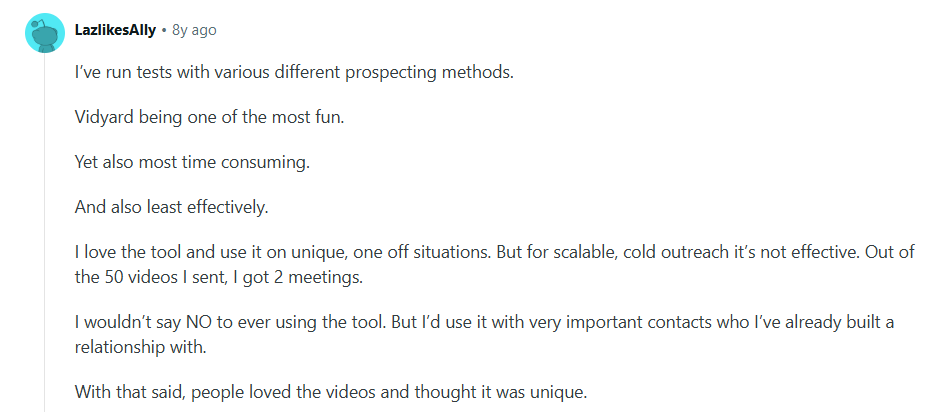
But a lot of communities online have also been discussing how it may not be the most effective tool but definitely a fun one.
Key features:
- Chrome extension recording for personalized prospecting
- In-video Actions for forms, links, and calendar booking
- Watch tracking and engagement analytics
- CRM and marketing integrations on higher tiers
- AI avatars on sales-oriented plans
Pricing:
- Free
- Starter: $59/mo
- Team: Custom
- Enterprise: Custom
5. Wistia
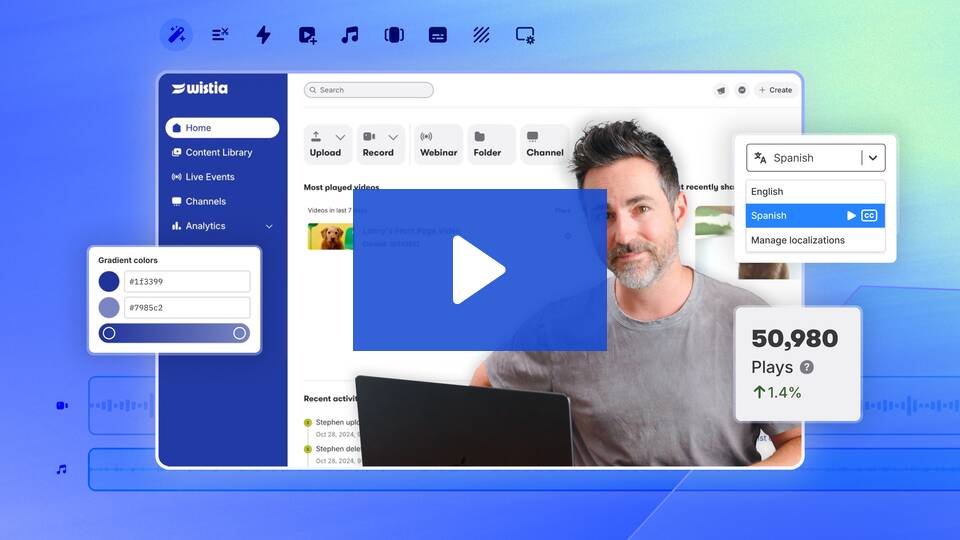
Wistia leads on analytics and brand control. Its strength is second-by-second engagement heatmaps, A/B testing, and a fully branded player, with lead generation through Turnstile email gates, in-video CTAs, and annotation links that you can place anywhere on the timeline.
Captured emails pipe straight into your CRM, and you can trigger sales alerts when a viewer crosses a watch threshold.
What Wistia is not is an interaction builder. It leans toward gating and measuring video rather than embedding rich in-video elements like scored quizzes and polls, and its recording and editing are lighter than a creation-first tool.
The tier jumps are steep too, and video-count caps push growing teams up the ladder quickly.
Best for marketing teams that treat video as a measured channel and have a CRM in place to receive the data.
Key features:
- Turnstile email-capture gates placed anywhere in the timeline
- In-video CTAs and annotation links
- Engagement heatmaps and A/B testing
- Fully branded player and channels
- CRM and marketing automation integrations
Pricing:
- Free
- Business: $79/mo
- Enterprise: Custom
6. PlayPosit (now WeVideo)
PlayPosit, now part of WeVideo, is built for interactive video learning. You take a video from YouTube, Vimeo, or Kaltura, then embed questions, polls, discussions, reflective pauses, and branch into the timeline to create a lesson it calls a bulb.
It offers around eight interaction types and integrates with the major learning management systems, syncing scores to the Canvas gradebook and giving instructors question-by-question analytics.
The boundary is scope. PlayPosit is not a general business video tool, it leans on video you bring rather than record, and its home is education and formal training rather than marketing or sales.
It is also mid-transition into the WeVideo platform, with some institutions migrating, so confirm the current product path before adopting it.
Best for education and formal L&D programs where comprehension, completion tracking, and LMS integration matter most.
Key features:
- Around eight interaction types, including questions, polls, and discussions
- Branching scenarios for decision-based learning
- LMS integration with Canvas, Brightspace, Moodle, and Blackboard
- Gradebook sync and question-by-question analytics
- Works on video from YouTube, Vimeo, or Kaltura
Pricing:
- Creator: $20/mo
- Team: $52/mo
- Enterprise: Custom
How to Choose the Right Interactive Video Platform
Start with one question that filters most of the field.
Do you create your own video, or do you commission and upload finished video?
If you create it yourself, prioritize a platform that records, edits, and hosts in one place, because anything else means assembling a stack. If you only upload finished video, you can give that weight to a pure interactivity engine instead.
Next, match the interaction types to your actual job rather than to the longest feature list. A platform that nails your two or three core interactions beats one that offers twenty you will never touch.
Then run the price against your team size and growth. Per-seat tools look affordable for one user and punishing for ten, and several platforms gate the feature you came for behind a tier jump.
Read what the entry price actually includes, find the line where the feature you need turns on, and multiply by headcount.
Finally, test the free plan or trial with a real video.
Interactive Videos for Marketing and Lead Generation
Marketing video usually leaks its best leads. The viewer watches the demo, feels interested, then has to find a separate form on a separate page to act, and most never do.
An in-video lead form removes that gap by capturing the contact while attention is at its peak, right after the moment that earned the interest.
The mechanism is capture and route. You place a form at the timestamp where viewers are most engaged, often just after a key feature reveal, and choose which fields to collect.
The video pauses, the viewer submits name and email, and the response routes to your CRM so the lead enters your pipeline automatically. A CTA button can follow, sending the identified viewer to a trial or a booking page.
Interactive Videos for Employee Training and Onboarding
Training video has a verification problem that a completion checkbox never solves. Marking a video as watched proves the tab was open, not whether it was watched. Interactive video works with the assess and verify mechanism.
You place scored quizzes and knowledge checks at the points where you think it’s important, so a new hire cannot coast past the compliance section without answering.
Onboarding gains the most, because it runs at scale and repeats. One recorded walkthrough with embedded checks onboards every new hire the same way, frees your team from delivering the same session live, and surfaces exactly where people get stuck so you can fix the content.
Interactive Videos for Customer Education and Support
Support teams answer the same questions on a loop, and a static help video rarely breaks the cycle because viewers cannot find the 40 seconds that addresses their specific problem inside a 12-minute walkthrough.
Interactive video fixes the navigation so customers serve themselves instead of opening a ticket.
The mechanism is self-serve navigation and deflection. Chapters let a customer jump to the relevant section, and branching prompts route them down the path that matches their issue, so a billing question and a setup question take different turns through the same video.
Embedded checks confirm the customer followed each step before moving on, which cuts the half-finished attempts that generate follow-up tickets.
Interactive Videos for Sales Enablement and Product Demos
A sent demo you cannot track is a guess. You do not know whether the prospect watched, or whether they are ready for a call, so follow-up becomes a cold shot in the dark.
Interactive video here works to personalize, book, and signal.
You record a product demo tailored to the prospect, place a CTA at the moment of peak interest, and add a Calendly button so they book a meeting from inside the player without a single extra email.
Watch tracking shows the rep who finished the video and which feature they replayed, which is intent data far stronger than an open or a click.
Why Dadan Is Built for Interactive Video Workflows
Dadan was built around the whole sequence around video prospecting, recording through editing, hosting, interaction, and routing, because that sequence is what an interactive video workflow actually is for a team that makes its own video.
You record the screen and record webcam in the browser or desktop app, edit by trimming the transcript instead of scrubbing a timeline, and drop any of six interaction types onto the exact second you want them.
The lead forms route to your CRM, the quizzes collect scores you can review, the CTAs and Calendly steps turn viewers into booked calls, and the analytics tie every interaction back to the moment that produced it.
None of it requires leaving the tool or paying for four subscriptions to cover one workflow.
That is the case for ranking it first here. For the common job of turning a recorded video into something that captures responses and drives action, at a price that starts at $8/mo rather than $59, it does the entire job in one place.
Conclusion
The right interactive video platform is the one that matches how your team already works.
If you want to capture leads, test understanding, and drive action without a stack of separate tools, an end-to-end platform serves you best and costs far less doing it.
That last case describes most teams, and it is where Dadan is built to win. Record, make it interactive, host it, and route the results from one browser tab. See how it works on the free plan and add interactions when you need them.
FAQs
What is an interactive video platform?
An interactive video platform lets viewers act inside the video instead of watching passively, by adding quizzes, polls, forms, clickable CTAs, or branching paths to the player. The interactions collect responses you can measure and route to other tools. Some platforms add interactivity to existing video, while others also record, edit, and host it.
What are the benefits of interactive videos for businesses?
Interactive videos turn passive viewing into measurable action, so you learn who understood your training, who is interested enough to submit a lead, and who is ready for a sales call. Every interaction is data you can route to a CRM, an LMS, or your analytics.
How do interactive videos increase engagement?
They give the viewer something to do at the moments attention usually drops, which keeps people involved through the parts that matter. A question, a form, or a choice resets focus and signals that the video expects a response. That participation also produces data showing exactly where viewers engage and where they leave.
Which is the best interactive video platform in 2026?
It depends on how you work. For teams that create their own video and want recording, interactivity, hosting, and lead routing in one place at a low starting price, Dadan is the strongest all-around fit.
Can interactive videos generate leads?
Yes. You embed a lead-capture form to video at the point of peak interest, the viewer submits their details without leaving the player, and the response routes to your CRM automatically. Because the capture happens inside the video while attention is highest, it tends to convert better than sending viewers to a separate landing page.
Are interactive videos good for employee training?
Yes. Scored quizzes and knowledge checks placed inside a training video prove comprehension rather than just recording that a tab was open. The responses give your L&D team real completion data and show exactly where new hires get stuck, which makes one recorded session scale across every hire.
How do businesses use interactive videos for sales?
Reps record personalized demos, add a CTA and a booking step inside the player, and track who watched and which parts held attention. That watch data is a strong intent signal, so reps follow up with the prospects who engaged.
What features should an interactive video platform have?
Look for a real range of interaction types, in-player lead capture that routes to your CRM, and analytics that report responses. If you create your own video, built-in recording, editing, and hosting save you a stack of separate tools. Access controls like password protection matter for sales and internal use.
Can I add forms and CTAs to videos?
Yes. Most interactive video platforms let you place multi-field lead forms and clickable CTA buttons at specific points in the timeline and choose which fields to collect. Dadan also supports a Calendly CTA so viewers can book a meeting from inside the video. The submitted data can route straight to your CRM.
Are interactive videos better than traditional videos?
For business goals like lead generation, training, and sales, interactive videos do more, because they collect responses and drive action instead of leaving the viewer to decide what happens next. Traditional video still works for pure storytelling or broad awareness where no response is needed. The right choice depends on whether you need the viewer to act.
Recommended Readings:
- How to Zoom In/Out & Pan While Screen Recording
- How to Make Interactive Video Learning: Step-by-Step Guide
- How to Add Subtitles & Captions to Video Online Free
- 7 Best AI Video Transcription Generators for Faster Content and Meetings
- AI Multilingual Transcription for Meetings: Ultimate Guide