The async video category has matured to the point where “we use Loom” no longer ends the conversation. It starts it.
Teams that adopted Loom three or four years ago are now sitting through Atlassian billing migration emails, watching Creator Lite seats convert into paid ones, and asking whether AI features they assumed were standard have suddenly moved behind a $20-per-user tier.
At the same time, the field of viable alternatives has widened with tools that bundle AI into the base price, tools that turn video into a lead-capture surface, tools built specifically for sales workflows, and tools that approach async communication from a chat-first or demo-first angle rather than a recorder-first one.
So the question for 2026 is which platform actually fits the way your team works, and what you’ll be paying once you’ve outgrown the free tier. This guide breaks down seven of the most credible options on the market right now.
What is an Async Video Platform?
An async video platform is software that lets one person record a video, usually their screen, their webcam, or both, and share it via a link that someone else can watch later, on their own time, with no scheduling required.
The viewer can pause, rewind, leave a comment at a specific timestamp, and respond when they’re ready. That’s the basic shape.
The category is sometimes called video messaging, async video communication, or screen recording with hosting. They all describe the same thing from different angles.
The tools that compete on this list are the ones treating async video as a complete workflow (record, enhance, host, share, analyze) rather than a single feature bolted onto a chat app or a CRM.
Key Features to Look For
Before getting into the tools, here’s what you should look for when you’re evaluating one for team use. Most buyers default to comparing recording quality and price, then get burned six months later by something they didn’t think to ask about.
Recording Flexibility
Screen-only, webcam-only, and screen-with-webcam-overlay should all be in the box. So should browser-based recording (no install needed for occasional users) and a desktop app (for longer sessions and higher-resolution capture).
If the tool only ships a Chrome extension, that’s a constraint.
AI Without An Upcharge
Auto-transcription, captions, summaries, chapters, and meeting notes taker are now basics. The relevant question is whether they’re included in the base paid tier or locked behind a separate AI plan.
The difference can be $7 to $12 per user per month, and it adds up fast at team scale.
Interactive Elements
Tools that let you embed CTAs, forms, polls, and quizzes inside the player turn passive watches into measurable actions. This is also where async video crosses from communication into lead generation, which matters for marketing and sales teams specifically.
Hosting, Security, And Sharing Controls
Password protection, granular permissions (view, edit, comment, download), domain restrictions, and SSO at the enterprise level.
Analytics Past View Counts
Who watched, how far they got, whether they re-watched specific sections, whether they completed an embedded action. Sales and customer success teams will use this data daily, without it, you’re sending video into a void.
Editing Speed
Transcript-based video editing (where deleting words from the transcript also deletes them from the video) is the single biggest time-saver in this category.
Trim, cut, blur, merge, resize, and silence-removal should also be included. If editing requires a separate tool, the workflow doesn’t work.
Pricing Structure
Each model behaves differently as the team grows. A $9/month tool that becomes $90/month at ten users is not the same as a $9/month tool that becomes $90/month plus a separate AI charge.
Integrations
CRM (HubSpot, Salesforce), publishing (YouTube, LinkedIn, Slack), and calendar (Google, Outlook) for meeting recording. These determine whether async video lives inside the workflow or sits outside it.
Comparison Table
| Tool | Free plan | Entry paid (annual) | AI in base plan | Interactive elements | Best for |
| Dadan | 25 videos, 5-min, 720p, no watermark | $8/user/mo | Yes | Quizzes, polls, forms, CTAs | Teams wanting AI + interactivity bundled at one price |
| Loom | 25 videos, 5-min, 720p | $15/user/mo (Business) | No requires Business + AI at $20-24/user/mo | No | Atlassian-stack teams willing to pay for AI separately |
| Vidyard | 5 videos/mo, 30-min cap | Starter (price not publicly listed) | Partial full AI behind add-on | CTAs only | Sales teams running personalized outreach at scale |
| Slack | Yes, 90-day history limit | Pro at $7.25/user/mo | Basic AI on Pro | No | Teams that want async video inside existing Slack workflows |
| Supademo | 5 demos, 1 creator | Pro at $27/creator/mo | Yes | Branching, hotspots, lead-capture | Product and sales teams building click-through demos |
| Zight | 25 uploads, 90-sec cap | Pro at $9.95/user/mo | Yes (Smart Actions) | No | Support/CS teams mixing screenshots, GIFs, and recordings |
| Tella | None (7-day trial only) | Pro at $12/user/mo | Yes (AI editing) | No | Creators and founders prioritizing polished, branded output |
Best Async Video Platforms for Teams and Remote Work
1. Dadan
Dadan is an AI-powered video creation platform that covers the full workflow (record, edit, host, share, and analyze) from a single browser-based environment, with no heavy software required. It runs through a Chrome or Edge extension for quick browser-based recording, a Windows and Mac desktop app for longer sessions and 4K capture, and a web app where all videos live for editing, AI processing, hosting, and sharing.
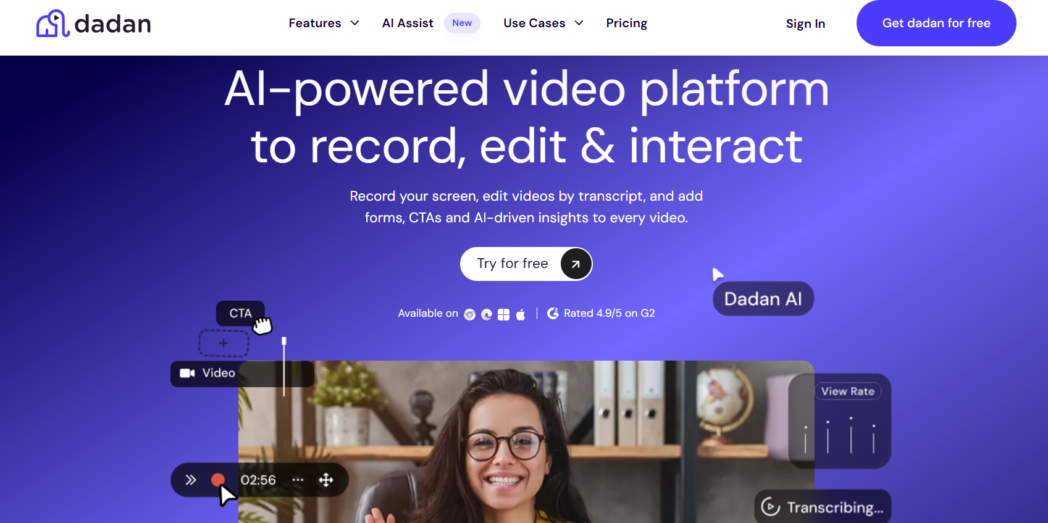
Where Dadan separates itself from the field is what’s included in the base Pro plan. The full AI Assist suite (transcription, auto-captions, summaries, chapters, meeting notes, AI Clip Generator, and teleprompter) is bundled at $8/user/month. So are interactive elements like quizzes, polls, sign-up forms, and CTAs that embed directly inside the video player.
Competitors either charge separately for AI or don’t offer in-video interactivity at all. The platform is rated 4.9/5 on G2 and 5.0/5 on GetApp, with 40,000+ members.
Best For
- Marketing and sales teams
- Educators
- Remote teams
- Anyone currently using separate tools to record, host, and share video
Key Features
- Screen-only, webcam-only, or screen-plus-webcam in up to 4K at 60fps
- No watermark on any plan
- Meeting recorder connects to Google Calendar and Outlook and auto-records Zoom, Meet, and Teams sessions
- Transcript-based editor (delete words, delete video)
- AI Assist (all included in Pro)
- Transcription up to 99% accuracy, auto-captions, chapter generator, summaries, meeting notes (30+ templates)
- AI Clip Generator for short-form vertical clips, teleprompter with auto-scroll, AI script generator, AI metadata generator
- Interactive elements like quizzes, polls, sign-up forms, CTAs, and file/link attachments
- Password protection, granular permissions, domain controls, 20GB free storage, embeddable player
- 30+ integrations including HubSpot, Mailchimp, ActiveCampaign, GoHighLevel, YouTube, LinkedIn, Slack, Google Classroom, Google Calendar, Microsoft Outlook.
Pros
- AI Assist, interactive elements, full editing, and hosting all included at $8/user/month where competitors charge for AI separately or lock interactivity to enterprise tiers.
- No watermark on the free plan, unusual in this category.
- Transcript-based editing and AI silence/filler removal cut editing time significantly vs. timeline-based tools.
- Video request feature: anyone can record and submit without a Dadan account. Useful for collecting testimonials, bug reports, or client responses without friction.
Cons
- No custom domains for shared video links
Pricing Overview
- Free
- Pro: $8/user/month (annual)
- Business: Custom
2. Loom
Loom is the most recognized name in async video and the platform that mainstreamed video messaging for work. Atlassian acquired it in late 2023, and since then the billing migration has defined the customer conversation more than the product itself.
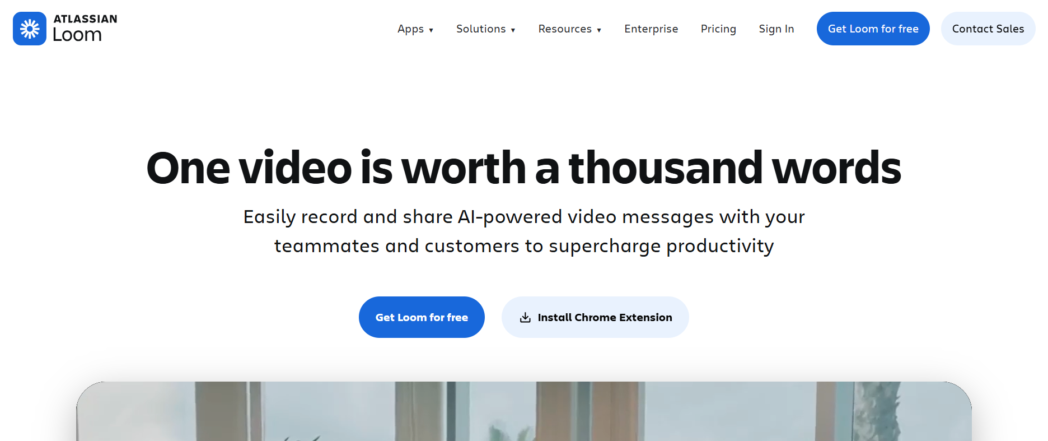
The core experience remains strong but the pricing model is where current and prospective customers need to pay attention. AI features (including transcript-based editing, silence removal, auto-summaries, and chapters) are not included in the base Business plan. They require Business + AI at $20-24/user/month.
The Creator Lite role, which previously let teams add low-volume contributors at no cost, has been discontinued as part of the Atlassian migration, converting those users to full paid seats on renewal.
Best For
- Teams already running on the broader Atlassian stack
- Simple async use cases
- Teams that don’t need interactive elements or AI at the base price
Key Features
- Screen, webcam, and screen-plus-webcam with noise suppression and virtual backgrounds
- Transcription in 50+ languages on all plans including Starter
- Basic editing (trim, stitch) on Business, transcript-based editing, filler-word removal, AI summaries, chapters, and titles require Business + AI
- Slack, Notion, Jira, and Confluence integrations
Pros
- Fast, reliable recording UX for short clips
- Tight Atlassian-native integrations are useful for teams already in that ecosystem
- Recognized brand that reduces the internal sell for async video adoption
Cons
- AI features are not included in the base Business plan.
- The Creator Lite role has been discontinued as part of the Atlassian migration.
- No native quizzes, polls, or in-video sign-up forms.
- Reliability complaints (login issues, audio sync, failed uploads) have surfaced consistently in G2 and Trustpilot reviews since the migration began
Pricing Overview
- Starter: Free
- Business: $18/user/month
- Business + AI: $24/user/month
- Enterprise: Custom
3. Vidyard
Vidyard is purpose-built for B2B sales teams, not general async communication. Where Loom and Dadan are broad-use tools, Vidyard is designed around one workflow: personalized video outreach, engagement tracking, and CRM integration.
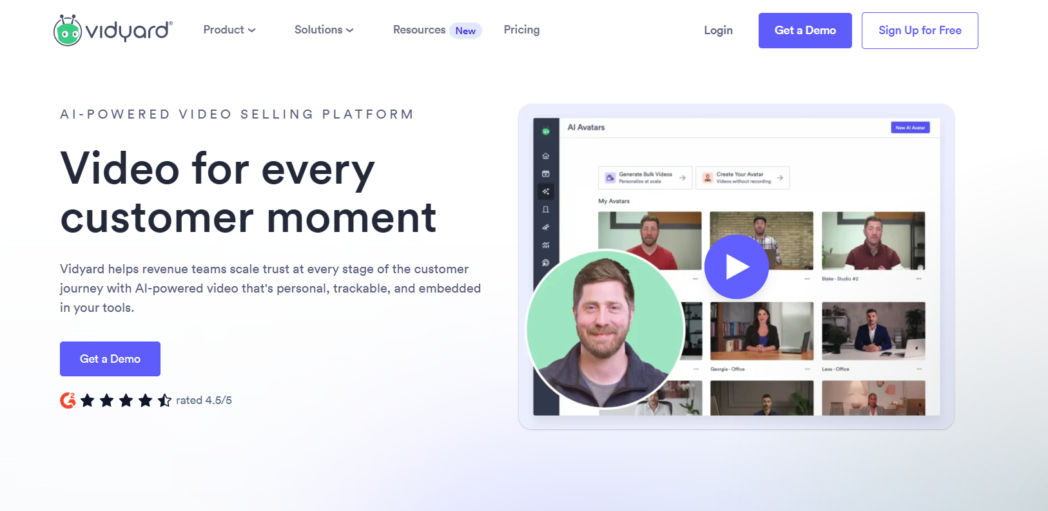
A sales rep records a video, shares it with a prospect, and Vidyard routes the watch data (who viewed, how long, whether they clicked the CTA) directly into Salesforce, HubSpot, Salesloft, or Marketo without manual export.
In 2026, Vidyard’s most significant addition is Video Agent, an agentic AI that automatically generates and sends personalized video messages to prospects based on buyer actions like downloading content or booking a demo.
Starter starts at $59/user/month billed annually, a price point that reflects the sales-team positioning and CRM integration depth, but one that makes it difficult to recommend for general async communication use cases.
Best For
- Sales development reps
- Revenue teams
- Organizations scaling AI-personalized video delivery through Video Agent
Key Features
- Screen, webcam, and screen-plus-webcam recording via Chrome extension
- AI Script Generator, stock and custom AI avatars for personalized video at scale
- Video Agent automates personalized video delivery based on prospect actions
- CRM and MAP integrations with Salesforce, HubSpot, Marketo, Salesloft, Eloqua, Pardot, and Gong
- Watch analytics synced to CRM records; who watched, how long, and whether they clicked CTAs
Pros
- Sales-native design with watch analytics, CRM sync, and personalization features
- Video Agent and AI Avatars
- Free plan removes Vidyard branding for individual professional use
Cons
- Free plan capped at 5 videos per month
- Starter at $59/user/month (annual) is significantly higher than most tools
- Video Agent available as add-on at ~$24/seat/month on lower tiers, included with Enterprise only
- No native quizzes, polls, or in-video sign-up forms
Pricing Overview
- Free
- Starter: $59/user/month
- Teams: Custom
- Enterprise: Custom
4. Slack
Slack Clips is not a standalone async video platform. It is a recording feature built into Slack.
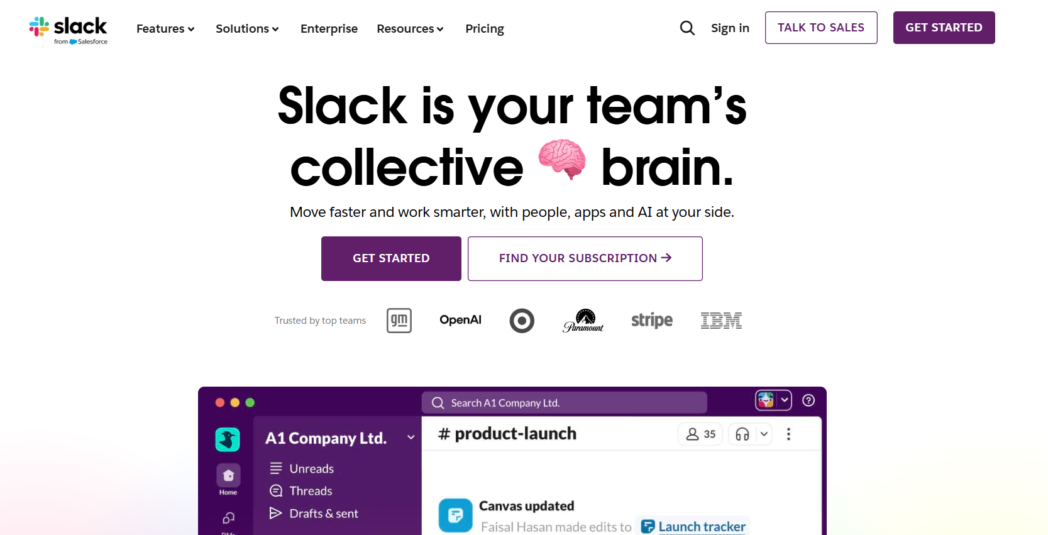
Record screen, webcam, or audio-only directly inside any channel or DM, and the video stays in the conversation without requiring a separate link, a separate app, or a separate login for the viewer.
But Clips covers the recording and sharing part of async video and stops there. There are no viewer analytics, no interactive elements, no editing beyond basic trim, and no way to track whether anyone actually watched.
It is the right tool for short, conversational async updates within an existing Slack workflow, and the wrong tool for anything requiring polish, analytics, or lead capture.
Best For
- Slack-native teams
- Teams prioritizing speed over polish or analytics
- Organizations that don’t want another vendor for lightweight async video
Key Features
- Record screen, webcam, or audio-only directly inside any Slack channel or DM
- Inline playback so viewers watch without leaving Slack
- Auto-transcription and searchable clip content
- Slack AI on Pro generates conversation summaries, daily recaps, and meeting notes
- Slack Connect for external collaboration without guest seats
Pros
- Video, conversation, and replies all stay in the same channel
- No additional vendor, procurement, or seat count for teams already paying for Slack
Cons
- No viewer analytics, no interactive elements, no meaningful editing
- Free plan clips older than 90 days become inaccessible, not viable for onboarding or institutional memory
- No way to know whether anyone actually watched
Pricing Overview
- Free
- Pro: ₹245.25/user/month
- Business+: ₹557.10/user/month
- Enterprise+: Custom
5. Supademo
Supademo creates interactive product demos like click-through walkthroughs built from screenshots and recorded actions, with embedded hotspots, branching logic, and lead-capture forms. It appears regularly on async video shortlists because the use cases overlap, but the format is fundamentally different.
The viewer navigates the demo themselves rather than watching someone walk through it on camera.
For product, sales, and marketing teams that need prospects to explore a product independently (embedded on a website, inside an onboarding email, or in a support doc), Supademo is often more effective than a video recording.
When product UI changes, updating a demo means replacing screenshots, not re-recording. When the use case requires a person on camera or a recorded meeting, Supademo is not the right tool.
Best For
- Product and sales teams
- Marketing teams
- Onboarding and enablement teams
Key Features
- Capture via Chrome extension, desktop app, or AI URL-to-demo generation
- AI text annotations and translations into 15+ languages
- Conditional branching, dynamic variables, and personalized share links on Scale and above
- Embeds on any surface with trackable links and engagement analytics on paid plans
Pros
- UI changes require replacing screenshots, not re-recording
- Average 3.5 minutes from recording to publishing
- Free plan functional for individual evaluation with no credit card required
Cons
- No webcam, no person on camera, no meeting recording
- Scale pricing at $38/creator/month adds up fast for larger teams
- AI voice cloning requires Growth ($350/month for 5 creators)
Pricing Overview
- Free
- Scale: $38/creator/month
- Growth: $350/month
- Enterprise: Custom
6. Zight
Zight (formerly CloudApp) is a visual communication tool that combines screen recordings, screenshots, GIFs, and file sharing under one capture surface.

Zight treats both screenshots and screen recordings equally, the same annotation toolkit, the same cloud storage, the same instant shareable link, regardless of whether the output is a 30-second screen recording or a cropped screenshot with arrows drawn on it.
For support, IT, and customer success teams that produce high volumes of mixed visual content throughout the day, that consistency matters.
Running Zight instead of a separate screenshot app, screen recorder, and file-sharing service removes real switching friction. The product is not a fit for teams that need interactive video elements, detailed viewer analytics, or recordings longer than 90 seconds on the free plan.
Best For
- Support, IT, and customer success teams
- Solo professionals
- Small teams wanting one tool instead of separate screenshot, recorder, and file-sharing apps
Key Features
- Screenshots, GIFs, screen recordings, and webcam recordings from one unified capture surface
- Annotations (text, arrows, shapes, blur, highlights) consistent across all media types
- AI Smart Actions generate transcriptions, summaries, chapter detection, and step-by-step docs from recordings
- Password protection and link expiry on all shared files
Pros
- One tool replaces separate screenshot, screen recorder, and file-sharing apps
- Pricing at the lower end of this guide
Cons
- Free plan caps recordings at 90 seconds, far more restrictive than competitors’ limits
- Stability issues including crashes and broken recordings flagged consistently in recent reviews
- No interactive elements in the player
Pricing Overview
- Free
- Pro: $9/user/month
- Teams: $11/user/month
- Enterprise: Custom
7. Tella
Tella is a browser-based screen recorder built around production polish. Where most async video tools prioritize workflow speed and treat visual quality as secondary, Tella approaches it the other way with custom backgrounds, multiple camera layouts selectable per segment, cursor-tracking auto-zoom, and 4K export at 60fps.
What Tella is not is a team async communication tool. There are no viewer analytics, no interactive elements, no meeting recorder, and no CRM integration.
The 5-minute per-export cap on Pro and the absence of a free plan are real constraints for teams evaluating it for internal use. For external-facing video where output quality is the priority, those trade-offs often make sense.
Best For
- Content creators and educators
- Founders recording product walkthroughs
- Small teams
Key Features
- Screen, webcam, or both via browser or Mac/Windows desktop apps
- Multiple camera layouts selectable per segment: split-screen, picture-in-picture, full webcam, full screen
- Auto-zoom follows cursor, AI filler-word removal, clip-based editing
- 4K at 60fps export (5-minute cap per export on Pro, removed on Premium)
- Auto-generated editable subtitles; portrait mode supported
Pros
- Output quality noticeably better than most browser-based recorders out of the box
- Auto-zoom and per-segment layouts eliminate manual post-production steps
- 1-hour 4K export completes in roughly 2.5 minutes
Cons
- No free plan, 7-day trial only
- Wrong screen on first capture and corrupt segments reported consistently in third-party reviews
- No interactive elements and no team-level analytics on Pro
- 5-minute per-export cap on Pro limits internal team use
Pricing Overview
- Free
- Pro: $13/user/month
- Premium: $19/user/month
- Enterprise: Custom
How to Choose the Right Tool
Start With Your Dominant Use Case
The tools in this guide solve different primary problems. If your team needs internal async updates with AI editing and no tool-switching, Dadan covers the most ground at the lowest bundled price.
If you run a sales team on Salesforce or HubSpot and need CRM-synced watch analytics, Vidyard is purpose-built for that workflow.
Check What’s Bundled Versus Billed Separately
AI is the most common upcharge in this category. Interactive elements are the second. Custom branding and analytics are the third.
A tool priced at $15/user/month that requires a separate AI tier, a branding add-on, and a separate analytics dashboard is not a $15 tool. Verify the all-in cost at your actual feature usage before signing.
Run The Pricing At Your Real Team Size
Small differences per seat compound fast. At twenty users, an $8/user tool and a $20/user tool differ by $2,880 per year before any add-ons.
The Loom-to-Atlassian migration shifted this math for many existing customers without warning, teams that had free Creator Lite contributors are now paying full seat prices on renewal. Know what you are actually committing to at scale.
Test On Real Work, Not Demos
Pick two tools from this list. Run them on a live project for two weeks. The tool your team actually uses without being reminded is the right tool, regardless of feature count or how the comparison table reads.
Conclusion
The async video market in 2026 has genuine choices, largely because Loom’s pricing changes gave teams a real reason to compare.
For most teams wanting AI included, interactive elements, and a full record-to-share workflow at a single price, Dadan covers more ground than anything else here at $8/user/month. For Atlassian-native teams that won’t leave the ecosystem, Loom still works with the understanding that AI costs an additional $5-9/user/month.
Pick two tools, run them on a live project for two weeks, and let the adoption data decide.
FAQs
What is async video communication?
Recording a video (screen, webcam, or both) and sharing it as a link someone else watches on their own schedule. No meeting required. The receiver watches, pauses, comments, and responds when ready, replacing meetings and email threads for content that benefits from voice, tone, or visual context.
Is Loom the best async video tool?
It’s the most recognized, not necessarily the best value. Since Atlassian’s migration discontinued Creator Lite seats and moved AI behind a $20-24/user/month tier, alternatives like Dadan offer broader feature sets at lower per-user pricing.
Are async video tools better than meetings?
For most informational and documentation use cases, yes status updates, walkthroughs, training, and sales outreach are more efficient as async video. Brainstorming, negotiation, and decisions requiring real-time back-and-forth still belong in live calls.
Which async video tool is best for sales teams?
Vidyard for teams prioritizing CRM-native integration and AI-driven personalization at scale. Dadan for teams that also want interactive lead capture (in-video forms, CTAs) and prefer AI bundled into one price rather than added on.
Free async video platforms for teams?
Dadan’s free plan offers 25 videos at 5 minutes each in 720p with no watermark unusual in this category.