Dadan, Snagit, and Camtasia are often grouped together in a single category, but they are not built for the same kind of work.
Snagit is centered on screen capture and quick visual explanation. Camtasia is a fuller video creation tool with a stronger editing environment. Whereas Dadan is geared toward fast screen recording, transcript-led editing, and sharing workflows that suit modern teams and creators.
That difference shapes the whole buying decision. So the question is not which one has more features on paper. It is which one matches the kind of video work you actually do.
In this comparison, we’ll first look at the core differences, then examine where each tool fits and how.
Comparison Table
|
Dadan |
Snagit |
Camtasia |
|
|
Free Plan |
Trial only without watermark |
Trial only with watermark |
Trial only with watermark |
|
Screen + webcam recording |
✓ |
✓ |
✓ |
|
Browser extension recorder |
✓ |
✓ |
✗ |
|
Native desktop app |
Mac & Windows |
Mac & Windows |
Mac & Windows |
|
Annotations while recording |
✓ |
✓ |
✓ |
|
Built-in meeting recorder & notetaker |
✓ |
✗ |
✗ |
|
Online editor + edit by transcript |
✓ |
✗ |
✓ Requires add-on |
|
Smooth zoom while recording |
✓ |
✗ |
✗ |
|
AI meeting notes & summary |
✓ |
✓ |
✓ |
|
AI transcription |
✓ |
✗ |
✓ |
|
AI meeting notes & summary |
✓ |
✗ |
✓ |
|
Request a video via shareable link |
✓ |
✗ |
✗ |
|
Lead capture forms in video |
✓ |
✗ |
✗ |
|
Interactive elements (polls, quizzes, CTAs) |
✓ |
✗ |
✓ |
How Dadan, Snagit, and Camtasia Differ
The simplest way to understand these three tools is to look at what each one is designed to prioritize.
1. Dadan
If you record videos regularly and need to share them quickly, Dadan is the most workflow-oriented of the three.
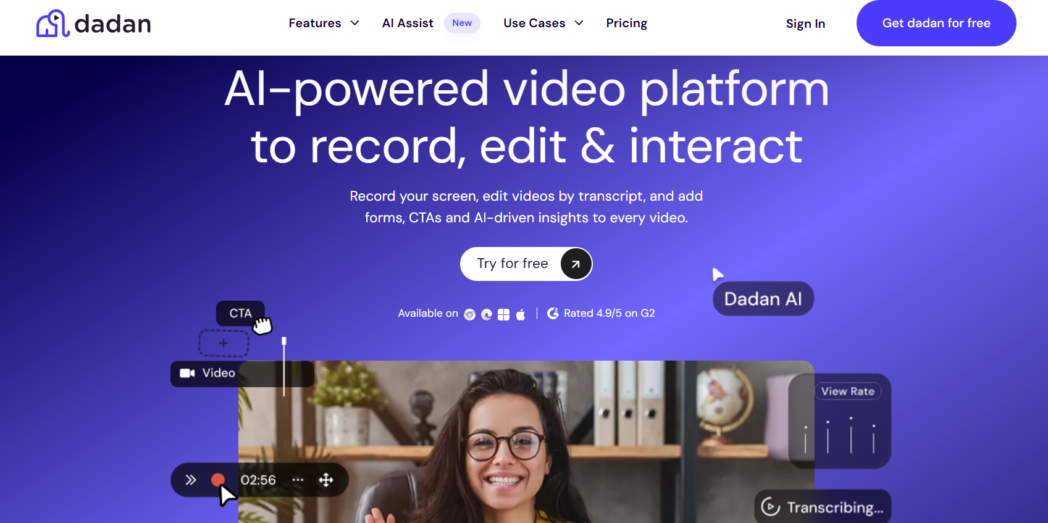
You can record your screen, your webcam, or both at once, edit the video using the transcript, generate summaries and chapters, and share the final video without switching to a separate production setup.
That makes a difference when video is part of everyday work. If you are sending product walkthroughs, onboarding material, sales follow-ups videos, customer explanations, or training videos, you usually do not need a complex editing environment. You need to record clearly, make quick changes, and send it out.
Key differences:
- You can record through an online screen and webcam recorder, browser extension, or native app
- You can record meetings and generate notes without adding a separate tool
- You can edit video online and make changes through the transcript
- You can use smooth zoom while recording
- You can collect videos from other people through request links
- You can add interactive elements
2. Snagit
If most of your work starts with a screenshot, Snagit makes more sense. It is better suited to quick capture, annotation, and short visual explanation than to recurring video workflows.
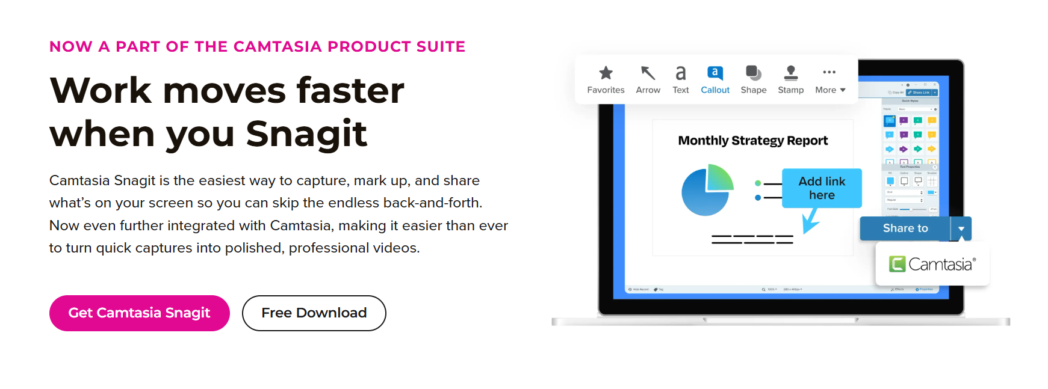
You use it when you need to show someone what is on the screen, mark it up, and send it without much delay.
It supports screen recording, which is useful for quick walkthroughs or short demonstrations. But if video becomes a larger part of your work, Snagit starts to feel narrower in scope. It is much stronger as a screen capture tool than as a broader video workflow tool.
Key differences:
- Useful for short recordings and quick explanations
- Easier for documentation and feedback than for regular video creation
- Less suited to transcript-led editing workflows
Bonus Read: Best Snagit Alternative
3. Camtasia
If you need more control over the finished video, Camtasia gives you a more comprehensive editing environment for tutorials, demos, lessons, and training content that require a more polished final result.

That extra control is useful, but it also changes the workflow. Camtasia is not only for recording and sending a quick explanation. It is better when the video itself is the finished asset, and you expect to spend more time shaping it before publishing or sharing it.
Key differences:
- Better suited to polished tutorials and training videos
- Includes text-based editing within a fuller editor
- Better fit when presentation matters as much as speed
- Heavier workflow than a quick record-and-share tool
Also Read: Top 8 Camtasia Alternatives You Should Try In 2026
How to Choose One
Before you compare features, decide what will matter more in daily use for your team.
Consider How Much Editing You Actually Need
Some teams record and send. Others record, revise, trim, add polish, merge, compress, and repurpose the video later.
If editing is light, you do not need a tool built around a heavier production workflow, and Dadan becomes the most practical option.
Think About What Part Video Plays in Your Workflow
For some teams, video is part of regular communication across onboarding, reviews, demos, training, or customer education.
If video is occasional, Snagit may cover what you need. But if it is part of recurring communication and collaboration, Dadan will usually make more sense.
Look at Where the Video Goes Next
In some workflows, the video ends with a share link. In others, it leads to feedback, review, or action from someone else.
That is where workflow features become more important. If the next step involves sharing, following up, or collecting responses within a broader workflow, Dadan is better suited to that.
If the video is meant to become a more finished asset before it is shared, Camtasia gives you more control over that final stage.
Factor in Team Adoption
The best tool is the one your team will actually use consistently. A tool that is easy to pick up and fits the way your team already works will usually create more value than one that offers more control but slows people down.
Choose Based on the Work, Not the Category
These tools may sit in the same comparison, but they are not solving the exact same problem. The better choice depends on whether your priority is quick capture, stronger editing, or a smoother video workflow around the recording itself.
Conclusion
A comparison like this only helps if it makes the choice easier.
If you are deciding between Dadan, Snagit, and Camtasia, the useful question is which one fits the way you need to work. A tool can be strong on paper and still be the wrong fit if it adds unnecessary steps or leaves gaps in parts of the workflow.
That is where the difference becomes clearer. Once you look at the tools that way, the decision usually leads to a better choice.
FAQs
What are the main differences between Dadan, Snagit, and Camtasia?
Dadan is built around recording, transcript-based editing, sharing, and workflow-oriented video use. Snagit is more focused on screen capture, annotation, and quick recordings. Camtasia is designed for more comprehensive video editing and a more polished output.
Which tool is better for screen recording: Dadan, Snagit, or Camtasia?
All three support screen recording. The better choice depends on what happens after the recording. Dadan is better for faster sharing and workflow use, Snagit is better for quick explainers, and Camtasia is better when the recording will go through more editing.
Is Dadan easier to use than Snagit and Camtasia?
Compared with Camtasia, Dadan is easier for day-to-day recording and sharing workflows because it is not built around a heavier editing environment. Snagit is simpler for screenshots and quick capture, while Dadan gives you more for ongoing video workflows.
Which software is best for beginners who want to record videos quickly?
For quick recording, Dadan is the easier starting point. Snagit is simpler if you mainly need capture and annotation. Dadan is stronger if you want a quick recording with transcript-based editing and easier sharing built into the same workflow.
Can Dadan record screen and webcam at the same time?
Yes. Dadan supports screen recording, webcam recording, and recording both together.
Is Snagit good for video recording or mainly for screenshots?
Snagit supports video recording, but it is still better known and better suited for screen capture, screenshots, and annotation.
Does Camtasia offer more advanced editing features than Dadan and Snagit?
Camtasia is editing-focused and is better suited to users who need more control over the finished video.
Which tool is better for creating tutorials and product demos?
Dadan is a better fit when speed, sharing, and workflow matter more than heavier post-production.
Is Dadan a good alternative to Camtasia?
Yes, especially if you do not need a full editing suite. Dadan is a strong Camtasia alternative for teams that prioritize recording, transcript-based editing, sharing, and workflow speed over deeper production controls.