











Skip links

Online Meeting Recorder

Connect your Outlook or Google Calendar to automatically record Zoom, Teams, Google Meet, and other online meeting plstforms. Dadan’s AI assistant can automatically join and record your calls, then turns each recording into a meeting recap with highlights, decisions, action items, transcripts, and summaries.

No credit card required

Join 40,000+ users actively using dadan
for Video Creation

How to record online meetings with audio?

Step 1

Sign up to Dadan for free

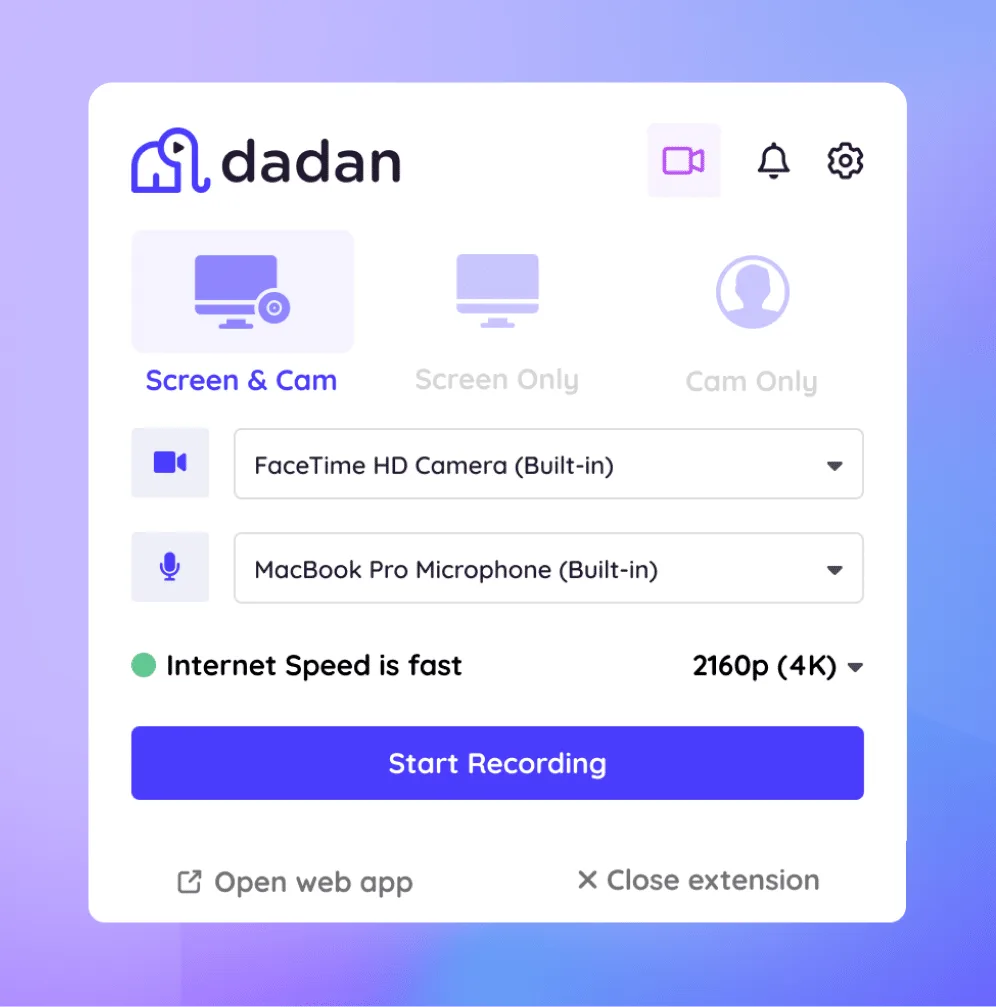
Sign up to dadan and then download the Mac or Windows app. Or install the Chrome extension if you prefer recording from the browser

dadan platforms
Step 2

Connect your calendar

Click on meeting calendar from the side menu and connect your outlook or google calendar to your dadan account

record setup
Step 3

Enable recording

Your meetings will be automatically synced. Enable recording with the toggle menu next to the meeting details.

dadan recording
Step 4

Auto Record, Upload & Recap

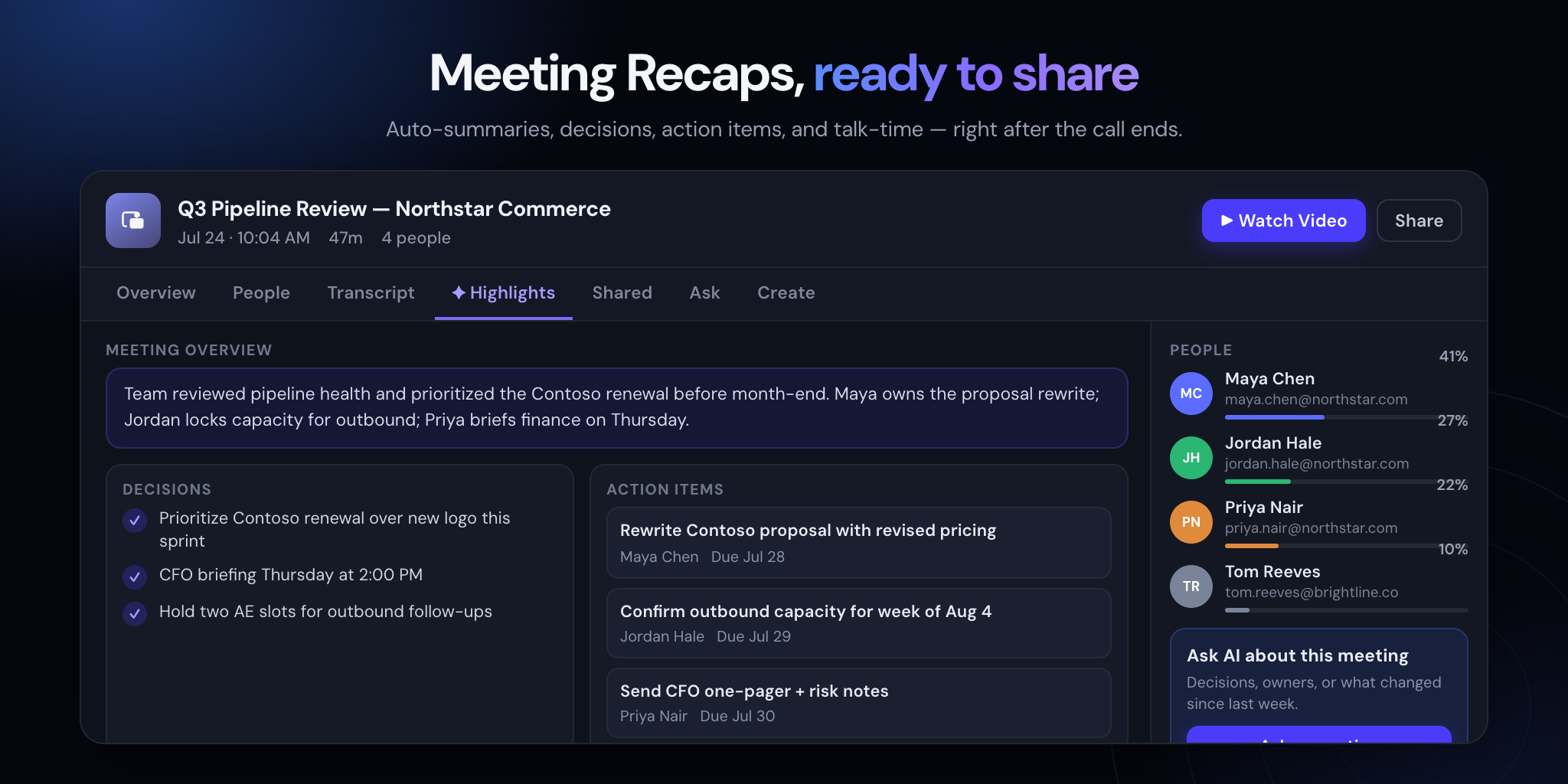
Dadan records your meeting and uploads it automatically. Get a meeting recap with highlights, decisions, action items, and a transcript after the call.

edit video toolbar
IMGBG

Features of Online Meeting Recorder

video

Record Audio and Video

Record your meeting audio and video in 4K resolution. We suggest you to use headphones to record system audio and externa audio at same time.

like tag

Auto Recording

Once your calendar is connected, dadan will automatically join your meeting and start recording. Post recording it is uploaded to dadan.

search

Auto transcription

Generate transcript of the entire meeting with timestamps. Dadan supports over 100 languages in transcript generation.

brush

AI Meeting Notetaker

Post recording, generate meeting notes with AI from your dashboard. Click AI Notetaker to quickly generate meeting notes ready to share.

send

AI Meeting summary

Get a one page meeting summary generated by AI segmented by discussion points, action items and highlights ready to copy and share.

line up square

Multilingual Subtitles

With the transcript, subtitles are auto added to your video. You can then translate to over 100 languages. Viewers can switch in settings.

Make the most of your Online meeting recording

Record Internal Team meetings

From daily stand up meetings to town hall meetings, use dadan to record all yoru internal meetings automatically.

With over native integration with leading meeting platforms, dadan can help you automatically record the calls and generate transcripts with timestamps.

You can later generate AI meeting summary to keep track of the updates and share with other team members. You can also get AI meeting notes to share important highlights.

Screen recorder for training
explain features faster

Capture training and knowledge-sharing sessions

Capture key highlights and get a full recording of your internal knowledge sharing sessions.

With dadan's cloud library the recordings are auto uploaded to your online dashboard. You can now have access to these recordings anytime on the go.

You can further share these recordings with other colleagues in the form of folders or playlists. You can also restrict their interactions or set a time limit for the access.

Capture user feedback sessions

Capture live user testimonials and feedbacks to share with your team. Share the recording along with the AI meeting summary to add context to your recordings.

You can also repurpose these videos to share as testimonials on your website (embed the videos) or share them on your social media with the help of our online video editor.

google meet record your meetings free dadan
Dadan collaboration

Capture client calls or sales demos

Don't miss key information from your client calls. From key requirements to first reactions of the pitch, get every detail covered from your online meetings.

dadan allows you to record the entire meeting and auto upload it to the cloud library. The top of the line security protocols ensure your client data is safe and secure.

Share the recording and retain full control over the recording access such as timeline of the access, video interactions, and even the download control of the videos shared.

Meeting Recaps

With Dadan, every recorded meeting becomes an easy-to-review workspace. Get the key highlights, decisions, and action items without watching the entire recording again.

Search the full transcript to find exactly what was said and who said it. Ask AI questions about the meeting and jump straight to the relevant moment in the recording.

You can also generate meeting summaries and follow-up emails, making it easier to share what happened and keep everyone on track.

AI meeting recaps

dadan vs other Meeting recorders

With Dadan AI Assist
TranscriptionsAuto-Created
Multi-LanguageComing Soon
TitlesAuto-Created
TagsAuto-Created
ChaptersAuto-Created
SummariesAuto-Created
DescriptionsAuto-Created
Turn Video Into MeetingAuto-Created
NotesAuto-Created
Call To ActionsAuto-Created
InteractionsAuto-Created
Meeting RecapAuto-Created
Without AI
TranscriptionsUnavailable
Multi-LanguageUnavailable
TitlesManual
TagsManual
ChaptersManual
SummariesManual
DescriptionsManual
Turn Video Into MeetingManual
NotesManual
Call To ActionsManual
InteractionsManual
Meeting RecapUnavailable

Meet Our Happy Customers

You don’t have to be a video expert or use expensive editing software to create engaging videos.

What is a meeting recorder?

A meeting recorder is an online software that helps you to record your meetings online. The software usually has an agent that joins your meeting like a participant and records the entire meeting conversation.

The best way to record your meetings online is by using a software like dadan. Once you connect your calendar on dadan, it automatically picks up your meetings and join the meeting to start recording the same. 

The easiest way to make a meeting recording is by using a software like dadan. Connect your google or microsoft calendar and dadan will auto join the meetings next time to record the conversation for you. 

Dadan is one of the best tool for documenting meeting minutes, generating an AI summary of the meeting automatically and meeting notes. 

Yes, dadan is a meeting recording software that helps you record your meetings online without any watermark. 

With dadan you can install the native app for your OS. Alternatively you can record online using the chrome extension or the online browser-based recording.

Yes, dadan’s online meeting recorder is compatible with recording Zoom meetings, recording Google meet sessions, Microsoft teams recordings, GoTomeetings, and most other leading meeting platforms. 

Yes dadan meeting recorder helps you record video, screen, system audio and external audio. However you need to use a headphone to get great output quality with the system audio.

If you use the meeting bot in dadan meeting recorder then the participants of the meeting will be notified with the meeting bot joining the meeting. While if you use the app or chrome extension to manually record the meeting, they will not be notified. 

With the pro plan in dadan, there is no limit on the meeting recording. You can enjoy unlimited recording length, unlimited number of videos and unlimited recording storage space. 

Yes, you can share the meeting recorders with others via their email, your social profiles or just copy the link and share via other forums.

Yes, dadan meeting recorder offers a forever free plan with a trial ot the pro version for 14 days.