The best free cloud storage for videos is rarely the one with the biggest number on the sign-up page. A free plan’s per-file limit and playback cap decide whether your videos are usable after upload, and those details vary far more between providers than the storage totals do.
What to Look for in Free Cloud Storage for Videos
Video breaks free plans in ways documents never do. A single phone clip can be larger than some providers’ entire per-file limit, and a player that works fine for you can stall for the person you shared it with.
Check these five things before you upload anything you care about.
Real Usable Space
The advertised number and the space you can actually use are often different. Google’s 15 GB is shared with Gmail and Google Photos, so a full inbox leaves less room for footage.
pCloud advertises 10 GB but starts you at 2 GB until you finish a set of setup tasks.
Per-File Upload Limits
This is the limit most roundups skip, and it matters more for video than anything else. Box caps free uploads at 250 MB per file and TeraBox at 4 GB. Dadan’s free plan caps uploads at 100 MB, since it’s built for short videos you share. If your raw footage is bigger than the cap, the storage total doesn’t help you.
Playback Quality
If people will watch your videos in a browser, the player matters as much as the storage. Google Drive’s player tops out at 1080p even when you upload 4K, and TeraBox’s free plan plays video at 480p.
A drive that stores your file perfectly can still show it at a fraction of its quality.
Sharing and Bandwidth Limits
Free plans often cap how much data can leave your account as well as how much you can store. pCloud’s free plan allows 50 GB of shared link traffic a month, and MEGA meters transfers on free accounts. A video link that gets passed around can hit these limits faster than you’d expect.
Privacy and Encryption
Most mainstream drives encrypt your files but hold the keys themselves. MEGA and Proton Drive use end-to-end encryption by default, so the provider can’t read your files.
For client recordings or internal walkthroughs, that difference can decide which service you use.
Free Cloud Storage Provider Comparison Table
The table below puts each free plan’s storage next to the limit you’re most likely to hit with video. The paid column shows the cheapest upgrade, since most people who store video seriously end up paying for something.
| Service | Free storage | Max File Size (Free) | Video Playback in Browser | End-to-End Encryption | Paid Plans From |
| Dadan | 2 GB (25 videos) | 100 MB | Hosted player with viewer analytics | No | $8/month billed annually (25 GB) |
| Google Drive | 15 GB (shared with Gmail and Photos) | 5 TB, within your storage quota | File preview, up to 1080p | No | Google One 100 GB (price varies by country) |
| MEGA | 20 GB | Varies by plan | Built-in player, subject to transfer quota | Yes | $4.99/month (400 GB) |
| pCloud | 2 GB, up to 10 GB after tasks | Varies by plan | Built-in player | Paid add-on | $49.99/year (500 GB) |
| OneDrive | 5 GB | Varies by plan | File preview | No | $1.99/month (100 GB) |
| Dropbox | 2 GB | Varies by plan | File preview | No | $11.99/month (2 TB) |
| Box | 10 GB | 250 MB | File preview | No | Personal Pro, about €12/month (100 GB) |
| Icedrive | 10 GB | Varies by plan | Built-in media streaming | Paid plans only | Paid plans from 2 TB |
| Proton Drive | Up to 5 GB | Varies by plan | File preview | Yes | €4.99/month (200 GB) |
| TeraBox | 1 TB | 4 GB | Up to 480p | No | Premium, price varies by region (2 TB) |
10 Best Free Cloud Storage Services for Videos
The list mixes general cloud drives with a video platform, because the right choice depends on whether your videos are files to keep or content to share. Every entry flags where the free plan falls short for video, since that’s usually what decides whether it works for you.
1. Dadan
Quick Overview
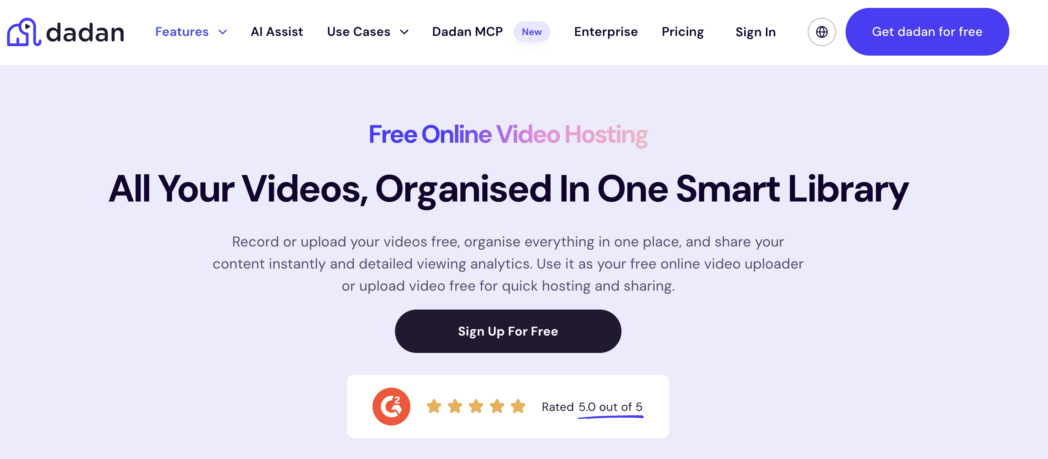
Dadan is a video platform first, so storage here means a library of videos people can watch and share. You can record your screen or webcam straight into it, or upload videos you already have.
If your library lives in Loom, Tella, Vimeo or Zight, bulk import moves it across without downloading anything, and you can pull in any publicly accessible video by pasting its URL.
Once a video is in your library, AI transcription makes it searchable. Global search looks through titles, folders, tags, chapters and transcript text, so you can find a clip by something that was said in it rather than by remembering its file name.
You share through a link or an embed, add a password or expiry date, switch off downloads, and limit which domains can embed your player. Analytics then show who watched and how long they stayed.
The free plan suits short videos you want to share. You get 2 GB for up to 25 videos, with a 100 MB cap on each upload. Paid plans are where Dadan pulls ahead of general drives for video, because Pro removes the storage ceiling entirely for $14 a month on annual billing.
Best For
- People who share screen recordings and product demos and want to know who watched them.
- Educators and trainers who host lesson videos and want quizzes inside them.
- Creators moving an existing video library out of Loom, Tella, Vimeo or Zight.
- Anyone who needs video links protected by a password or set to expire.
Key Features
- Search finds any video by title, folder, tag, chapter or words spoken in the transcript.
- Share links support passwords and expiry dates, and you can turn off downloads.
- Domain-level access control decides which websites can embed your videos.
- Viewer analytics track views and watch time for every video you share.
Pros
- You get a real video player with viewer analytics instead of a file preview.
- Transcripts make spoken content searchable across your whole library.
- Imports from public URLs and other video tools save you from re-uploading.
- Pro gives you unlimited storage at a lower monthly price than most 2 TB drive plans.
Cons
- Free recordings are capped at 720p and carry a small “Recorded with dadan.io” watermark.
- Recordings on the free plan are limited to 5 minutes each.
Pricing Overview
- Free:
- Lite: $8/month
- Pro: $14/month
- Business: $14/seat/month
2. Google Drive
Quick Overview
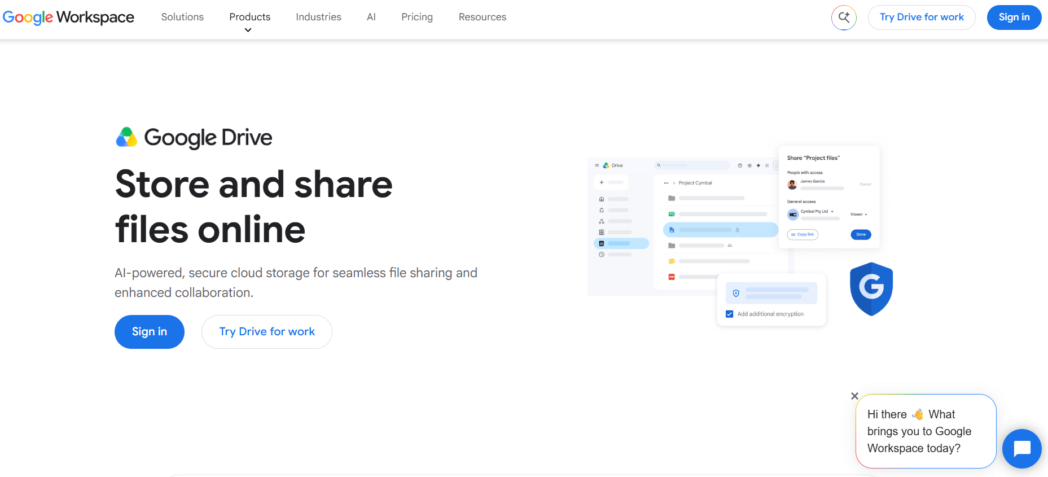
Google Drive is where most people’s videos end up by default, because every Google account comes with 15 GB. That space is shared with Gmail and Google Photos, so a busy inbox eats into what’s left for footage.
Drive handles big files well. You can upload up to 750 GB a day, and a single file can be as large as 5 TB if your storage covers it, according to Google’s own Drive limits page.
Playback is where Drive shows its limits. The player stops at 1080p even when you upload 4K, and a fresh upload can show a “still processing” message to the people you shared it with while it plays fine for you.
Links that get heavy traffic can also hit a temporary limit, and users who stream from Drive through third-party apps report “download quota exceeded” errors on a community forum. Drive is excellent for passing a raw file to an editor and weaker as a place people watch from.
Best For
- Android and Google Workspace users who want footage next to their docs and email.
- Anyone sending a large raw file to an editor or collaborator.
Key Features
- Single files can reach 5 TB, with a daily upload allowance of 750 GB.
- Link permissions let you share with specific people or anyone who has the link.
Pros
- 15 GB is one of the larger permanent free allowances from a major provider.
- Drive sits right next to Gmail and Google Docs, so sharing with collaborators takes seconds.
Cons
- Gmail and Google Photos draw from the same 15 GB.
- Browser playback stops at 1080p, and new uploads can take time to process for viewers.
Pricing Overview
- Base: ₹49.50/user/month
- Starter: ₹270/user/month
- Standard: ₹864/user/month
- Enterprise: Custom
3. MEGA
Quick Overview
MEGA gives you 20 GB free, the largest permanent allowance among providers that encrypt everything end to end by default. Your files are encrypted on your device before they upload, so MEGA can’t see what’s in them.
The flip side is that if you lose both your password and your recovery key, nobody can get your files back.
For video, the thing to watch is transfer quota. MEGA measures how much data moves in and out of your account, so downloading or streaming large videos on a free plan can stop until your quota frees up again. It works well as a private archive you dip into occasionally, and less well as a place to share a video with a big audience.
Best For
- Privacy-minded creators storing personal or client footage.
- Anyone who wants plenty of free space without ads.
Key Features
- End-to-end encryption applies to every file on every plan.
- The achievements program adds extra storage in 5 GB increments.
Pros
- 20 GB is generous for an ad-free plan.
- MEGA can’t access your files, which matters for sensitive recordings.
Cons
- Transfer quotas can interrupt large downloads and streaming on the free plan.
- Losing your password and recovery key means losing your files for good.
Pricing Overview
- Essential: ₹353/month
- Pro Lite: ₹529/month
- Pro I: ₹882/month
- Pro II: ₹1765/month
- Pro III: ₹2648/month
4. pCloud
Quick Overview
pCloud advertises 10 GB free, but you start with 2 GB and earn the rest by finishing setup tasks like verifying your email and installing the apps. It’s one of the few drives with a proper built-in video player, so you can stream footage in the browser without downloading it first.
Free accounts get 50 GB of shared link traffic a month, which is plenty for sending a few videos to clients but tight if a public link takes off.
pCloud is also known for lifetime plans, a one-time payment instead of a subscription. If you know you’ll keep footage for years, that can work out cheaper than paying monthly. Client-side encryption, called pCloud Crypto, costs extra.
Best For
- Video creators who want to preview footage in the browser before downloading.
- People who’d rather pay once for storage than subscribe.
Key Features
- The built-in player streams video and audio straight from the cloud.
- Lifetime plans replace a recurring bill with a single payment.
Pros
- You can reach 10 GB free once the setup tasks are done.
- Lifetime storage suits long-term video archives.
Cons
- Only 2 GB is available until you complete the setup tasks.
- Encryption is a paid add-on rather than a default.
Pricing Overview
- Premium: $49.99/month
- Premium Plus: $99.99/month
- Ultra 10TB: $299.99/month
- Family 2TB: $749/month
- Family 10TB: $1849/month
5. OneDrive
Quick Overview
OneDrive comes built into Windows, so if you’re on a Windows PC it’s probably already backing something up. The free plan gives you 5 GB, which holds very little video.
OneDrive makes more sense as a low-cost way into a paid plan. Microsoft 365 Basic raises you to 100 GB for $1.99 a month, and Microsoft 365 Personal bundles 1 TB with the desktop Office apps.
Best For
- Windows users who want videos synced from File Explorer.
- People who already pay for Microsoft 365.
Key Features
- OneDrive syncs with File Explorer on Windows without a separate install.
- Microsoft 365 Basic is one of the cheapest paid steps to 100 GB.
Pros
- There’s nothing extra to set up on Windows.
- The 100 GB upgrade costs less than most competitors’ entry plans.
Cons
- 5 GB fills quickly once you add video.
- The free plan is storage only, without the desktop Office apps.
Pricing Overview
- Microsoft 365 Basic: ₹149/month
- Microsoft 365 Personal: ₹689/month
- Microsoft 365 Family: ₹819/month
- Microsoft 365 Premium: ₹1999/month
- Microsoft 365 Business Standard with Copilot: ₹1955/user/month
- Microsoft 365 Business Basic: ₹170/user/month
6. Dropbox
Quick Overview
Dropbox Basic gives you 2 GB and lets you link up to three devices. Its strength has always been sync, and that’s still true, but 2 GB holds only a few minutes of high-resolution footage.
Once you’ve linked three devices, you have to unlink one before adding another, which a Dropbox staff member confirms on the community forum.
Dropbox is far more useful for video once you pay, since Plus jumps straight to 2 TB. If you keep footage in Dropbox already, Dadan can import those videos directly and upload finished videos back to Dropbox, so your raw files and your shareable videos can live in the place that suits each.
Best For
- Editors who already organize projects in Dropbox folders.
- Small files you need synced between a laptop and a phone.
Key Features
- Desktop sync keeps local folders and the cloud in step.
- Shared links let anyone view a file without a Dropbox account.
Pros
- Sync is fast and dependable.
- The first paid plan goes straight to 2 TB.
Cons
- 2 GB is the smallest free allowance on this list.
- The three-device limit catches anyone with more than one computer.
Pricing Overview
- Plus: $9.99/month
- Standard: $15/user/month
- Advanced: $24/user/month
7. Box
Quick Overview
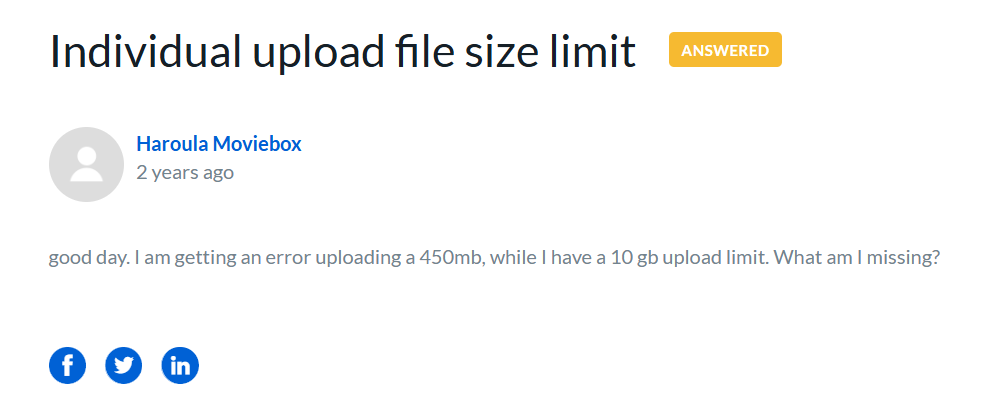
Box gives free users 10 GB, which sounds solid until you hit the 250 MB limit on each file. Most raw video is bigger than that, and a Box community thread shows a free user hitting the wall with a 450 MB upload.
Box is built around documents and business workflows, and its free plan keeps only one version of each file.
Box is here because it shows up in most free storage roundups, and its per-file limit is exactly the detail those roundups leave out.
If your videos are short exports under 250 MB, Box works. For anything longer, look elsewhere or plan on Personal Pro, which raises the per-file limit to 5 GB.
Best For
- Short, compressed clips you share alongside documents.
- People whose company already runs on Box.
Key Features
- Free accounts include 10 GB of storage.
- Box Sign gives free users 5 e-signature requests a month.
Pros
- 10 GB is a reasonable free allowance.
- Document handling and permissions are strong.
Cons
- The 250 MB per-file limit rules out most raw footage.
- Free accounts keep only one version of each file.
Pricing Overview
- Business: ₹1160/user/month
- Business Plus: ₹1980/user/month
- Enterprise: ₹2730/user/month
- Enterprise Plus: ₹3900/user/month
8. Icedrive
Quick Overview
Icedrive gives you 10 GB free from day one, with no setup tasks, and its clean interface is a large part of its appeal. The catch on the free plan is that desktop sync isn’t included, so you upload through the browser or the apps rather than a synced folder. Paid plans start at 2 TB and add sync and client-side encryption, and Icedrive also sells lifetime plans if you’d rather pay once.
Best For
- People who want 10 GB without jumping through setup tasks.
- Users who prefer a simple, uncluttered interface.
Key Features
- The full 10 GB is available as soon as you sign up.
- Paid plans add an encrypted virtual drive.
Pros
- You get all your free space immediately.
- Lifetime plans are available for long-term storage.
Cons
- The free plan doesn’t include desktop sync.
- Client-side encryption is limited to paid plans.
Pricing Overview
- Starter: $2.99/month
- Pro Mini: $4.19/month
- Pro: $6.99/month
- Pro Extra: $11.89/month
- Pro+: $20.99/month
9. Proton Drive
Quick Overview
Proton Drive is the pick when privacy matters more than space. The free plan gives you up to 5 GB for Drive plus a separate 1 GB for Proton Mail, and everything is end-to-end encrypted. 5 GB won’t hold a video library, but it’s a safe place for a handful of sensitive recordings like client calls or internal walkthroughs.
Upgrading to Drive Plus takes you to 200 GB. On paid plans, Proton shares one storage pool between Mail and Drive.
Best For
- Anyone storing confidential recordings.
- Existing Proton Mail users who want files in the same account.
Key Features
- End-to-end encryption covers every file by default.
- An online document editor works inside Drive.
Pros
- Encryption is standard rather than an upsell.
- The free plan carries no ads.
Cons
- 5 GB is the ceiling on the free plan.
- Large video libraries need a paid plan almost immediately.
Pricing Overview
- Free
- Drive Plus: $3.99/month
- Proton Unlimited: $9.99/month
- Enterprise Plus: $14.99/month
10. TeraBox
Quick Overview
TeraBox gives you 1 TB free, far more than anything else here, and that number is why it keeps appearing in free storage searches. The limits show up elsewhere. Free accounts can’t upload files larger than 4 GB, and video plays back at 480p. You’ll also see ads while you browse and stream.
Privacy is the bigger question. TeraBox doesn’t offer zero-knowledge encryption, and reviewers have raised concerns about how it handles user data.
Treat it as overflow space for footage you’d be fine losing or having seen, and keep important files elsewhere.
Best For
- Overflow storage for footage that isn’t sensitive.
- Phone users who want automatic video backup.
Key Features
- Free accounts get 1 TB of storage.
- The mobile app can back up videos automatically.
Pros
- No other free plan comes close on raw space.
- Apps cover desktop and mobile.
Cons
- Uploads are capped at 4 GB per file and playback at 480p on the free plan.
- Ads and privacy concerns make it a poor fit for client work.
Pricing Overview
- Free
- 1 TB/year: ₹1676
- 3 TB/year: ₹5030
- 5 TB/year: ₹8384
Cloud Storage vs. Video Hosting: What’s the Difference?
Cloud storage and video hosting both keep your videos online, but they’re built for different moments in a video’s life.
Storage is for keeping files safe and passing them to people who’ll download or edit them. Hosting is for videos people will watch, usually from a link or a page you control.
What Cloud Storage Is Built For
A cloud drive treats a video like any other file. It syncs folders and keeps versions, which is what you want for files you’ll edit later. The player is an add-on, which is why you run into 1080p caps and traffic limits once a video link starts circulating.
What Video Hosting Adds
Video hosting starts from the viewer’s side. You get a player you can brand and embed, with analytics that tell you who watched and where they dropped off.
On Dadan, that also means transcripts and chapters, plus quizzes and lead forms inside the video. Every share link can carry a password or an expiry date.
Using Both Together
Most people who make videos regularly end up using both. Raw footage and project files go in a drive, and finished videos go to a host where people watch them.
Dadan imports from Dropbox and from any public video URL, so moving a final cut from storage to a shareable player takes one step.
Is Free Cloud Storage Enough for Video Creators?
Free storage covers more than you’d think for short videos and less than you’d hope for raw footage. File size depends on resolution and bitrate, so it’s worth running your own numbers before you commit.
If your phone records 4K at around 50 Mbps, each minute of footage takes up roughly 375 MB.
At that rate, Dropbox’s 2 GB holds about five minutes of footage, and Google’s 15 GB holds about 40 minutes if nothing else is using it. Screen recordings are much lighter, so a free plan holds far more of them.
When Free Is Enough
Free storage works if you mostly record short screen walkthroughs or want to test a service before paying. It also works as a second copy of a small number of important files.
If your videos stay short and your audience is small, you may never need to upgrade.
When You’ll Outgrow It
You’ll outgrow a free plan quickly if you shoot 4K regularly or build a library that other people watch. Client work in particular needs a backup you trust, and free plans come with tight limits and no service guarantees.
How to Choose the Right Video Storage Platform
The right platform depends more on what happens to your videos after upload. Start with the job your videos need to do, then match it to the limits that affect that job.
Archiving Raw Footage
If you’re keeping source files for later editing, look for the highest per-file limit and the most space you can grow into. Playback barely matters here, since you’ll download files to edit them.
Keep a second copy somewhere else, because one free account can’t serve as your only backup.
Sharing Finished Videos
If people will watch your videos, prioritize the player and the sharing controls over raw space. Look for analytics on who watched and links you can lock with a password or set to expire. A platform built for video will serve your viewers better than a file preview.
Keeping Recordings Private
For client calls or anything confidential, check whether the provider uses end-to-end encryption by default or charges extra for it. Also check how the service handles user data and where its servers sit. Free space is never worth exposing a recording you were trusted with.
Getting the Most Space for Nothing
If raw capacity is all you need, compare the free totals against the per-file cap and the playback limit, since a huge allowance with a small upload ceiling stores less than it seems. Ads and data handling come with the biggest free plans, so keep sensitive footage out of them.
Conclusion
Free cloud storage holds up for video when its limits match your files, and it fails in the places most comparisons skip, like a 250 MB upload cap or a player that stops at 480p.
Before you upload a library, send one real video to one real viewer and see how it plays on their end. Check whether it plays at full quality and whether they could open it without signing in. If the videos you store are meant to be watched, keep them somewhere built for watching.
FAQs
What is the best free cloud storage for videos?
It depends on what you do with the videos. For storing raw files, MEGA’s 20 GB and Google Drive’s 15 GB are the strongest free options from established providers. For videos you want people to watch, Dadan’s free plan gives you a proper player and viewer analytics.
Where can I store videos online for free?
If you want to share videos with a player rather than a download link, Dadan’s free plan hosts up to 25 videos. Google Drive, MEGA, pCloud and Icedrive all store videos for free, with between 10 GB and 20 GB once fully set up.
Which free cloud storage offers the most space?
TeraBox offers the most, at 1 TB, but free accounts are limited to 4 GB per file and 480p playback, with ads.
Can I store and share large video files for free?
Yes, within limits. Dadan allows it. Google Drive accepts single files up to 5 TB as long as your 15 GB allowance covers them, while Box caps free uploads at 250 MB per file and TeraBox at 4 GB. Check the per-file limit before the storage total.
What is the difference between video storage and video hosting?
Video storage keeps your files safe so you or others can download them. Video hosting streams your videos to viewers through a player, usually with analytics and sharing controls.
Is there free cloud storage designed specifically for videos?
Yes. Dadan is built around video, so you can record or upload, then share through a player with password-protected links and viewer analytics. The free plan includes 2 GB and up to 25 videos.