Interactive video learning is a recorded lesson that pauses to make the viewer answer a question, vote in a poll, or pick a path before it continues. Done well, it tells you exactly what each learner understood, question by question, which is something a plain video can never do.
TL;DR
- Interactive video works because answering forces recall, and it hands you comprehension data that a view count never shows.
- Build one by planning two or three interaction points, recording or uploading, transcribing, dropping interactions onto the timeline, setting access, then sharing and reading the per-interaction data.
- Add interactions where people lose attention or get things wrong and rewrite any AI-drafted question so the wrong answers are actually tempting.
- Dadan runs the whole workflow in one browser tab with six interaction types, lead forms, and per-interaction analytics, which fits in-timeline lessons rather than full branching simulations.
What Is Interactive Video Learning?
Interactive video learning is video that asks the viewer to act while they watch, by answering a quiz, voting in a poll, or clicking a prompt, instead of just sitting back and absorbing.
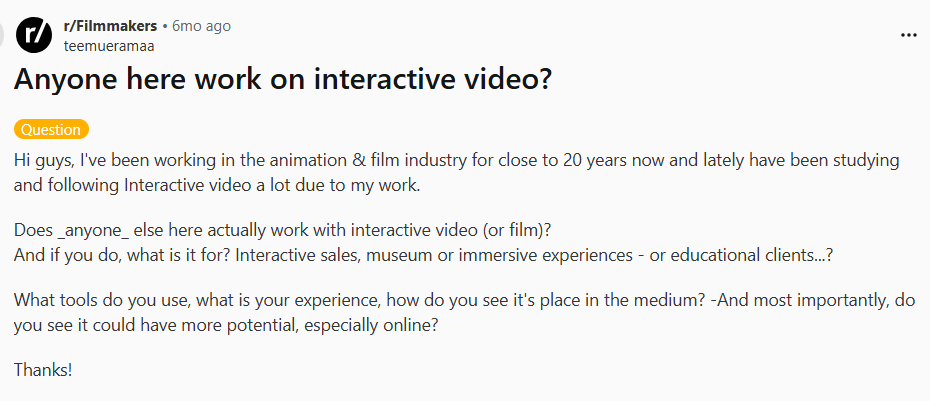
Across fields, people are having the same question:
The interaction is baked into the lesson. A question pops up the second after you explain something, the viewer answers, and the video keeps going. That is different from a video with a separate quiz stapled to the end, where the learner has already checked out by the time they get there.
Most interactive learning videos stay linear and layer interactions onto a single timeline, which is what you will build 90% of the time.
Why Interactive Video Learning Works
It works because answering forces recall, and recall is what moves information into memory. Passive watching feels productive but mostly builds recognition, which fades within days.
Learning researchers have a framework for this called ICAP, which ranks activities from most to least effective as Interactive, then Constructive, then Active, then Passive.
Plain video sits at the bottom. The moment you make a learner answer, even with a single multiple-choice question, you push them up that ladder. That is one of the most replicated findings in instructional design.
Be honest with yourself about what the gain actually is, though.
A 2023 study out of Sheffield Hallam and Cardiff compared branched interactive videos against plain linear ones in real biology courses, and the interactive versions didn’t automatically raise test scores.
What they reliably improved was engagement, enjoyment, and how willing students were to come back and revise.
The lesson there is that interaction earns its keep when you design it with a purpose. Build it to check a specific thing the learner needs to get right, and the retention follows.
The other payoff is data. A plain video tells you how many people pressed play. An interactive one tells you which question half your team got wrong, which is the gap between guessing what your training is missing and seeing it on a chart.
Types of Interactive Learning Elements
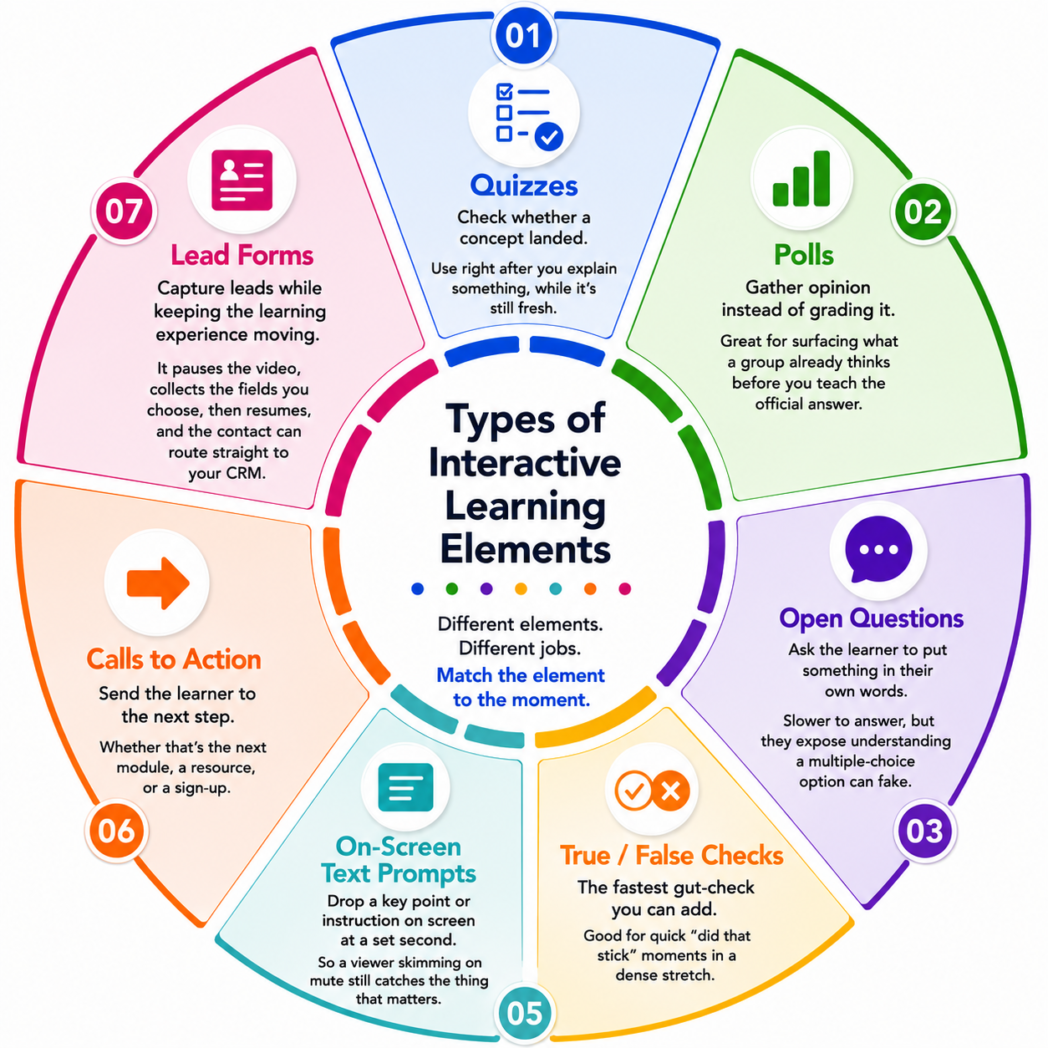
The core building blocks are quizzes, polls, open questions, true/false checks, on-screen text prompts, and calls to action, plus lead forms when you’re capturing contacts.
Branching paths are a separate, heavier format that splits the video by the viewer’s choice.
Each one does a different job, and the skill is matching the element to the moment rather than cramming in all six.
- Quizzes check whether a concept worked. Drop one right after you explain something, while the answer is still fresh in the viewer’s head.
- Polls gather opinions. They’re great for surfacing what a group already thinks before you teach the official answer.
- Open questions ask the learner to put something in their own words. Slower to answer, but they expose understanding a multiple-choice option can fake.
- True/false is the fastest check you can add, good for quick moments in a dense stretch.
- Text prompts drop a key point or instruction on screen at a set second, so a viewer skimming on mute still catches the thing that matters.
- Calls to action send the learner to the next step, whether that’s the next module, a resource, or a sign-up.
If you’re using video to generate leads rather than just teach, a lead form belongs in this list too. It pauses the video, collects the fields you choose, then resumes, and the contact can route straight to your CRM.
How to Make Interactive Video Learning Step by Step?
Plan two or three interaction moments, record or upload your video, transcribe it, drop the interactions onto the timeline, set who can watch, then share or embed and read the results.
The walkthrough below uses Dadan because it does the whole sequence in one browser tab, but the logic carries to any capable tool.
Step 1: Mark The Two Or Three Spots That Need An Interaction
Before you hit record, look at your outline and find the points where people zone out or get something wrong. Those are your interaction moments.
Two or three across a five-minute video is plenty, and planning them now stops you from scattering random questions later, which is the single most common way these videos go wrong.
Step 2: Record Or Upload Your Video
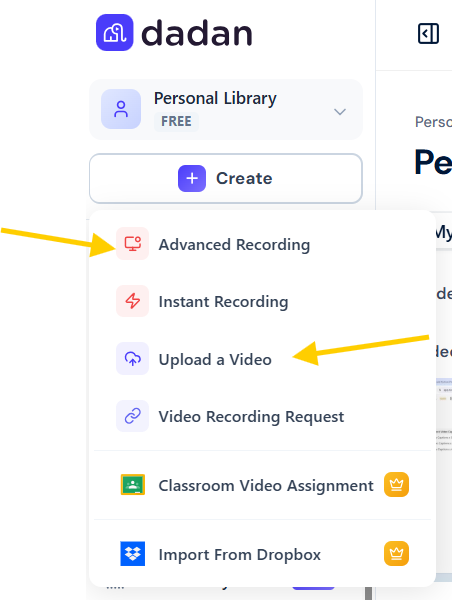
Open Dadan in your browser and record your screen, your webcam, or both. Already have the video? Upload it instead.
Keep each one tight and focused on one idea, because a five-minute clip with one sharp question beats a twenty-minute one with five.
Step 3: Turn The Video Into A Transcript
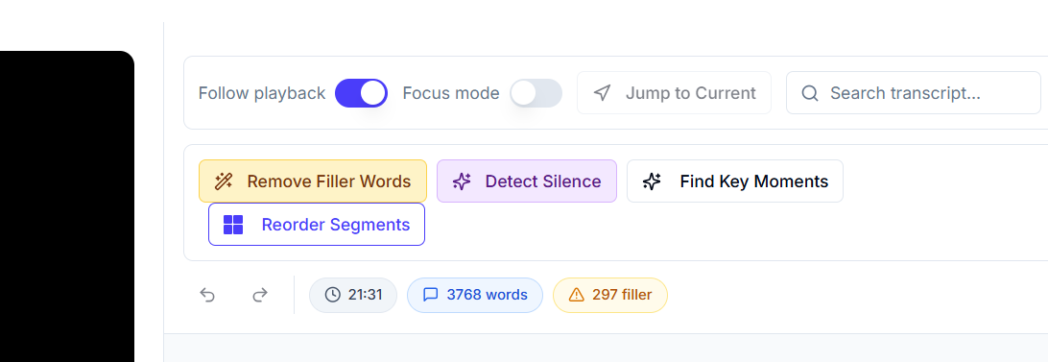
Run auto-transcription. This does two things at once. It gives you an editable, searchable script, and it gives you the timeline you’ll use to place interactions on the exact word.
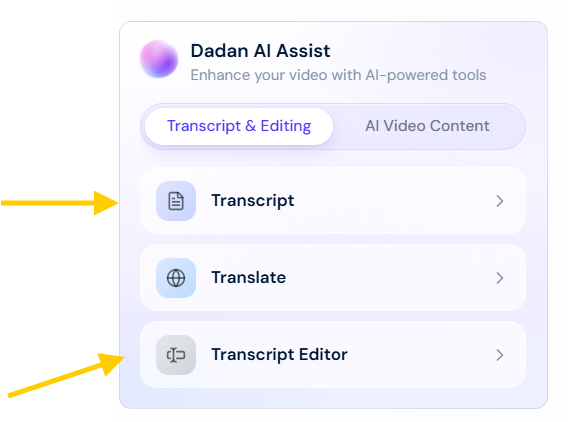
Fix any transcription slips in the text before you move on.
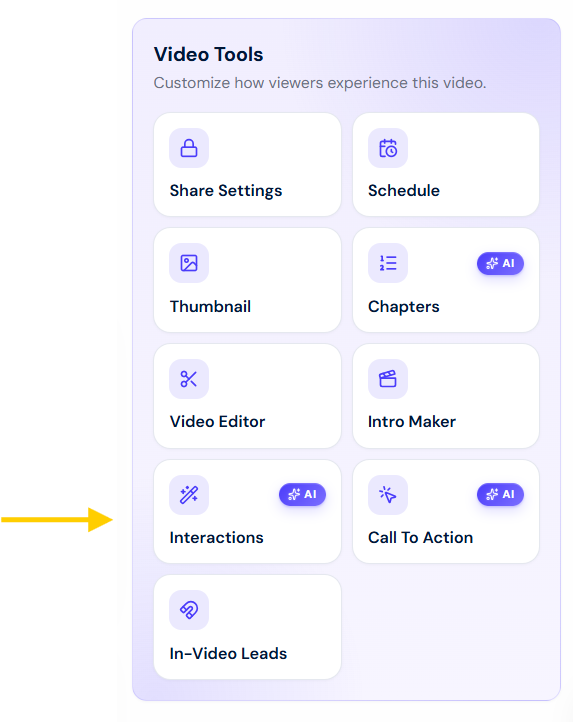
Step 4. Drop Your Interactions Onto The Timeline
Scroll to the Interactions icon, and pick the second where you want the interaction to fire.
Choose your type, quiz, poll, open question, true/false, text, or a CTA, and either write it yourself or let the AI draft one from your content.
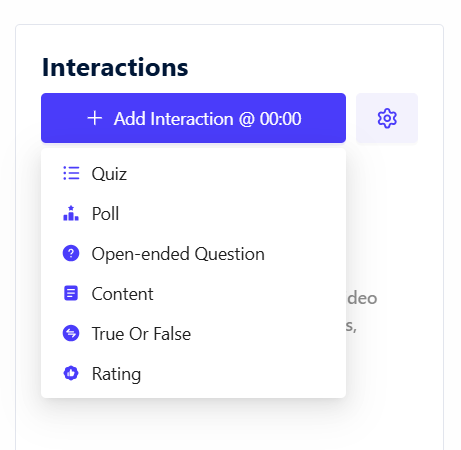
But remember that the AI-drafted question is almost always too easy on the first pass, and the wrong answers it writes are too obviously wrong.
Rewrite the distractors so a learner who half-listened would actually fall for them. That one edit is the difference between a quiz that checks understanding and one that rubber-stamps it.
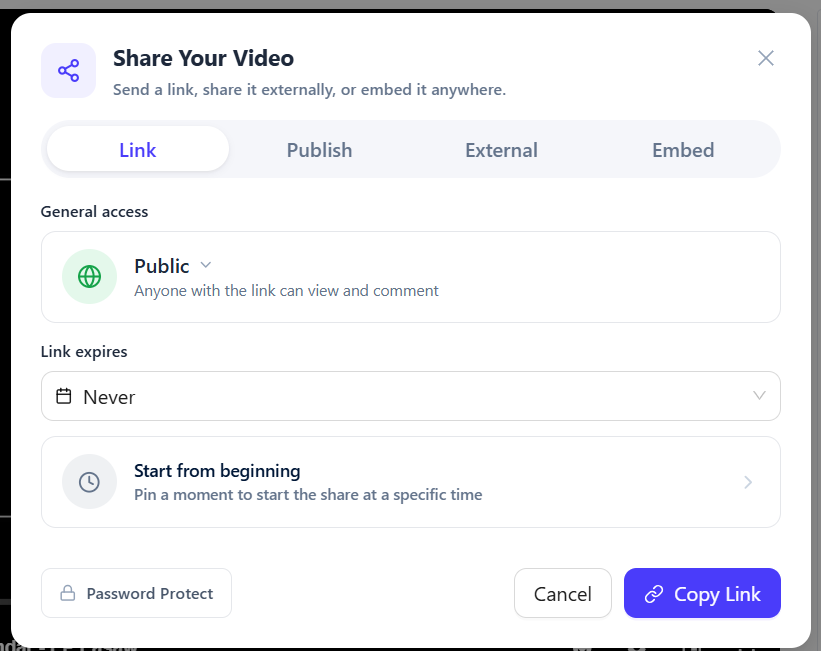
Step 5. Set Who Can Watch And How
Decide on access before you share. Internal training usually wants password protection or restricted access. A lead-generating lesson wants to be open, with a CTA pointing somewhere useful. Setting this now saves you from reissuing links later.
Step 6. Share Or Embed The Finished Lesson
Share by link, post it, or embed it in your LMS or a webpage. Embedding keeps the interactions live, so the quiz still works inside your course player.
You can also use a video to gif converter to turn short sections of the lesson into lightweight visual content for social media, emails, or promotional materials.
Step 7. Read The Interaction Data, Then Fix What Failed
After people watch, skip the vanity view count and go to the per-interaction data. Find the question most people got wrong and the timestamp where viewers dropped off.
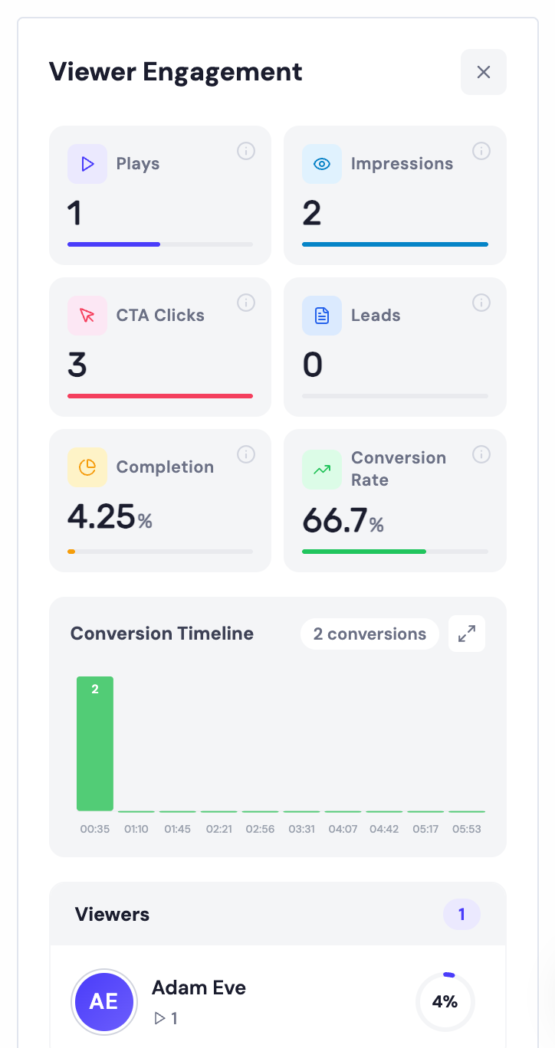
Those two numbers tell you exactly what to re-record or re-explain. Interactive video pays off on version two, once the data has shown you where version one leaked.
Interactive Video Learning Examples
Interactive video learning shows up everywhere from Netflix to corporate compliance training, and as of 2026 even YouTube has it built in.
For example,
1. Netflix’s interactive episodes, like “Black Mirror: Bandersnatch”

It’s a famous consumer version of branching. The viewer’s choices steer the story, which is the same mechanic companies use for choose-your-path compliance and sales scenarios.
2. Dose of Knowledge by Discover Education
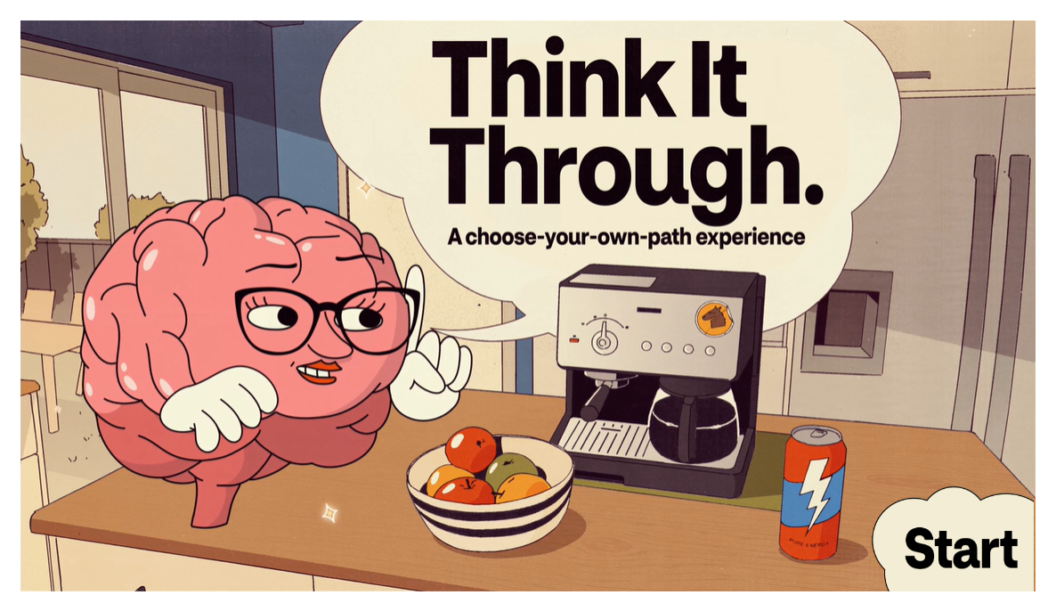
3. DrinkDriving
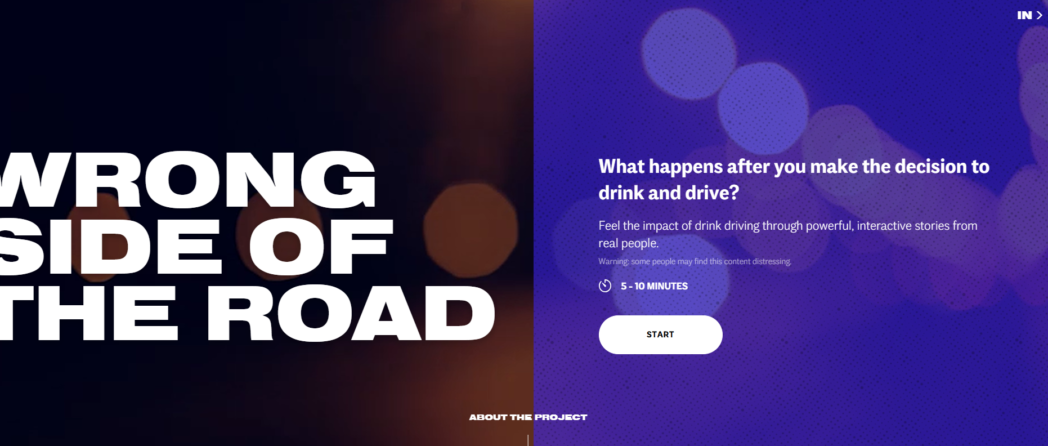
This is exactly what interactive video learning solves:
Interactive Video Learning vs Traditional eLearning
Traditional eLearning delivers information and hopes it works. Interactive video makes the learner prove that it has worked, in the moment, and hands you the data to back it up.
Traditional modules are fine for reference material people return to, like policy libraries. Interactive video earns its cost where you need to confirm understanding, not just delivery.
This is how they line up on the things that decide whether training changes behavior.
| Comparing Aspect | Traditional eLearning | Interactive Video Learning |
| Learner Role | Reads/watches | Responds before the lesson continues |
| Feedback timing | Delayed, often at last | Immediate, at the moment of the mistake |
| Engagement over time | Loses attention across long modules | Held up by regular prompts to act |
| What you learn back | Completion | Comprehension |
| Effort to build | Slide decks/authoring tools | Record once and add as many interactions as you want |
| Best use case | Reference and policy content | Skills, decision, retention |
Why Dadan Is Ideal for Interactive Video Learning
Dadan records, transcribes, adds the interactions, hosts, and reports on them in one browser tab, so you’re not stitching together four tools to build one lesson.
That matters more than it sounds, because you won’t build one learning video, you’ll build dozens, and the gaps between separate apps are where the whole effort goes.
With Dadan you record or upload, run transcription, place interactions on the timeline, set access, and share, all in one pass.
The interactions cover what learning content actually needs. You get six types, quizzes, polls, open text, true/false, feedback, and on-screen content, plus CTAs and lead forms that pause the video, collect the fields you choose, and route the contact to your CRM.
The AI Interactive Video Creator drafts a question from your video so you start from an edit instead of a blank box, and you keep full control to rewrite it.
After it’s sent, the analytics show how each interaction performed next to watch time and audience retention, so you can see the exact section that lost or confused people.
Pick Dadan when you’re making in-timeline interactive lessons, which is onboarding, product training, tutorials, and course modules. That’s the format most teams need, and it’s where the record-to-host workflow saves you the most time.
Conclusion
Interactive video learning works because it swaps watching for doing, and doing is what people remember. You don’t need a production team, only a clear read on the two or three moments where a learner should answer, and a tool that lets you record, add the interaction, and host it in one go.
Build one this week, watch where the data says people struggled, and let that decide what you make next.
FAQs
How do you create interactive learning videos?
Record or upload your video, transcribe it, then drop interactions like quizzes, polls, or CTAs at the points where a learner should respond. Add two or three across a short video instead of filling every gap, set who can access it, and share by link or embed.
Why is interactive video learning effective?
Because answering forces recall, and recall is what cements learning, while passive watching mostly builds recognition that fades. Immediate feedback also lets a learner fix a mistake while the context is fresh, instead of finding out weeks later.
What interactive elements can be added to learning videos?
Quizzes, polls, open questions, true/false checks, on-screen text prompts, and calls to action are the core set, with lead forms on top when you’re capturing contacts. Some platforms also offer branching paths that change the video based on the learner’s choice.
Do interactive videos improve course completion rates?
They tend to, because the learner has to participate to move forward, which keeps attention from drifting. The stronger and more reliable gain, though, is in comprehension and retention, not completion alone.
What is the best software for interactive video learning?
The best tool is the one that lets you record, add interactions, host, and read the results without app-switching, since that’s the loop you repeat for every lesson. Dadan does this in the browser with quizzes, polls, open text, true/false, CTAs, lead forms, and per-interaction analytics.
How can businesses use interactive learning videos?
Use them for onboarding, product training, compliance, and sales enablement, anywhere you need proof people understood and not just watched. A quiz inside an onboarding video tells you which policy didn’t land, and a CTA can route a viewer to the next module or a resource.
How do quizzes improve video learning?
A quiz makes the learner retrieve an answer instead of just recognizing information, and that retrieval is the effort that strengthens memory. Placed right after you explain a concept, it catches a misunderstanding while the explanation is still fresh.
What are the benefits of interactive training videos?
They hold attention through longer content, improve how much people retain, and hand you comprehension data a view count never could. They also cut repeat questions, because someone who answers correctly inside the video is less likely to need a follow-up.
Can AI help create interactive learning videos?
Yes. AI can transcribe your video, suggest where interactions fit, and draft quiz or poll questions from your content, so you start from an edit instead of a blank screen. You still review and rewrite, because the AI gives you a starting point, not a finished lesson. In Dadan, that generation runs inside the same editor where you record and host.
Recommended Readings:
- How to Zoom In/Out & Pan While Screen Recording
- Best Interactive Video Platforms for Businesses in 2026
- How to Add Subtitles & Captions to Video Online Free
- 7 Best AI Video Transcription Generators for Faster Content and Meetings
- AI Multilingual Transcription for Meetings: Ultimate Guide