
Sales teams use video for one simple reason that it explains better than text.
When a prospect doesn’t want a meeting yet but needs clarity, a short video works. You can show the product, walk through pricing, highlight a relevant use case, and even outline next steps. That’s difficult to do clearly in a long email.
This is why sales video software has become part of modern sales workflows. It supports outbound prospecting, follow-ups, account updates, and even structured sales training video software for internal onboarding. Used well, it reduces unnecessary calls and improves response quality.
In this guide, we’ll compare the seven best sales video software options in 2026 based on workflow fit, features, and real sales use cases.
What is Sales Video Software?
Sales video software is a tool that helps sales teams create and send personalized videos to explain products, follow up with leads, and engage prospects. It usually includes features like screen recording, webcam recording, video sharing, editing, interactions, and viewer tracking to improve sales communication.
What to Look for in Sales Video Software
If you’re choosing sales video software, don’t start with features. Start by looking at how your team actually sells.
The right sales video software depends heavily on your sales motion. A team running outbound prospecting has different needs than a team focused on product demos or structured onboarding.
Recording Speed and Workflow Fit
The first question is, how quickly can a rep record and send a video?
If it takes multiple steps to open the tool, configure settings, record, edit, export, and upload, usage will drop. The best tools reduce the process to a few actions, like record, trim if needed, and share a link.
Engagement Tracking and Analytics
Good video sales software should tell you whether a prospect watched the video, how long they watched, and whether they replayed certain sections. This data changes how you follow up.
If someone watched 90% of a demo, that’s a warm signal. If they dropped off after 20 seconds, your message may need refinement.
Without engagement data, video is simply a different format. With it, it becomes part of pipeline intelligence.
CRM and Sales Stack Integration
Video should not exist outside your sales process. If your team works inside HubSpot, video activity should automatically sync there.
Integration ensures that views, clicks, and engagement are all tied directly to deals and accounts. This is especially important for larger teams that rely on reporting and forecasting.
Editing Simplicity and AI Support
Tools that provide automatic transcripts, text-based editing, and caption generation save time. This is where the best AI video software for sales proves its worth by reducing post-recording work.
The goal is efficiency. A short video should not require significant post-production.
Personalization Capabilities
If your team runs outbound campaigns, personalization features matter more. Some tools allow annotations, chapter creation, etc. These features help increase response rates in cold outreach.
However, if your primary use case is follow-ups or internal sales training video software, you may not need personalization.
Hosting Quality and Viewing Experience
Finally, consider how the video appears to the recipient. The playback experience should be fast, mobile-friendly, and clean. If videos load slowly or appear cluttered, it reduces credibility. A simple, professional viewing page often performs better than heavy customization.
Top 8 Sales Video Tools
The tools below were selected based on practical criteria like ease of recording, engagement tracking, CRM integration, editing workflow, and suitability for outbound, demos, or sales training.
1. Dadan
Dadan is a online screen recording and AI-powered editing platform designed for teams that frequently create videos. It focuses on fast recording, automatic transcription, and text-based editing rather than heavy production features.
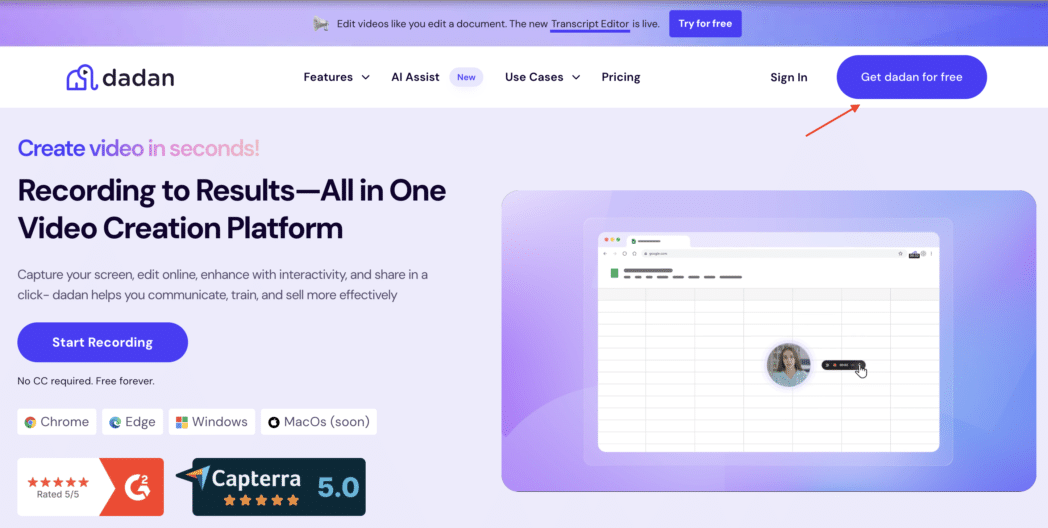
The core idea is record your screen and camera, get an automatic transcript, and edit the video by editing the text. That workflow is practical for sales teams who don’t want to spend time inside a complex editing interface.
Dadan is more of a productivity tool for teams than a pure outbound sales automation platform.
Best For
- Remote sales teams creating demo walkthroughs
- Educators and course creators
- Teams that value AI-assisted editing speed
Key Features
- Screen + webcam recording (browser and desktop)
- Web app, desktop app, and browser extension support
- Automatic AI transcription
- Text-based video editing
- AI meeting notes and summaries
- Shareable video links
- HubSpot integration
- Public API access
Pros
- Fast recording and sharing workflow
- AI editing reduces post-production time
- Clean interface with a low learning curve
- Useful for both sales demos and internal enablement content
Cons
- Not built for advanced marketing video campaigns
Pricing
- Free plan
- Lite: $8 per user/month (unlimited videos, AI Assist, 4K capture, advanced analytics)
- Pro: $14 per use/month (up to 25gb video upload limit per file, password protection, account manager, AI Assist, and more)
- Enterprise: Check out Dadan for Enterprise
Dadan works well for teams that prioritize clarity and speed over heavy automation. If your motion involves sending follow-ups, creating walkthrough libraries, or building structured onboarding content, it performs reliably.
2. Weezly
Weezly is an AI-powered sales video platform that lets sales teams record one video and generate thousands of personalized versions automatically. The AI clones your face and voice, then creates a unique video for each prospect showing their name, company,
and LinkedIn profile as the video background.
Best For
- Sales teams and lead generation agencies running cold outreach through Instantly, Smartlead, or LinkedIn who want to scale personalized video without manual recording.
- Teams using Weezly report 2-3x higher reply rates and 3x more booked meetings compared to text-only outreach.
Key Features:
- AI Video Generation at Scale: Record a 60-second video once. Weezly’s AI generates thousands of unique personalized videos, each addressing the prospect by name in your cloned voice.
- Built-in Scheduling: Every video page includes an embedded booking calendar. Prospects watch your video and book a meeting without leaving the page. No separate Calendly link needed.
- Native Outreach Tool Integrations: Works directly inside Instantly, Smartlead, HeyReach, Reply io, and La Growth Machine. Generate videos without switching tabs.
- LinkedIn DM Video: Videos play natively in LinkedIn direct messages through the HeyReach integration. No external links needed.
- Multi-Motion Video Backgrounds: Videos show the prospect’s LinkedIn profile, website, and photo in sequence as the background while you speak.
- White-Label Agency Suite: Agencies can send videos on behalf of clients using custom domains and branding. Manage multiple client accounts from one dashboard.
Pros
- Scales personalized video outreach effortlessly by generating thousands of unique videos from a single recording
- Built-in scheduling and native integrations streamline the entire outreach to booking workflow without extra tools
Cons
- Best suited for cold outreach use cases, so it may not fit teams looking for broader video creation or marketing needs
Pricing:
- Entry: $99/month (1 user, 1,000 AI video minutes, core integrations)
- Growth: $149/month (1 user, all outreach integrations, LinkedIn enrichment)
- Agency: $995/month (unlimited users, 20,000 minutes, white-label suite)
- 21-day free trial, no credit card required.
3. Loom
Loom is one of the most familiar names in quick-record video. The desktop app, mobile apps, and Chrome extension all follow the same idea. Press record, capture your screen and camera, trim lightly, and share a link that opens in any browser.

The platform concentrates on speed and ease rather than heavy production. Its new Business + AI tier adds automatic summaries and transcripts, but the core workflow has remained simple for years.
Best For
- Sales reps
- Customer success or solutions teams
- Distributed organizations
Key Features
- One-click screen, webcam, or both
- Unlimited recording length on paid plans
- Viewer Insights and Engagement heatmaps
- Loom AI for auto-generated summaries and transcripts (Business + AI)
- Workspace folders and team libraries
- Upload/download support for externally produced videos
Pros
- Minimal learning curve
- Engagement data appears next to every video
- Cross-platform apps (Windows, macOS, iOS, Android, Chrome)
- AI features save time for reps who write recaps after demos
Cons
- CRM sync requires Zapier or custom API work
- Limited personalization options
- Branding removal available only on paid tiers
Pricing
- Starter/Free
- Business: $18
- Business + AI: $24
- Enterprise: Custom
Loom suits teams that want a reliable, lightweight recorder with solid viewer analytics and don’t need advanced outbound personalization.
Bonus Read: How to Make Cold Sales Emails With Personalized Videos
4. Vidyard
Vidyard is built specifically for revenue teams that use video to start conversations, move deals, and measure pipeline impact.

The platform combines quick screen-and-webcam recording with a full hosting and analytics stack, so reps can create a short intro video in one minute and marketing can track long-form demos the next.
Best For
- Outbound and account-based reps
- Sales teams
- Revenue operations leaders
Key Features
- Screen, webcam, or hybrid recording via Chrome extension and desktop app
- Viewer heat-maps and real-time view notifications
- Native integrations with Salesforce Sales, Service, and Community Clouds, plus HubSpot
- Custom video landing pages with calls-to-action
- Team libraries, folder permissions, and admin analytics dashboards
- Optional AI captioning and transcription (Business tier+)
Pros
- Deep CRM integrations
- Detailed engagement analytics
- Supports both lightweight video email and long-form hosted content
- Granular admin controls for larger, multi-team deployments
Cons
- Interface and setup can feel heavy for very small teams
- Personalization features are paywalled on higher tiers
- Starting price per user is higher than recorder tools
Pricing
- Free
- Starter: $59/user/month (billed annually)
- Teams: Custom
- Enterprise: Custom
Choose Vidyard if your sales process relies on data-driven follow-ups and you need video engagement metrics to live inside Salesforce or HubSpot. It’s less suited to teams that only want a quick recorder with minimal setup, those may prefer Loom or Dadan.
5. Sendspark
Sendspark helps sales and marketing teams send personalized videos that look like they were recorded for each prospect, even when they’re produced at scale.
The browser-based recorder captures the screen and webcam, then lets you insert dynamic variables such as the viewer’s name or a snapshot of their own website.
AI handles the heavy lifting, generating multiple versions of the same core video so every recipient feels singled out. The platform ties those videos back into common outreach tools, so you can drop them into email sequences without extra steps.
Best For
- Outbound reps
- Sales teams
- Marketers
Key Features
- Screen and webcam recording in Chrome and Edge
- AI name-personalization and dynamic website backgrounds
- 50+ integrations, including Outreach and HubSpot; Salesforce via advanced tier
- Custom video landing pages with calls-to-action
- Team workspace with shared asset library
Pros
- Personalization engine boosts reply rates without manual re-recording
- Browser-only workflow, no desktop install required
- Outreach, HubSpot, and Zapier integrations are straightforward
Cons
- Analytics are solid but not deep
- Native Salesforce sync sits behind a paywall
- Editing tools are lighter than Dadan’s text-based workflow
Pricing
- Solo: $49/mo
- Growth: $99/mo
- Team: $299/mo
- Business: $699/mo
Use Sendspark when scale-ready personalization matters more than deep editing or hosting controls.
6. Hippo Video
Hippo Video positions itself as an “all-in-one” video platform for sales offering recording, personalization, hosting, analytics, and AI-generated scripts under one roof.
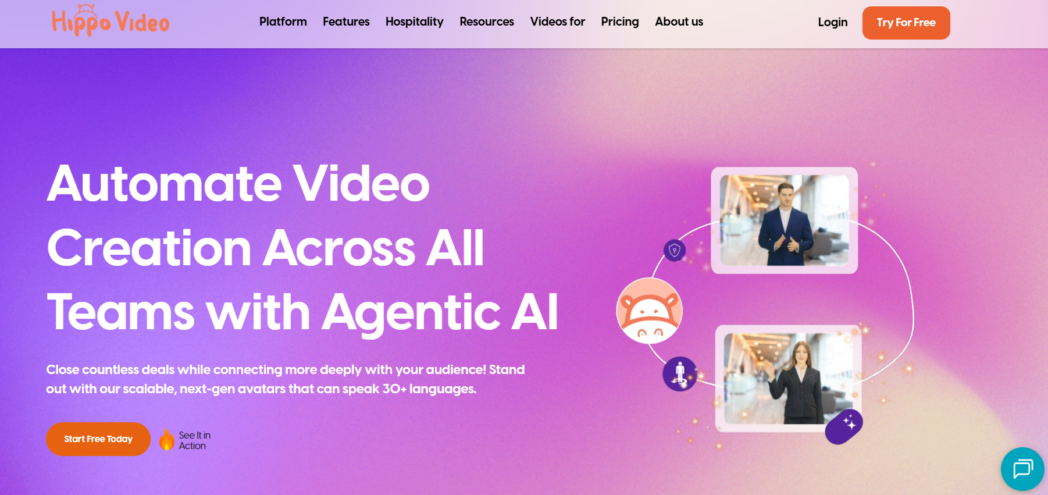
Sales reps can record from a Chrome extension or desktop app, drop the video into an email, and then view data flow back into dashboards. Enterprise tiers also include Salesforce components and advanced AI tools that generate avatar-led videos in more than 170 languages.
Best For
- Revenue teams
- Organizations with multilingual or global outreach requirements
- Sales ops groups
Key Features
- Screen, webcam, and text-to-video recording
- AI “Creation Agent” to turn scripts or documents into avatar videos
- Personalized thumbnail and landing-page builder
- Native Salesforce integration on enterprise plans
- In-platform video flows for prospecting, follow-ups, and onboarding
Pros
- Broad feature set covers most video needs without extra tools
- Multilingual AI avatars help reps localize outreach
- Salesforce sync
Cons
- Interface can feel crowded compared with other tools
- Most AI and Salesforce features sit behind higher-priced tiers
- Learning curve is steeper for reps who only need quick recordings
Pricing
- Free
- Pro: $20/user/month (billed annually), $30/user/month (billed monthly)
- Teams: $60/user/month (billed annually), $75/user/month (billed monthly)
- Enterprise: $80/user/month (billed annually) (minimum 10 seats)
Pick Hippo Video if you need a single platform to cover recording, AI-generated scripts, multilingual avatar videos, and CRM reporting.
Smaller teams that only care about quick prospect videos may find the interface heavy, but larger sales orgs can consolidate multiple point tools into a single subscription.
7. Wistia
Wistia began as a video-hosting solution for marketers, and that heritage still shows. The player is fully brand-customizable, analytics run deep, and the platform now supports webinars and live events.
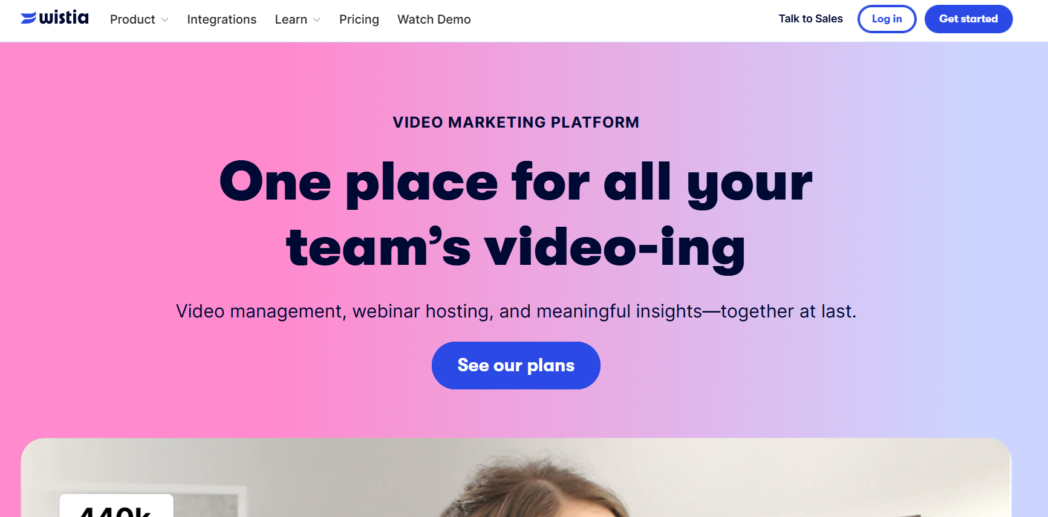
For sales teams, the draw is clear landing pages and granular viewer data without sending prospects to a public site like YouTube. Videos load quickly on mobile, and calls to action can appear at any point.
Best For
- Revenue teams
- Marketing-sales teams
Key Features
- Customizable player with brand colours and thumbnail control
- Engagement heat-maps and per-viewer analytics
- Chapter markers and in-player CTAs
- Webinar and live-event hosting on higher tiers
- Integrations with HubSpot, Pardot, Marketo, and Salesforce (lead capture & view tracking)
Pros
- Professional, ad-free viewer experience
- Deep analytics useful for MQL→SQL scoring
- One library supports marketing, sales, and customer success video assets
Cons
- The screen-recording workflow is basic
- Pricing climbs quickly if you host many videos or need advanced features
Pricing
- Free
- Pro: $79/month (billed annually)
- Advanced: $319/month (billed annually)
Choose Wistia when you need polished, brand-controlled hosting and analytics more than quick recording. It excels at long-form demos, video sales letters, and gated content shared by marketing and sales.
8. BombBomb
BombBomb built its name on video email, helping reps stand out in crowded inboxes. Record from the Chrome extension, Gmail add-on, Outlook plug-in, or mobile app, BombBomb hosts the video, embeds an animated thumbnail in the email, and tracks every open, play, and click.
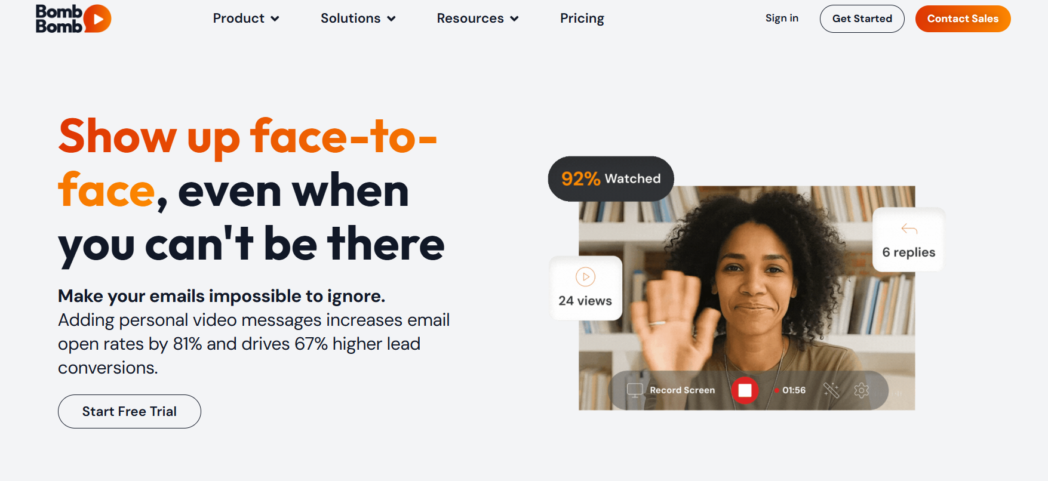
Engagement data can flow straight into Salesforce via a managed package on Enterprise plans, so reps see video activity without leaving the CRM.
Best For
- Sales and account-management teams
- Users who want video in Gmail or Outlook without new tabs or links
- Reps who need native reporting for video outreach
Key Features
- Unlimited video messages on all paid plans
- Animated GIF thumbnail generator for higher email click-throughs
- Real-time alerts when a video is opened or watched
- Native Salesforce component (Enterprise) plus Chrome, Edge, Gmail, Outlook extensions
- Mobile apps for on-the-go recording
Pros
- Email-first design, no learning curve for reps who already send many emails
- Viewer notifications help with time-saving same-day follow-ups
- SOC 2 Type II certified hosting for regulated industries
Cons
- Limited screen-record editing features
- Personalization features are basic
- Price per user is higher than that of other tools
Pricing
- Core: $36/user/month (billed annually)
- Core + Copilot: $56/user/month (billed annually)
- Enterprise: Custom
BombBomb shines when email is the primary channel. If your reps want to stay in Gmail or Outlook, drop in a quick clip, and know exactly when a prospect hits play, BombBomb delivers without extra steps.
Teams that need advanced screen-demo editing or large content libraries might find it limited.
Tips To Create Effective Sales Videos
Most sales videos fail for reasons that have nothing to do with production value. They run too long, try to cover every feature, or leave viewers wondering what to do next.
Here’s a checklist to keep your clips tight, relevant, and easy to act on:
- Keep outreach under 2 minutes and demos under 5.
- Open with context that the buyer cares about, so they know the video was made for them.
- Show the product in action. Record a real task and narrate what the prospect is seeing to reduce ambiguity.
- Tackle one problem per clip. Separate pricing overviews, technical deep dives, and roadmap talks into their own videos to avoid cognitive overload.
- Finish with a single next step (book a call, reply with a question, review a PDF).
- Send while the lead is warm, ideally within 24 hours of the trigger event, so the viewer still remembers the context that prompted the video.
Conclusion
Video has become the shortest path between a prospect’s curiosity and your solution’s value. Pick the platform that fits your sales motion, keep every clip focused on a single outcome, and let engagement data guide your follow-ups.
Treat video as a normal part of how your team works, and you’ll spend more time in real conversations and less time explaining what could have been shown.
FAQs
What is sales video software?
It’s a category of tools that let teams record, edit, host, and track short product demos, outreach clips, or training videos, and then share them instantly via email, CRM, or chat without extensive post-production.
Why should sales teams use video tools?
Video adds tone and context at the moment prospects are deciding whether to engage. A concise screen-share often answers questions faster than three follow-up emails and creates a more personal first impression.
How do sales videos improve conversion rates?
Clear visuals remove ambiguity, which shortens evaluation time. The best platforms also show when a buyer replays key moments, giving reps a concrete signal to follow up while interest is high.
What features should I look for in sales video software?
Prioritise one-click recording, transcript-based editing, accurate viewer analytics, and direct CRM syncing so engagement data automatically lands on the right contact or deal.
How can interactive videos help sales teams close more deals?
Chapters, on-screen annotations, and clickable calls to action nudge viewers to book a meeting or download a spec sheet without leaving the player, reducing drop-off between interest and action.
Is sales video software suitable for cold outreach?
Yes. Short, personalized clips consistently lift open and reply rates, especially when the thumbnail shows the prospect’s name or website for instant relevance.
Do sales video platforms offer analytics and tracking?
Paid tiers almost always include view notifications, heat-maps, and watch-time metrics so reps know who watched, how long, and which sections resonated.
Can sales video tools integrate with CRM platforms?
Most leading options connect natively or via API to systems like Salesforce and HubSpot, logging plays and engagement scores directly on the contact or opportunity record.
Can sales video software track individual viewer engagement?
Yes. Unique links identify each recipient, allowing the tool to attribute watch data, down to the second, to a specific person, which informs targeted follow-ups.
What is the best sales video software for small teams?
Start with lightweight recorders such as Dadan. They’re inexpensive, easy to adopt, and upgradeable later when you need deeper analytics or large-team controls.