A new hire’s first two weeks shape how the next two years go, and most companies still deliver them the same way. Live sessions, one person at a time or may be a few, by whoever happens to be free.
This guide covers how to replace that with a video library that works for every new hire, every time, without the scheduling dependency.
Why Traditional Employee Onboarding Often Fails
The problems with traditional onboarding are not effort or intent. The issue is that the model you inherited was built for a workplace where new hires sat next to their managers, asked questions in real time, and learned by observation.
Once you start hiring across time zones and bringing in three to five people a month, the same model can’t effectively work anymore.
Knowledge Lives in People’s Heads
Ask your team how the deployment process actually works and you will get four answers, all slightly different.
The reliable version of each answer is with one senior person who explains it on demand, in conversation, with nothing written down. Every new hire learns from the same handful of people, the same way, with no compounding benefit to anyone else.
Cohort Onboarding Trades Depth for Calendar Convenience
When five people start the same week, you schedule a group walkthrough. Everyone gets the same content at the same time, which feels efficient.
But the session moves at the pace of the median question, so your new engineer who needed thirty minutes on the CI setup gets ten, and your new marketer who needed two minutes on the same topic sits through the full ten. Nobody gets the depth they actually need.
Written Documentation Goes Stale Faster Than It Gets Updated
A Notion page written six months ago still describes the tool stack from six months ago. Three integrations have changed since then, two steps have moved, and the page reads as confidently as it did the day it was published.
New hires either follow outdated instructions or learn to ignore the docs and message your team in Slack, which means the docs cost you twice.
The Best Person to Explain Something Is Rarely the Person Doing the Onboarding
The CFO is the right person to explain how budget approvals work. They are also the wrong person to spend an hour on it every quarter. The same applies to the head of engineering, the VP of sales, the founder.
Live onboarding forces senior people to either repeat themselves or delegate the explanation to someone less qualified to give it.
According to Gallup, only 12% of employees strongly agree their organization does a great job onboarding. If you are in the other 88%, you are losing the first month of every new hire’s tenure to a delivery problem you keep trying to fix with more meetings.
What Are Employee Onboarding Videos?
An employee onboarding video is any recorded video used to train, orient, or inform a new hire during their first weeks.
The category is broader than the recorded all-hands welcome message that most people picture when they hear the term. It also includes screen recordings of internal tools, security walkthroughs from your legal team, account renewal demos from customer success, codebase tours from a senior engineer, and role handovers recorded by the person leaving the seat.
The defining feature is not production quality or length. Record the explanation once and it plays for every new hire who joins after. They watch when they need it, rewatch the parts they missed, and search the transcript six months later when they have forgotten the exact step.
But let’s not mistake that onboarding videos can replace live conversations. They do not. What they do replace are the parts of onboarding that should never have been live in the first place, which frees up the time for the things that actually require it.
Benefits of Employee Onboarding Videos
Most of the benefits below are obvious. The one that surprises teams is how much time you get back on the senior calendar once you stop scheduling fresh onboarding for every cohort.
- Every New Hire Gets the Strongest Version of the Explanation
Pick the person who explains your CRM best and record them. From that point on, every new hire watches that version. The quality of your onboarding stops varying based on who happened to be free that week.
- New Hires Move at Their Own Pace
A fast learner finishes your systems walkthrough in two days. A slower learner rewatches the parts that did not click. Neither one is waiting for a scheduled session or holding up a cohort.
- The Knowledge Base Becomes Searchable
When you transcribe your videos, the whole library becomes searchable. Six months after you record the expenses walkthrough, someone types “expense” into the search bar and finds it in two seconds, without messaging your team to ask.
- The Cost Structure Inverts
Live onboarding costs the same to deliver to hire fifty as to hire one. A video library costs you the recording time once and nothing meaningful after that. Each additional hire makes the math better, which is the opposite of how live onboarding works.
Types of Onboarding Videos Every Company Should Create
The welcome message from your CEO is the easiest to make and the least impactful in the library. The videos that move time-to-productivity are the ones covering operational knowledge new hires need to do the job and senior people are tired of explaining.
Welcome and Company Introduction
A short video from your founder or department head covering company history, what you do, and where you are heading. This is one of the few onboarding videos where personality matters more than polish. Keep it under five minutes.
Culture and Values Walkthrough
How your company actually works day to day. Communication norms, meeting culture, how decisions get made, what good performance looks like, what kinds of pushback are welcome and what kinds are not.
This is the content most often missing from written handbooks because it is hard to write down, and the content new hires need most in week one.
HR and Policy Training
Benefits enrollment, time off, code of conduct, expense procedures. Mandatory for every new hire, rarely changes, never benefits from being delivered live. Purpose-built for a video library.
Compliance and Security Training
Industry-specific regulation, data handling, security protocols. Often required to be tracked and acknowledged, which is the one place where a knowledge check at the end of the video earns its keep.
Tool and System Walkthroughs
Screen recordings of your CRM, project management tool, internal wiki, and deployment process. These are the highest-leverage videos in your library because the same tools get used every day for years, and every new hire has to learn them.
Role-Specific Training
The processes and workflows specific to a single role. A sales rep’s onboarding looks different from a designer’s. The person doing the job knows which parts are actually hard, which is why these videos work best when recorded by someone in the role rather than a generic trainer.
Team Introductions
Each team member records a short self-introduction. For distributed teams, this is disproportionately valuable. The new hire who has watched a thirty-second clip from each teammate walks into the first team meeting recognizing faces and names.
Manager-Recorded First 30/60/90
Record what success looks like in the first thirty, sixty, and ninety days. What the priorities are, what the new hire should be working on, what good performance at each stage looks like. This replaces the verbal version of the conversation that usually goes undocumented and gets remembered differently by both sides.
Most teams have one or two of these in good shape and rebuild the rest verbally for every new hire. Build all and you have a complete library.
How to Create Effective Employee Onboarding Videos
Internal onboarding video does not need to hit the production bar of marketing video. Clarity matters more than polish here, and the right person delivering the explanation matters more than the lighting.
1. Start From an Outline
Even experienced presenters forget when they record without structure. Write down the three to five points the video needs to cover, in the order they should appear.
For tool walkthroughs, list the exact steps before you press record. Thirty minutes of outlining saves an hour of editing.
2. Use a Teleprompter for Anything Over 3 Minutes
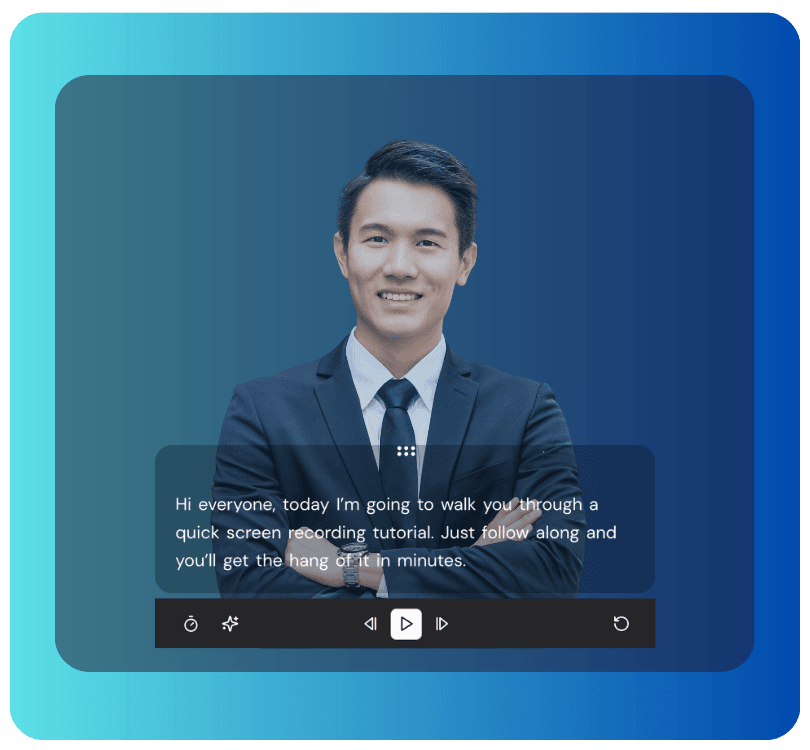
A teleprompter removes the choice between memorizing a script and sounding stiff, or improvising and rambling. Dadan’s teleprompter scrolls at the speaker’s pace, so the recording stays focused without sounding read off a page.
3. Keep Each Video Focused on One Topic
A single video covering everything about CRM is too long to rewatch and too unfocused to search. Break it into smaller pieces. How to create a contact, how to log a call, how to pull a report.
Each piece earns its own search hit later and stays useful when the others change.
4. Record at the Right Resolution
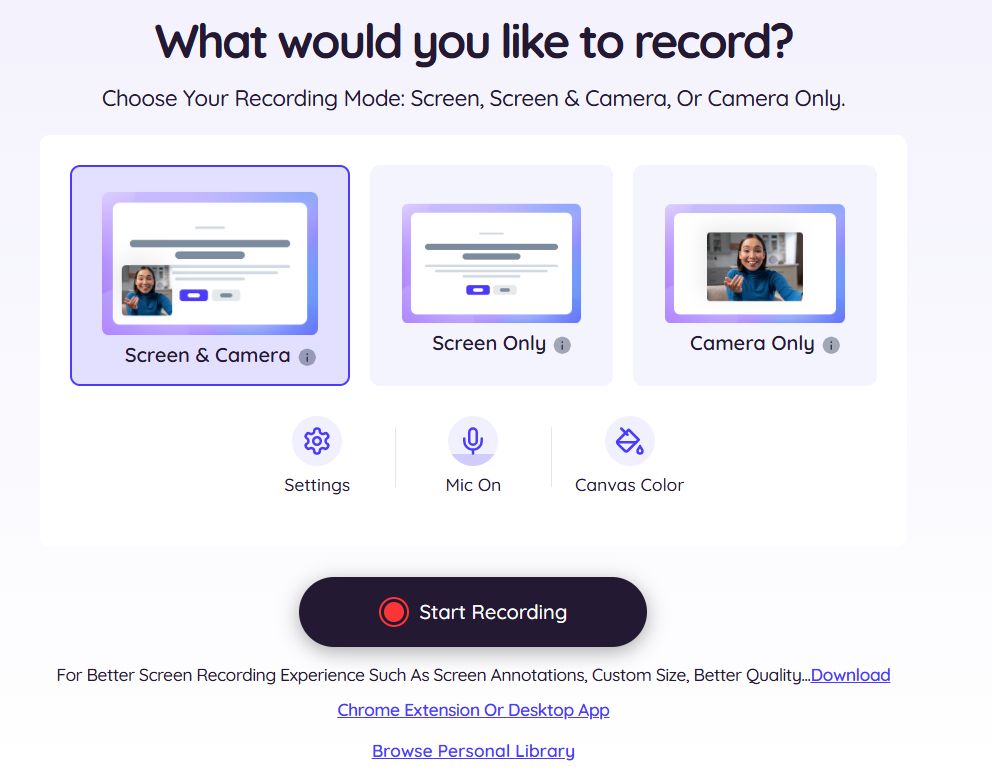
Talking-head videos work fine at 1080p. Screen recordings of detailed dashboards or code benefit from higher resolution. 4K is overkill for most onboarding content but worth it where fine UI detail matters.
5. Add Captions, Transcripts, and Chapters
Captions catch non-native speakers, employees with hearing difficulties, and anyone watching with sound off. Transcripts make the video searchable. Chapters let viewers jump to the section they need.
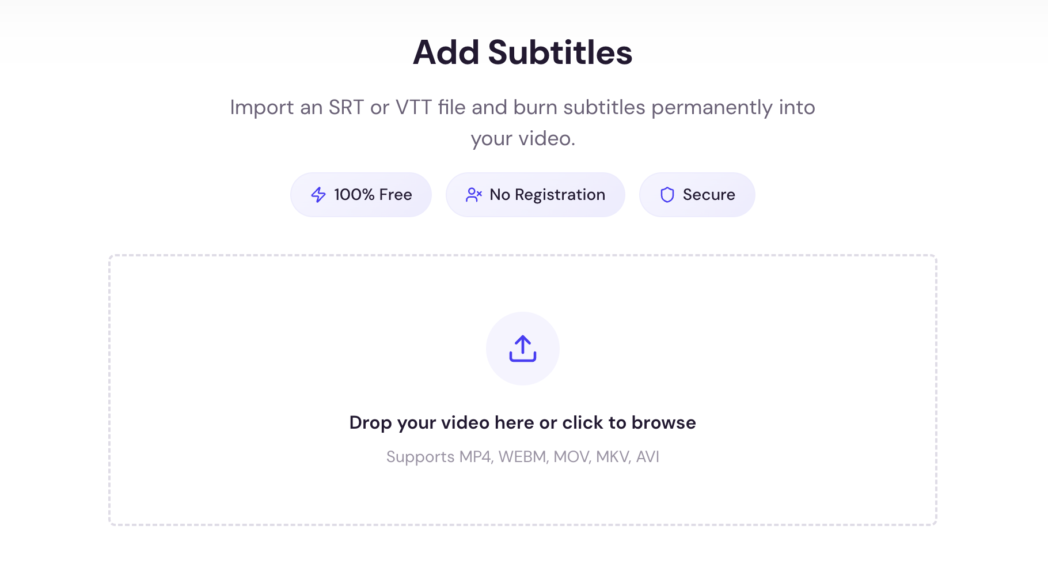
AI generates subtitles automatically from the recording, so there is no real reason to skip any of them.
Embed a Knowledge Check at the End
A short quiz or open question forces engagement instead of passive viewing. It also tells you whether the compliance training actually got watched or whether the new hire clicked play and walked away.
Refresh Quarterly
Libraries go stale faster than you expect. A walkthrough of the CRM recorded two years ago is worse than no walkthrough if half the buttons have moved. Put a quarterly review on someone’s calendar.
Strip the Jargon
If the video uses an acronym, define it. If it references an internal system, explain what the system does. The audience is someone who started yesterday and has never heard any of it before.
A well-scoped onboarding video takes thirty to sixty minutes to produce end to end. A library of forty covers most of what a new hire needs in their first month.
3 Best Tools for Employee Onboarding Videos
The right tool depends on the kind of content you are producing and how distributed your team is. Three options cover most of the realistic use cases between building interactive training across remote offices and producing formal LMS courses for an L&D program.
1. Dadan
Dadan is a browser-based video platform that handles recording, editing, hosting, and viewer tracking in one place, so you don’t have to switch tools mid-workflow.
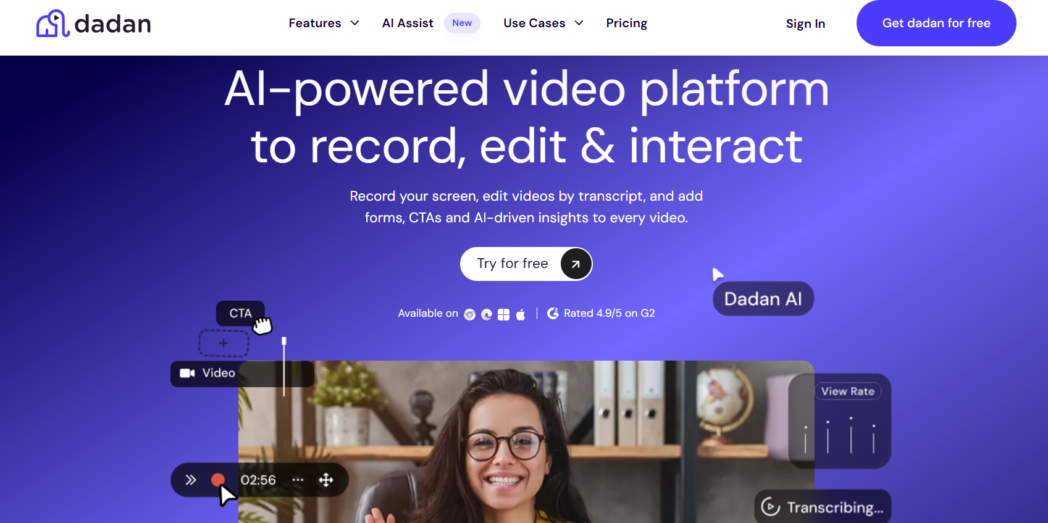
Record screen, webcam, or both, at up to 4K. The built-in teleprompter scrolls at the speaker’s pace, so long-form policy walkthroughs get recorded without memorizing or improvising.
The text-based video editor lets you cut a section by deleting words from the transcript, which removes the timeline-scrubbing step that slows down most editing workflows.
Interactive elements separate Dadan from simpler screen recorders. Drop quizzes, polls, forms, and CTAs at any point in the video, lead form to video, and your compliance training video can include a knowledge check at the end without exporting to a separate LMS.
Dadan also has AI Assist that generates transcripts, captions, chapters, summaries, and metadata automatically. Hosting is built in too. Videos are stored on Dadan’s cloud, shared via link or embed, and can be password-protected or restricted to specific viewers. Analytics show who watched, for how long, and whether they completed the quiz at the end.
Pricing:
- Free plan
- Lite: $8/month
- Pro: $14/month
Best for:
Teams that want one platform to handle the full onboarding video workflow, particularly those building interactive training content.
2. Loom
Loom handles the basic recording and sharing workflow well and has strong recognition across teams that already use it.
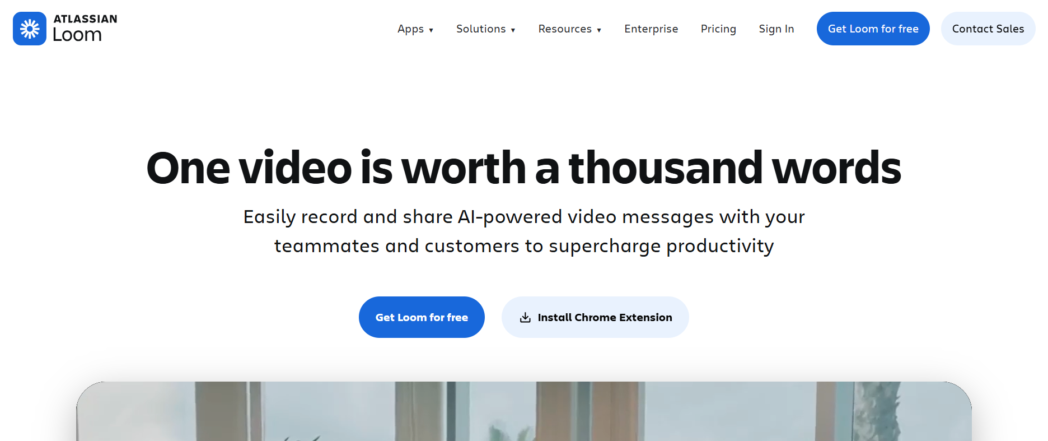
For onboarding, Loom covers the recording and sharing layer. Recordings upload automatically, generate shareable links, and embed in most workspace tools. The interface is simple enough that non-technical employees can record without training.
Where Loom falls short for onboarding specifically is interactive elements and AI pricing. There are no built-in quizzes, polls, or forms. Loom AI features like transcripts, summaries, and filler-word removal sit behind a separate add-on on top of the base subscription rather than getting included.
Pricing:
- Starter: Free plan
- Business: $15/user/month
- Business+AI: $24/user/month
- Enterprise: Custom
Best for:
Teams that want a simple, well-recognized tool for basic onboarding recordings and are not building interactive training content.
3. Camtasia
Camtasia is a desktop screen recording and editing app aimed at content creators who need deeper editing control. For L&D teams producing polished, long-form training courses, it offers capabilities the browser-based tools do not.
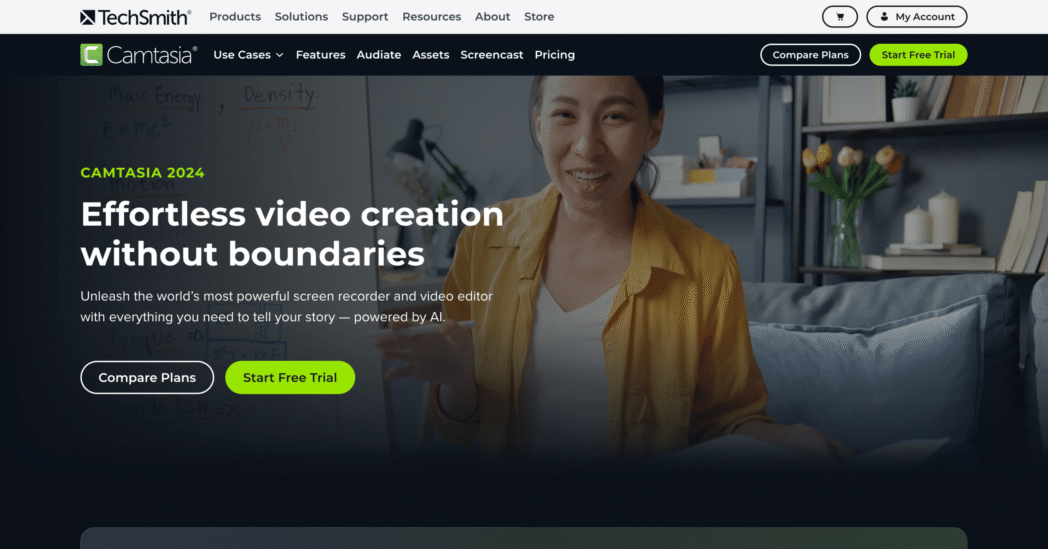
The editor includes detailed timeline editing, transitions, effects, animations, and audio mixing tools that go well beyond a browser-based editor. For teams publishing onboarding videos as part of a formal LMS course, Camtasia is the more capable tool.
But the problems are also significant. It is desktop-only, requires installation, and has a steeper learning curve. There is no built-in hosting, so videos need a separate solution for sharing.
Pricing:
- Starter: ₹4175.29/year
- Essentials: ₹7099/year
- Create: ₹9999/year
- Pro: ₹29999/year
Best for:
Instructional designers and L&D teams producing polished, formal training content who already have a separate hosting solution.
Why Async Video Is the Future of Employee Onboarding
The live model stopped working at the scale and distribution most companies hire at, and three structural shifts explain why async became the default.
Distributed Hiring
The new hire in Singapore should not have to attend a 2 a.m. session with a head of operations in San Francisco. Pre-recorded content lets each person work in their own time zone.
The session gets recorded during a normal workday and gets watched during a normal workday.
Hiring Velocity
When a team is adding three to five new hires a month, fresh live onboarding for each cohort eats the senior calendar entirely.
Move that work upfront and the calendar opens up for the parts of onboarding that actually need a senior person in the room.
Live onboarding still has a role for one-on-one manager conversations, role-specific feedback, and team Q&A. What has changed is the proportion of onboarding that belongs there.
Conclusion
The fastest way to improve onboarding in 2026 is to record the parts that already work, stop delivering them live, and get back the time you spend repeating the same explanations to every new hire.
A small library covering company culture, core tools, and role-specific workflows handles most of what a new hire needs in their first month.
Try Dadan today to record your first onboarding video.
FAQs
Why are onboarding videos important?
Onboarding videos give every new hire the strongest version of each explanation, free senior people from repeating the same content to every joiner, and create a searchable knowledge base your team can reference long after week one. They solve the delivery problem that causes most onboarding programs to fall short.
How long should onboarding videos be?
Most work best between three and seven minutes. Welcome messages can be shorter. Detailed tool walkthroughs may run longer but should be split into chaptered segments so viewers can jump to the section they need.
What should be included in an onboarding video?
Cover one topic per video. Across the library, include welcome and culture, HR policies, compliance, tool walkthroughs, role-specific processes, team intros, manager-recorded expectations, and a FAQ section. Each video should be searchable and rewatchable on its own.
What is the best tool for creating onboarding videos?
For full workflow coverage across recording, editing, hosting, analytics, and interactive elements, Dadan handles everything in one place at $8 per user per month.
How do remote teams onboard employees effectively?
Record the explanatory parts of onboarding in advance, let new hires consume them asynchronously, and reserve live sessions for one-on-one manager conversations and team Q&A.
Can onboarding videos replace live training?
Video can replace most one-way explanatory content like tool walkthroughs, policy explanations, compliance training, and system overviews. It does not replace conversations that need back-and-forth, like live Q&A.
How do async onboarding videos improve employee training?
Async videos let new hires learn at their own pace, rewatch what they need to revisit, and search transcripts for specific topics months later. They also free senior people from repeating the same explanations to every joiner, which makes their time available for the parts of onboarding that actually need a human in the room.