Cold sales emails are still widely used because they’re simple to send and don’t require any prior engagement. But they rely almost entirely on text to explain context, relevance, and intent in a very small space.
In most cases, that explanation isn’t enough. From the sender’s side, the logic feels sound. You spotted something, made a connection, and wrote a message. From the reader’s side, that logic is mostly invisible.
All they see is another email asking them to pause their day and decide whether this thread is worth picking up.
Personalized video is used in cold sales emails to reduce that ambiguity. Instead of describing what prompted the outreach, you can show it directly. This shifts some of the interpretive work away from the reader and makes the email easier to evaluate quickly.
This article explains what a personalized video cold email is, why teams use video alongside text, and how to include video in cold sales emails without making the outreach heavier or harder to respond to.
What Is a Personalized Video Cold Email?
A personalized video cold email is still a cold email. The structure doesn’t change. What changes is how you explain why you’re reaching out to someone you haven’t spoken to before, usually with a specific ask or proposal.
Instead of relying entirely on text to describe context, you attach a short video that shows it.
That video is usually simple. It shows the exact thing that prompted you to reach out. This could be a page on their website, a service description, a recent update, a published piece of content, or any other visible detail you’re responding to. The point is specificity.
So, the video is not meant to carry the pitch. It doesn’t replace the email copy or move the conversation forward on its own. Its role is to make the trigger for the outreach visible so the reader doesn’t have to infer it from a few lines of text, and more importantly, attach a face to the message.
This is why these videos are typically short. Thirty to sixty seconds is common. Long enough to show what you’re referring to and short enough that the reader can decide, quickly, whether engaging makes sense.
The video is usually shared as a link or thumbnail inside the email, not embedded directly. When clicked, it opens in the browser. This keeps the email simple and avoids the rendering and delivery issues that come with embedding video directly in inboxes.
Why Cold Emails Alone No Longer Work
Cold emails didn’t suddenly stop working. What changed is how little time the reader is willing to spend figuring one out.
When a cold email arrives, the reader is not evaluating the quality of your message. They’re skimming to understand it quickly enough to act. A recognizable professional email address is often the first signal that decides whether that skim turns into an actual read.
Text-only emails struggle here because they compress too much context into too little space. You’re trying to explain too many things, all in a handful of lines. Even when the message is relevant, the reader has to interpret intent and reconstruct context. That takes effort.
And effort is exactly what people avoid at first touch.
This is why most cold emails don’t get rejected but get postponed. The reader doesn’t see enough clarity to reply immediately, so the email gets left for later. And that never happens.
It’s not that text can’t explain context. It’s that doing so clearly requires more words than a cold email can comfortably carry without feeling heavy or demanding. So, the reader is asked to connect dots, infer scope, and guess how much back-and-forth a reply might trigger.
That’s the gap personalized video is meant to fill.
Why Personalized Videos Work in Cold Sales Emails
When you add a sales video to a cold email, you’re not trying to increase interest. You’re trying to reduce hesitation.
This is what changes for you when video is used well:
- Instead of packing context into your copy, you can keep the email short and let the video show what you’re talking about.
- People may still say no, but they’re more likely to do it clearly.
- When the context is visible, non-replies are more about fit. That makes follow-ups easier to judge.
- When someone replies after watching the video, they already know what you’re offering. You don’t have to restate the setup.
This only works if the video stays narrowly focused on context. The moment you try to use it to explain your offer, sell your service, or cover multiple ideas, you lose the benefit. The reader is back to evaluating, interpreting, and deferring.
Step by Step: How to Create a Personalized Video Cold Email
This is where things usually go wrong because people overthink what they’re supposed to record and how much effort it needs.
If you use tools like Dadan that are simple and easy to navigate, your only goal is to quickly show context, then get out of the way.
Step 1: Pick One Reference
Choose one concrete thing that triggered the outreach. Keep it visible and easy to point to.
Examples:
- a page on their website
- a service description or positioning statement
- a job post, announcement
- a recent post, newsletter, or video they published
This reference is what your video will be about. Don’t combine multiple references in one email.
Step 2: Open Dadan and Start a Recording
In Dadan, start a new recording and choose the format that matches your reference:
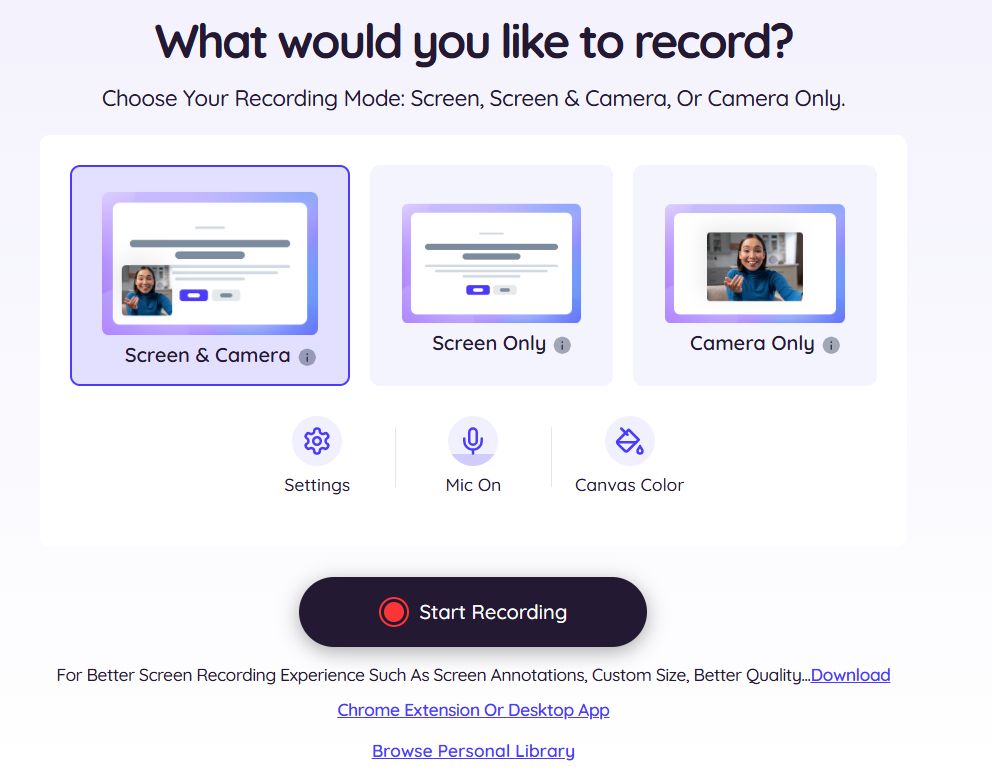
- Screen + webcam if you’re pointing to something on their site and want a personal presence
- Screen only if the reference is the main point, and your face adds nothing
- Webcam only if you’re reacting to something non-visual but still specific (e.g., a quote from their post)
Step 3: Record the Video in One Take
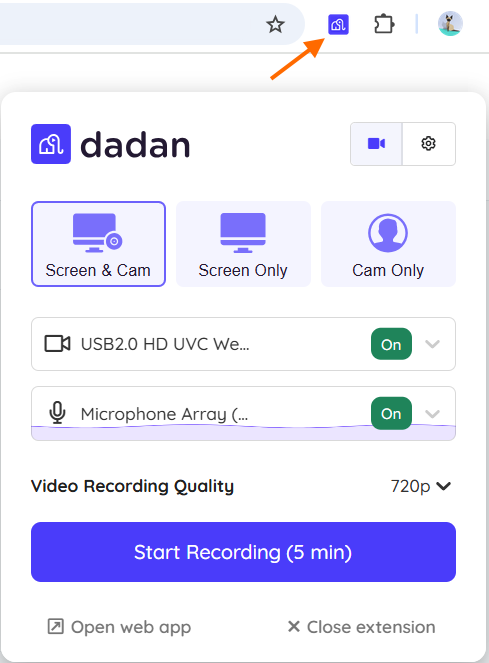
Record a short video that does four things:
- Addresses the reader with their name
- Talks about what you’re looking at
- States the aim of the email
- States why it’s important enough to email
Keep it tight. Most cold email personalized videos work best at 30-60 seconds.
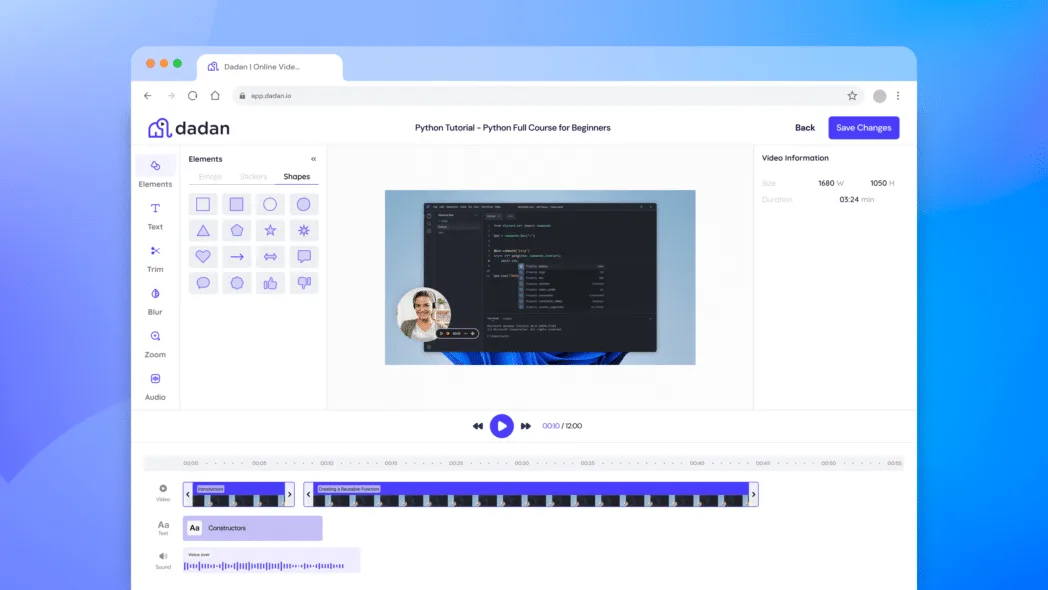
Step 4: Trim for Clarity
Use Dadan’s video editor to remove:
- long pauses
- false starts
- dead air at the beginning and end
You’re editing to help the recipient quickly follow the point.
Step 5: Add Captions or Transcript if Needed
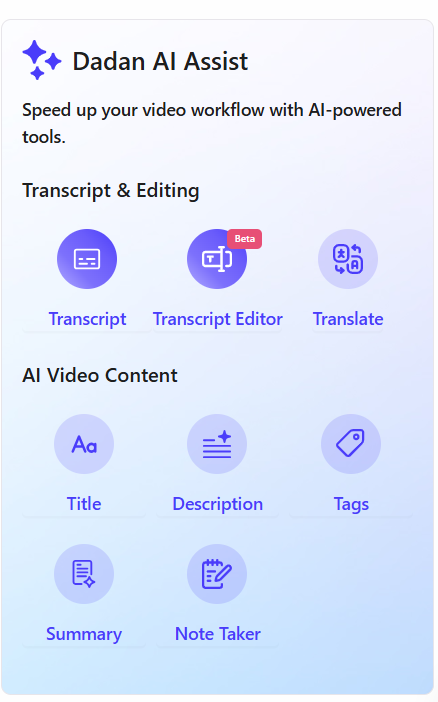
Generate a transcript or captions using Dadan’s AI Assist, so the video is usable even if the recipient watches without sound. This is very helpful when your video includes screen detail or product terminology.
Step 6: Create a Shareable Link
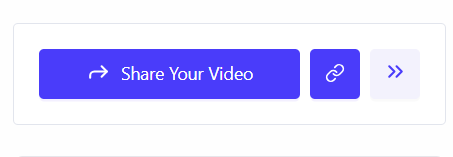
Copy the share link. This is what you’ll include in the email. Avoid embedding video files in the email itself.
Step 7: Insert the Link Into the Email
Place the link where it’s easy to notice and add a few short lines that set expectations about what’s in it.
Step 8: Use Viewing Signals to Decide Your Follow-Up
After sending, use Dadan’s viewer insights as a practical cue to know if the video was watched, then your follow-up can focus on the ask.
If it wasn’t watched, adjust the email framing or placement of the link before sending more cold emails.
Best Practices for Personalized Video Cold Emails
Personalized video works only when it is treated as a support tool. The following practices are designed to make outreach easier to process.
- Keep each video anchored to a single, visible reference you’re reacting to
- Limit videos to roughly 60 seconds
- Use the video to show context rather than explain your offer or service
- Avoid covering multiple points or ideas in the same recording
- Set expectations next to the link by stating what the video shows
- Share the video as a link instead of embedding it directly in the email
- Make sure the email still makes sense even if the video isn’t watched
- Save pitching, feature walkthroughs, and objection handling for later stages
Where to Add Video in the Cold Email
Placement matters because it signals how much time you’re asking for before the reader even clicks.
There are three placements that work:
1. Near the Top (After the First Line)
This is the most common and usually the safest option. You open with one short line that establishes relevance, then place the video link immediately after. The reader sees the link while they’re still deciding whether to continue.
Use this when:
- The video explains the core context of the email
- The reference you’re reacting to isn’t obvious from the text alone
2. After a Short Setup Paragraph
Here, the email gives a small amount of context in text, then offers the video as clarification.
Use this when:
- The reader needs a sentence or two to orient themselves
- The video adds precision rather than a basic explanation
This works well when you want to show rather than introduce. The text frames the issue, and the video makes it concrete.
3. At the End As an Optional Detail
This is the least aggressive placement and the easiest to ignore, too.
Use this when:
- The email stands on its own
- The video adds helpful detail, but isn’t required to understand the message
Placing the video at the end signals that watching it is optional. This can work for follow-ups or low-stakes outreach, but it’s less effective for cold emails where context is missing.
Avoid burying the video link mid-paragraph or surrounding it with too much explanation. The reader should understand what the video contains and how long it is without reading carefully.
That keeps the decision simple and respects the reader’s time.
Tools to Create Personalized Video Cold Emails
You don’t need a complex setup to add video to cold outreach. What you need is a tool that lets you record quickly, share easily, and understand what happens after you send the email. That’s where tools like Dadan work.
Dadan is built around short, shareable video messages rather than long-form production. This makes it practical for cold emails, where speed, clarity, and low effort matter more than polish.
What it gives you is:
- You can record your screen, webcam, or both in one click, which makes it easy to show the exact reference you’re responding to.
- Videos open in the browser via a simple link, so your email stays text-based and avoids inbox or rendering issues.
- Built-in trimming lets you remove pauses or mistakes without re-recording.
- Automatic transcripts and captions make the video usable even when watched without sound.
- Each video has a dedicated landing page, which keeps context, links, and any supporting material in one place.
- Viewing insights show whether someone opened the video, helping you decide how to follow up.
When you can see whether the context landed, you can adjust the message, the follow-up, or the timing instead of assuming why a reply didn’t come through.
Dadan works best here when it’s treated as a layer on top of your existing email workflow, instead of a replacement for it.
Measuring Success of Video Cold Emails
Once you start using video in cold emails, the question becomes whether they change what happens next.
The mistake many teams make is tracking the wrong signals. Video doesn’t magically increase the intent. What it does is remove ambiguity. So whether it works or not needs to be measured at that level.
Reply Rate
Opens tell you nothing about whether the message was understood. Replies tell you whether the context landed well enough for someone to engage.
Speed And Clarity Of Replies
When the video is working, replies tend to be more direct. Even a “not a fit” often comes with clearer reasoning instead of silence.
Watch Behavior Before Replies
If someone watches the video and then replies, the video is doing its job. If they don’t watch it and don’t reply, the issue is likely placement or framing, not the video itself.
Quality Of Follow-Up
Successful video emails reduce setup in the next message. You spend less time restating what you noticed and more time addressing the actual ask.
Patterns Across Outreach
One video doesn’t prove anything. Look for trends across multiple emails, like fewer unclear responses and fewer “circling back later”.
What you shouldn’t over-index on are view counts and completion percentages without context, or on trying to optimize thumbnails or delivery like marketing assets.
Common Mistakes to Avoid
These are the patterns that consistently make video in cold emails harder to evaluate instead of easier.
- Covering more than one reference or idea in a single video
- Using the video to explain your service, product, or pricing on the first touch
- Recording without a clear, visible trigger that prompted the outreach
- Making the email depend on the video to make sense
- Placing the video link where it’s easy to miss
- Editing excessively to polish rather than for clarity
- Sending follow-ups without considering whether the video was watched
Conclusion
Personalized video isn’t required for cold emails, and it isn’t a shortcut to better outreach either. But it’s a way to address the limited time and missing context in cold emails.
When you use video to show what prompted the outreach, you reduce the interpretation the reader must do before deciding whether to reply. Although that doesn’t guarantee a response, it does make the decision clearer and faster.
But it only works when the video stays focused. As soon as you try to persuade, explain solutions, or carry the conversation forward with the video, it creates the same friction as a long email.
FAQs
What is a video email?
A video email is an email that includes a video message, usually shared as a clickable thumbnail or link. When recipients click it, the video plays in their browser, making communication more personal and engaging.
Do personalized videos increase cold email replies?
They can, but not by making emails more persuasive. Their main impact is reducing ambiguity. When recipients can quickly see why you reached out, replies, both positive or negative, tend to be more decisive.
How long should a personalized video be in cold emails?
30 to 60 seconds is usually enough. Longer videos are less likely to be watched in full and often try to cover too much.
Is it better to embed or link a video in emails?
Linking is generally better. Most email clients don’t handle embedded video well, and attachments can affect deliverability. A simple link keeps the email predictable and easy to load.
Can personalized video emails hurt deliverability?
They can if video files are embedded or attached directly. Using a plain text email with a video link avoids most deliverability and rendering issues.
How many personalized videos can I realistically send per day?
That depends on how you scope each video. When videos are short and focused on one reference, you can record several in a short session.