Dadan’s In-Video Leads feature lets you collect viewer details like names and email addresses directly within a video. This is ideal for businesses aiming to grow their contact lists, engage audiences, and drive conversions seamlessly during video playback.
Set up dadan In-Video Leads
To set up dadan in-video leads:
- Access your video library and open video details:
- Open the dadan web app and select a video to which you want to add a lead form.

- Enable In-Video Leads:
- On the right-hand side, locate the In-Video Leads icon and click it.

- Toggle the Enabled switch to activate the In-Video Leads feature.

- The In-Video Leads form will appear in the video preview and display fields for First Name, Last Name, and Email.

- Customize the form text:
- In the Top Text field, edit the default message.
- In the Bottom Text field, update the confirmation message.

Adjust form fields
There are some settings to help you customize the In-Video Leads:
- Toggle off Collect Name if you want to collect only the email addresses, simplifying the form to just the Email field.
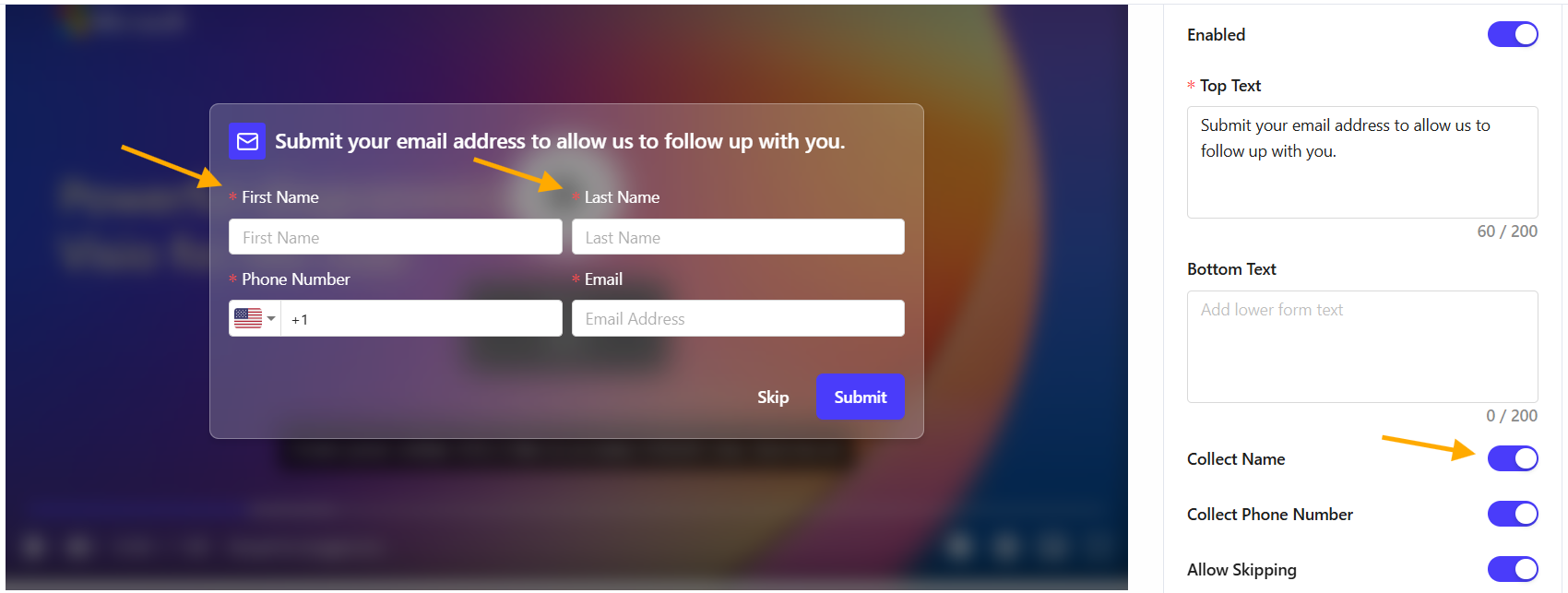
- Use the Collect Phone Number toggle to collect user phone numbers in the form.

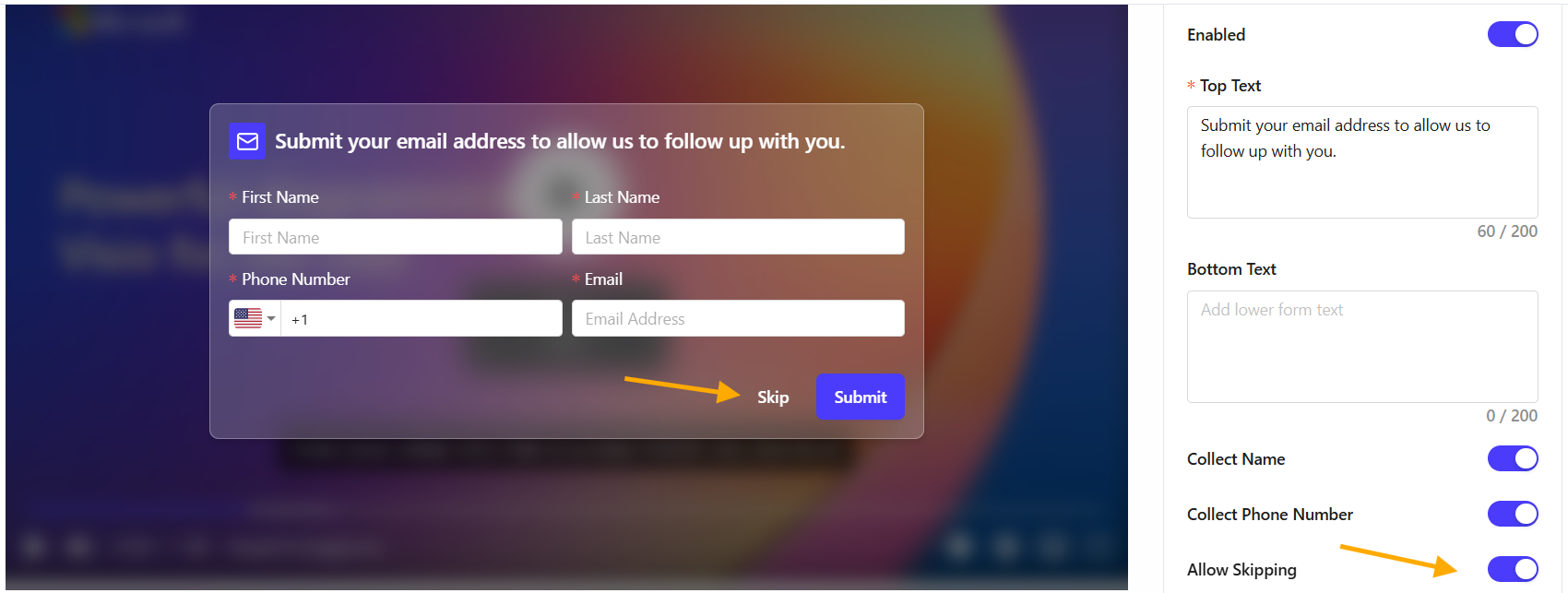
- Use the Allow Skipping toggle to determine whether viewers can skip the form.
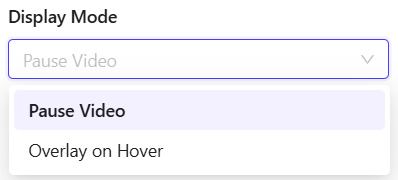
- In Display Mode, select Overlay on Hover to show the form when viewers hover over the video, or choose Pause Video to pause playback until the form is filled.
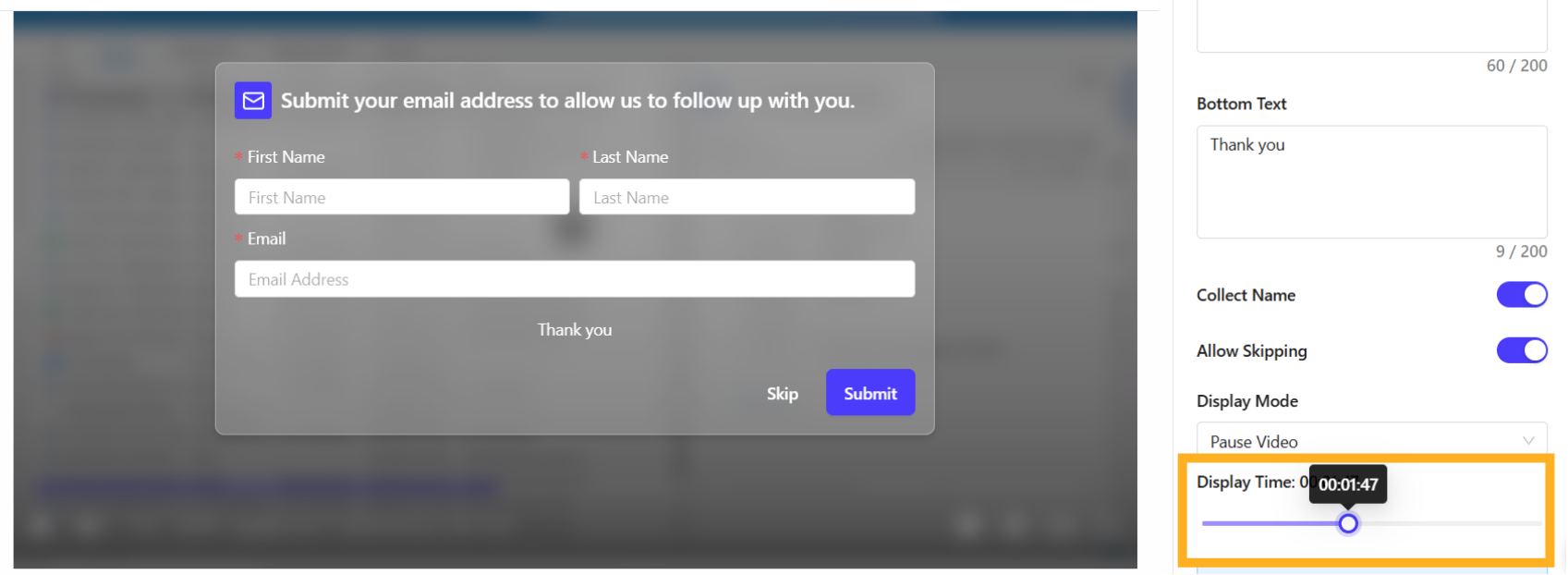
- Set Display Time to specify when the form appears during the video.
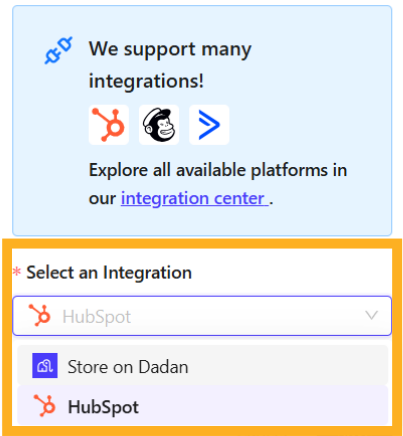
Select an Integration
The Select an Integration step lets you connect your in-video lead data with your preferred marketing platform. This ensures your leads are efficiently organized and accessible, enhancing your marketing and follow-up processes.
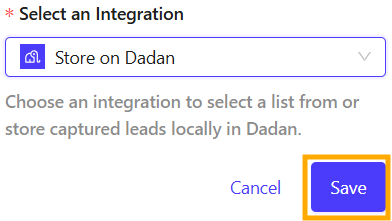
- Choose where to store the collected leads by selecting an integration.
- Click Save to apply the settings, then check the confirmation message.
Download your In-Video Leads
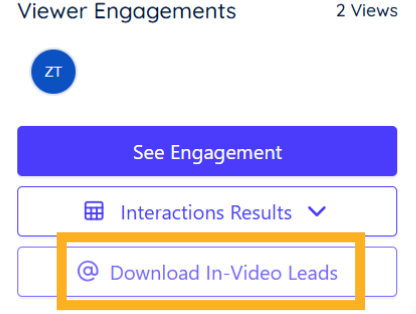
To download collected leads:
- Click Download In-Video Leads under Viewer Engagements to export the data as an Excel file.
- For integrated email marketing tools, Mailchimp is used as an example in this screenshot.